Best eGPU for Ollama on a MacBook in 2026
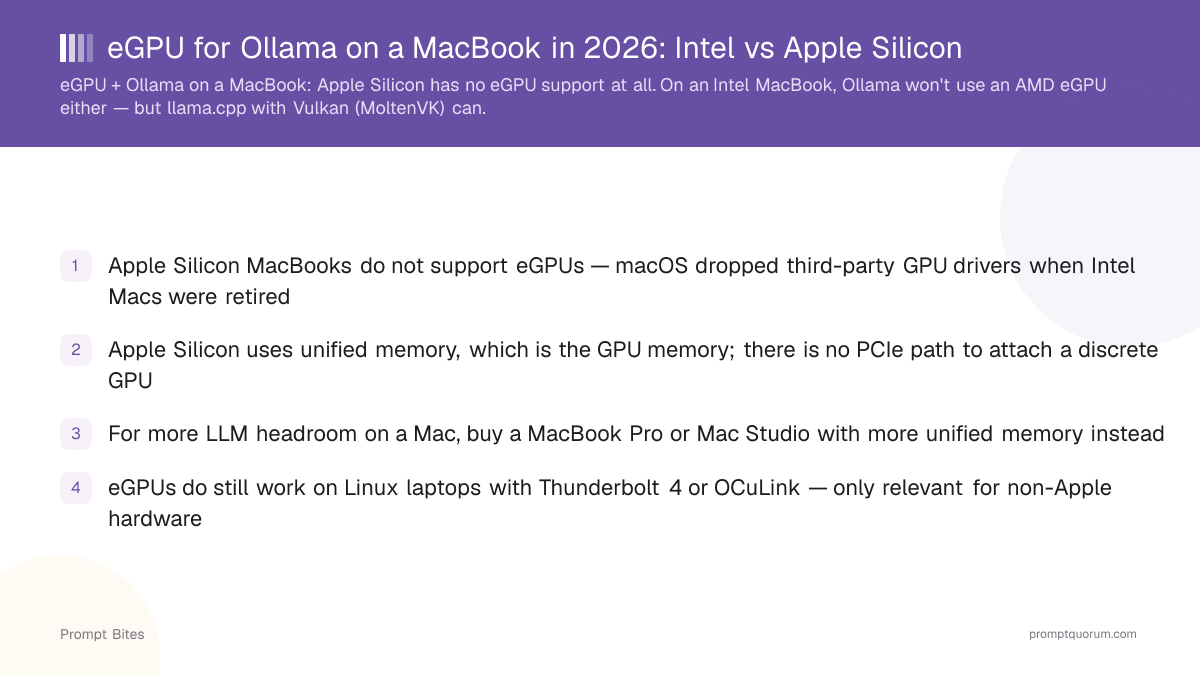
For an Apple Silicon MacBook, an eGPU is usually not the upgrade to make for Ollama. Ollama already accelerates through the Mac's built-in GPU via Metal, so buying more unified memory does more for local-LLM capacity than any external GPU would. Apple approved a third-party driver called TinyGPU that lets NVIDIA and AMD eGPUs do AI compute on Apple Silicon over Thunderbolt or USB4 — but it only works through the tinygrad framework, not Ollama, so it doesn't change this recommendation for Ollama users today. If you need significantly more local-AI performance than any Mac configuration offers, a separate NVIDIA GPU system is the better investment. On an Intel MacBook or iMac, an eGPU is a more reasonable option — see below.
This page contains links to third-party products for reference. PromptQuorum is not enrolled in any affiliate program — these are plain links that earn no commission. Clicking links and your next steps are entirely your own responsibility. These links do not represent any endorsement or verification by PromptQuorum.
Quick Answer
For an Apple Silicon MacBook, no eGPU accelerates Ollama — buy more unified memory instead. If you need substantially more local-AI performance than a Mac can offer, buy a separate NVIDIA GPU system. If you own an Intel MacBook or iMac, an eGPU is a genuinely reasonable option.
- ▸Ollama on Apple Silicon uses Metal, the GPU built into the chip — there is no eGPU path for it, with or without Apple's new TinyGPU driver.
- ▸Apple approved TinyGPU in April 2026, letting NVIDIA/AMD eGPUs do AI compute on Apple Silicon — but only through the tinygrad framework, not through Ollama.
- ▸On Intel Macs, an AMD eGPU physically works over Thunderbolt 3 and can accelerate llama.cpp via Vulkan (MoltenVK) — just not Ollama directly.
Key Takeaways
- ✓Apple Silicon + Ollama: use the built-in Metal GPU — an eGPU is usually not the upgrade to make
- ✓More unified memory is the real upgrade path for larger local models on Apple Silicon
- ✓Apple approved a third-party driver (TinyGPU) in April 2026 for AI-compute eGPUs on Apple Silicon, but it works through tinygrad, not Ollama
- ✓Need much more local-AI performance than any Mac offers? A separate NVIDIA GPU system is the better investment
- ✓Intel Mac or iMac owner? An eGPU is a genuinely different, more reasonable case — see the Intel Mac section
Quick Answer
If you have an Apple Silicon MacBook, don't buy an eGPU for Ollama — buy more unified memory, since Ollama already runs on the Mac's built-in GPU via Metal. If your priority shifts from "a MacBook that also runs local AI" to "maximum local-AI performance," a separate NVIDIA GPU system is the better buy. If you already own an Intel MacBook or iMac, an eGPU is a genuinely reasonable way to extend its life.
- ▸🍎 Best solution for Apple Silicon: buy more unified memory, not an eGPU
- ▸💰 Best budget move: keep your MacBook and use its built-in Metal GPU as-is
- ▸🚀 Need much more GPU power? Buy a separate NVIDIA GPU system
- ▸⚠️ Have an Intel Mac or iMac? An eGPU can make sense — a fundamentally different situation
Why an eGPU Is Not the Ollama Upgrade on Apple Silicon
On Apple Silicon, the GPU shares the same physical RAM as the CPU (unified memory), and Ollama only dispatches inference to that built-in GPU via Metal. There is no separate VRAM pool to expand with an external card, and Ollama has no NVIDIA/AMD acceleration path on macOS the way it does on Windows and Linux.
This changed slightly in April 2026: Apple approved TinyGPU, a third-party DriverKit extension from Tiny Corp (the team behind tinygrad) that lets an NVIDIA (Ampere or newer) or AMD (RDNA3 or newer) eGPU do AI compute on Apple Silicon over Thunderbolt or USB4, without disabling System Integrity Protection. It's compute-only — no gaming acceleration, no display output, no Metal API support — and it only works through the tinygrad framework (`DEV=NV` or `DEV=AMD`). Ollama does not use tinygrad, so this does not give Ollama an eGPU path; it matters mainly for developers already building on tinygrad.
For anyone running Ollama specifically, buying an eGPU enclosure, a GPU, a power supply, and troubleshooting Thunderbolt compatibility is a lot of money and effort for a setup that Ollama still will not use. More unified memory is simpler, cheaper per useful gigabyte, and works today with zero configuration.
| Constraint | Apple Silicon MacBook | Linux laptop with TB4/OCuLink |
|---|---|---|
| Ollama eGPU acceleration | No path — Metal only | Works with CUDA or ROCm |
| Any AI-compute eGPU path at all | TinyGPU (tinygrad only, since Apr 2026) | Native NVIDIA/AMD drivers |
| Memory architecture | Unified memory only | Discrete VRAM on eGPU |
Buy Memory Based on the Models You Want to Run
For local LLMs on Apple Silicon, unified memory capacity determines which models you can load at all — GPU speed only determines how fast a loadable model runs.
Apple's August 2026 lineup update raised desktop memory ceilings: Mac mini starts at $899 (M6, up to 32 GB) or $1,699 (M5 Pro, up to 64 GB), and Mac Studio starts at $2,499 (M5 Max, up to 128 GB) up to $5,499 (M5 Ultra, up to 512 GB). Those ceilings are for the desktop lineup — a MacBook Pro is still capped lower.
| Unified memory | Verdict |
|---|---|
| 16 GB | 🟡 Small models only |
| 24 GB | 🟢 Meaningfully better headroom |
| 32 GB | 🟢 Strong portable setup |
| 48 GB+ | 🚀 Substantially more model headroom |
Need Much More Performance? Buy a Separate NVIDIA System
If your priority shifts from "a MacBook that also handles local AI" to "maximum local-AI performance," buy a separate NVIDIA machine rather than trying to bolt GPU power onto a Mac. Ollama supports NVIDIA GPUs across the RTX 30-, 40-, and 50-series (and newer) through CUDA, which gives you dedicated VRAM, a much wider hardware selection, and straightforward upgradeability that no Mac offers.
This is a clean split, not a compromise: keep the MacBook for portability and everyday use, and use the NVIDIA system for the local-AI workloads that actually need the extra power.
Intel MacBook or iMac? An eGPU Is a Different, More Reasonable Case
This is where the answer changes. Older Intel Macs — including Intel MacBook Pros and Intel iMacs — support external GPUs at the macOS level over Thunderbolt 3, so an eGPU can be a reasonable way to extend an existing machine's useful life. Apple Silicon iMacs (the current M-series iMac) follow the same rules as Apple Silicon MacBooks: no eGPU path for Ollama.
Ollama still won't dispatch to the eGPU on an Intel Mac — it only accelerates on Apple-Silicon Metal. The workaround is building llama.cpp with the Vulkan backend via MoltenVK, which can run inference on an AMD eGPU (for example, a Radeon RX 6800/6900 XT) at roughly 15–17% overhead from Thunderbolt bandwidth. It requires a manual compile, so it is not as turnkey as Ollama on Apple Silicon — but it is a genuine option if you already own the Intel Mac.
If you're buying a Mac today specifically for local AI, buy Apple Silicon and prioritize unified memory instead — don't buy an Intel Mac for this use case.
Related Reading
- ▸Is the Mac Mini M4 Good for Local LLMs? — the desktop counterpart with the same architecture
- ▸Best GPU Buying Guide for Local LLMs 2026 — for the separate-NVIDIA-system path
- ▸Best Budget AI Laptop Under $1,000 — non-Apple alternatives at the entry tier
- ▸Best Mini PC for Local LLM — desktop mini PCs vs MacBook unified memory
Quick Answers About eGPUs and MacBooks
Why does my Apple Silicon MacBook not support an eGPU for Ollama?▾
What is the best graphics card for a MacBook Pro?▾
Can I add an external GPU to an iMac?▾
Can I use an eGPU with Ollama on an Intel MacBook?▾
What is the fastest way to speed up Ollama on a MacBook?▾
Do eGPUs work for Ollama on Linux laptops?▾
Want the full breakdown?
Read the complete guide →