2026年版:MacBookでOllamaに最適なeGPUは?
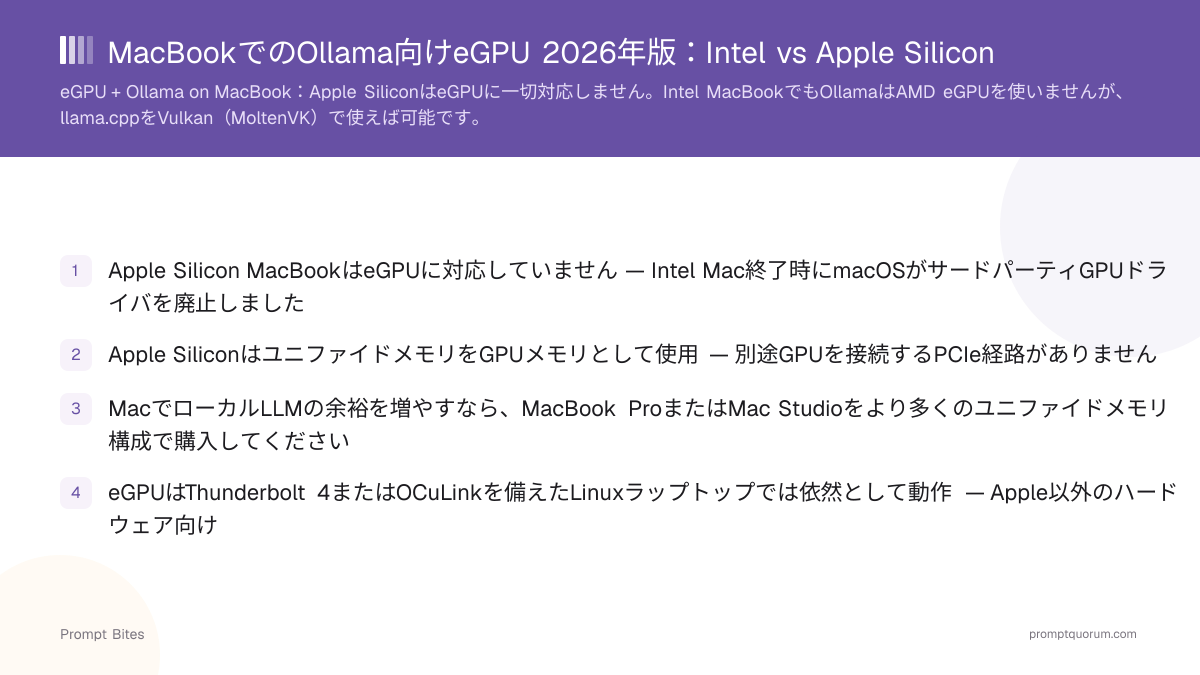
Apple Silicon MacBookでは、eGPUはOllama向けに買うべきアップグレードでないことが多いです。OllamaはすでにMacの内蔵GPUをMetal経由で高速化に使っているため、ユニファイドメモリを増やす方が外部GPUより本地LLMの実行能力に効きます。2026年4月以降、AppleはTinyGPUというサードパーティドライバを承認し、NVIDIA/AMD eGPUがThunderboltまたはUSB4経由でApple SiliconでAI計算を行えるようになりましたが、これはtinygradフレームワーク経由でのみ動作し、Ollamaでは動作しないため、Ollamaユーザーにとってこの推奨は今のところ変わりません。どのMac構成よりも大幅に高いローカルAI性能が必要なら、別のNVIDIA GPUシステムの方が良い投資です。Intel MacBookやiMacの場合は、eGPUはより理にかなった選択肢です — 下記参照。
このページには参考用の第三者製品へのリンクが含まれています。PromptQuorumはいかなるアフィリエイトプログラムにも参加しておらず、これらはコミッションを得ない単なる参照リンクです。リンクのクリックと次のステップはご自身の責任です。これらのリンクはPromptQuorumによる推奨や検証を表すものではありません。
クイック回答
Apple Silicon MacBookでは、Ollamaを高速化するeGPUは存在しません — 代わりにユニファイドメモリを増やしてください。Macで得られるより大幅に高いローカルAI性能が必要なら、別のNVIDIA GPUシステムを買ってください。Intel MacBookやiMacを所有しているなら、eGPUは本当に理にかなった選択肢です。
- ▸Apple SiliconのOllamaはチップに内蔵されたMetalを使用します — Appleの新しいTinyGPUドライバの有無にかかわらず、eGPUの経路はありません。
- ▸Appleは2026年4月にTinyGPUを承認し、NVIDIA/AMD eGPUがApple SiliconでAI計算を行えるようになりましたが、tinygradフレームワーク経由のみで、Ollama経由ではありません。
- ▸Intel Macでは、AMD eGPUがThunderbolt 3経由で物理的に動作し、Vulkan(MoltenVK)経由でllama.cppを高速化できますが、Ollama自体は直接使えません。
重要なポイント
- ✓Apple Silicon + Ollama:内蔵のMetal GPUを使う — eGPUは買うべきアップグレードでないことが多い
- ✓Apple Siliconでより大きなローカルモデルを動かす本当のアップグレード経路はユニファイドメモリの増設
- ✓Appleは2026年4月にAI計算用eGPU向けのサードパーティドライバ(TinyGPU)を承認したが、これはtinygrad経由でOllama経由ではない
- ✓Macが提供する以上のローカルAI性能が必要?別のNVIDIA GPUシステムの方が良い投資
- ✓Intel MacやiMacを所有?eGPUは本当に異なる、より理にかなったケース — Intel Macのセクションを参照
クイックアンサー
Apple Silicon MacBookを持っているなら、OllamaのためにeGPUを買わないでください — ユニファイドメモリを増やしてください。OllamaはすでにMacの内蔵GPUをMetal経由で使っています。優先順位が「ローカルAIも動くMacBook」から「最大のローカルAI性能」に変わるなら、別のNVIDIA GPUシステムの方が良い買い物です。すでにIntel MacBookやiMacを持っているなら、eGPUはその寿命を延ばす本当に理にかなった方法です。
- ▸🍎 Apple Siliconに最適な解決策:eGPUではなくユニファイドメモリを増やす
- ▸💰 最適な予算重視の一手:MacBookをそのまま使い、内蔵のMetal GPUをそのまま使う
- ▸🚀 もっとGPU性能が必要?別のNVIDIA GPUシステムを買う
- ▸⚠️ Intel MacやiMacをお持ちですか?eGPUが理にかなう場合があります — 根本的に異なる状況です
なぜeGPUがApple SiliconでOllamaのアップグレードにならないか
Apple SiliconではGPUがCPUと同じ物理RAM(ユニファイドメモリ)を共有し、Ollamaはその内蔵GPUにのみMetal経由で推論を送ります。外部カードで拡張できる独立したVRAMプールはなく、OllamaはWindowsやLinuxのようなmacOS上のNVIDIA/AMDアクセラレーション経路を持ちません。
これは2026年4月にわずかに変わりました。AppleはTinyGPUを承認しました。これはTiny Corp(tinygradの開発元)によるサードパーティ製DriverKit拡張で、NVIDIA(Ampereまたはそれ以降)またはAMD(RDNA3以降)のeGPUが、System Integrity Protectionを無効化することなくThunderboltまたはUSB4経由でApple SiliconでAI計算を行えるようにするものです。これは計算専用です — ゲームアクセラレーションもディスプレイ出力もMetal APIサポートもなく、tinygradフレームワーク(`DEV=NV`または`DEV=AMD`)経由でのみ動作します。Ollamaはtinygradを使わないため、これはOllamaにeGPU経路を与えるものではありません。主にすでにtinygradで開発している開発者にとって意味があります。
Ollamaを特に使う人にとっては、eGPUエンクロージャ、GPU、電源、Thunderboltの互換性トラブルシューティングは、Ollamaがそれでも使わない構成のために多額の費用と手間をかけることになります。ユニファイドメモリを増やす方がシンプルで、有用な1GBあたりの費用も安く、今日すぐ設定なしで使えます。
| 制約 | Apple Silicon MacBook | TB4/OCuLink搭載Linuxラップトップ |
|---|---|---|
| Ollama eGPUアクセラレーション | 経路なし — Metalのみ | CUDAまたはROCmで動作 |
| 何らかのAI計算eGPU経路 | TinyGPU(2026年4月以降、tinygradのみ) | ネイティブNVIDIA/AMDドライバ |
| メモリアーキテクチャ | ユニファイドメモリのみ | eGPU上の独立VRAM |
欲しいモデルに応じてメモリを買う
Apple SiliconでのローカルLLMでは、ユニファイドメモリの容量がそもそもどのモデルを読み込めるかを決めます — GPUの速度は読み込めるモデルがどれだけ速く動くかだけを決めます。
2026年8月のApple製品ラインナップ更新でデスクトップMacのメモリ上限が引き上げられました。Mac miniは899ドル(M6、最大32GB)または1,699ドル(M5 Pro、最大64GB)から、Mac Studioは2,499ドル(M5 Max、最大128GB)から5,499ドル(M5 Ultra、最大512GB)まであります。これらの上限はデスクトップ系列のもので、MacBook Proの上限は依然としてこれより低いままです。
| ユニファイドメモリ | 評価 |
|---|---|
| 16 GB | 🟡 小型モデルのみ |
| 24 GB | 🟢 明らかに余裕が増える |
| 32 GB | 🟢 強力なポータブル構成 |
| 48 GB以上 | 🚀 モデルの余裕が大幅に増える |
もっと性能が必要?別のNVIDIAシステムを買う
優先順位が「ローカルAIも動くMacBook」から「最大のローカルAI性能」に変わったら、MacにGPU性能を無理に付け足そうとするのではなく、別のNVIDIAマシンを買ってください。OllamaはRTX 30、40、50シリーズ(およびそれ以降)のNVIDIA GPUをCUDA経由でサポートしており、専用のVRAM、はるかに幅広いハードウェア選択肢、そしてどのMacも提供できない素直なアップグレード性が得られます。
これは妥協ではなく、明確な役割分担です。携帯性と日常使いにはMacBookを維持し、実際に追加の性能を必要とするローカルAIワークロードにはNVIDIAシステムを使ってください。
Intel MacBookやiMacの場合は?eGPUは異なる、より理にかなったケース
ここで答えが変わります。古いIntel Mac — Intel MacBook ProやIntel iMacを含む — はThunderbolt 3経由でmacOSレベルの外部GPUに対応しているため、既存機の実用寿命を延ばす合理的な方法としてeGPUが使える場合があります。Apple Silicon iMac(現行のMシリーズiMac)はApple Silicon MacBookと同じルールに従います:Ollama向けのeGPU経路はありません。
Intel Macでも、Ollamaは依然としてeGPUにタスクを送りません — Apple SiliconのMetalのみを高速化します。回避策はVulkanバックエンドをMoltenVK経由でビルドしたllama.cppで、Intel Mac上のAMD eGPU(例:Radeon RX 6800/6900 XT)でThunderbolt帯域によるおよそ15〜17%のオーバーヘッドで推論を実行できます。手動コンパイルが必要なため、Apple SiliconのOllamaほど手軽ではありませんが、すでにIntel Macを所有しているなら真の選択肢です。
今日ローカルAIのために特にMacを買うなら、代わりにApple Siliconを買い、ユニファイドメモリを優先してください — この用途のためにIntel Macを買わないでください。
関連記事
- ▸Mac Mini M4はローカルLLMに向いている? — 同じアーキテクチャのデスクトップ版
- ▸2026年ローカルLLM向けGPU購入ガイド — 別のNVIDIAシステムを選ぶ場合の経路
- ▸1,000ドル以下のベストAI予算ラップトップ — Apple以外のエントリー層代替
- ▸ローカルLLM向けベストミニPC — デスクトップミニPCとMacBookのユニファイドメモリ比較