Key Takeaways
- Mac Studio M5 Ultra (announced Aug 25, 2026, ships Sept 22): ~45 tok/s on Llama 3.3 70B, from $5,499 (96GB unified memory)
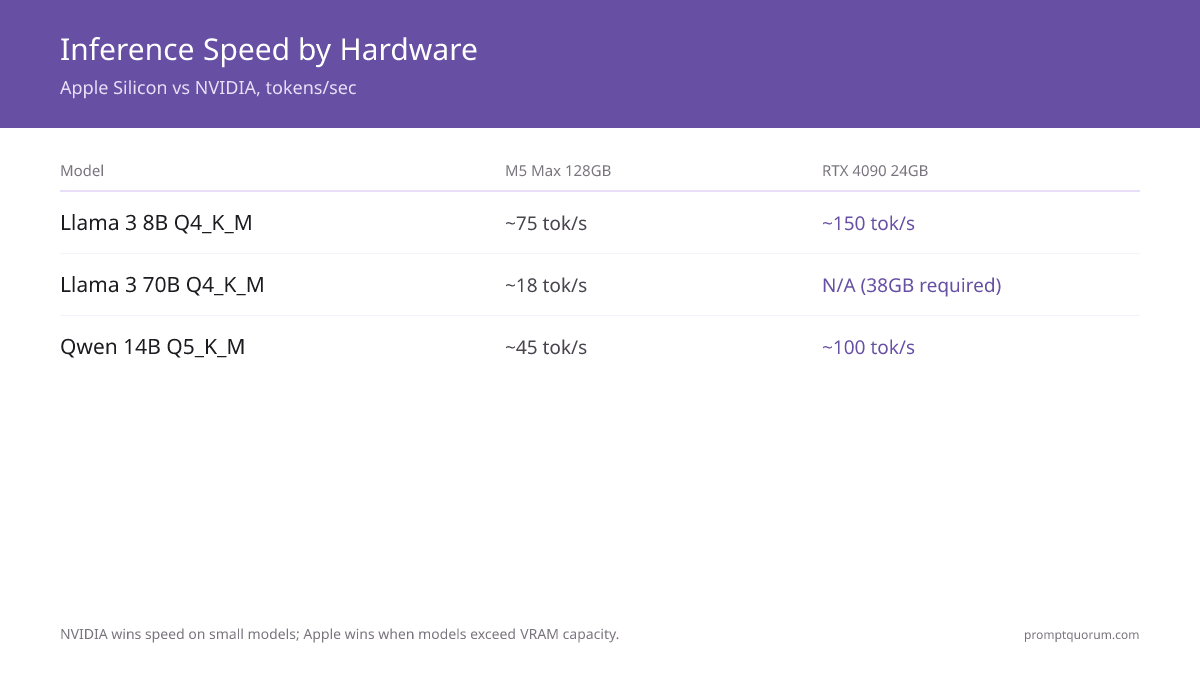
- M5 Max 128GB: ~75 tok/s Llama 3 8B Q4_K_M; ~18 tok/s Llama 3 70B Q4_K_M (fits in memory)
- RTX 5090 32GB: ~145 tok/s Llama 3 8B; Llama 3 70B does not fit (needs ~38GB, exceeds 32GB VRAM)
- Cost for 70B capability: Mac Studio M5 Max 36GB ~$2,499 vs 2× RTX 4090 system ~$7,000+
- Power: Apple 25–35W; RTX 4090 system ~450W — roughly 10× difference per session
- Software: NVIDIA dominates (CUDA, PyTorch, vLLM, TensorRT-LLM); Apple growing (MLX, mlx-lm)
- Training/fine-tuning: NVIDIA only viable option for serious workloads
- Portability: MacBook Pro M5 runs 14B models on battery; no NVIDIA laptop matches this
📍 In One Sentence
Apple MLX wins on 70B+ model support and power efficiency; NVIDIA CUDA wins on raw inference speed for 7–14B models and the training ecosystem.
💬 In Plain Terms
Apple Silicon is a hybrid electric with a giant trunk — it sips energy and fits enormous models. NVIDIA is a sports car — blazing fast, but only for smaller cargo, and it guzzles fuel.
📌Note: Apple announced the Mac Studio with M5 Ultra on August 25, 2026 (96GB/256GB models ship September 22; 512GB ships late October). Early M5 Ultra LLM figures below come from initial community/press testing and will tighten as more benchmarks land. M5 Max and RTX figures are from community testing (July 2026), approximate ±10–15%.
Why This Comparison Matters in 2026
Apple Silicon M5 series shipped with up to 128GB unified memory — making large model inference viable on a Mac for the first time at consumer prices. NVIDIA's RTX 5090 arrived with 32GB GDDR7 VRAM at $3,949. Two fundamentally different architectures now compete to run the same open-source models.
📍 In One Sentence
In 2026, Apple Silicon and NVIDIA discrete GPUs represent two completely different hardware philosophies for running large language models locally.
💬 In Plain Terms
With Apple, your CPU, GPU, and RAM share the same memory pool — a 128GB Mac Studio can load a 70B model in one shot. NVIDIA uses separate VRAM; a single RTX 4090 (24GB) cannot fit a 70B model at all.
- Apple M5 Max: up to 128GB unified memory shared by CPU and GPU
- NVIDIA RTX 5090: 32GB GDDR7 at $3,949 — fastest consumer discrete GPU
- Llama 3 70B at Q4_K_M quantization needs ~38GB of memory
- On Apple: one device handles it. On NVIDIA: 2× RTX 4090s or CPU offloading required
💡Tip: Choose Apple MLX if your target models are 40B+ parameters. Choose NVIDIA CUDA for maximum tokens-per-second on 7–14B models or if you need to fine-tune.
Architecture Differences That Change Everything
Apple Silicon and NVIDIA GPUs are built around fundamentally different memory architectures. This single difference — shared versus dedicated memory — determines which models you can run and at what speed.
📍 In One Sentence
Apple Silicon uses unified memory shared between CPU, GPU, and Neural Engine; NVIDIA uses separate GDDR7 VRAM on the GPU card connected via PCIe bus.
💬 In Plain Terms
NVIDIA has two separate banks — system RAM and GPU VRAM. Moving data between them is slow. Apple has one bank shared by everything — no copy, no bottleneck.
Apple Silicon: Unified Memory Architecture
The M5 Max integrates CPU cores, GPU cores, and a Neural Engine on a single die. All compute units read from the same memory pool. An M5 Max with 128GB has 128GB available for both CPU and GPU simultaneously — no VRAM ceiling, no transfer bottleneck.
- M5 Max memory bandwidth: 614 GB/s (same pool for CPU + GPU)
- Zero-copy tensor operations — no PCIe bus between CPU and GPU
- Neural Engine: 38 TOPS for accelerated ML operations
- Llama 3 70B Q4_K_M (~38GB) fits in 64GB or 128GB configurations
- Mac Studio M5 Max 36GB from ~$2,499 (128GB config discontinued); Mac Studio M5 Ultra now available from $5,499 (96GB), ships Sept 22, 2026
NVIDIA: Dedicated VRAM + PCIe Bus
NVIDIA GPUs have dedicated GDDR7 VRAM on the card. System RAM is separate. When a model exceeds VRAM, llama.cpp must offload layers to system RAM — which is 10–20× slower for those layers. This is why a 70B model on a 24GB RTX 4090 runs at 3–5 tok/s (CPU offload) instead of 150 tok/s (pure VRAM).
- RTX 5090: 32GB GDDR7 at 1,792 GB/s memory bandwidth
- RTX 4090: 24GB GDDR6X at 1,008 GB/s
- PCIe 4.0 ×16 bus: ~32 GB/s peak (bottleneck for large model offloading)
- Llama 3 70B Q4_K_M needs ~38GB — exceeds single RTX 4090 (24GB)
- 2× RTX 4090 with NVLink required for full 70B in VRAM
Memory Bandwidth Comparison
For LLM inference, memory bandwidth directly determines tokens per second. The model weights must be read from memory for every token generated.
- RTX 5090: 1,792 GB/s — 32GB GDDR7 (highest bandwidth, discrete GPU)
- RTX 4090: 1,008 GB/s — 24GB GDDR6X (widely available, battle-tested)
- RTX 4070 Ti Super: 672 GB/s — 16GB GDDR6X (mid-high NVIDIA)
- Apple M5 Max: 614 GB/s — up to 128GB (shared CPU+GPU pool)
- Apple M5 Pro: 273 GB/s — up to 48GB (MacBook/Mac Mini option)

💡Tip: NVIDIA wins on raw bandwidth per dollar; Apple wins on total memory capacity. For LLMs, total memory determines which models fit; bandwidth determines how fast they run within that constraint.
Can Apple Silicon match NVIDIA memory bandwidth?
No — RTX 4090 has 1,008 GB/s vs Apple M5 Max at 614 GB/s. Apple compensates with much larger memory capacity (128GB vs 24GB). For small models where VRAM is sufficient, NVIDIA wins on speed. For large models that exceed VRAM, Apple wins on capability.
Performance Benchmarks: Tokens Per Second by Model
Inference speed is measured in tokens per second (tok/s) — higher is better for interactive use. NVIDIA dominates small model speed; Apple wins when models exceed VRAM capacity.
📍 In One Sentence
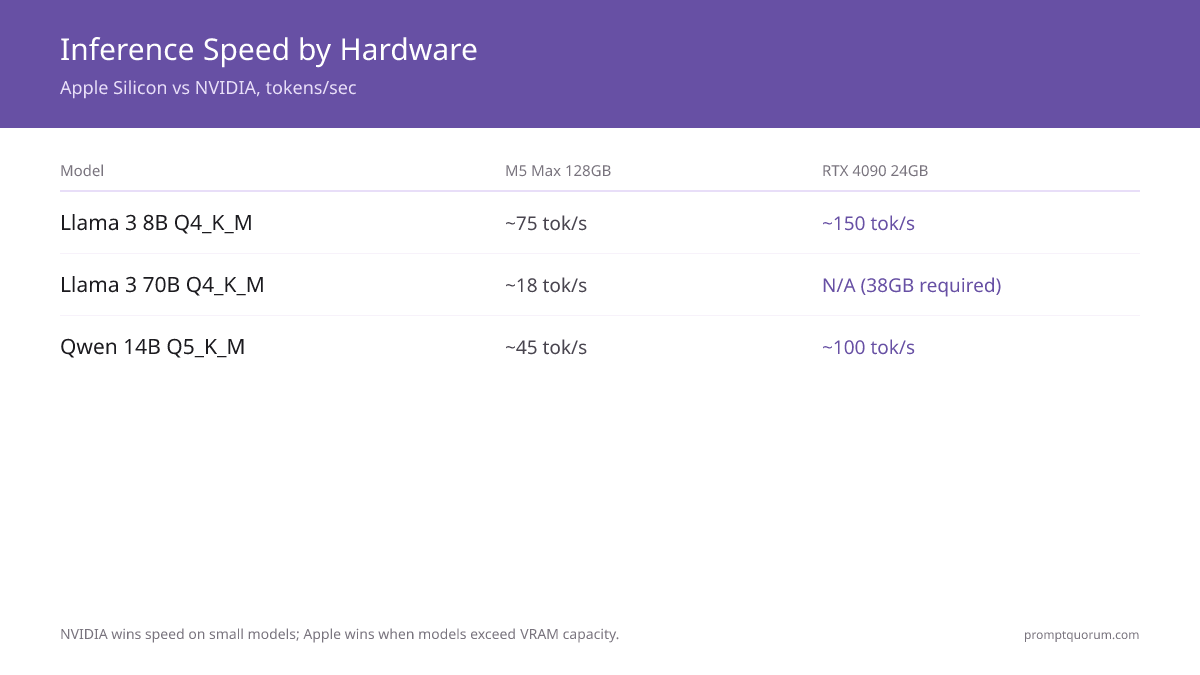
RTX 4090 reaches ~150 tok/s on Llama 3 8B Q4_K_M; Apple M5 Max 128GB runs ~75 tok/s on the same model but also runs Llama 3 70B at ~18 tok/s, which the RTX 4090 cannot fit.
💬 In Plain Terms
The RTX 4090 is twice as fast for a 7B model but physically cannot load a 70B model. The M5 Max is slower on small models but can run large ones no single NVIDIA card can handle.
Model | M5 Ultra 96GB+ | M5 Max 128GB | M5 Pro 48GB | RTX 5090 32GB | RTX 4090 24GB | RTX 4070 Ti S. 16GB | RTX 3060 12GB |
|---|---|---|---|---|---|---|---|
| Llama 3 8B Q4_K_M | Not yet benchmarked | ~75 tok/s | ~65 tok/s | ~145 tok/s | ~150 tok/s | ~95 tok/s | ~55 tok/s |
| Llama 3.3 70B Q4_K_M | ~40–52 tok/s ✓ | ~18 tok/s ✓ | N/A (38GB needed) | N/A (32GB < 38GB needed) | N/A (38GB needed) | N/A | N/A |
| Qwen 14B Q5_K_M | Not yet benchmarked | ~45 tok/s | ~38 tok/s | ~130 tok/s | ~100 tok/s | ~58 tok/s | N/A (12GB limit) |
| Mixtral 8×7B Q4_K_M | Not yet benchmarked | ~22 tok/s | ~15 tok/s | ~95 tok/s ✓ | ~65 tok/s | N/A (needs ~26GB) | N/A |
| Llama 3 8B Q8_0 | Not yet benchmarked | ~55 tok/s | ~45 tok/s | ~165 tok/s | ~110 tok/s | ~65 tok/s | N/A (needs ~9GB) |
📌Note: M5 Ultra figures are early community/press benchmarks from its August 25, 2026 announcement (ships Sept 22) and will be replaced with verified figures once broader independent testing lands. M5 Max and RTX figures sourced from mlx-community and llama.cpp community tests, July 2026. RTX 5090 figures via Ollama/llama.cpp. Approximate ±10–15%. Run llama-bench on your hardware for exact figures.
💡Tip: Use Llama 3 8B Q4_K_M as your baseline benchmark — it is the most widely tested model and gives reliable cross-hardware comparisons.
Is 18 tok/s on Llama 3 70B fast enough for interactive use?
Yes for most tasks. 18 tok/s produces a 500-word response in roughly 20–25 seconds. Interactive use at 70B quality that previously required a $40,000+ server is now available on a Mac Studio M5 Max 36GB (~$2,499) or MacBook Pro M5 Max 128GB. The new Mac Studio M5 Ultra (from $5,499) roughly doubles that to ~40–52 tok/s on Llama 3.3 70B.
Why is NVIDIA faster on small models?
NVIDIA GDDR7/GDDR6X bandwidth (1,008–1,792 GB/s) exceeds Apple M5 Max bandwidth (614 GB/s). LLM inference is memory-bandwidth-bound — higher bandwidth runs small models faster. Apple's advantage is memory capacity, not bandwidth. The M5 Ultra narrows this gap with roughly double M5 Max bandwidth via UltraFusion, but has not yet been independently benchmarked on small models.
Cost Comparison: Total System Cost by Model Size
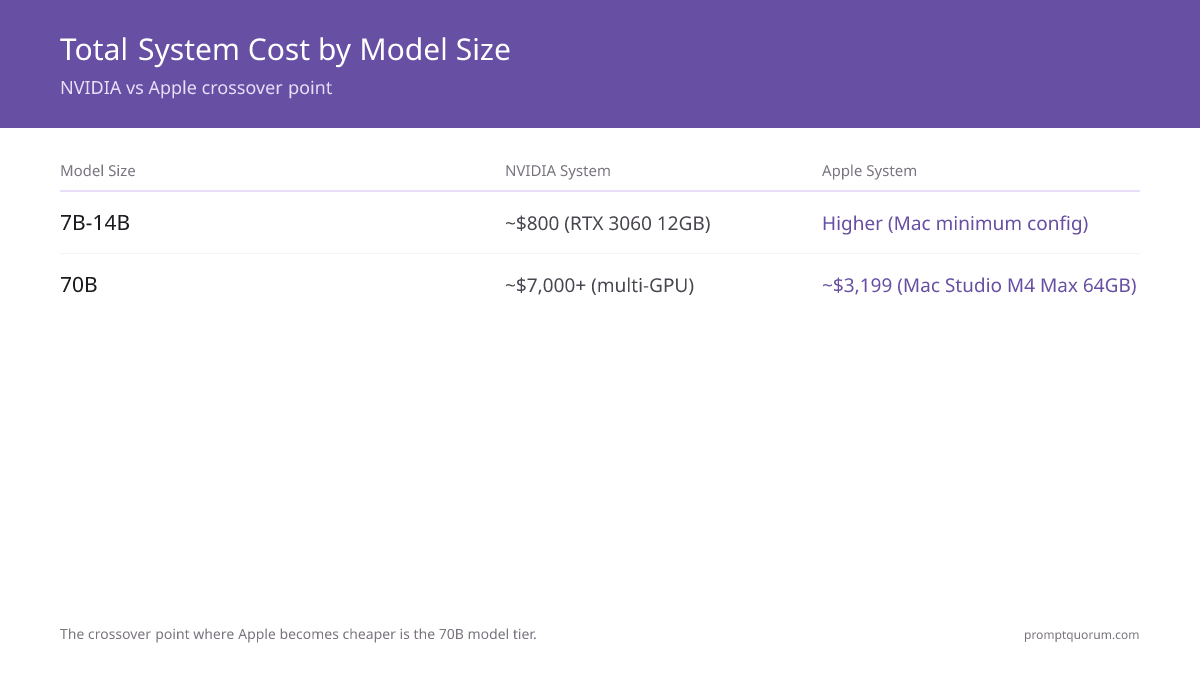
Total system cost includes GPU card plus PC build for NVIDIA; just the Mac for Apple. The crossover where Apple becomes cheaper is the 32–70B model tier.
📍 In One Sentence
NVIDIA is cheaper for 7–14B models (RTX 3060 12GB used ~$210 + PC); Apple is cheaper for 70B models (Mac Studio M5 Max 36GB ~$2,499 vs 2× RTX 4090 system ~$7,000+).
💬 In Plain Terms
Small models favor NVIDIA (buy a used GPU, plug it in). Large models favor Apple (one device instead of two expensive graphics cards plus a whole custom PC).
Target Model | Apple Option | Apple Cost | NVIDIA Option | NVIDIA Cost | Cheaper |
|---|---|---|---|---|---|
| 7B models | Mac Mini M4 Pro 24GB | $1,599 | RTX 3060 12GB (used) + PC | ~$700 | NVIDIA (2.3×) |
| 14B models | Mac Mini M4 Pro 48GB | ~$2,199 | RTX 4060 Ti 16GB + PC | ~$1,200 | NVIDIA (1.8×) |
| 32B models | Mac Mini M4 Pro 48GB | ~$2,199 | RTX 5090 32GB + PC | ~$5,500 | Apple (2.5×) |
| 70B models | Mac Studio M5 Max 36GB | ~$2,499 | 2× RTX 4090 + PC | ~$7,000+ | Apple (2.2×) |
| 96B+ models | Mac Studio M5 Ultra 96GB | $5,499 | 4× A100 40GB server | ~$40,000+ | Apple (7.3×) |
| 200B+ models | Mac Studio M5 Ultra 256GB | $9,499 | 6× A100 40GB server | ~$60,000+ | Apple (6.3×) |
💡Tip: The 32B breakpoint is key: RTX 5090 at 32GB costs ~$3,949 for the card alone plus $1,500+ for the system. Mac Mini M4 Pro 48GB handles 32B for ~$2,199 total. For budget builds, see best budget GPUs for local LLMs.
📌Note: Prices verified. NVIDIA GPU prices fluctuate — RTX 4090 production stopped Oct 2024. Apple pricing is fixed. Mac Studio M5 Ultra starts at $5,499 (96GB); a 256GB configuration is $9,499; both ship September 22, 2026. A 512GB configuration ships late October 2026 (price not yet listed at time of writing).
Software Ecosystem: NVIDIA Still Dominates
NVIDIA's CUDA ecosystem has 15 years of maturity. Every major ML framework, inference server, and fine-tuning tool runs natively on CUDA. Apple's MLX is growing rapidly but remains focused on inference only.
📍 In One Sentence
NVIDIA CUDA supports PyTorch, vLLM, TensorRT-LLM, llama.cpp, and Ollama natively; Apple MLX supports mlx-lm, LM Studio, and Ollama with the MLX backend — macOS only.
💬 In Plain Terms
CUDA is like Windows for ML — everything runs on it. MLX is like macOS — polished and efficient, but not every tool is available, and you cannot leave the ecosystem.
Apple MLX Ecosystem
- MLX — Apple's open-source ML framework, native Metal GPU acceleration
- mlx-lm — LLM inference library for MLX
- LM Studio 0.3+ — MLX backend available on macOS
- Ollama — MLX backend for Apple Silicon
- Jan.ai — MLX support on macOS
- mlx-community on Hugging Face: 2,000+ pre-quantized models (May 2026)
- Training: LoRA fine-tuning via mlx-lm (limited scope)
- Platform: macOS only
NVIDIA CUDA Ecosystem
- llama.cpp — most popular open-source inference, CUDA backend
- Ollama — CUDA backend, cross-platform
- vLLM — production inference with PagedAttention
- TensorRT-LLM — NVIDIA's highest-throughput inference engine
- text-generation-webui — GUI for local models
- PyTorch — native CUDA, de facto ML standard
- Training: full fine-tuning, LoRA, QLoRA, RLHF — complete ecosystem
- Platform: Linux (best), Windows, Docker containers
⚠️Warning: If you plan to fine-tune or train models, NVIDIA CUDA is the only practical choice. Apple MLX supports LoRA fine-tuning via mlx-lm, but full parameter fine-tuning, RLHF, and DPO are not yet mature on Apple Silicon.
💡Tip: Most models on Hugging Face now have both GGUF (cross-platform) and MLX-format variants. The mlx-community org provides pre-quantized models so no manual conversion is needed.
Can I use Ollama on both Apple and NVIDIA?
Yes. Ollama runs on Apple Silicon (Metal backend) and NVIDIA (CUDA). The same commands work on both. Model files are compatible across platforms.
Does llama.cpp run on Apple Silicon?
Yes — llama.cpp has native Metal GPU acceleration on Apple Silicon. For MLX-specific optimizations, use mlx-lm or LM Studio with the MLX backend enabled.
Power Consumption and Noise: Apple Wins Decisively
Power consumption is one of Apple Silicon's clearest advantages. Running 8 hours a day at $0.15/kWh, the difference between an M5 Max and an RTX 4090 system is over $220 per year.
📍 In One Sentence
Mac Studio M4 Max uses 25–35W running local LLMs; an RTX 4090 system uses ~450W — resulting in ~$22 vs ~$248 annual electricity cost at 8 hours/day, $0.15/kWh.
💬 In Plain Terms
The RTX 4090 system costs more in electricity per year than most streaming subscriptions combined. The Mac Studio costs under $2/month to run.
System | Peak Load Power | Annual Cost (8h/day, $0.15/kWh) | Noise |
|---|---|---|---|
| Mac Studio M4 Max | 25–35W | ~$22/year | Silent |
| MacBook Pro M5 Max | 30–40W | ~$26/year | Near-silent |
| RTX 3060 system | ~200W | ~$110/year | Moderate fan noise |
| RTX 4090 system | ~450W | ~$248/year | Loud under load |
| RTX 5090 system | ~600W | ~$329/year | Very loud |
💡Tip: If you work in a home office or bedroom, noise matters as much as cost. Mac Studio runs LLMs completely silently. RTX 4090 systems require active cooling audible from several meters away.
Is Apple MLX 10× more efficient than NVIDIA?
Approximately yes under continuous inference. Mac Studio M4 Max draws 25–35W vs RTX 4090 system at 400–500W. The efficiency ratio is 8–15× depending on workload. At idle, NVIDIA systems scale down, closing the gap.
Use Case Recommendations: Which System to Choose
The right hardware depends entirely on your target model size and workflow. These are direct, non-ambiguous recommendations.
📍 In One Sentence
Choose Apple Silicon for 70B+ models, silent operation, or portable inference; choose NVIDIA CUDA for fastest 7–14B throughput, training, multi-GPU scaling, or budgets under $1,000.
💬 In Plain Terms
If you want Llama 3 70B running privately and affordably, Apple is your only real option today. If you want the fastest 7B assistant and budget is under $1,500, NVIDIA wins.
Choose Apple Silicon When:
- "I want to run 70B models privately" → Mac Studio M5 Max 36GB (~$2,499) or MacBook Pro M5 Max 128GB — fits Llama 3 70B Q4_K_M at ~18 tok/s
- "I want a silent home office LLM" → Any Mac Studio — completely silent under full inference load
- "I need 14B+ models on a laptop" → MacBook Pro M5 Max — runs Qwen 14B Q4_K_M on battery
- "I want one device for dev + inference + daily use" → Mac as unified workstation
- "Power bill matters" → Apple uses 8–15× less electricity per inference session
- "I need 96B+ models without a server" → Mac Studio M5 Ultra 96GB at $5,499 vs $40,000+ server; a 256GB configuration ($9,499) handles 200B+ models, both shipping Sept 22, 2026
Choose NVIDIA CUDA When:
- "Budget under $1,000" → Used RTX 3060 12GB + budget PC (~$800) — fastest 7B for least money
- "I need maximum 7–14B inference speed" → RTX 4090 at ~150 tok/s beats M5 Max at ~75 tok/s
- "I plan to fine-tune or train" → NVIDIA only: PyTorch, LoRA, QLoRA, RLHF, DPO
- "I need multi-GPU scaling" → NVLink bridges multiple RTX cards; no Apple equivalent
- "I develop on Linux" → CUDA ecosystem is Linux-native; MLX is macOS-only
- "I need the widest tool selection" → vLLM, TensorRT-LLM, text-generation-webui all require CUDA
💡Tip: Single most important question: what is the largest model you need at interactive speed? If it is 70B or larger, Apple wins automatically. If it is 7–30B, compare prices for your budget.
The Hybrid Approach: Running Both
Many power users run both: a MacBook for portable inference and a NVIDIA desktop for training. Ollama's cross-platform support makes this practical — same commands, same model files on both systems.
📍 In One Sentence
A common power-user setup is MacBook Pro M5 for portable 14B inference plus a Linux workstation with RTX 4090 for LoRA fine-tuning and high-throughput batch jobs.
💬 In Plain Terms
Use the Mac when mobile. Use the desktop GPU for overnight fine-tuning runs and high-volume serving.
- Ollama runs identical commands on Apple and NVIDIA —
ollama run llama3.2works on both - LM Studio supports both MLX (macOS) and CUDA backends from the same interface
- GGUF model files (llama.cpp format) are cross-platform; MLX models are Apple-only
- Typical workflow split: Mac for private inference, NVIDIA for training and batch processing
- LAN serving: run Ollama on the NVIDIA server, access it from the Mac over the local network
💡Tip: If you can only afford one system: start with NVIDIA for 7B work (cheaper), upgrade to Mac Studio when you need 70B. Both decisions pay off at their respective tier.
Future Outlook: 2026–2027
Both platforms are improving rapidly. The key question for 2027 is whether NVIDIA will put enough VRAM on consumer cards to fit 70B models, or whether Apple's unified memory advantage persists.
📍 In One Sentence
Apple M6 is expected to extend unified memory capacity further; NVIDIA's next generation may push consumer VRAM past 48GB — which would significantly rebalance the large-model advantage.
💬 In Plain Terms
If NVIDIA ships a $3,000 GPU with 64GB VRAM in 2027, today's cost argument for Apple at the 70B tier collapses. If Apple ships M6 with 256GB unified memory, they extend the lead.
Apple Trajectory
- M6 chip: expected 2027, unified memory capacity rumored up to 256GB
- MLX framework maturing: broader training support, more model compatibility
- Counter-trend: smaller efficient models (≤7B) matching larger ones — reduces Apple's large-model advantage
- Context window demand (128K+ tokens) still favors unified memory over VRAM
NVIDIA Trajectory
- RTX 5090 at 32GB — next generation rumored at 48–64GB GDDR7
- 48GB VRAM would fit Llama 3 70B Q4_K_M on a single card
- TensorRT-LLM and speculative decoding continuously improving throughput
- Blackwell consumer cards expected in 2027 with higher VRAM ceiling
💡Tip: Revisit this comparison if NVIDIA releases a 48GB+ consumer card under $3,000. Today's Apple advantage for 70B+ depends on the current 32GB VRAM ceiling.
Verdict Table: Apple vs NVIDIA Factor by Factor
Use this table to make a direct decision based on what matters most to your workflow.
📍 In One Sentence
Apple wins 5 of 11 factors (large models, cost at 70B tier, power efficiency, noise, portability); NVIDIA wins 5 (small model speed, cost under $1K, software, training, cross-platform); 1 tie (future-proofing).
Factor | Winner | Why |
|---|---|---|
| Large model (70B+) inference | Apple | Mac Studio M5 Ultra ~$5,499 hits ~40–52 tok/s on Llama 3.3 70B; RTX 5090 32GB cannot fit 70B at all |
| Small model (7–14B) speed | NVIDIA | RTX 5090: ~145 tok/s vs M5 Max: ~75 tok/s on Llama 3 8B |
| Cost under $1,000 | NVIDIA | RTX 3060 used ~$210 + PC ~$500 vs cheapest Mac $1,599 |
| Cost for 70B models | Apple | Mac Studio M5 Max 36GB ~$2,499 vs 2× RTX 4090 + PC ~$7,000+ |
| Power efficiency | Apple | 25–35W vs 450W — 8–15× more efficient |
| Noise | Apple | Silent vs loud active cooling required |
| Software ecosystem | NVIDIA | CUDA powers PyTorch, vLLM, TensorRT-LLM, all major tools |
| Training / fine-tuning | NVIDIA | PyTorch CUDA is the standard; MLX LoRA is limited |
| Portability | Apple | MacBook Pro M5 runs 14B on battery; no NVIDIA laptop matches |
| Cross-platform | NVIDIA | CUDA on Linux/Windows; MLX is macOS-only |
| Future-proofing | Tie | Apple M6 extending memory; NVIDIA pushing VRAM — both improving |
💡Tip: Decision rule: primary model 70B or larger → choose Apple. Primary model 7–30B and budget under $3,000 → choose NVIDIA.
Buying Guide: Recommended Hardware Per Use Case
These are the specific hardware choices we recommend with current pricing.
Best for 7B Models on a Budget
RTX 3060 12GB in a budget system (~$800 total). Runs Llama 3 8B Q4_K_M at ~55 tok/s — fully interactive.
Best for 14B Models
RTX 4060 Ti 16GB (~$450) fits Qwen 14B Q4_K_M fully in VRAM at ~58 tok/s. Total system ~$1,200.
Best for 70B Models
Mac Studio M5 Max 36GB (~$2,499). Only affordable single-device option that fits Llama 3 70B Q4_K_M at usable speed (~18 tok/s). MacBook Pro M5 Max 128GB also works for portable 70B.
Best for Fastest 70B+ or 96B+ Models
Mac Studio M5 Ultra, from $5,499 (96GB unified memory), ships September 22, 2026. Early figures show ~40–52 tok/s on Llama 3.3 70B — roughly double the M4 Max. A 256GB configuration ($9,499) handles 200B+ models; 512GB ships late October.
Best for Training + Fast Inference
RTX 4090 24GB (~$2,755 new / ~$2,268 used). Fastest inference on 7–24B models AND supports full PyTorch fine-tuning workflows.
📌Note: PromptQuorum earns no commission from these links. Apple Store and Amazon links are provided for reference pricing. Always verify current prices before purchase.
Frequently Asked Questions
Can I run Apple MLX models on Windows or Linux?
No. MLX is macOS-only and requires Apple Silicon. GGUF models via llama.cpp work on all platforms. For cross-platform use, Ollama with GGUF format works on both Mac and NVIDIA systems.
Does Ollama use MLX or Metal on Apple Silicon?
Ollama on Apple Silicon uses Metal GPU acceleration by default, not MLX. For MLX-specific optimizations (often faster for certain models), use mlx-lm directly or LM Studio with the MLX backend enabled.
Can I use an eGPU with a Mac for NVIDIA CUDA?
No. macOS dropped CUDA eGPU support in 2019. External NVIDIA GPUs are not compatible with macOS for CUDA compute. The practical alternative is a separate Linux system with a NVIDIA GPU.
Which is better for running Mistral Small?
NVIDIA RTX 4090 at ~150 tok/s vs Apple M5 Max at ~75 tok/s — NVIDIA is 2× faster. Even an RTX 3060 12GB (~$210 used) beats a Mac Mini M4 ($1,599) on pure 7B inference speed.
What is the minimum Apple Mac for running 70B models?
Mac Studio M5 Max with 36GB unified memory (~$2,499). Llama 3 70B Q4_K_M needs ~38GB — the M5 Max 36GB fits it with headroom. MacBook Pro M5 Max 128GB also works for portable 70B. The new Mac Studio M5 Ultra (from $5,499, 96GB) ships Sept 22, 2026 and roughly doubles 70B throughput.
Is Apple M5 Max better than RTX 4090 for local LLMs?
Depends on model size. For 7B: RTX 4090 wins (150 tok/s vs 75 tok/s). For 70B: M5 Max 128GB wins by default — RTX 4090 cannot load 70B at all. For training: NVIDIA wins by a wide margin.
How does the new Apple M5 Ultra compare to the RTX 5090?
Apple announced the Mac Studio with M5 Ultra on August 25, 2026 — it starts at $5,499 for 96GB unified memory (256GB is $9,499; a 512GB configuration ships late October). Early figures show ~40–52 tok/s on Llama 3.3 70B, a model the RTX 5090's 32GB VRAM cannot load at all. For models that fit in 32GB, the RTX 5090 is still faster per token; for 70B+ models, the M5 Ultra has no consumer NVIDIA equivalent.
What is the NVIDIA equivalent of an M5 Max GPU?
There is no clean equivalent, because the two win on different axes. On raw compute the RTX 5090 is faster, which is why it leads on small models. On memory the comparison inverts: the 5090 has 32 GB of VRAM and cannot load a 70B model at usable quantization, while an M5 Max shares its unified memory with the GPU and can. It is also worth remembering the M5 Max is a laptop chip — it ships in the MacBook Pro and runs on battery — while the RTX 5090 is a desktop card with a power budget to match. If your work is small models and throughput, the NVIDIA card wins; if it is large models on a laptop, nothing NVIDIA sells in a portable is equivalent.
How does the M3 Ultra compare to the RTX 5090?
The structural trade-off is the same as with the M5 Ultra: the 32 GB of VRAM on the RTX 5090 is the binding constraint for 70B-class models, and any Ultra-tier Apple chip sidesteps that with unified memory. What differs is speed — the M3 Ultra is the previous Ultra generation and is slower than the M5 Ultra figures benchmarked on this page. We have not measured M3 Ultra tok/s ourselves, so rather than quote a number we did not test, run llama-bench on the machine you actually have; it ships with llama.cpp and gives exact figures for your own configuration.
Sources & Further Reading
- Apple MLX Framework — Official Apple open-source ML framework with Metal GPU acceleration for Apple Silicon.
- mlx-community on Hugging Face — Pre-converted MLX format models for direct use on Apple Silicon.
- llama.cpp — Cross-platform LLM inference with CUDA, Metal, and CPU backends; includes llama-bench for hardware benchmarking.
- Mac Studio — Apple — M4 Max, M5 Max, and M5 Ultra specifications and pricing (M5 Ultra announced Aug 25, 2026).
- Ollama — Cross-platform inference engine for Llama, Mistral, and Qwen models via MLX and CUDA backends.
- LM Studio — Desktop GUI with native MLX backend for Apple Silicon and CUDA backend for NVIDIA GPUs.
- NVIDIA GeForce GPU specifications — RTX 4090 and RTX 5090 VRAM, memory bandwidth, and TDP specs.
- LLM Quantization Explained — Q4_K_M, Q8_0, and other quantization formats explained.
- How Much VRAM for Local LLMs — VRAM requirements by model size.
- Best Budget GPUs for Local LLMs — RTX 3060 12GB and cheaper options.
- Apple Silicon Local LLM Guide 2026 — M1 to M5 Max setup guide.
- LM Studio vs Jan vs GPT4All 2026 — Desktop GUI app comparison.
- GPU vs CPU vs Apple Silicon — Three-way hardware overview.
- Fine-Tuning Local LLMs with LoRA — LoRA training on consumer hardware.
- Best Local LLMs for Coding — Model recommendations for code generation.