Best Open-Source Alternatives to ChatGPT Plus 2026
By Hans Kuepper · Founder of PromptQuorum · Discovery engine for open-weight & open-source AI
The best open-source alternative to ChatGPT Plus in 2026 is Ollama + Open WebUI — free, runs open models such as gpt-oss and Qwen3.6 on your own hardware, and replaces the $20/month subscription for everyday tasks.
Key Takeaways
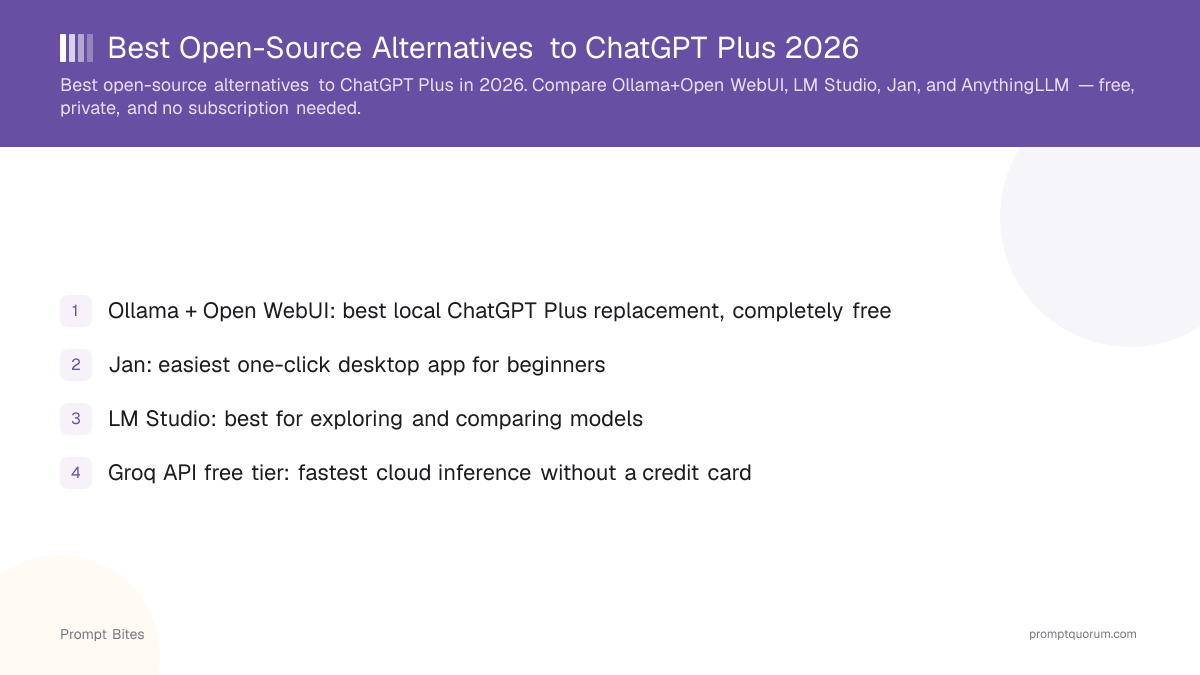
- ✓Ollama + Open WebUI: best local ChatGPT Plus replacement, completely free
- ✓Jan: easiest one-click desktop app for beginners
- ✓LM Studio: best for exploring and comparing models (free, but not open source)
- ✓Groq free plan: hosted open models via API, rate-limited, not a chat app
- ✓AnythingLLM: best for teams needing document Q&A and multi-user
- ✓All five cost $0 — ChatGPT Plus costs $20/month ($240/year) in the US
Quick Answer
Ollama + Open WebUI for local self-hosting; Jan for the easiest desktop app. Both are free and need no subscription. Groq offers hosted open models through an API on a rate-limited free plan.
- ▸Ollama + Open WebUI: best full-featured local ChatGPT replacement
- ▸Jan: easiest desktop app, built-in model download
- ▸LM Studio: best for model discovery and testing (free, closed source)
- ▸Groq API (free plan): hosted open models, rate-limited, data leaves your device
- ▸AnythingLLM: best for teams and document Q&A
Free ChatGPT Plus Alternatives Compared
Key differences for users switching from ChatGPT Plus. Four of the five run fully on your own machine; Groq is a hosted API.
| Tool | Setup | Models | Privacy | License | Cost |
|---|---|---|---|---|---|
| Ollama + Open WebUI | CLI + Docker | gpt-oss, Qwen3.6, any Ollama model | 100% local | MIT / BSD-style | Free |
| Jan | Desktop app | GGUF models via built-in hub | 100% local | Open source | Free |
| LM Studio | Desktop app | GGUF and MLX models | 100% local | Proprietary freeware | Free |
| Groq | API / web console | gpt-oss-120b, Llama 3.3 70B | Cloud (data leaves device) | Hosted service | Free plan, rate-limited |
| AnythingLLM | Desktop / Docker | Any Ollama model | 100% local | MIT | Free |
Free language models that replace ChatGPT
Two open model families cover most ChatGPT Plus use cases on a single machine. Sizes below are the Ollama download sizes; plan for the model size plus context memory.
On the hardest reasoning and long-document tasks, OpenAI’s current paid models usually remain stronger than models that fit on one consumer machine. Test your own prompts before you cancel.
| Model | Ollama tag | Download | Notes |
|---|---|---|---|
| gpt-oss 20B | gpt-oss:20b | 14 GB | Runs in 16 GB memory, Apache 2.0 |
| gpt-oss 120B | gpt-oss:120b | 65 GB | Needs one 80 GB GPU, Apache 2.0 |
| Qwen3.6 27B | qwen3.6:27b | 18–19 GB | Text + image input, 256K context |
| Qwen3.6 35B | qwen3.6:35b | 23–24 GB | Text + image input, 256K context |
Ollama + Open WebUI — Best Full Replacement
Ollama downloads and serves models through a local API. Open WebUI adds a browser interface that mirrors the ChatGPT layout: conversation history, system prompts, file uploads and web search through plugins.
With 16 GB of memory, gpt-oss:20b (14 GB download) is the practical starting point. With roughly 24 GB, qwen3.6:27b (18–19 GB) adds image input and a 256K context window.
Best overall ChatGPT Plus replacement for users comfortable with a few terminal commands.
- ▸Strength: ChatGPT-style interface with history and system prompts
- ▸Strength: file upload and web search plugins, no usage cap
- ▸Limit: needs Docker and 15–30 minutes of setup
- ▸Limit: speed and quality depend on your hardware
curl -fsSL https://ollama.com/install.sh | sh
ollama pull gpt-oss:20b
docker run -d -p 3000:8080 --add-host=host.docker.internal:host-gateway -v open-webui:/app/backend/data --name open-webui --restart always ghcr.io/open-webui/open-webui:main
Jan — Easiest Desktop App
Jan is a desktop application for Windows, Mac and Linux with a built-in model hub, so no command line is needed. It also runs a local OpenAI-compatible API server, so tools such as Cursor or Continue can point at Jan instead of OpenAI.
Best for beginners who want a ChatGPT-like app without setup complexity.
- ▸Strength: zero command-line setup and built-in downloader
- ▸Limit: simpler interface than Open WebUI, no multi-user support
LM Studio — Best for Testing Models
LM Studio is free for personal and business use, but it is closed-source software, not open source. It is the fastest way to browse, download and compare many models side by side before you commit to a setup.
Groq free plan — Hosted Open Models
Groq serves open models such as gpt-oss-120b and Llama 3.3 70B through an OpenAI-compatible API. It is an API, not a chat app, so pair it with Open WebUI or Jan. Prompts are processed in the cloud, and the free plan is rate-limited — check the limits in your Groq console before relying on it.
How actively each tool is maintained
Latest releases at the time of this update. All five tools received an update within the last month.
| Tool | Latest release | Last update |
|---|---|---|
| Ollama | v0.40.6 | Oct 16, 2026 |
| Open WebUI | v0.12.3 | Oct 16, 2026 |
| Jan | v0.8.6 | Oct 9, 2026 |
| AnythingLLM | v1.18.0 | Oct 13, 2026 |
| LM Studio | Changelog | Oct 12, 2026 |
Related Guides
- ▸Best LLM Right Now -- current best LLMs
- ▸Best Ollama Models Right Now -- top Ollama models
- ▸Best Frontend for Ollama -- Ollama UI guide
- ▸Jan vs LM Studio: Which Should You Use? -- client comparison
Quick Answers
Can open-source local models match ChatGPT Plus quality?▾
What are the best free language models like ChatGPT?▾
What hardware do I need to run a free ChatGPT alternative locally?▾
Is Groq really free?▾
What is the best free alternative to ChatGPT Plus?▾
Want the full breakdown?
Read the complete guide →