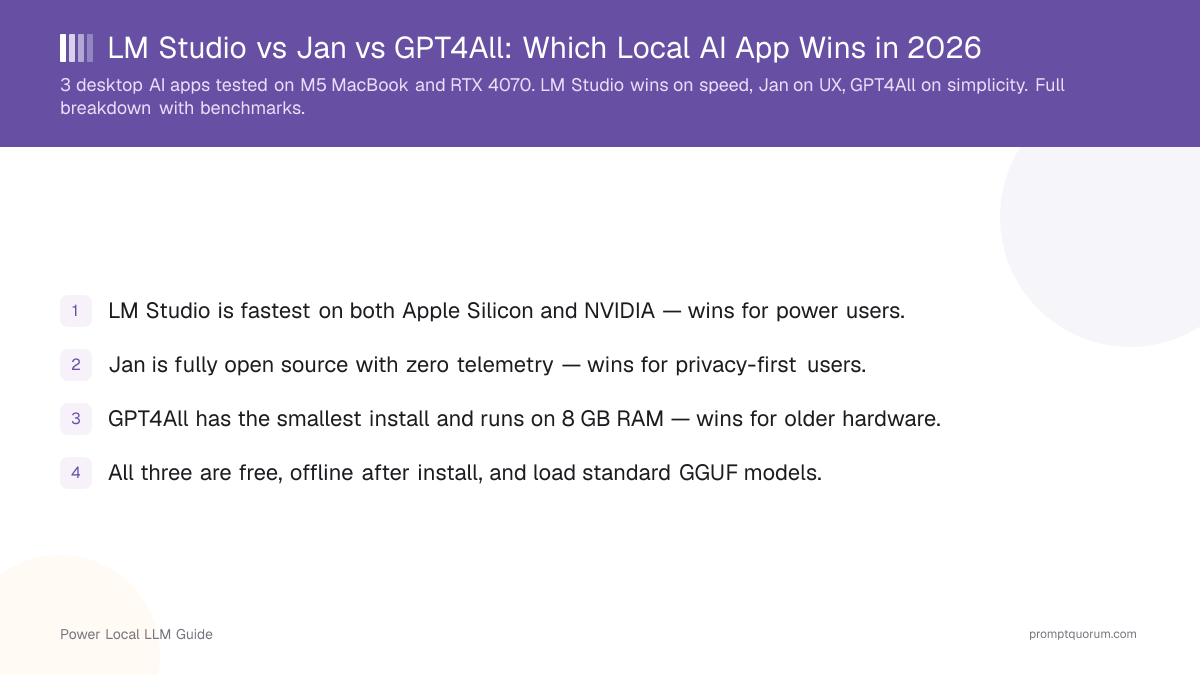
How Do LM Studio, Jan, and GPT4All Compare in 2026?
Feature comparison of LM Studio, Jan, and GPT4All.
Criterion | |||
|---|---|---|---|
| Best for | Power users | Privacy users | Beginners |
| Chat with local files | Yes (attach in chat) | Yes (attach in chat) | Yes (LocalDocs) |
| Open source | No (proprietary) | Yes (Apache 2.0) | Yes (MIT) |
| Telemetry by default | None per its privacy policy | None by default | Opt-in only |
| OpenAI-compatible API server | Yes | Yes | Yes |
| Min RAM (4B model) | 6 GB | 6 GB | 4 GB |
LM Studio vs GPT4All vs Jan: Who Wins Head to Head?
LM Studio beats GPT4All on model access and update pace; GPT4All keeps the lightest requirements and an MIT licence. Jan beats both on openness and privacy defaults.
- LM Studio vs GPT4All — LM Studio shows Hugging Face models in its built-in browser and its changelog lists builds 0.4.26 to 0.4.28 in October 2026. GPT4All runs with 4 GB RAM and is MIT-licensed, but its latest release is v3.10.0 from 25 February 2025. Choose LM Studio unless the MIT licence or the 4 GB RAM floor decides it.
- LM Studio vs Jan — LM Studio has the larger in-app model browser; it is closed source, although its privacy policy states there is no telemetry. Jan is Apache 2.0, has no telemetry by default and published v0.8.6, v0.8.7 and v0.8.8 between 9 and 28 October 2026. Choose Jan when open source matters more than the larger model browser.
- Jan vs GPT4All — Both are open source (Apache 2.0 and MIT). Jan is actively maintained and can also connect to cloud providers and MCP servers; GPT4All has the lighter hardware requirements and a built-in LocalDocs feature. Choose Jan for a maintained app, and GPT4All only when its 4 GB RAM floor or MIT licence is a hard requirement.
Which One Should You Pick?
The right choice depends on your hardware, your privacy posture, and how technical you are. Use this decision shortcut:
Your situation | Pick |
|---|---|
| I want the biggest model library and the most controls | LM Studio |
| I want fully open-source code and no telemetry by default | Jan |
| I have a 4-year-old laptop, 8 GB RAM, no GPU | GPT4All |
| I want to chat with my PDFs out of the box | LM Studio |
| I want to minimise telemetry and need to document my setup for a data-protection review | Jan |
| My parents need a chatbot they can install themselves | GPT4All |
How Deep Is Each App's Model Library?
All three apps can load any GGUF file from disk. The difference is what they show in their built-in browser.
- LM Studio — In-app browser pulls live from Hugging Face. Filters by VRAM, license, family, quantization. ~5,000 model variants visible.
- Jan — Curated catalog of ~150 models, with a "Hugging Face URL" import for everything else. Less overwhelming for beginners.
- GPT4All — Featured catalog of ~30 popular models. Manual GGUF import for anything else. Smallest browser.
- All three load custom GGUF files via drag-and-drop or "import" — so a smaller built-in browser does not lock you out of any model.
Do These Apps Send Data Anywhere?
Privacy posture is where Jan pulls ahead. Each app handles telemetry differently:
- LM Studio — Its privacy policy states no telemetry or user-specific tracking. Update checks send app version, OS and IP address; model search and downloads send anonymized search queries. Chats and documents stay on the device.
- Jan — No telemetry by default. Optional anonymous analytics (PostHog EU) only if you allow it at first launch. Source code is auditable on GitHub (Apache 2.0).
- GPT4All — Telemetry is opt-in (off by default). Source on GitHub (MIT).
- None of the three send your prompts, your conversations, or your loaded model files anywhere — local inference is local in all cases.
💡Tip: If data-protection rules apply to you (for example in the EU or in health and legal work), Jan's open-source code can be inspected and all three apps run offline once installed. This is not legal advice: whether any setup meets GDPR or other requirements depends on your own assessment, so have a lawyer or data-protection officer review it.
Which Operating Systems Are Supported?
OS | |||
|---|---|---|---|
| macOS (Apple Silicon) | Native, signed | Native, signed | Native, signed |
| macOS (Intel) | Yes | Yes | Yes |
| Windows 10/11 | Native, signed | Native, signed | Native, signed |
| Linux (AppImage / .deb) | AppImage | AppImage + .deb | AppImage + .deb |
| NVIDIA CUDA | Yes | Yes | Yes |
| AMD ROCm (Linux) | Yes | Experimental | Experimental |
| Apple Metal (M-series) | Yes | Yes | Yes |
Which Should You Install First in 2026?
Most users should start with LM Studio. It has the largest model library and the most controls. Jan is the pick if open-source code and privacy matter most; GPT4All is only for very old hardware, given its maintenance status.
- Pick LM Studio unless you have a specific reason not to — it is the default recommendation for most users.
- Pick Jan if you specifically need open-source code, no telemetry by default, or a cleaner UI for daily use.
- Pick GPT4All if your hardware is borderline (8 GB RAM, no GPU) — it is the most forgiving on low-end systems.
- You can install all three side-by-side; they share GGUF model files, so the disk cost of trying multiple apps is small.
⚠️Warning: Maintenance status: GPT4All's most recent release is v3.10.0, dated 25 February 2025 - more than 20 months without a new build. It still installs and still runs on low-end hardware, which is why it keeps its slot here, but the bundled model catalogue has not moved since that build (newer models such as Gemma 4 E2B are absent) and no security patches have shipped since. Prefer Jan if you want a maintained GUI; reach for GPT4All when its remaining advantages apply - a 4 GB RAM ceiling, or a locked-down machine where you cannot get admin rights.
Where Do Ollama and AnythingLLM Fit Next to These Three?
Ollama and AnythingLLM solve different problems than these three desktop apps. Ollama is a runtime you drive from the command line or an API; AnythingLLM is a document-chat interface that connects to a local model server.
- Ollama — pick it when you want a background model server for scripts and other tools. See Ollama vs LM Studio for the runtime-versus-desktop-app trade-off.
- AnythingLLM — pick it when document chat is the main job and you want workspaces and more control than a chat app offers. See AnythingLLM vs PrivateGPT vs Open WebUI and Local AI apps with built-in RAG.
- Individual reviews — LM Studio review, Jan review and GPT4All review cover each app in more depth.
Regional Notes: Privacy Reviews in the EU, Japan and China
Running any of these apps locally keeps prompts on your own device, which simplifies a privacy review but does not make a deployment compliant by itself. The three apps behave the same everywhere; the rules around them differ by region.
- EU and DACH (GDPR) — with purely local inference no prompt data goes to an external LLM provider, so there is usually no processor contract to sign for that step. Your own lawful basis, records of processing and security measures still apply. German public bodies and operators of critical infrastructure should check which building blocks of the BSI IT-Grundschutz apply to their setup.
- France and French-speaking Europe (CNIL) — the CNIL publishes guidance on artificial intelligence and personal data; read it before processing sensitive professional data (health, legal, financial) with any local AI app.
- Japan (METI) — the Ministry of Economy, Trade and Industry (METI) and the Ministry of Internal Affairs and Communications publish AI Guidelines for Business that many companies use as a reference for internal AI rules; check the current version.
- China (Data Security Law and PIPL) — the Data Security Law and the Personal Information Protection Law, both in force since 2021, set rules for data handling and cross-border transfers. Local inference avoids sending prompts abroad, but classification and security obligations still apply.
- Document every deployment — record the app version, the model file hash and the telemetry setting, and download installers only from the official release pages (verify checksums where published).
•Info: This section is general information, not legal advice. Involve your data-protection officer or counsel for regulated data.
Frequently Asked Questions
Are LM Studio, Jan, and GPT4All free?
All three apps are 100% free for personal and commercial use. Jan and GPT4All are open source (Apache 2.0 and MIT respectively); LM Studio is free but proprietary.
Is LM Studio better than GPT4All?
For most people, yes. LM Studio has a larger in-app model browser and is updated regularly. GPT4All is the better fit only on machines with very little RAM or when you need an MIT-licensed code base.
Is GPT4All still maintained?
GPT4All has published no release since v3.10.0 on 25 February 2025, and the last commit to its main repository dates from 27 May 2025 (GitHub). It still installs and runs, but new features, model-catalogue updates and fixes should not be expected. Jan and LM Studio both published several releases in October 2026.
Which is better, LM Studio or Jan?
LM Studio has the larger model browser. Jan is open source (Apache 2.0), has no telemetry by default and also connects to cloud providers and MCP servers. Pick LM Studio for library size, and Jan when open source or privacy defaults matter more.
Which app gets updates most often in 2026?
Jan and LM Studio. Jan published v0.8.6, v0.8.7 and v0.8.8 between 9 and 28 October 2026, and LM Studio's changelog lists builds 0.4.26 to 0.4.28 in October 2026. GPT4All's latest release is v3.10.0 from 25 February 2025. Check each project's release page for the current state.
Do these apps work fully offline?
Yes. After installing the app and downloading at least one model, all three work without an internet connection. Models run entirely on your device.
Can I share GGUF model files between LM Studio, Jan, and GPT4All?
Yes. All three apps load standard GGUF files. Each app stores models in its own folder by default, but you can point them all at a shared folder to avoid duplicate downloads.
Which app is best for chatting with my PDFs?
All three can. In LM Studio and Jan you attach documents inside a chat; LM Studio puts short documents into the context in full and uses retrieval (RAG) for long ones. GPT4All uses LocalDocs, where you add a folder as a collection. For more control over document chat, a separate tool such as AnythingLLM sits on top of a local model server.
Do I need an NVIDIA GPU to run any of these apps?
No. All three run on CPU only, on Apple Silicon Macs, on AMD GPUs, and on NVIDIA GPUs. CPU-only inference is slower but usable for chat with smaller models like Phi-4 Mini.
Is LM Studio safe if it is not open source?
LM Studio is closed source, so its claims cannot be audited in code; its privacy policy states there is no telemetry or user-specific tracking. If source-code transparency is mandatory for your use case, pick Jan instead. Whether a setup meets legal requirements such as GDPR is for your own legal advisor or data-protection officer to assess.
Can I use these apps as an OpenAI-compatible API server for my code?
Yes. All three expose an OpenAI-compatible HTTP API on localhost. LM Studio and Jan have one-click "start server" buttons; GPT4All has a settings toggle. Useful for connecting Continue.dev, Cline, or custom Python scripts.
How much disk space do I need?
Each model is 2-15 GB depending on size and quantization. A practical starter setup is 20-30 GB free disk space — enough for the app plus 2-3 models to compare.
Should I install all three?
For research or comparison purposes, yes — they share GGUF files so the disk cost is mostly just the app binaries. For daily use, pick one and stick with it; switching apps mid-workflow disrupts your prompt history and chat threads.