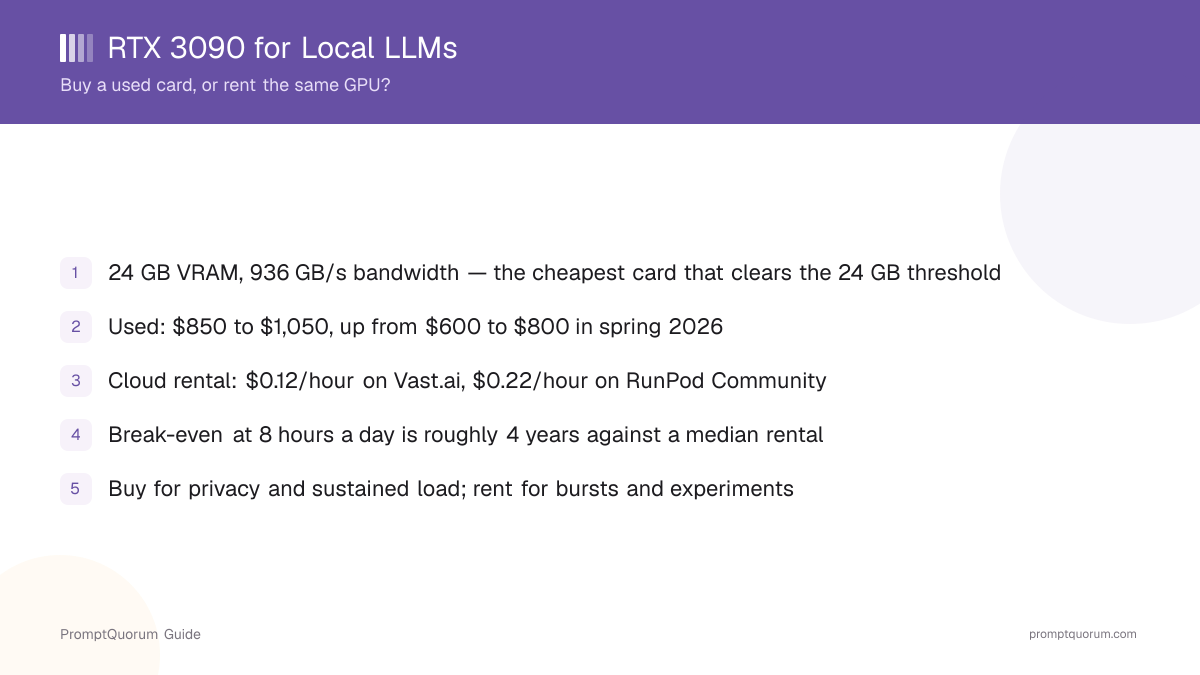
- 1A used RTX 3090 costs $850–$1,050 and gives you 24 GB of VRAM — still the cheapest way to own that much video memory.
- 2Renting the identical GPU costs $0.12/hour on Vast.ai and $0.22/hour on RunPod Community, with a median of $0.15/hour across eight providers.
- 3Once you subtract about $0.08/hour in electricity, buying only wins after roughly 12,000 GPU-hours against a median rental — about four years at eight hours a day.
- 4The card got more expensive during 2026, not cheaper: it was $600–$800 in spring. That moves the break-even further away, which is the opposite of what most buying guides assume.
- 5Buy for privacy, offline work, always-on agents and constant fine-tuning. Rent for bursts, experiments and anything you would otherwise leave idle.
- 6Resale value is the buy case's strongest argument: a 3090 that still sells for hundreds in two years turns most of the purchase into a deposit rather than a cost.
Decide in 30 Seconds
Both paths give you the same GPU and the same 24 GB of VRAM. The only real question is how many hours you will actually use it, and whether your data is allowed to leave your network.
📍 In One Sentence
A used RTX 3090 is worth buying for local LLMs when you will run it more than about four hours a day for two years or your data cannot be uploaded; otherwise renting the same card at $0.12–$0.22 per hour is cheaper.
💬 In Plain Terms
Owning the card is like buying a car; renting is like taking taxis. Taxis are cheaper until you start driving every day — and the card, unlike the car, holds its value well enough that you get much of the money back when you sell it.
Buy a used RTX 3090, or rent one?
Use a local LLM if:
- •You will use it more than about 4 hours a day, consistently
- •Your data cannot leave your building — health, legal, client or regulated work
- •You want an always-on agent, home assistant or overnight batch job
- •You are fine-tuning or embedding regularly, not occasionally
- •You already have a case, a 750 W+ PSU and somewhere to put the heat
Use a cloud model if:
- •You are still working out whether local inference suits you at all
- •Your usage is bursty — a heavy weekend, then two quiet weeks
- •You want to test a 70B-class model without buying two cards
- •You do not want to own hardware that depreciates
- •You need a different GPU next month than you need today
Quick decision:
- →Under 2 hours a day → rent, and revisit in six months
- →4+ hours a day, every day → buy, the card pays back
- →Any data you cannot upload → buy, cost is not the deciding factor
Quick Facts
- VRAM: 24 GB GDDR6X — enough for a 27B-class model at 4-bit quantization with room for context.
- Memory bandwidth: 936 GB/s, which is what actually sets token generation speed on a memory-bound workload.
- Power: 350 W card TDP; budget roughly 450 W at the wall for the whole system under inference load.
- Used price: $850–$1,050 typical, with eBay averages near $1,000 — up from $600–$800 in spring 2026.
- Cloud rental: $0.12/hour (Vast.ai) to $0.50/hour (RunPod Secure); median $0.15/hour across eight providers.
- Electricity: at the 2026 US residential average of $0.18/kWh, running it costs about $0.08/hour.
What the RTX 3090 Actually Buys You
The RTX 3090 matters for one reason: 24 GB of VRAM at the lowest price anyone sells it. Everything else about the card is unremarkable in 2026 — it is a 2020 design, it draws 350 W, and a current-generation card beats it on every efficiency metric. None of that changes the fact that model weights either fit in video memory or they do not.
VRAM is a cliff, not a slope. A model that fits runs at full speed; a model that overflows by even a gigabyte spills into system RAM and collapses to a fraction of the speed. That makes 24 GB a capability threshold rather than a performance number, and the 3090 is the cheapest card that clears it.
The second number that matters is memory bandwidth. Token generation on a quantized model is memory-bound, not compute-bound, so 936 GB/s is a better predictor of how fast it will feel than any CUDA-core count. This is also why the 3090 stays competitive with newer mid-range cards that have more compute but narrower memory buses.
What you get in practice: comfortable headroom for a 27B-class model at 4-bit quantization, fast inference on 7B–14B models with long context, and — with a second card — the ability to hold a 70B-class model in VRAM without offloading.
What 24 GB Actually Runs: Model Sizes and Quantization
"Fits in 24 GB" and "runs comfortably for interactive use" are two different claims, and buying guides that conflate them set the wrong expectation. A model can technically load and still leave no room for context, which means it works for a single short prompt and breaks the moment a conversation gets long. The table below separates the two.
The variable that moves a model between these columns is context length: every token of conversation history and every generated token needs space in the KV cache, on top of the weights themselves. A 27B model at 4-bit quantization with a 4K context comfortably fits; the same model pushed to 32K context can crowd out the headroom the quantization bought you.
Model class | Fits in 24 GB (4-bit) | Interactive use |
|---|---|---|
| 7B–8B | Yes, with room to spare | Fast, long context comfortable |
| 13B–14B | Yes | Fast, generous context |
| 27B–34B | Yes | Comfortable / watch KV cache at long context |
| 70B (4-bit, single card) | Technically, with CPU offload | Slow — offloaded layers bottleneck generation |
| 70B (4-bit, two cards) | Yes, 48 GB combined | Comfortable, no offloading |
📌Note: A 70B-class model at 4-bit quantization needs roughly 40–45 GB of VRAM for weights alone, before context. A single 24 GB card gets there only by offloading part of the model to system RAM, which is why the single-card row above is listed as technically possible rather than comfortable.
RTX 3090 with Ollama and LM Studio
The RTX 3090's 24 GB is particularly relevant for Ollama and LM Studio, because both default to loading a model entirely in GPU memory when it fits, and fall back to slower CPU/GPU offloading when it does not. With 24 GB available, both tools can run 27B-class models fully on the card instead of splitting them.
Actual tokens-per-second depends on the specific model, the quantization level, context length, which backend build is in use (llama.cpp under the hood for both), how much of the prompt still needs processing versus how much is cached, and what else is running on the same machine. Neither tool publishes official RTX 3090 benchmarks, so treat any single "X tokens/sec" figure you see elsewhere as one person's setup, not a guarantee for yours.
Practically: install either tool, pull a 27B-class model at 4-bit quantization, and check GPU memory usage in nvidia-smi (or the tool's own display) while it runs — if usage sits comfortably under 24 GB, the model is fully on the card and you are getting the RTX 3090's full memory bandwidth.
Buying Used: What to Check Before You Pay
If you buy, buy used — nobody sells the RTX 3090 new any more, and the used market is where the price advantage lives. At $850–$1,050 it is the cheapest 24 GB card available, and it holds resale value well, which materially reduces the real cost of ownership.
The honest caveat: these are five-year-old cards, many of them ex-mining or ex-gaming, sold without warranty by strangers. The failure modes are known and checkable, so the risk is manageable — but it is real, and it is the reason to buy from a seller with returns rather than the cheapest listing you can find.
- Ask for a photo of the card running a load test with temperatures visible — memory junction temperature above roughly 100 °C under load points at dried-out thermal pads.
- GDDR6X on this card runs hot by design; a seller who has replaced the thermal pads is a good sign, not a red flag.
- Confirm it is the 24 GB RTX 3090 and not an RTX 3080 — the listing title is not proof, ask for a GPU-Z screenshot.
- Prefer a platform with buyer protection and returns. The $50 you save on a no-returns listing is not worth the risk on a five-year-old card.
- Check the card physically fits: the 3090 is a three-slot card in most designs and needs a 750 W or larger power supply.
📌Note: PromptQuorum is not enrolled in any affiliate program. The links below carry no affiliate tags and earn no commission — they are plain reference links, provided so you can check the current price yourself.
Choosing a Card: Cooling, Size and Power Connectors
Every RTX 3090 has the same 24 GB of VRAM, so the model-fitting question is settled the moment you pick "RTX 3090." What differs between cards is how bearable it is to own one. No single manufacturer cooler design is objectively best across every listing — used-market condition varies more than the design does — but these are the factors worth checking before you buy.
Cooling design
- What to check:
- Triple-fan open-air coolers run quieter under sustained load than blower-style cards; ask how loud it is at idle vs. under inference.
Physical size
- What to check:
- Most RTX 3090s are three-slot, 30+ cm long cards — measure your case before buying, not after.
Power connectors
- What to check:
- Standard 8-pin PCIe (two or three) on most models; confirm your PSU has enough native connectors before relying on adapters.
Warranty
- What to check:
- Original manufacturer warranties on this generation have mostly expired — treat any used 3090 as sold as-is unless the seller states otherwise.
Used condition
- What to check:
- Prior mining use is not disqualifying (see the buying checklist above); prior heavy overclocking with poor cooling is a bigger risk signal.
Price vs. risk
- What to check:
- The cheapest listing is not the best deal if it has no returns — a $50–100 premium for buyer protection is usually worth it on a five-year-old card.
Why Renting Is the Better Answer More Often Than People Expect
The case for renting is not that it is always cheaper — it is that an idle GPU costs you the same as a busy one. A card sitting in a desktop that gets used on weekends has already cost its full purchase price. A rented GPU costs nothing between sessions.
The reasons to rent are concrete rather than philosophical: no upfront outlay, no depreciation risk on a five-year-old card, no PSU or case or cooling constraints, no dead weekend when a fan fails. You can also rent a card you would never buy — testing a 70B-class model on two rented GPUs for an afternoon costs a few dollars, against roughly $1,700 for a second-hand pair.
The honest counter-argument is that renting has real friction. You upload data to somebody else's machine, you wait for an instance, and on marketplace providers you occasionally get a host that disappears mid-job. Those are not reasons to dismiss it — they are reasons the decision depends on your workload rather than on the hourly rate alone.
Renting an RTX 3090: What It Costs and Where
Vast.ai is the cheapest way to rent an RTX 3090 at around $0.12 per hour, and RunPod is the more reliable one at $0.22 per hour on its Community tier. That difference is the entire trade-off: Vast.ai is a marketplace of privately owned GPUs, so pricing is lower and host quality varies; RunPod runs its own capacity, so it costs more and behaves more predictably.
For a first try, the cheap tier is genuinely fine — a failed instance on an experiment costs you nothing but the restart. For anything on a deadline, or any job longer than a few hours, the extra ten cents an hour buys you the thing you actually want, which is for the job to still be running when you come back.
- Setup complexity: Vast.ai and similar marketplaces require picking a host and template yourself; RunPod and other managed providers offer one-click templates with Ollama or a web UI pre-installed.
- Persistence: a stopped instance on most providers still bills for attached storage; check whether a provider charges for storage while the GPU itself is paused before leaving a large model cached between sessions.
- Minimum rental: marketplace listings are typically billed by the minute with no minimum; some managed-capacity tiers require a minimum block — check the pricing page of the specific provider before committing to a job.
- Geographic availability: marketplace GPUs are wherever their owners are, so a specific region is not guaranteed; managed providers publish fixed data-center regions, which matters if you have data-residency requirements.
Provider | Price/hour | Best for |
|---|---|---|
| Vast.ai | $0.12 | Cheapest hourly rate; experiments and burst work |
| RunPod Community | $0.22 | Predictable capacity at a modest premium |
| RunPod Secure | $0.50 | Enterprise reliability and support |
| Median of 8 providers | $0.15 | The figure to use for your own break-even math |
📌Note: Prices verified 1 September 2026 against a multi-provider pricing table and RunPod's own model page. Cloud GPU rates move weekly — check current pricing before committing.
The Break-Even Math
Against a median $0.15/hour rental, an $850 card takes roughly 12,300 GPU-hours to pay for itself — about four years at eight hours a day, or seventeen years at two. That is the number most buying guides skip, and it is the one that should decide the purchase.
The calculation subtracts what the card costs you to run. At 450 W at the wall and the 2026 US average of $0.18/kWh, local inference costs about $0.08 per hour in electricity, so you are not comparing $850 against $0.15/hour — you are comparing it against the roughly $0.07/hour you save.
Assumptions: $850 card, 450 W system draw, $0.18/kWh. Substitute your own electricity rate — it moves the answer more than anything else in the table, and in markets above $0.30/kWh the buy case largely disappears.
Usage | vs $0.12/h | vs $0.15/h | vs $0.22/h |
|---|---|---|---|
| 2 hours a day | ~30 years | ~17 years | ~8 years |
| 4 hours a day | ~15 years | ~8 years | ~4 years |
| 8 hours a day | ~7.5 years | ~4 years | ~2 years |
| Always on (24/7) | ~2.5 years | ~1.4 years | ~8 months |
⚠️Warning: This table makes buying look worse than it is in one specific way: it ignores resale. A used RTX 3090 has held its value for five years, so if you sell it on, much of the purchase price comes back and every number above shortens considerably.
Which Side You Are On
Weekend hobbyist
- Verdict:
- Rent
- Why:
- A few hours a week against a $850 outlay is decades from break-even. Rent for a year, and if you find yourself renting daily, buy then — you will also know exactly which card you need.
Daily heavy user
- Verdict:
- Buy
- Why:
- At four or more hours a day the card pays back inside a few years, and resale recovers much of the rest. The bigger win is behavioural: an owned GPU has no meter running, so you stop rationing experiments.
Small team or startup
- Verdict:
- Rent first, then buy
- Why:
- Rent while your workload is still changing shape — you do not yet know whether you need 24 GB or 80 GB. Buy once usage is steady and predictable enough to forecast, which is usually the point where the monthly bill starts to sting.
Privacy or compliance bound
- Verdict:
- Buy
- Why:
- Cost is not the deciding factor. If client data, health records or regulated material cannot be uploaded to a third-party host, the rental option does not exist regardless of price, and the 3090 is the cheapest way to satisfy the requirement.
Skip the RTX 3090 If
Skip it if your models fit in 16 GB. If you are running 7B and 14B models at 4-bit and never touching anything larger, a cheaper current-generation 16 GB card is quieter, draws far less power and comes with a warranty. Paying the 24 GB premium for headroom you never use is the most common mistake on this purchase.
Skip it too if you are buying to train rather than to run inference. Fine-tuning anything substantial on a single 24 GB card means aggressive quantization and long waits; renting a larger card for a few hours is both faster and cheaper.
And skip it if your electricity is expensive. At $0.30/kWh or above, the running cost alone approaches the cheaper cloud rates, and the case for owning the card mostly evaporates.
Our Verdict
Buy a used RTX 3090 if you will use it more than about four hours a day for the next two years, or if your data cannot leave your building — it is still the cheapest way to own 24 GB of VRAM. Rent one if your usage is occasional, bursty or you are still finding out whether local inference suits your workload. If you are unsure which you are, rent first.
For frequent local LLM use and privacy: buy. For occasional experimentation: rent. For uncertain or changing usage: rent first, and revisit the decision in six months once you know your actual hours. For anyone specifically chasing inexpensive 24 GB VRAM, a good-condition used RTX 3090 remains compelling in 2026 — the memory-shortage price increase has not changed that, only pushed the break-even further out. For a new purchase where efficiency, warranty and current-generation features matter more than upfront price, compare against a current-generation card instead.
Bottom line: the RTX 3090's advantage is 24 GB of VRAM at used-market prices. Its costs are age, high power draw, heat, noise and the lack of a warranty. Neither side of that trade-off has changed in 2026 — only the purchase price has, and it moved against buying.
Frequently Asked Questions
Is the RTX 3090 still worth buying in 2026?
For sustained local inference, yes — it remains the cheapest 24 GB card at $850–$1,050 used. For light or occasional use, no: renting the same GPU at $0.12–$0.22 per hour is cheaper for years. The deciding factor is hours of actual use per week, not the specification.
Is the RTX 3090 good for Ollama?
Yes. Ollama loads a model fully into GPU memory when it fits, and 24 GB is enough to run 27B-class models at 4-bit quantization entirely on the card rather than splitting across CPU and GPU. Confirm full GPU residency with nvidia-smi while a model is loaded.
Is the RTX 3090 good for LM Studio?
Yes, for the same reason as Ollama — both run on a llama.cpp-based backend and benefit equally from 24 GB of VRAM. LM Studio shows GPU memory usage directly in its interface, which makes it easy to confirm a model is fully loaded rather than partially offloaded.
RTX 3090 or RTX 4090 for local LLMs?
Both have 24 GB, so they run the same models. The 4090 is meaningfully faster and much more power-efficient, but costs roughly twice as much used. If the models you run already fit, the 3090 gives you the same capability for less money; the 4090 is worth it when generation speed is what limits your work.
How many tokens per second does an RTX 3090 produce?
It depends on model size and quantization, and any single number would be misleading. The useful rule is that token generation on a quantized model is memory-bandwidth-bound, so the 3090's 936 GB/s is the figure that predicts it — smaller models and heavier quantization move more tokens per second.
Can two RTX 3090s run a 70B model?
Yes. Two cards give you 48 GB of VRAM, which holds a 70B-class model at 4-bit quantization without offloading to system RAM. Budget for a power supply of 1,000 W or more and a motherboard with two suitable slots — and rent a two-GPU cloud instance for an afternoon first, to confirm the setup does what you need before spending roughly $1,700.
Why did used RTX 3090 prices go up in 2026?
A memory shortage pushed GPU prices broadly above their earlier levels during 2026, and demand for 24 GB cards rose among people running models locally rather than among gamers. The card sold for $600–$800 in spring and $850–$1,050 by September. It is one of the few five-year-old products that got more expensive.
Is it safe to buy a used mining GPU?
Usually, with checks. Mining cards ran at constant moderate load, which is gentler than the thermal cycling of gaming, but they often need new thermal pads. Ask for a load-test photo showing memory junction temperature, buy from a seller offering returns, and treat any listing without both as a card you cannot verify.
What power supply does an RTX 3090 need?
NVIDIA specifies 750 W for a single-card system, and that is the right minimum. The card draws 350 W on its own and has short transient spikes well above that, so an undersized or low-quality supply will shut down under load even when the arithmetic looks fine.
Does renting a GPU mean my data leaves my machine?
Yes — that is the fundamental trade-off. Anything you process on a rented GPU is uploaded to hardware you do not control, and on marketplace platforms that hardware is privately owned. For regulated, confidential or client data this rules the rental option out regardless of cost, which is why the privacy case for buying does not depend on the break-even math at all.
Sources
- RTX 3090 price tracker — new and used price history, Best Value GPU.
- RTX 3090 cloud pricing across 8 providers, GetDeploying (updated 1 September 2026).
- RTX 3090 GPU rental pricing, RunPod.
- A used RTX 3090 is still the best GPU for local AI, XDA Developers.
- Electric Power Monthly — average residential electricity price, US Energy Information Administration.