Key Takeaways
- The core question is "how many hours/month?" — not a fixed local-vs-cloud rule
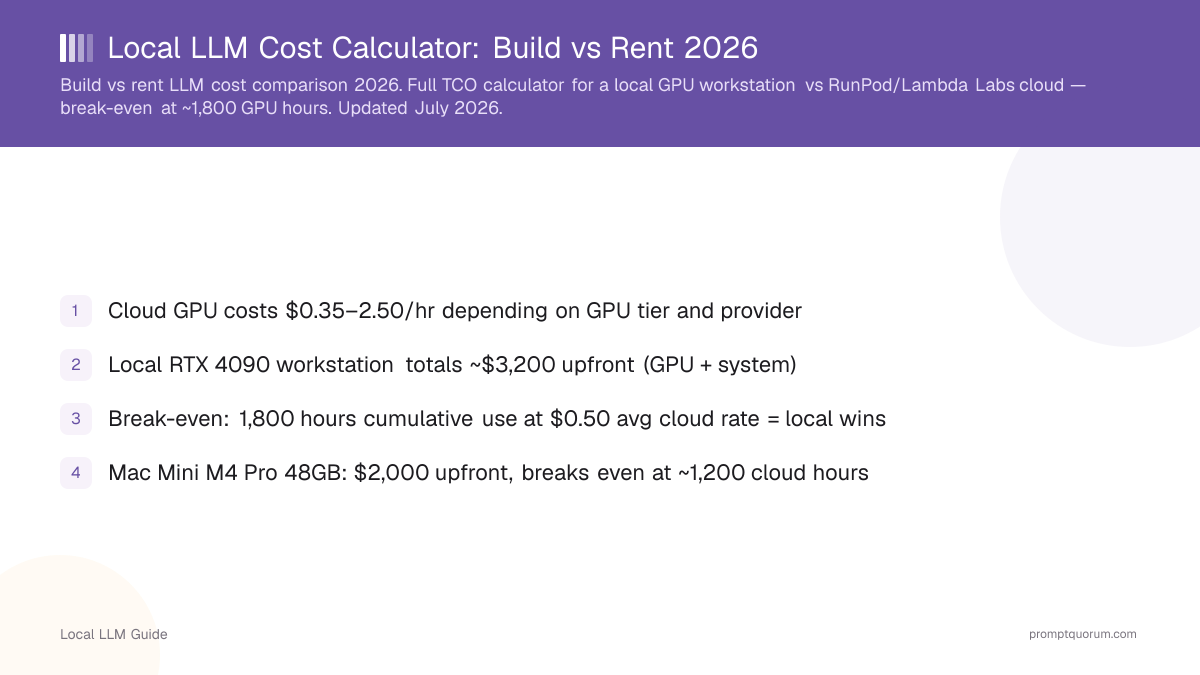
- Cloud GPU rental (RunPod, Vast.ai) costs roughly $0.13–0.69/hr for an RTX 4090-class GPU
- A recommended local RTX 4090 workstation costs ~$2,800 total (GPU + full system)
- Naive break-even (price ÷ cloud rate only): 5,600 hours — but that ignores electricity and resale
- Full-TCO break-even (hardware + electricity − resale, vs. monthly cloud cost): ~4,780 hours, about 20 months at 8 hr/day usage — use the calculator below for your own numbers
- Electricity adds roughly $0.02/hr (US) to $0.06/hr (Germany) to local running costs for a 450W system
- Cloud wins for spiky, occasional, or experimental workloads under ~100 hr/month
- Local wins for sustained daily inference, privacy-sensitive use, or 500+ hr/month usage
Quick Answer: Which One Fits Your Usage?
This is a starting point, not a hard rule — hardware price, your cloud rate, your electricity price, and resale value all shift the real break-even. The calculator below gives you an exact answer for your own numbers.
Monthly Hours | Recommendation |
|---|---|
| Under 20 hr/mo | Rent cloud — local almost never pays back |
| 20–100 hr/mo | Usually rent cloud |
| 100–250 hr/mo | Compare carefully — depends on hardware price |
| 250–500 hr/mo | Local hardware becomes attractive |
| 500+ hr/mo | Local usually wins on total cost |
| 24/7 continuous | Buy local hardware |
Interactive Cost Calculator: Local vs Cloud
Enter your own monthly usage hours, cloud GPU rate, local hardware price, electricity rate, expected resale value, and ownership period. The calculator below computes your cloud cost per month, your local operating cost, your total local cost of ownership, and your break-even point — live, as you change the numbers. All figures are calculated estimates from the inputs you provide plus researched reference prices, not measurements PromptQuorum has run itself.
Average daily use × 30. Example: 8 hr/day = 240 hr/month.
Blended spot/on-demand rate for a comparable GPU (RunPod, Vast.ai, Lambda Labs).
Full system cost — GPU, case, PSU, RAM, storage, not just the GPU.
What you expect to sell the hardware for at the end of the ownership period.
How long you plan to keep and use this hardware.
Recommendation
BUY LOCAL
At this usage, owning hardware costs less than renting over your ownership period.
See the GPU workstation guide →Your numbers
Cloud cost / month
$120
Local operating cost / month
$18
Total local cost over period (hardware + electricity − resale)
$2,461
Break-even (full TCO)
23 months
Break-even in cumulative hours
5,465 hours
Naive break-even (hardware price ÷ cloud rate only, ignoring electricity and resale) for these hardware/cloud-rate inputs: 6,400 hours
Hardware Decision Table
Match your target model size and usage pattern to a hardware tier before pricing out a specific build.
Tier | VRAM / RAM | Best For | Price Class |
|---|---|---|---|
| N150 mini PC | 16GB RAM | Light chat, models up to 7B | Under $500 |
| Ryzen mini PC | 32–64GB RAM | 7B–14B daily use, 24/7 server | $500–1,000 |
| RTX 3090 (used) | 24GB VRAM | Up to 30B Q4, best VRAM/$ | $1,000–2,000 |
| RTX 4090 | 24GB VRAM | Up to 34B Q4, fastest single-GPU | $2,000–4,000 |
| 48GB GPU setup | 48GB VRAM | Up to 70B Q4, dev/research | $4,000+ |
| Mac (unified memory) | 48–128GB unified | 70B+ via MLX, low power draw | $2,000–4,000+ |
Path 1 — Low Usage: Rent a Cloud GPU
Renting is the right call for experimentation, occasional fine-tuning runs, variable workloads, or testing a model before you commit to hardware. You pay only for the hours you use, with no maintenance and instant access to GPU tiers (H100, A100 80GB) that would cost thousands to own.
Compare current cloud GPU prices before renting: RunPod pricing and Vast.ai pricing are editorial references, not affiliate links — PromptQuorum has no commission relationship with either provider.
Path 2 — Medium Usage: A Mini PC May Beat a GPU Workstation
For 7B–14B models used daily — chat, Home Assistant automations, Ollama running 24/7 — a Ryzen mini PC often beats a discrete GPU on cost per watt and total footprint. See the Beelink SER8 review for a real 24/7 Ollama deployment, or the best mini PCs for local LLMs guide and best AMD mini PC for local LLMs for the current lineup, including the Minisforum UM890 Pro and GMKtec G3 Plus.
Path 3 — Heavy Local AI: GPU Workstation
Once you need 30B+ models, fine-tuning, or fast multi-user inference, a discrete GPU workstation is the right tier. The metric that matters is VRAM per dollar, not raw benchmark speed — VRAM determines which model sizes you can even load. See the local LLM workstation build guide and PromptQuorum's GPU workstation build guide for current parts lists and pricing.
"What Should I Buy?" By Price Tier
Under $500 — Do not buy dedicated AI hardware. Use what you already own or rent cloud GPU for occasional needs.
$500–1,000 — A Ryzen mini PC with 32GB+ RAM. See the best AMD mini PC for local LLMs and the Beelink SER8 review.
$1,000–2,000 — A more powerful mini PC, or a used RTX 3090 build. See the best mini PCs for local LLMs guide and the best GPU under $500 guide for entry GPU pricing context.
$2,000–4,000 — A discrete GPU workstation (RTX 4090) or a Mac with large unified memory. See the local LLM workstation build guide and the Apple Silicon local LLM guide.
$4,000+ — 48GB+ VRAM, multi-GPU, or workstation-class builds. Calculate your utilization carefully first — this tier only pays back at sustained, heavy usage. See PromptQuorum's GPU workstation build guide.
Hardware Picks by Category
- Budget: GMKtec G3 Plus — entry mini PC for 7B-class models
- Mid-range: Beelink SER8 — 7B–14B experimentation, Home Assistant, 24/7 Ollama server; Minisforum UM890 Pro as a Ryzen alternative
- GPU value: RTX 3090 (used, ~$800–1,300) — best VRAM per dollar for 24GB
- GPU performance: RTX 4090 (~$2,000–2,600, EOL pricing — the RTX 4090 reached end-of-life in Q2 2026) — fastest single-GPU consumer option, see the workstation build guide
- Apple option: high-unified-memory Mac for 70B+ models at low power draw — see the Apple Silicon local LLM guide
RTX 3090/4090 and Apple hardware links above are plain product/editorial references — PromptQuorum has no affiliate program and earns no commission on any hardware purchase.
When You Should NOT Buy Local AI Hardware
- Occasional use (~10 hours/month or less) — the hardware will sit idle most of the time
- Highly variable workload — some months heavy, some months nothing
- Need different GPU tiers per project — cloud lets you switch instantly between a 24GB and an 80GB GPU
- Do not want hardware maintenance — drivers, cooling, upgrades, eventual failure are all on you with local hardware
- Only occasionally need very large models — renting an H100 for one week beats owning one
When Local AI Wins
- Daily, predictable use — the hours add up fast; see the usage-tier table above
- Cost predictability — a fixed hardware cost is easier to budget than variable cloud bills
- Sensitive data or offline requirement — nothing leaves your network
- Need for unlimited inference — Ollama's own documentation states that running models on your own hardware is unlimited; only Ollama's managed cloud service (a separate product from local Ollama) has plan-based usage limits
- Multi-year usage horizon with hardware you can keep well-utilized
Electricity Costs by Country
A 450W local GPU workstation running 240 hours/month (8 hr/day) costs roughly $18/month in US electricity, versus roughly $40/month at German residential rates. Use your own rate in the calculator above — these are reference defaults.
Country | Residential Rate | 450W System, 240 hr/mo |
|---|---|---|
| United States | ~$0.17/kWh | ~$18/month |
| Germany | ~€0.37/kWh (~$0.37) | ~$40/month |
| United Kingdom | ~£0.26/kWh (~$0.33) | ~$36/month |
| France | ~€0.22/kWh (~$0.22) | ~$24/month |
Cloud GPU Rental Comparison
Representative RTX 4090-class rates — always check current pricing before renting, rates change frequently.
Provider | Best For | Pricing Model | Verdict |
|---|---|---|---|
| RunPod | Reliability, managed pods | Per-second, $0.34–0.69/hr | Solid default for steady workloads |
| Vast.ai | Lowest price, flexible | Marketplace bidding, $0.13–0.34/hr | Cheapest, host quality varies |
| Lambda Labs | Data-center GPUs (A100/H100) | Hourly on-demand, $1.99–4.29/hr | Best for large-model training, not budget 4090 rental |
Final Verdict: There Is No Universal Winner
The usage-hour rules of thumb in this article are guidance, not hard laws. Your actual break-even depends on your cloud rate, your hardware price, your electricity price, and your resale value — the calculator above computes the real answer for your inputs, not a fixed threshold.
Choose Based On
Use a local LLM if:
- •You use LLMs 250+ hours/month or continuously
- •You need cost predictability over a multi-year horizon
- •Data privacy or offline capability is a requirement
- •You can keep the hardware well-utilized, not idle
Use a cloud model if:
- •You use LLMs under 100 hours/month
- •Your workload is spiky or experimental
- •You need GPU tiers too expensive to own (H100, A100 80GB)
- •You do not want hardware maintenance or upfront capital cost
Quick decision:
- →Run the calculator above with your real numbers
- →Under 100 hr/month → rent cloud
- →500+ hr/month or 24/7 → buy local
- →100–500 hr/month → hardware price and electricity rate decide it
Next Steps by What You Calculated
- Low usage (under 100 hr/month): compare current cloud GPU pricing
- Small models, daily use: best mini PCs for local LLMs
- 7B–14B, 24/7 server: Beelink SER8 review or best AMD mini PC for local LLMs
- 30B+ models, heavy local use: local LLM workstation build guide
- 70B-class, sustained use: PromptQuorum's GPU workstation build guide
Is local AI always cheaper than cloud?
No. Local hardware is only cheaper above a usage threshold that depends on hardware price, electricity rate, and cloud rate — typically somewhere in the 250–500 hours/month range for a mid-range GPU workstation. Below that, cloud rental is usually cheaper because it has no upfront cost.
How many hours before buying local hardware makes sense?
For a $2,800 RTX 4090 workstation against a $0.50/hr cloud rate, the naive break-even (price ÷ rate only) is 5,600 cumulative hours. Once electricity cost and expected resale value are included, full-TCO break-even at 240 hours/month (8 hr/day) usage is roughly 4,780 hours — about 20 months. Use the calculator above for your specific numbers.
Is electricity included in local AI cost estimates?
It should be, and often is not in simple comparisons. A 450W system running 8 hours/day adds roughly $18/month in the US (~$0.17/kWh) or roughly $40/month in Germany (~€0.37/kWh). The calculator above lets you enter your own rate.
Is a Mac good for local LLMs?
Macs with high unified memory can run large models (70B-class) at low power draw, which helps their cost-of-ownership case, especially in high-electricity-price countries. See the Apple Silicon local LLM guide linked above for current model-size and performance specifics.
Is 24GB of VRAM enough for local LLMs?
24GB (RTX 3090 or RTX 4090) comfortably runs models up to roughly 30–34B parameters at 4-bit quantization, which covers most single-user local AI use cases. 70B-class models need roughly 48GB, reached with dual-GPU setups or high-unified-memory Macs.
Should I buy an RTX 4090 or rent cloud GPU time?
Buy if you expect sustained usage above roughly 250–500 hours/month over a multi-year period and can keep the hardware utilized. Rent if your usage is occasional, spiky, or you are still validating the workload — renting avoids the ~$2,000–2,600 upfront cost of an RTX 4090 (EOL pricing, August 2026, since the RTX 4090 reached end-of-life in Q2 2026) entirely.
What is the cheapest way to run a local LLM?
For the lowest upfront cost, a Ryzen mini PC ($500–1,000) running a 7B–14B quantized model is the cheapest dedicated local setup. For the lowest cost per inference at low volume, cloud GPU rental with no hardware purchase at all is cheaper.
Does running AI locally mean data never leaves my computer?
Yes, for local inference through tools like Ollama running on your own hardware — no data is sent anywhere. This is distinct from Ollama's separate managed cloud service, which does send requests to Ollama's infrastructure; only the local, on-device mode keeps data fully on your machine.