Cheapest Practical Way to Run a 70B Model Locally in 2026
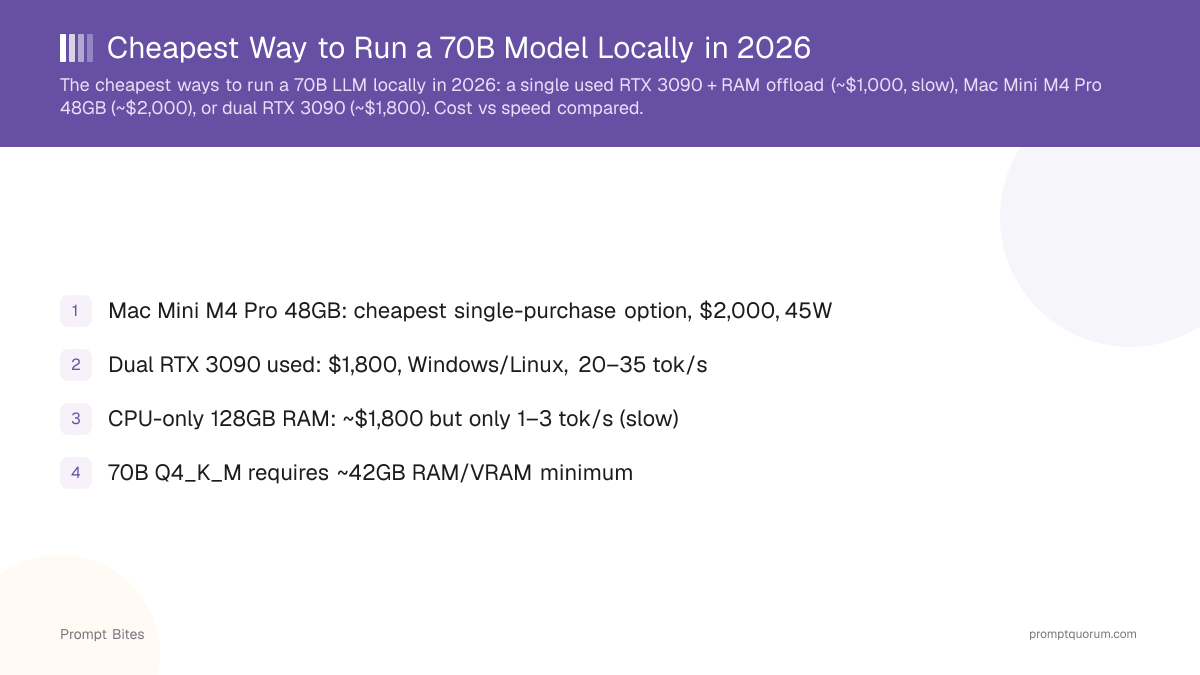
The cheapest practical way to run a 70B Q4 model locally is a used dual RTX 3090 setup (~48GB combined VRAM) — if you're willing to build a PC. For the easiest single-box option, an Apple Silicon Mac with 64GB+ unified memory needs no multi-GPU setup at all. A single 24GB GPU cannot hold a full 70B Q4 model on its own. Apple's August 2026 refresh added a new option: the M5 Pro Mac mini (64GB unified memory, from $1,699) — the cheapest new Apple Silicon machine that clears the 70B memory bar, though the base M6 Mac mini (32GB max) does not.
This page contains links to third-party products for reference. PromptQuorum is not enrolled in any affiliate program — these are plain links that earn no commission. Clicking links and your next steps are entirely your own responsibility. These links do not represent any endorsement or verification by PromptQuorum.
Quick Answer
A used dual RTX 3090 setup (~48GB combined VRAM) is the cheapest practical way to run a 70B Q4 model at usable speed. A 64GB+ Apple Silicon Mac is the easiest single-box alternative — no multi-GPU build required. Check current prices rather than a fixed figure — used GPU pricing swings widely.
- ▸Cheapest practical: 2× used RTX 3090 24GB (~48GB combined VRAM) — full Q4 offload, requires PC-building know-how
- ▸Easiest: 64GB+ Apple Silicon Mac — the whole model fits in unified memory, no multi-GPU setup
- ▸Cheapest absolute hardware: 64–128GB RAM, CPU-only — works, but painfully slow at 1–3 tok/s
- ▸Best performance: a high-VRAM multi-GPU system for serious, sustained 70B workloads
- ▸New: the M5 Pro Mac mini (64GB, from $1,699) is the cheapest new Apple Silicon machine that can run 70B — the base M6 Mac mini (32GB max) cannot
Key Takeaways
- ✓70B Q4 needs roughly 40–48GB of memory — a single 24GB GPU cannot fit the full model
- ✓Cheapest practical: 2× used RTX 3090 24GB, full Q4 offload — check current used pricing
- ✓Easiest: 64GB+ Apple Silicon Mac — no multi-GPU setup required
- ✓Cheapest absolute hardware: 64–128GB RAM, CPU-only — usable but slow (1–3 tok/s)
- ✓Occasional use? Renting a cloud GPU is often cheaper than buying hardware at all
- ✓August 2026 update: the new M5 Pro Mac mini (64GB, from $1,699) can now run 70B — the base M6 Mac mini (32GB max) still cannot
Cheapest Practical: 2× Used RTX 3090
Two used RTX 3090 cards (24GB VRAM each) combine to roughly 48GB of usable VRAM with llama.cpp tensor-parallel splitting — enough to fully offload a 70B Q4_K_M model with no CPU fallback. You'll need a motherboard with dual x16 PCIe slots and a 1000W+ PSU.
Used RTX 3090 pricing varies enormously by condition, cooling, and seller — check current listings rather than trusting a fixed number. Buy from a seller with clear photos of the card and, ideally, a mining/gaming-load disclosure. See whether buying beats renting the same card before you commit to two of them.
Buy it if: you enjoy building PCs and want the best inference speed per dollar. Skip it if: you want a quiet, simple, single-box machine — see the Mac option below instead.
70B Hardware Comparison
All options below fit a 70B Q4_K_M model (~42GB) at usable quality. Check current prices for each before deciding — used GPU and RAM pricing moves often.
| Setup | Speed | Complexity | Best for |
|---|---|---|---|
| CPU + 64–128GB RAM | 🐌 1–3 tok/s | ⭐ Low | Cheapest hardware, testing |
| 2× used RTX 3090 | 🏆 20–35 tok/s | ⚠️ High | Best value for money |
| 64GB+ Apple Silicon Mac | ⭐⭐⭐ 12–18 tok/s | 🟢 Low | Simplicity, one box |
| Mac mini M5 Pro 64GB (new) | 🆕 Not yet benchmarked | 🟢 Low | Cheapest new complete system |
| Single RTX 4090 + offload | ⭐⭐ 8–12 tok/s | ⚠️ Medium | Already own a 4090 |
| 128GB Apple Silicon Mac | 🚀 25–35 tok/s | 🟢 Low | Larger models, full quality |
Easiest: 64GB+ Apple Silicon Mac
If you don't want to build a dual-GPU PC, Apple Silicon is much simpler: the model lives directly in unified memory, so there's no splitting a model between system RAM and VRAM and no multi-GPU driver setup. 64GB unified memory is the target to run 70B Q4 comfortably without offloading layers to disk.
Apple's August 25, 2026 hardware refresh also updated the Mac mini alongside the Mac Studio. The base M6 Mac mini starts at $899 but tops out at 32GB unified memory — not enough to run a 70B Q4 model, so skip it for this use case. The M5 Pro Mac mini starts at $1,699 with up to 64GB unified memory, which does hit the 64GB target — the cheapest new Apple Silicon machine that can run a 70B model. Both ship September 22, 2026; check the current price before buying since new-hardware pricing can shift.
Apple refreshed the Mac Studio line to M5 Max/M5 Ultra in the same August 2026 announcement, starting at $2,499 and configurable up to 128GB unified memory — check the current price for a 64GB configuration rather than relying on an old figure. A MacBook Pro with 64GB+ unified memory is the portable equivalent, at a price premium over the desktop.
If you're starting from zero — no existing PC to add GPUs to — the $1,699 M5 Pro Mac mini is often cheaper all-in than building a dual-RTX-3090 machine from scratch once you count a motherboard, PSU, and case, not just the two GPUs. If you already own a capable PC, adding two used RTX 3090s is likely still the cheaper and faster route.
Buy it if: you value simplicity, low power draw, and quiet operation over raw speed. Skip it if: you want the fastest possible tokens/second per dollar — the dual-3090 build wins on that metric.
Cheapest Absolute Hardware: CPU + 64–128GB RAM
Technically, you don't need a GPU at all — a 70B Q4_K_M model can run entirely in system RAM. Expect roughly 1–3 tokens/second, which is usable for batch tasks or testing but frustrating for an interactive chat.
Don't buy a 128GB CPU-only machine specifically for interactive 70B chat unless raw cost genuinely matters more to you than speed — the dual-3090 or Mac routes above cost more but are dramatically more usable day to day.
One Alternative: Rent Instead of Buy
If you only need a 70B model occasionally, don't buy hardware at all. Cloud GPU rental is often dramatically cheaper for occasional use than a $1,500–3,000 hardware purchase — RunPod's Community Cloud A40 48GB (the smallest GPU that fits 70B Q4 in full) runs around $0.44/hour as of this check, and hosted-inference APIs serving Llama 3.3 70B exist at a per-token rate with no hardware at all.
This is worth naming plainly rather than glossing over, since a page that only ever recommends buying reads as trying to sell hardware to everyone — for occasional or bursty use, renting is the honest answer.
Quantization for 70B
For a 70B model, Q4_K_M is the standard balance of size and quality. The quality percentages below are approximate — actual quality loss depends on the specific model and how it's evaluated, not a universal constant.
| Quantization | Size | Quality vs FP16 |
|---|---|---|
| Q4_K_M | ~42 GB | ~96% (best balance) |
| Q3_K_M | ~32 GB | ~90% |
| Q2_K | ~25 GB | ~82%, noticeable loss |
| FP16 (full) | ~140 GB | 100% — not realistic on consumer hardware |
Don't Buy a Single 24GB GPU Expecting Full 70B Speed
- ▸A single 24GB card (RTX 3090 or 4090) cannot hold a full 70B Q4 model — it can run one with CPU offloading, but speed drops to roughly 8–12 tok/s.
- ▸24GB GPU alone → partial offload, slower
- ▸48GB combined VRAM (2× 24GB) → full 70B Q4 offload
- ▸64GB+ unified memory (Mac) → comfortable, no offloading needed
- ▸Base M6 Mac mini (32GB max) → also cannot run a full 70B model, same category as a single 24GB GPU
Related Guides
- ▸RTX 3090 for Local LLMs: Buy Used or Rent? — the buy-vs-rent break-even math for the card this page recommends
- ▸How Much VRAM Does a 70B Model Need? — how much VRAM for a 70B model
- ▸DeepSeek-R1 Distill VRAM Cheatsheet — DeepSeek-R1 distill VRAM cheatsheet
- ▸Best DeepSeek Distill for Your GPU — best DeepSeek distill for your GPU
- ▸Cloud GPU Cost Per Hour 2026 — cloud GPU cost per hour
Quick Answers
Can I run a 70B model on a single consumer GPU?▾
How much RAM do I need for a 70B model on CPU only?▾
Is Q4 quality good enough for a 70B model?▾
What is the cheapest way to run a 70B model without buying hardware?▾
Can the new Mac mini run a 70B model?▾
Want the full breakdown?
Read the complete guide →