What Is GitHub Copilot CLI?
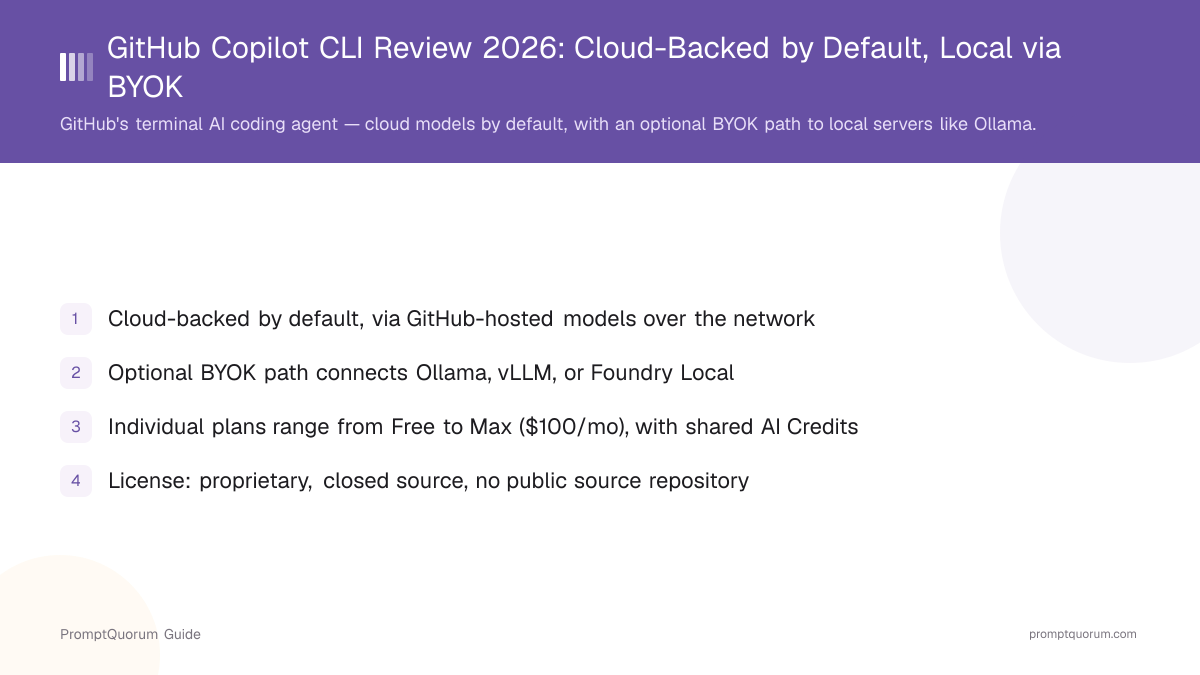
GitHub Copilot CLI is a command-line AI coding agent published by GitHub, described on its own product page. It runs inside your terminal rather than an editor, and can read your repository, propose edits, run shell commands you approve, and answer questions about your codebase through a chat-style interface. By default, every one of those requests is processed by a model hosted on GitHub's infrastructure, reached over the network with your GitHub credentials — the CLI does not ship or run any model weights locally.
- Core function: an agentic coding assistant that lives in the terminal — reads project files, proposes and applies edits, and can run commands with your confirmation
- Default inference: cloud-based, via GitHub's own hosted models, gated behind a GitHub Copilot subscription tier
- Optional local path: BYOK configuration (four environment variables) can redirect model calls to a self-hosted server on your own machine or network — Ollama, vLLM, Foundry Local, or any compatible endpoint
- Developer: GitHub (a Microsoft subsidiary)
- Distribution: the npm package
@github/copilot, also available through Homebrew and WinGet
Copilot CLI's Background
GitHub Copilot CLI extends GitHub's existing Copilot product line into the terminal, following the same account and subscription model as its editor and chat integrations.
- 1Copilot CLI launches as a terminal-based coding agent
Why it matters: GitHub extended Copilot beyond the editor into a standalone command-line agent, installable through npm, Homebrew, or WinGet and authenticated with existing GitHub credentials. - 2BYOK and custom model provider support added
Why it matters: GitHub published documentation for pointing Copilot CLI at self-hosted model servers — Ollama, vLLM, and Foundry Local — through environment variables, giving the CLI an optional local-inference path separate from its default cloud models, per GitHub's [BYOK documentation](https://docs.github.com/en/copilot/how-tos/copilot-cli/customize-copilot/use-byok-models). - 3AI Credits unify usage accounting across Copilot surfaces
Why it matters: GitHub consolidated usage accounting so that Copilot Chat, agent mode, code review, and Copilot CLI all draw from the same monthly AI Credits allowance on paid individual plans, rather than metering CLI usage separately.
What Can You Do With GitHub Copilot CLI?
Copilot CLI's feature set centers on agentic terminal coding, per GitHub's own documentation and product page.
- Agentic terminal chat — a conversational interface in your terminal that can read files, propose multi-file edits, and explain code, launched with the
copilotcommand - Command execution with approval — Copilot CLI can suggest and run shell commands, but asks for confirmation before executing anything that changes your system or repository
- Repository awareness — it reads your project's files and structure to ground its answers and edits in your actual codebase rather than generic suggestions
- Default cloud models — out of the box, requests are processed by GitHub's own hosted models, authenticated through your GitHub account and subscription tier
- BYOK / custom model providers — four environment variables (
COPILOT_PROVIDER_BASE_URL,COPILOT_MODEL,COPILOT_PROVIDER_TYPE,COPILOT_PROVIDER_API_KEY) let you redirect Copilot CLI to a different model backend, including self-hosted local servers - Supported local providers — Ollama, vLLM, and Foundry Local are named explicitly in GitHub's BYOK documentation, alongside "any OpenAI Chat Completions API-compatible endpoint"
- Model requirements for BYOK — the model you point Copilot CLI at must support tool calling and streaming; GitHub recommends a 128k-token context window for reliable agentic behavior
Usage Examples: Three Ways to Use Copilot CLI
These are concrete workflows built from GitHub's own documentation, not hypothetical use cases.
Use Copilot CLI with its default cloud models
Install with npm install -g @github/copilot, run copilot, and authenticate with your existing GitHub account. Every request from this point goes to GitHub's hosted models over the network — this is the default, and requires no extra configuration, only a GitHub Copilot subscription tier that includes CLI access.
Point Copilot CLI at a local Ollama model through BYOK
Start Ollama and load a model that supports tool calling and streaming (a 128k-context model is recommended). Set COPILOT_PROVIDER_BASE_URL to your local Ollama endpoint and COPILOT_MODEL to the model name; COPILOT_PROVIDER_API_KEY is not needed for a local Ollama instance. Launch copilot — requests now go to your local Ollama server instead of GitHub's cloud models.
Point Copilot CLI at a self-hosted vLLM or Foundry Local server
Run vLLM or Foundry Local on your own hardware or network, exposing an OpenAI-compatible endpoint. Set COPILOT_PROVIDER_BASE_URL to that endpoint and COPILOT_MODEL to the served model name; set COPILOT_PROVIDER_TYPE only if the endpoint is not OpenAI-compatible by default. This keeps inference inside your own infrastructure rather than GitHub's.
Install and Get Started With Copilot CLI
Copilot CLI is installed as a command-line package, not a downloadable app. Per GitHub's documentation, install it with npm, Homebrew, or WinGet, then authenticate with your existing GitHub account.
Method | Command / Notes |
|---|---|
| npm (all platforms) | npm install -g @github/copilot |
| Homebrew (macOS/Linux) | Available through Homebrew — see GitHub's install docs for the exact formula |
| WinGet (Windows) | Available through WinGet — see GitHub's install docs for the exact package ID |
| Launch | copilot (authenticates with your existing GitHub credentials) |
A GitHub account is required either way. Using the default cloud models additionally requires a GitHub Copilot subscription tier that includes CLI access (the Free tier qualifies, with capped usage). Setting up the local/BYOK path additionally requires running Ollama, vLLM, or Foundry Local yourself — Copilot CLI does not install or manage a local model server for you.
GitHub Copilot CLI Pricing
Copilot CLI access is gated by a GitHub Copilot subscription, not sold separately. The tiers below reflect GitHub's published individual and business plans; verify current pricing at github.com/features/copilot/plans before deciding, since tiers and credit allowances change.
Free
- Price:
- $0
- AI Credits / What It Includes:
- 2,000 code completions and 50 chat requests per month; Copilot CLI access is included, capped by these allowances
Pro
- Price:
- $10/month
- AI Credits / What It Includes:
- $15/month in AI Credits, shared across Copilot Chat, agent mode, code review, and Copilot CLI
Pro+
- Price:
- $39/month
- AI Credits / What It Includes:
- $70/month in AI Credits, shared across the same set of features
Max
- Price:
- $100/month
- AI Credits / What It Includes:
- $200/month in AI Credits, shared across the same set of features
Business
- Price:
- $19/user/month
- AI Credits / What It Includes:
- Team-level plan; check GitHub's plans page for its current AI Credits allowance
Enterprise
- Price:
- $39/user/month
- AI Credits / What It Includes:
- Organization-level plan; check GitHub's plans page for its current AI Credits allowance
AI Credits are a single shared pool per paid individual plan — heavy Copilot CLI usage draws down the same allowance as Copilot Chat, agent mode, and code review, not a separate CLI-only budget. The BYOK/local-model path does not consume GitHub's AI Credits at all, since GitHub is not running the model — but you are responsible for whatever hosting costs your own Ollama, vLLM, or Foundry Local setup requires. These figures were accurate at review time; GitHub has changed Copilot pricing before and may again — verify at the link above rather than treating this table as permanent.
GitHub Copilot CLI vs. Aider
GitHub Copilot CLI and Aider are both terminal-based AI coding agents, but they take close to opposite defaults on where inference happens and how you pay for it.
Default inference
- GitHub Copilot CLI:
- Cloud, via GitHub's hosted models
- Aider:
- Cloud, via whichever API key you configure — or fully local through Ollama and similar servers
Local-model path
- GitHub Copilot CLI:
- Optional BYOK configuration (four environment variables) pointing at Ollama, vLLM, or Foundry Local
- Aider:
- Native support for local models through Ollama and other OpenAI-compatible servers, no separate BYOK mode needed
License
- GitHub Copilot CLI:
- Proprietary, closed source
- Aider:
- Open source (Apache-2.0); see PromptQuorum's Aider review
Access / pricing
- GitHub Copilot CLI:
- Gated by a GitHub Copilot subscription, Free through $100/month
- Aider:
- The tool itself is free; you pay only for whichever API or local compute you use
GitHub integration
- GitHub Copilot CLI:
- Native, first-party GitHub account and repository integration
- Aider:
- Works with any Git repository; no GitHub-specific integration required
If a fully local, offline-capable workflow is the priority, Aider treats that as a first-class default rather than an opt-in configuration step — see PromptQuorum's Aider review for its exact local-model setup.
Who Should Use GitHub Copilot CLI?
Whether Copilot CLI fits depends on whether you are comfortable with cloud inference by default, and how much effort you're willing to put into the BYOK path if you want local models.
Use GitHub Copilot CLI if
- Your code and workflow already live on GitHub and you want a terminal agent tied directly into that account
- You are fine with cloud-hosted inference by default and want GitHub's own models without extra setup
- You specifically need the BYOK path to point at a local Ollama, vLLM, or Foundry Local server for compliance or offline reasons, and are comfortable setting environment variables yourself
- You already pay for, or qualify for the Free tier of, a GitHub Copilot subscription and want CLI access included in that same plan
Wait, or look elsewhere, if
- You want a tool that treats local, offline inference as the default rather than an optional configuration step — see the comparison with Aider above
- You want the underlying agent's source code open for inspection — Copilot CLI is closed source
- You need cloud-model CLI usage to stay outside GitHub's AI Credits accounting — Copilot CLI has no cloud tier separate from the shared credit pool
- You are not willing to run and maintain your own Ollama, vLLM, or Foundry Local server — Copilot CLI does not manage a local model runtime for you
Competitors and Alternatives
GitHub Copilot CLI sits in the same segment as several other terminal-based AI coding agents. This review is the deep-dive companion to GitHub Copilot CLI's entry in the Local LLM Software Directory — see that page for the full catalog.
- Aider — an open-source terminal coding agent with local models as a first-class, not opt-in, option; see the Aider review and the head-to-head comparison above.
- OpenCode — another terminal-based coding agent; see PromptQuorum's OpenCode review.
- Shell-GPT — a lighter-weight command-line AI assistant; see the Shell-GPT review.
- Tabby — a self-hosted AI coding assistant built to run entirely on your own infrastructure; see the Tabby review.
Common Mistakes When Evaluating GitHub Copilot CLI
Most confusion about Copilot CLI comes from conflating where its interface runs with where its AI model runs, or misunderstanding how its shared AI Credits and BYOK requirements work.
Mistake 1: Assuming "runs in a local terminal" means "runs local inference"
Copilot CLI's interface runs on your machine, but by default the model itself runs on GitHub's servers, reached over the network. Local inference only happens if you configure the BYOK path (four environment variables) to point Copilot CLI at a server you run yourself, such as Ollama. Do not describe the default setup as running AI models locally — it does not, until you configure it that way.
Mistake 2: Expecting BYOK to work with any model
A model you point Copilot CLI at through BYOK must support tool calling and streaming; GitHub recommends a 128k-token context window. A model lacking tool-calling support will not work correctly with Copilot CLI's agentic features even if the endpoint itself connects successfully.
Mistake 3: Treating Copilot CLI usage as unmetered on a paid plan
Paid individual tiers meter Copilot CLI against the same monthly AI Credits pool used by Copilot Chat, agent mode, and code review. Heavy CLI use can exhaust that shared allowance faster than expected if you are also using other Copilot features in the same billing period.
Mistake 4: Assuming Copilot CLI requires a paid subscription
The Free GitHub Copilot tier includes Copilot CLI access, alongside 2,000 code completions and 50 chat requests per month — a paid plan is not strictly required to try the CLI, only to raise those usage caps.
Frequently Asked Questions
What is GitHub Copilot CLI?
GitHub Copilot CLI (github.com/features/copilot/cli) is GitHub's command-line AI coding agent. It runs in your terminal, reads your repository, and can propose edits and run commands you approve, with a chat-style interface.
Does GitHub Copilot CLI run AI models locally by default?
No. By default it sends requests to GitHub's own hosted models over the network. It runs in a local terminal, but that is not the same as running local inference.
Can GitHub Copilot CLI use local models like Ollama?
Yes, through a bring-your-own-key (BYOK) configuration set with four environment variables: COPILOT_PROVIDER_BASE_URL and COPILOT_MODEL (required), plus COPILOT_PROVIDER_TYPE and COPILOT_PROVIDER_API_KEY (optional). GitHub names Ollama, vLLM, and Foundry Local explicitly as supported local providers.
Is GitHub Copilot CLI free?
The Free GitHub Copilot tier ($0) includes Copilot CLI access, capped by 2,000 code completions and 50 chat requests per month. Paid tiers range from Pro ($10/month) to Max ($100/month) for individuals, and Business ($19/user/month) to Enterprise ($39/user/month) for teams — verify current pricing at github.com/features/copilot/plans.
What license does GitHub Copilot CLI use?
Proprietary and closed source. There is no public source-code repository, so no GitHub star count applies to this tool.
How do I install GitHub Copilot CLI?
Run npm install -g @github/copilot, or install through Homebrew or WinGet, then launch with the copilot command and authenticate with your existing GitHub account.
What local model providers does GitHub Copilot CLI support?
Ollama, vLLM, and Foundry Local are named explicitly in GitHub's BYOK documentation, alongside any OpenAI Chat Completions API-compatible endpoint.
What are AI Credits and how do they apply to Copilot CLI?
AI Credits are a monthly usage allowance on paid individual plans, shared across Copilot Chat, agent mode, code review, and Copilot CLI. Pro, Pro+, and Max include $15, $70, and $200 per month respectively.
What are the requirements for a BYOK local model?
The model must support tool calling and streaming; GitHub recommends a 128k-token context window for reliable agentic behavior.
How does GitHub Copilot CLI compare to Aider?
Aider treats local models as a native, first-class option and is open source; Copilot CLI defaults to cloud models and requires a separate BYOK configuration for local use, and is closed source. See the full comparison above.