From Research Paper to Archived Repository
Microsoft Research published the TaskWeaver paper on arXiv and released the code on GitHub in late 2023, describing it as "the first code-first agent framework for seamlessly planning and executing data analytics tasks."
Development continued through 2024 and into early 2025: a default container-based code execution mode shipped in March 2024, an all-in-one Docker image followed the same month, a shared-memory system for passing information between roles arrived in September 2024, an AgentOps observability integration landed in December 2024, an experimental reasoning role called Recepta shipped in January 2025, and vision input for the Planner role arrived in March 2025.
No further feature announcements followed that March 2025 update in the project's own changelog. Commit activity slowed to dependency bumps only, and Microsoft archived the repository on March 23, 2026 — GitHub's archive banner states the repository "was archived by the owner on Mar 23, 2026" and "is now read-only," which disables new commits, pull requests, and issue submissions.
This places TaskWeaver in a different position from most other frameworks in this series. AutoGen is in Microsoft-managed maintenance mode (bug and security fixes only) with a stated successor, the Microsoft Agent Framework. TaskWeaver has no stated successor and no maintenance commitment at all — it is frozen exactly as it stood at archival.
Repository created
- Date:
- 2023-09
- What it means:
- GitHub repository microsoft/TaskWeaver is created; the paper is published on arXiv shortly after
Container mode default + Docker image
- Date:
- 2024-03
- What it means:
- Code execution defaults to an isolated container; an all-in-one Docker image ships for one-step setup
Recepta reasoning role + vision input
- Date:
- 2025-01 – 2025-03
- What it means:
- An experimental reasoning role and vision input for the Planner role ship — the last features documented
Repository archived by Microsoft
- Date:
- 2026-03-23
- What it means:
- GitHub marks the repository read-only: no new commits, releases, pull requests, or issues
📌Note: The MIT license does not change on archival — the existing code remains free to use, fork, and modify under its terms. What changes is that Microsoft will not fix bugs, patch security issues, or add features going forward.
What Is TaskWeaver?
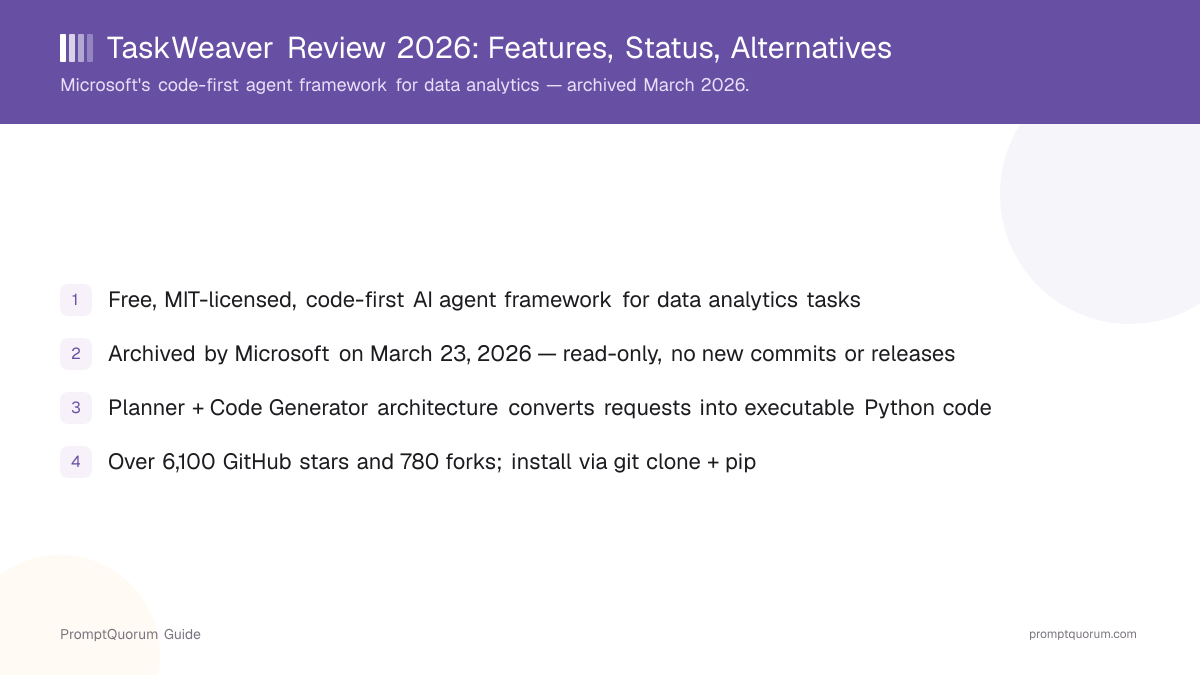
TaskWeaver is an open-source, code-first AI agent framework (MIT license, archived, github.com/microsoft/TaskWeaver) built by Microsoft Research for data analytics tasks — it interprets a natural-language request as executable Python code rather than as free-text instructions, and runs that code in a stateful session.
- Planner role: decomposes a complex request into a sequence of sub-tasks and tracks progress across the conversation
- Code Generator role: writes executable Python code snippets to carry out each sub-task, coordinating with configured plugins
- Plugin system: domain-specific operations (database queries, forecasting, document retrieval, and more) are packaged as plugins the Code Generator can call
- Stateful execution: TaskWeaver preserves both the chat history and the code execution history — including in-memory data structures like pandas DataFrames — across a session, not just the text of prior messages
- Rich data structures: because state persists in memory, TaskWeaver can pass a DataFrame or other Python object directly between steps instead of re-serializing it to text
- Code verification: generated code is checked for potential issues before execution, with suggested fixes surfaced to the user
- Session-based multi-user separation: basic session management keeps different users' data apart, and code execution runs in separate processes to avoid interference
- Container-based execution by default: since March 2024, generated code runs inside a container rather than the host process, which requires Docker
Model-agnostic, OpenAI example documented
TaskWeaver connects to an LLM you configure in taskweaver_config.json rather than shipping a built-in model. The documentation walks through an OpenAI example (llm.api_key plus llm.model) and covers configuring other providers in more advanced setups — but because the project is archived, these docs will not receive further updates for newer provider APIs.
# Clone and install (Python 3.10+ required)
git clone https://github.com/microsoft/TaskWeaver.git
cd TaskWeaver
pip install -r requirements.txt

# Configure your LLM in taskweaver_config.json, then run:
python -m taskweaver -p ./project/
How Much Does TaskWeaver Cost?
TaskWeaver itself is free under the MIT license — there is no subscription, paid tier, or Microsoft-hosted service to pay for. You pay for your own hardware or server, plus any API fees from whichever LLM provider you configure in taskweaver_config.json.
- TaskWeaver (the open-source framework): free forever under the MIT license, self-hosted, no usage caps, no Microsoft account required to run it
- No Microsoft-hosted product or subscription: TaskWeaver is code you run yourself, not a managed service — there is nothing to subscribe to
- Optional cost: your own hardware or server, plus API fees from your configured LLM provider (for example, OpenAI's per-token pricing) if you connect a cloud model instead of a local one
- Optional cost: Docker is required for the default container-based code execution mode, which runs on infrastructure you already have or provision yourself
How Do You Install and Get Started With TaskWeaver?
TaskWeaver has no PyPI package — install it by cloning the GitHub repository and installing its requirements with pip, which requires Python 3.10 or newer. Because the project is archived, this is the same install process it shipped with at archival; there will be no future releases to install instead.
- 1Make sure Python 3.10 or newer is installed (optionally create a dedicated environment first:
conda create -n taskweaver python=3.10 && conda activate taskweaver). - 2Clone the repository:
git clone https://github.com/microsoft/TaskWeaver.git. - 3Install dependencies:
cd TaskWeaver && pip install -r requirements.txt. - 4Configure an LLM provider in
taskweaver_config.json— for example,{"llm.api_key": "your key", "llm.model": "gpt-4"}for OpenAI. - 5Install Docker if you plan to use the default container-based code execution mode (recommended); see the code execution docs for the non-container alternative.
- 6Start the CLI from the cloned folder:
python -m taskweaver -p ./project/, or import the project as a library instead — see the library usage docs.
Pinning an earlier release
If you want a specific tagged version instead of the last state of the main branch, install it directly from a release tag.
- Check the Releases page for available tags (for example,
v0.0.2-alpha). - Install that tag directly:
pip install git+https://github.com/microsoft/TaskWeaver@<TAG>.
Can I still install TaskWeaver even though it is archived?
Yes. Archiving makes the repository read-only for new contributions, but the existing code, branches, and tagged releases remain fully downloadable and installable exactly as published.
Is there a PyPI package for TaskWeaver?
No. The documented install path is git clone plus pip install -r requirements.txt from the cloned folder, or pip install git+https://github.com/microsoft/TaskWeaver@<TAG> for a specific tagged release.
Who Should Use TaskWeaver?
TaskWeaver fits teams that already have a working deployment built on it, or that want to study its Planner/Code Generator architecture as a reference implementation. It is a narrower fit for anyone starting a new production agent project today, given the archived status.
Use TaskWeaver if
- You already have a production deployment built on TaskWeaver that meets your needs as-is — archiving does not break existing installs
- You want to study a documented, code-first Planner + Code Generator architecture, including its approach to stateful code execution history, as a reference for your own implementation
- Your use case is specifically data analytics — pulling data, transforming it, running an algorithm, producing a result — where generating and running real Python code, not just calling tools, is the right pattern
- You are comfortable maintaining the framework yourself going forward, including any future compatibility fixes for newer LLM APIs or Python versions
Avoid TaskWeaver if
- You are starting a new production project and need active maintenance, security patches, or compatibility updates — AutoGen is at least in Microsoft-managed maintenance mode, and the Microsoft Agent Framework is Microsoft's actively developed successor platform
- You need a general-purpose multi-agent conversation framework rather than a data-analytics-specific code generator — AutoGen or CrewAI are built for broader agent-to-agent conversation patterns
- You need enterprise support or an SLA — an archived repository has no support channel at all, not even a community-managed one
- You want a stateful, graph-based workflow you can inspect and resume — LangGraph is purpose-built and actively maintained for that pattern
When Should You NOT Use TaskWeaver?
Skip TaskWeaver for any new production project as of this review — Microsoft archived the repository on March 23, 2026, and there is no maintenance, security patching, or roadmap going forward.
- A team starting a new agent project from scratch — an archived repository with 53 unresolved issues frozen in place is a weak foundation for new production work
- A team that needs security patches for dependencies — the
requirements.txtpins are frozen at archival and will not receive updates, so a vulnerability discovered later in a pinned dependency will not be fixed upstream - A team that needs official support — GitHub Issues, once the "Preferred" support channel per the project README, no longer accepts new submissions on an archived repository
- A team specifically evaluating Microsoft agent frameworks for a new build — start with AutoGen (maintenance mode, at least still receiving fixes) or the actively developed Microsoft Agent Framework instead
- Use TaskWeaver instead only when you specifically need to study or maintain an existing deployment of its code-first, stateful Planner/Code Generator pattern
TaskWeaver vs. Alternatives
TaskWeaver competes with other code-execution and Microsoft-ecosystem agent frameworks, most of which — unlike TaskWeaver — are still actively maintained or at least in official maintenance mode.
Tool | Interface | License | Status | Best For |
|---|---|---|---|---|
| TaskWeaver | Python code / CLI | MIT | Archived (2026-03) | Studying/maintaining existing deployments |
| AutoGen | Python code | MIT / CC BY 4.0 | Maintenance mode | Existing AutoGen apps only |
| Semantic Kernel | .NET/Python/Java SDK | MIT | Active (converging into MAF) | Enterprise orchestration SDK |
| CrewAI | Python code | MIT | Active, VC-backed | Role-based multi-agent crews |
| LangGraph | Python code | MIT | Active | Stateful graph-based workflows |
Common Mistakes When Evaluating TaskWeaver
These mistakes come from not checking the repository status directly, or from confusing TaskWeaver with other Microsoft agent projects.
Mistake 1: Not checking the archived status before starting a new project
TaskWeaver's GitHub description still reads "the first code-first agent framework for seamlessly planning and executing data analytics tasks" with no mention of archival in the tagline — the read-only status only shows as a banner on the repository page itself. Always check the live repository for an archive banner before depending on a framework for new work.
Mistake 2: Assuming archived means broken
Archiving disables new commits, issues, and pull requests — it does not delete the code or revoke the MIT license. An existing TaskWeaver deployment continues to run exactly as it did before archival; nothing breaks on the archival date itself.
Mistake 3: Confusing TaskWeaver with AutoGen or the Microsoft Agent Framework
All three are Microsoft-associated agent projects, but they sit at three different points on the maintenance spectrum: TaskWeaver is archived (frozen), AutoGen is in maintenance mode (bug and security fixes only), and the Microsoft Agent Framework is Microsoft's actively developed successor platform. Check which one you are actually evaluating.
Frequently Asked Questions
Is TaskWeaver still maintained?
No. Microsoft archived the microsoft/TaskWeaver repository on March 23, 2026, making it read-only — no new commits, releases, or issue submissions are accepted going forward.
Is TaskWeaver free to use?
Yes. TaskWeaver is MIT licensed and free for commercial use, modification, and self-hosting. There is no subscription or Microsoft-hosted product to pay for.
What does "archived" mean for a GitHub repository?
GitHub marks a repository read-only when the owner archives it: no new commits, pull requests, or issues can be submitted, though existing code, branches, and releases remain downloadable.
What is TaskWeaver's core architecture?
A Planner role decomposes a request into sub-tasks, a Code Generator role writes and executes Python code for each sub-task, and a plugin system supplies domain-specific operations — all coordinated in a stateful session that preserves chat history and code execution history.
How do I install TaskWeaver?
Clone the repository with git clone https://github.com/microsoft/TaskWeaver.git, then run pip install -r requirements.txt from inside the cloned folder. There is no PyPI package.
Does TaskWeaver require Docker?
Not strictly, but the default code execution mode since March 2024 runs generated code inside a container, which requires Docker — check the code execution docs for the non-container alternative.
What license is TaskWeaver released under?
MIT, which permits free commercial use, modification, and self-hosting. Archiving the repository does not change the license.
What replaced TaskWeaver?
TaskWeaver has no officially stated successor. For a general-purpose Microsoft agent framework under active development, evaluate the Microsoft Agent Framework or Semantic Kernel instead.
How many GitHub stars does TaskWeaver have?
The microsoft/TaskWeaver repository has passed 6,100 GitHub stars and 780 forks, as of September 2026.
Can I still open issues or contribute to TaskWeaver?
No. Archiving disables new issues and pull requests. The 53 issues open at archival remain visible but frozen — they will not be triaged or closed.