Get Valo
Valo offers installer files on its download page, so the app itself does not need to be built from source.
Item | Link |
|---|---|
| macOS | Apple Silicon / Intel (.dmg) |
| Windows | Setup (.exe) |
| Linux | .deb / .rpm / AppImage |
| Website | getvalo.dev |
| Privacy policy | Valo privacy policy |
The maker says Mac and Windows builds are signed by CHARM WORKS LTD. The pages checked state no hardware requirements. The privacy policy mentions a setup step for installing Node.js, so first-run setup may need more than the installer.
At a Glance
Attribute | Valo |
|---|---|
| Version | 1.4.2 (last update 26 November 2026) |
| Type | Desktop app |
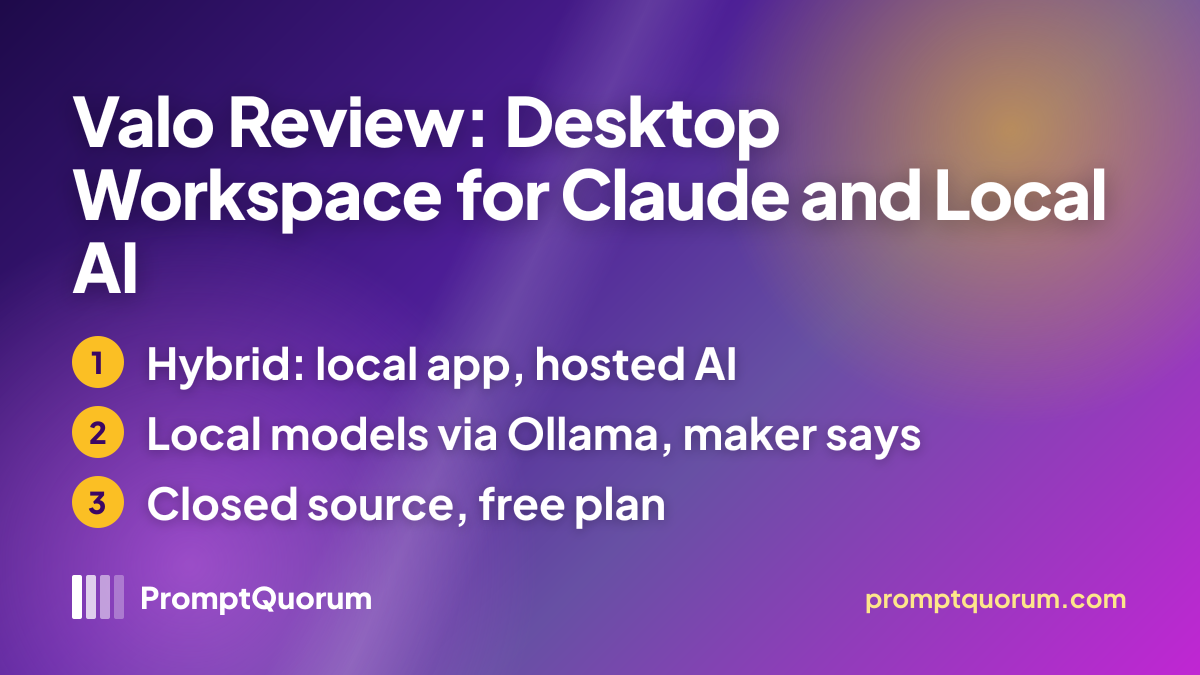
| Runs | Hybrid: local app, hosted or local AI |
| Works with local LLMs | Yes via Ollama, per maker; see below |
| Code editing and terminal | Yes, per maker |
| MCP support | Not stated |
| RAM / VRAM requirement | Not stated |
| License | Proprietary, closed source |
What Valo Is
It is a front end over assistants you already use, not a model of its own. The terms say it connects to supported AI engines through their command-line tools. The maker names Claude, Codex, Gemini, Cursor, GLM and local models, chosen per chat.
The features the maker describes include:
- A map of your project files, a live preview, and saved, searchable chats.
- Per-tool permissions, so you set where an assistant must ask before acting.
- Keyguard, an encrypted vault. The maker says assistants use stored credentials without seeing their values.
- Voice input, with transcription on your machine according to the maker.
- Phone access through Telegram, video generation through Seedance, and ValoLink to connect assistants across machines.
- Browser add-ons that let the assistant read and act in your browser when you ask it to.
Local vs. Cloud: What Runs Where
Storage is local by the maker’s account; the AI answer is local only if the chat runs on a local model. The terms say project data, conversations and files stay on your machine and are not uploaded to Valo’s servers. A prompt to Claude, Codex, GLM or another hosted assistant is processed by that provider, under its terms.
The pages disagree on local models. The pricing page and FAQ say local models run through Ollama on your computer. The privacy policy, dated 25 November 2026, says "when local-model support is enabled" and adds that this support is in active development. This review did not run version 1.4.2, so check that Ollama works for you before you rely on it.
What Leaves Your Computer, and Open Questions
The privacy policy lists a launch ping, update checks and licence checks as the app’s own traffic to the maker. It says the ping carries app version, platform, processor type, a random install ID, the furthest setup step and the setup route. Activating Pro also involves your email address, licence key and a machine identifier. The policy says there is no ongoing in-app usage analytics. The FAQ says the Claude command-line tool also sends Anthropic’s own telemetry, which you can switch off with the setting CLAUDE_CODE_DISABLE_NONESSENTIAL_TRAFFIC=1. Website advertising cookies are described separately from the desktop app.
These are the maker’s statements; this review did not inspect network traffic. Points to check:
- The privacy policy’s list of AI providers names Anthropic, OpenAI and Z.AI. We found no entry for Gemini, Cursor, Seedance or Telegram, which other Valo pages mention.
- The FAQ says bug reports are sent encrypted through Valo Mail after you review them. We found no description of that feature in the privacy policy.
- The FAQ points questions to YouTube, while the privacy policy gives Discord for privacy requests.
Free Plan, Pro and Price
The free plan includes the choice of assistants, code editing and terminal, per-tool permissions, Keyguard, voice and saved chats. Valo Pro costs US$12.99 per month, billed through Paddle, and covers up to 3 machines. It adds Context Control, Valo Search, Cross-Chat, Scheduled Tasks and priority support.
The maker describes a 14-day Pro trial with no account or card; afterwards the app stays usable on the free plan. The price does not include AI access: for hosted assistants you need your own plan or API credits.
Valo vs. Alternatives
Four other agent workspaces from the directory are the natural comparison.
Valo
- Platforms:
- Windows, macOS, Linux
- Price and license:
- Freemium, proprietary
- Key difference:
- Vault and permissions in the free plan
Articles about Valo (1)
- Local Coding Assistants, Agents & Workflow Tools Compared (2026): IDE Plugins, Agent Frameworks and Autonomous AgentsUpdated November 20, 2026
Also mentioned in:
- Best Local LLMs for Creative Writing (2026): Fiction, Dialogue & WorldbuildingUpdated November 21, 2026
- Best Local LLMs for Creative Writing in 2026: Fiction, Poetry and Long-Form Picks by VRAMUpdated November 17, 2026
- Local AI on iPhone in 2026: What Is Possible, What Is Not, and the iPhone Apps We CoverUpdated November 13, 2026
- Best Small Local LLMs 2026: Top 4B Models and the Smallest to Run LocallyUpdated October 18, 2026
- Local AI Code Review vs. CodeRabbit: Is DIY Worth It?Updated September 1, 2026
- How to Set Up Qwen Locally for GDPR-Compliant WorkflowsUpdated August 29, 2026
Orca
- Platforms:
- Desktop, iOS, Android
- Price and license:
- Free, MIT
- Key difference:
- Open source; runs no model itself
Articles about Orca (1)
- Orca Review: Open-Source Agent IDE for Parallel Coding AgentsUpdated November 19, 2026
Also mentioned in:
OpenWork
- Platforms:
- Windows, macOS, Linux
- Price and license:
- Freemium, MIT plus EE parts
- Key difference:
- Connects to Ollama
Articles about OpenWork (3)
- OpenWork Review: Open-Source Desktop AI Agent for Your FilesUpdated November 18, 2026
- Local Chat Apps & Assistants Compared (2026): Desktop, Mobile, Self-Hosted, Assistants and RoleplayUpdated November 20, 2026
- Local Coding Assistants, Agents & Workflow Tools Compared (2026): IDE Plugins, Agent Frameworks and Autonomous AgentsUpdated November 20, 2026
Also mentioned in:
- Paperclip Review: Open-Source Control Plane for AI Agent TeamsUpdated November 19, 2026
OpenMausBot
- Platforms:
- Windows, macOS, Linux
- Price and license:
- Free app, Apache 2.0 core
- Key difference:
- Local models via compatible endpoints
Articles about OpenMausBot (1)
- OpenMausBot Review: Is This Open-Source Grok Bot Local AI?Updated November 14, 2026
MyAgents
- Platforms:
- Windows, macOS
- Price and license:
- Free, AGPL-3.0
- Key difference:
- No local-model path documented
Articles about MyAgents (2)
- MyAgents Review: Desktop Agent Workbench and Task SystemUpdated November 18, 2026
- Local Coding Assistants, Agents & Workflow Tools Compared (2026): IDE Plugins, Agent Frameworks and Autonomous AgentsUpdated November 20, 2026
Also mentioned in:
- Orca Review: Open-Source Agent IDE for Parallel Coding AgentsUpdated November 19, 2026
- Paperclip Review: Open-Source Control Plane for AI Agent TeamsUpdated November 19, 2026
Third-party details come from our directory entries and can change; check each project.
Frequently Asked Questions
Do I need a Valo account to start?
No for the free plan, the maker says. Buying Pro involves an email address and a licence key.
Does Valo include model usage?
No. The maker says it does not resell AI access, so provider limits and bills still apply to you.
Can I move my work to another computer?
The maker says you can copy the Valo data folder, point the app to it, sign in to your providers again and unlock the vault.
Can I check where the app connects?
The FAQ suggests a network monitor and names the domains to expect. Doing that on your own machine is the direct way to test the claims.
Verdict
Valo looks worth a trial if you switch between several coding assistants and want one place for chats, permissions and stored credentials. The free plan lets you judge that before paying.
Be careful if your reason is privacy: the app is closed source, hosted assistants receive your prompts, and the maker’s pages do not agree on how ready local model support is. For a strictly local setup, verify that route first or compare the alternatives.
Sources
- Valo website — product summary and company footer.
- Valo download page — version, release date, installers.
- Valo features — feature descriptions.
- Valo pricing — free and Pro split, price, trial.
- Valo FAQ — connections, local models, bug reports.
- Valo privacy policy — data handling and providers.
- Valo terms of service — licence and closed-source statement.