What Is Foundry Local?
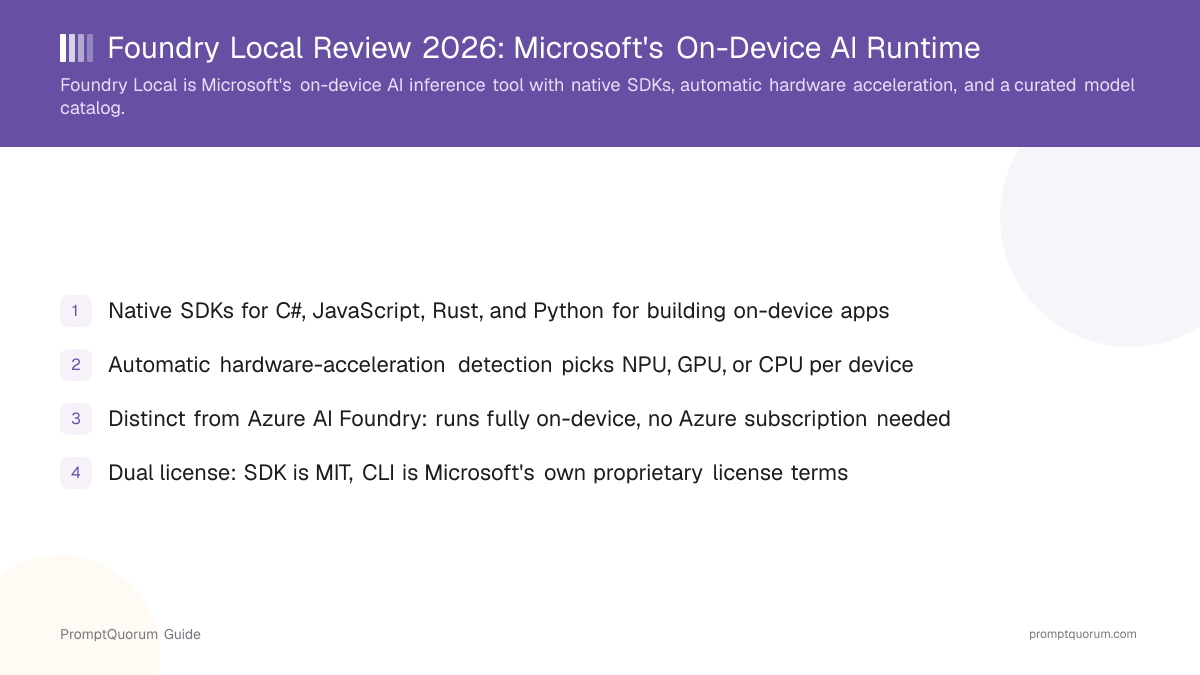
Foundry Local is Microsoft's on-device AI inference tool — an end-to-end local AI solution for building applications that run entirely on a user's device. Its GitHub repository describes it as bringing native SDKs, automatic hardware acceleration, and a curated model catalog together in a lightweight package aimed at developers who need inference to happen on the device itself, not on a remote server.
- Core function: run AI model inference locally on a device, with the runtime automatically detecting and using the best available hardware acceleration
- Native SDKs: C#, JavaScript, Rust, and Python, so developers can integrate local inference into applications written in each of those languages without a separate wrapper
- Automatic hardware-acceleration detection: the runtime selects the optimal execution provider — NPU, GPU, or CPU — for the device it is running on, rather than requiring the developer to hard-code that choice
- Model catalog: a curated set of models, rather than an open, unrestricted upload catalog
- Developer: Microsoft; the GitHub organization hosting the code is microsoft
- Canonical repository: github.com/microsoft/Foundry-Local; project site: foundrylocal.ai
Foundry Local vs. Azure AI Foundry
This is the single most important distinction to get right about Foundry Local: Foundry Local is not the same product as Azure AI Foundry, Microsoft's cloud-based platform for building and deploying AI at scale. Per Microsoft's own positioning, Foundry Local is "the high-performance local AI runtime stack that brings Azure AI Foundry's power to client devices" — language that signals a deliberate relationship between the two, not identical products.
Where inference runs
- Foundry Local:
- Entirely on the user's own device
- Azure AI Foundry:
- Microsoft's cloud infrastructure
Azure account needed
- Foundry Local:
- No, for local-only use
- Azure AI Foundry:
- Yes, it is an Azure cloud service
Offline capability
- Foundry Local:
- Yes, once models are downloaded
- Azure AI Foundry:
- No, it is a hosted cloud platform
Primary purpose
- Foundry Local:
- On-device inference for client applications
- Azure AI Foundry:
- Building and deploying AI solutions at cloud scale
The two products are designed to interoperate in hybrid workflows — a developer might prototype and test locally with Foundry Local, then scale a workload to Azure AI Foundry's cloud endpoints when it needs more capacity than a single device can provide — but they remain separate products, and Foundry Local does not require an Azure subscription for local-only use. Do not assume the two names refer to the same thing, or that installing Foundry Local creates any dependency on an Azure account.
Foundry Local Milestones
Microsoft released Foundry Local as an on-device counterpart to its broader Azure AI Foundry platform, aimed at developers who need inference to run on client hardware rather than in the cloud.
- 1Initial release — on-device inference tool
Why it matters: Foundry Local launched positioned specifically as the local, client-device counterpart to Azure AI Foundry, rather than as a standalone product unrelated to Microsoft's cloud AI strategy. - 2Ongoing — native SDK expansion (C#, JavaScript, Rust, Python)
Why it matters: Multiple native SDKs mean developers working in different language ecosystems can integrate on-device inference without writing their own bindings around a single reference implementation. - 3Ongoing — ONNX Runtime as the inference engine
Why it matters: Building on ONNX Runtime, rather than a project-specific inference engine, lets Foundry Local benefit from ONNX Runtime's own hardware-acceleration and execution-provider ecosystem. - 4Ongoing — curated model catalog expansion
Why it matters: The catalog has grown to include model families such as Qwen, DeepSeek, Mistral, Phi, and GPT-OSS, plus Whisper for audio transcription, broadening what a developer can run locally through the same SDK surface. - 5Ongoing — OpenAI-compatible API surface
Why it matters: Exposing an OpenAI-compatible API, including OpenAI Responses API request/response formats, lowers the integration cost for applications already built against that API shape.
What Can You Do With Foundry Local?
Foundry Local's feature set centers on making on-device inference straightforward to integrate for a developer, per its GitHub README.
- Native SDKs — C#, JavaScript, Rust, and Python SDKs for integrating local inference directly into applications written in each language
- Automatic hardware-acceleration detection — the runtime selects the optimal execution provider (NPU, GPU, or CPU) per device, instead of requiring the developer to detect and configure this manually
- Curated model catalog — model families such as Qwen, DeepSeek, Mistral, Phi, and GPT-OSS, plus Whisper for audio transcription; the catalog is curated rather than an open upload system, and each model carries its own separate license terms
- OpenAI-compatible API — a local web server that supports OpenAI request and response formats, including the OpenAI Responses API format, for applications already integrated against that API shape
- ONNX Runtime inference — models run through ONNX Runtime, which handles the actual execution across the detected hardware acceleration path
- Lightweight footprint — roughly a 20 MB install for the runtime itself, with models downloaded separately from the catalog
- CLI for model management — commands such as
foundry model run <model-name>andfoundry model listfor running and listing models from a terminal - Cross-platform support — Windows, macOS (Apple Silicon), and Linux, per the official README
Usage Examples: Three Ways to Use Foundry Local
These are workflows built from Foundry Local's documented CLI and SDKs above — not hypothetical use cases.
Run a model from the CLI
After installing the CLI, run foundry model run qwen2.5-0.5b to download (if needed) and run a model from the catalog directly in a terminal, useful for quickly testing a model before wiring it into an application.
List available models
Run foundry model list to see the models currently available through the catalog, so a developer can confirm a specific model is supported before integrating it via the SDK.
Call local inference from a Python or Node application
Install the SDK (pip install foundry-local-sdk for Python, or npm install foundry-local-sdk for JavaScript/Node) and call the local model through the SDK's API, or through the OpenAI-compatible local web server if the application already speaks that API format — inference runs entirely on-device, with no data leaving the machine.
Install and Get Started
Foundry Local is a CLI-and-SDK developer tool, not a single consumer app with per-OS download buttons, so installation happens through GitHub Releases and language package managers rather than a signed installer from a marketing page.
- 1Download the CLI installer for your platform from GitHub Releases — release tags follow a pattern such as
cli-preview-0.10.0; check the Releases page directly for the current version rather than assuming a specific number. - 2For Python development, install the SDK from PyPI:
pip install foundry-local-sdk. - 3For JavaScript/Node development, install the SDK from npm:
npm install foundry-local-sdk. - 4Run a model from the catalog to confirm the install works:
foundry model run qwen2.5-0.5b. - 5List available models at any time with
foundry model list. - 6On supported hardware, Foundry Local's automatic hardware-acceleration detection selects the NPU, GPU, or CPU for you; no manual execution-provider configuration is required for the default path.
Foundry Local Pricing and Licensing
Foundry Local is free to install and use, with no subscription required for local-only inference. Licensing is more nuanced than a single blanket term, however: the SDK is MIT-licensed, while the CLI is distributed under Microsoft's own proprietary Microsoft Software License Terms — confirmed via the project's own LICENSE file. It is not accurate to describe the entire product as "open source" or as fully "MIT-licensed."
Foundry Local vs. Ollama
Foundry Local and Ollama get compared because both let a developer run models locally through a CLI and an API — the real difference for a reader deciding between them is the inference engine underneath and which ecosystem (Microsoft's SDKs vs. a hardware-agnostic llama.cpp-based runtime) fits the target application.
Primary purpose
- Foundry Local:
- On-device inference tool with native SDKs for building applications
- Ollama:
- General-purpose local model runtime and API
Inference engine
- Foundry Local:
- ONNX Runtime, with automatic NPU/GPU/CPU selection per device
- Ollama:
- Built-in llama.cpp-based engine
Native SDKs
- Foundry Local:
- C#, JavaScript, Rust, Python
- Ollama:
- No first-party SDKs; community libraries exist for several languages
Model catalog
- Foundry Local:
- Curated catalog (Qwen, DeepSeek, Mistral, Phi, GPT-OSS, Whisper)
- Ollama:
- Large, broadly open model library
License
- Foundry Local:
- Dual: SDK is MIT, CLI is Microsoft's proprietary license terms
- Ollama:
- MIT (open source)
Platforms
- Foundry Local:
- Windows, macOS (Apple Silicon), Linux, per the official README
- Ollama:
- Runs on any Mac, Windows, or Linux machine
If a developer specifically wants automatic hardware-acceleration selection across NPU, GPU, and CPU with native C#, JavaScript, Rust, or Python SDKs — for example, building a Windows or cross-platform client application — Foundry Local's design fits that use case directly. If a developer wants the broadest model library and a fully open-source runtime, Ollama's workflow is the more direct fit. See the full Ollama review for details.
Who Should Use Foundry Local?
Whether Foundry Local is worth adopting depends mainly on whether you are building an application (rather than just wanting a chat interface) and whether Microsoft's SDK languages and hardware-acceleration approach match your project.
Use Foundry Local if
- You are building an application in C#, JavaScript, Rust, or Python and want native SDK support for on-device inference rather than wiring together a separate HTTP client
- You want automatic hardware-acceleration detection that picks the best available execution provider (NPU, GPU, or CPU) without manual configuration for each target device
- You need models to run entirely on a user's device with no Azure subscription required for the local-only path
- You are already using Azure AI Foundry in the cloud and want a local counterpart designed to interoperate with it for hybrid workflows
- You are comfortable with a CLI-and-SDK developer workflow rather than a graphical consumer app
Wait, or look elsewhere, if
- You want a single, fully open-source license across the entire product — Foundry Local's CLI carries Microsoft's own proprietary license terms, not MIT, even though the SDK is MIT-licensed
- You want the widest possible model selection rather than a curated catalog — a hardware-agnostic tool like Ollama or LM Studio offers a broader library
- You want a polished graphical chat app for end users rather than a developer-facing CLI and SDK — Foundry Local has no consumer-facing chat interface of its own
- You need Foundry Local for something other than the platforms in its official README (Windows, macOS Apple Silicon, Linux) — confirm exact platform and device support against the official repository rather than assuming coverage
Foundry Local vs. Other Local AI Tools
Foundry Local sits in the runtimes-and-managers segment, alongside other tools that run models locally through a CLI or API. See the Local LLM Software Directory for the full catalog.
- Ollama — a general-purpose local model runtime and API built on llama.cpp, fully MIT-licensed, with a larger and more open model library and no Microsoft-specific SDK requirement. The more direct fit if you want the broadest hardware compatibility and model choice rather than native C#/JavaScript/Rust/Python SDKs. See the full Ollama review.
- LM Studio — a GUI-first desktop app for local inference with a built-in model browser and document-chat feature, aimed at end users rather than developers integrating an SDK. A closer fit than Foundry Local if you want a polished graphical app instead of a CLI-and-SDK developer tool. See the full LM Studio review.
- Docker Model Runner — a CLI-and-API feature bundled with Docker Desktop/Engine for developers already working in a Docker-based workflow, another option to weigh against Foundry Local's native-SDK approach if your stack is container-centric. See the full Docker Model Runner review.
Common Mistakes When Evaluating Foundry Local
Most confusion about Foundry Local comes from conflating it with Azure AI Foundry, or assuming the whole product is open source.
Mistake 1: Confusing Foundry Local with Azure AI Foundry
Foundry Local is a separate, on-device product from Azure AI Foundry, Microsoft's cloud platform for building and deploying AI at scale. Foundry Local runs entirely on a user's device and does not require an Azure subscription for local-only use, even though the two are designed to interoperate in hybrid workflows.
Mistake 2: Assuming Foundry Local is fully open source
Only the SDK is MIT-licensed. The CLI is distributed under Microsoft's own proprietary Microsoft Software License Terms, per the project's LICENSE file — describing the whole product as "open source" or "MIT-licensed" without that distinction is inaccurate.
Mistake 3: Assuming the model catalog covers every model you might want
Foundry Local's catalog is curated (model families such as Qwen, DeepSeek, Mistral, Phi, GPT-OSS, plus Whisper), not an open upload system. Check the catalog for a specific model before assuming it is available, and remember each model carries its own separate license terms.
Mistake 4: Assuming platform or device support beyond what is documented
The official README documents Windows, macOS (Apple Silicon), and Linux support. Some third-party listings mention additional platforms; confirm exact platform and device coverage against the official repository directly rather than assuming a platform is supported.
Frequently Asked Questions
What is Foundry Local?
Foundry Local (github.com/microsoft/Foundry-Local) is Microsoft's on-device AI inference tool — an end-to-end local AI solution for building applications that run entirely on a user's device, with native SDKs for C#, JavaScript, Rust, and Python.
Is Foundry Local the same thing as Azure AI Foundry?
No. Foundry Local is a separate, on-device product that runs entirely on a user's device without requiring an Azure subscription for local-only use. Azure AI Foundry is Microsoft's cloud-based platform for building and deploying AI at scale. The two are designed to interoperate in hybrid workflows but are not the same product.
Is Foundry Local open source?
Partly. The SDK is MIT-licensed, but the CLI is distributed under Microsoft's own proprietary Microsoft Software License Terms, per the project's LICENSE file. It is not accurate to call the entire product open source.
Is Foundry Local free?
Yes, Foundry Local itself is free to install and use for local-only inference, with no subscription required. Individual downloaded models carry their own separate license terms, and any use of Azure AI Foundry alongside it in a hybrid workflow carries Azure's own separate billing.
How do I install Foundry Local?
Download the CLI installer from GitHub Releases, install the Python SDK with pip install foundry-local-sdk, or install the JavaScript/Node SDK with npm install foundry-local-sdk.
What platforms does Foundry Local support?
Windows, macOS (Apple Silicon), and Linux, per the official README. Check the official repository directly for full platform and device coverage before assuming a specific device class is supported.
What models are available in Foundry Local's catalog?
The catalog is curated and includes model families such as Qwen, DeepSeek, Mistral, Phi, and GPT-OSS, plus Whisper for audio transcription. Each model carries its own separate license terms.
Does Foundry Local expose an OpenAI-compatible API?
Yes. Foundry Local provides a local web server that supports OpenAI request and response formats, including the OpenAI Responses API format, so applications built against that API shape can integrate with minimal changes.
What inference engine does Foundry Local use?
Foundry Local uses ONNX Runtime for inference, with automatic hardware-acceleration detection that selects the optimal execution provider — NPU, GPU, or CPU — per device.
How many GitHub stars does Foundry Local have?
Foundry Local's repository (github.com/microsoft/Foundry-Local) showed 2,541 stars as of September 5, 2026, per this site's own directory verification. Check the repository directly for a current count, since it changes over time.