Key Takeaways
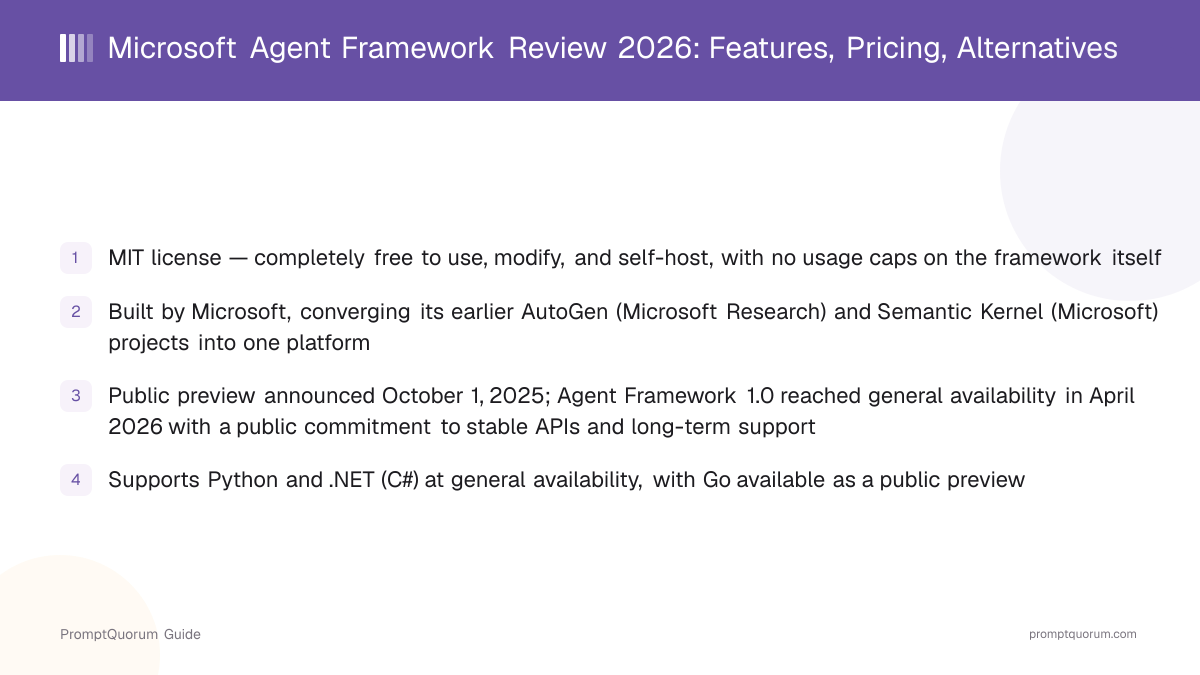
- MIT license — completely free to use, modify, and self-host, with no usage caps on the framework itself
- Built by Microsoft, converging its earlier AutoGen (Microsoft Research) and Semantic Kernel (Microsoft) projects into one platform
- Public preview announced October 1, 2025; Agent Framework 1.0 reached general availability in April 2026 with a public commitment to stable APIs and long-term support
- Supports Python and .NET (C#) at general availability, with Go available as a public preview
- Adds graph-based workflows for explicit multi-agent orchestration on top of what AutoGen and Semantic Kernel offered individually
- Runs against Microsoft Foundry (formerly Azure AI Foundry), Azure OpenAI, OpenAI, Anthropic, Ollama, and other model providers — not locked to Microsoft models
- Microsoft explicitly still supports AutoGen and Semantic Kernel as separate projects, but directs most new investment and new users toward Agent Framework
📍 In One Sentence
Microsoft Agent Framework is a free, MIT-licensed, open-source SDK for building AI agents and multi-agent workflows in Python and .NET, created by Microsoft as the unified successor to both AutoGen and Semantic Kernel.
💬 In Plain Terms
Instead of choosing between Microsoft's research-driven AutoGen (good for experimental multi-agent patterns) or its enterprise-focused Semantic Kernel (good for production stability), Microsoft Agent Framework merges both into one SDK, so you get simple agent abstractions and enterprise state management, telemetry, and type safety in the same package.
📌Note: Microsoft Agent Framework is an SDK you write Python or .NET code against, not a downloadable app — there is no GUI to install. This review covers the open-source framework itself and the optional paid Azure services (Foundry Agent Service, Foundry Models) it can run against.
Who Built Microsoft Agent Framework, and Why Does It Exist?
Microsoft built Agent Framework to merge its two separate agent projects, AutoGen and Semantic Kernel, into one supported platform — Microsoft's own documentation describes it as "the direct successor, created by the same teams" behind both predecessors. Semantic Kernel, first released as open source in 2023, gave Microsoft an enterprise-grade SDK for integrating LLMs into applications — session-based state management, type safety, filters, telemetry, and broad model/embedding support — aimed at production stability. AutoGen, originated by Microsoft Research and introduced via an August 2023 research paper, took the opposite approach: fast-moving, research-driven multi-agent conversation patterns, prioritizing experimentation over long-term API stability.
By late 2025, Microsoft judged that running two separate, differently-governed agent SDKs was creating confusion about which one to build on. It announced Agent Framework in public preview on October 1, 2025, explicitly combining AutoGen's simple agent abstractions with Semantic Kernel's enterprise features, and adding graph-based workflows for explicit control over multi-agent execution paths — a capability neither predecessor offered on its own. Agent Framework 1.0 reached general availability in April 2026, which Microsoft's announcement described as "the production-ready release: stable APIs, and a commitment to long-term support." Microsoft continued shipping additional components afterward — including an "Agent Harness" for long, multi-step tasks with planning, context compaction, and observability — which, along with hosted-agent support, reached general availability by August 2026.
Semantic Kernel open-sourced
- Date:
- 2023
- What it means:
- Microsoft's enterprise-grade LLM integration SDK ships publicly
AutoGen research paper
- Date:
- 2023-08
- What it means:
- Microsoft Research introduces the multi-agent conversation framework that became AutoGen
Agent Framework public preview
- Date:
- 2025-10-01
- What it means:
- Microsoft announces the convergence of AutoGen and Semantic Kernel into one SDK
Agent Framework 1.0 (GA)
- Date:
- 2026-04
- What it means:
- Production-ready release with stable APIs and a long-term support commitment
BUILD 2026 additions
- Date:
- 2026-06
- What it means:
- Agent Harness, GitHub Copilot SDK and Claude Agent SDK connectors, CodeAct previewed
Agent Harness & Hosted Agents GA
- Date:
- 2026-08
- What it means:
- Long-task harness and managed hosting for external frameworks reach general availability
📌Note: Microsoft's own documentation states AutoGen and Semantic Kernel are not discontinued — both remain available as separate projects — but that most new feature investment and Microsoft's recommendation for new projects now goes to Agent Framework. See PromptQuorum's AutoGen review for the maintenance-mode status of the original AutoGen repository and its independent AG2 community fork.
What Is Microsoft Agent Framework?
Microsoft Agent Framework is an open-source SDK (MIT license, github.com/microsoft/agent-framework) for building AI agents and multi-agent workflows, available for Python and .NET, with Go in public preview. It provides four core areas: individual agents that call models and tools, an opinionated "Harness Agent" for long multi-step tasks, graph-based workflows for connecting agents and functions through explicit execution paths, and integrations with model providers, agent services, and evaluation tools.
- Agents: individual components that use an LLM to process input, call tools and MCP (Model Context Protocol) servers, and generate responses — supporting Microsoft Foundry, Anthropic, Azure OpenAI, OpenAI, Ollama, and other providers
- Harness Agent: a batteries-included agent for long, multi-step tasks — planning and to-do tracking, context compaction, file access and memory, tool-approval gating, and built-in observability
- Workflows: functional and graph-based orchestration that connects multiple agents and functions through explicit execution paths, for cases needing more control than a single autonomous agent
- Session-based state management: carried over from Semantic Kernel, giving agents durable state across turns rather than re-sending full conversation history each call
- MCP and A2A protocol support: agents can expose or consume tools via the Model Context Protocol and coordinate with other agents via the Agent-to-Agent protocol
- Migration tooling: official migration guides from both AutoGen and Semantic Kernel, including tooling that analyzes existing code and generates a step-by-step migration plan
Agents vs. workflows
Microsoft's own guidance: use an agent when the task is open-ended or conversational and needs autonomous tool use and planning; use a workflow when the process has well-defined steps, requires explicit control over execution order, or needs multiple agents or functions to coordinate. If a plain function can handle the task, Microsoft's documentation recommends writing that function instead of reaching for an agent.
from agent_framework import Agent
from agent_framework.foundry import FoundryChatClient
from azure.identity import AzureCliCredential

agent = Agent(
    client=FoundryChatClient(
        project_endpoint="https://your-foundry-service.services.ai.azure.com/api/projects/your-foundry-project",
        model="your-deployed-model",
        credential=AzureCliCredential(),
    ),
    name="HelloAgent",
    instructions="You are a friendly assistant. Keep your answers brief.",
)

result = await agent.run("What is the largest city in France?")
print(f"Agent: {result}")
How Much Does Microsoft Agent Framework Cost?
The Microsoft Agent Framework SDK itself is free under the MIT license — cost comes from the model provider and, optionally, the Azure services you connect it to. Microsoft does not charge to download, self-host, or run the open-source framework against any supported model provider, including non-Microsoft ones like OpenAI, Anthropic, or a local Ollama instance.
- Microsoft Agent Framework (the SDK): free forever under the MIT license, whether self-hosted, used commercially, or modified
- Foundry Agent Service (Microsoft's managed agent hosting on Azure): no additional charge for creating or running Foundry-native agents using prompts and workflows
- Model tokens: billed separately through Microsoft Foundry Models regardless of which agent SDK calls them — pricing varies by model and changes over time, so check the live Foundry Models pricing page before budgeting rather than relying on a fixed number here
- Tool and knowledge connections: separate charges apply for connections like Grounding with Bing Search, Azure AI Search, Microsoft Fabric, and SharePoint when an agent uses them
- Built-in tools on Foundry Agent Service: File Search Storage (1 GB free, then billed per GB/day), Code Interpreter (billed per session), Web Search and Custom Search (billed per 1,000 transactions)
- Hosted Agents on Foundry (running Microsoft Agent Framework, LangGraph, or other external frameworks on managed containers): billed per vCPU-hour and GiB-memory-hour rather than as a flat SDK fee
- Self-hosting the framework outside Azure entirely (your own servers, or another cloud) costs whatever compute and model-API usage you provision — Microsoft does not require Azure to run Agent Framework
Component | Price | Notes |
|---|---|---|
| Agent Framework SDK | Free (MIT license) | No cost to use, modify, or self-host |
| Foundry Agent Service | No extra service fee | You pay only for tokens and tools used |
| Model tokens | Varies by model | Billed through Foundry Models or your own provider |
| Hosted Agents (managed containers) | Per vCPU-hour / GiB-hour | For running MAF on Foundry-managed infrastructure |
Pricing structure verified against Microsoft's official Foundry Agent Service pricing page and Agent Framework documentation as of September 2026. Azure pricing pages are the only authoritative source for current rates — this review does not repeat specific per-token figures because they change independently of the framework and are model-specific; check the live Azure pricing calculator before budgeting.
How Do You Install and Get Started With Microsoft Agent Framework?
Installing Microsoft Agent Framework takes one pip or dotnet command — no Azure account is required to install the SDK itself, though you need credentials for whichever model provider you connect.
- 1Install the package for your language:
pip install agent-framework(Python) ordotnet add package Microsoft.Agents.AI.Foundry --prerelease(.NET); Go is available viago get github.com/microsoft/agent-framework-goin public preview. - 2Set up credentials for a model provider — Microsoft Foundry, Azure OpenAI, OpenAI, Anthropic, Ollama, or another supported provider. Agent Framework does not require Azure specifically; a local Ollama model or a non-Microsoft cloud API both work.
- 3Create an agent by instantiating a chat client for your provider and passing it, a name, and instructions to the
Agentclass (Python) orAIAgenttype (.NET). - 4Call the agent with
.run()(non-streaming, full response at once) or the streaming equivalent for incremental output. - 5For multi-step or multi-agent processes, use the Workflows API to connect agents and functions through an explicit graph rather than relying on a single autonomous agent.
- 6If migrating an existing project, use the migration guide from AutoGen or the migration guide from Semantic Kernel — Microsoft provides tooling that analyzes existing code and generates a migration plan.
Do I need Azure to use Microsoft Agent Framework?
No. The SDK connects to Microsoft Foundry, Azure OpenAI, OpenAI, Anthropic, Ollama, and other providers, so you can run it entirely outside Azure — for example against a local Ollama model or a non-Microsoft cloud API — and only need Azure credentials if you specifically choose a Microsoft Foundry-hosted model or the Foundry Agent Service.
Does Agent Framework automatically read a .env file for API keys?
No — this is a documented gotcha in the Python package. You must call load_dotenv() yourself at application start, or set environment variables directly in your shell or IDE, before instantiating a client.
Who Should Use Microsoft Agent Framework?
Microsoft Agent Framework fits teams that want one supported SDK covering both simple tool-using agents and explicit, graph-based multi-agent orchestration — especially teams already invested in the Microsoft or Azure ecosystem. It is a weaker fit for teams with no Microsoft-ecosystem ties who are already productive on a different framework.
Use Microsoft Agent Framework if
- You are starting a new agent project in the Python or .NET/Azure ecosystem and want Microsoft-backed long-term API support rather than a maintenance-mode project
- You were previously choosing between AutoGen and Semantic Kernel and found neither ideal alone — Agent Framework merges both sets of capabilities
- You need explicit graph-based control over multi-agent execution order, state, or human-in-the-loop checkpoints, in addition to simple autonomous agents
- You want to deploy on Microsoft Foundry with managed hosting (Foundry Agent Service or Hosted Agents) but are not required to — self-hosting elsewhere works too
- You need agents that speak MCP (Model Context Protocol) or coordinate with other agents via the A2A (Agent-to-Agent) protocol
Avoid Microsoft Agent Framework if
- You have an established, working AutoGen or Semantic Kernel deployment with no pressing need to migrate — both remain supported, and migration has real engineering cost
- Your team has no other Microsoft/Azure ecosystem ties and is already productive with a mature alternative like LangGraph or CrewAI
- You need multi-year production history to evaluate stability claims against — Agent Framework 1.0 is a young release with a stated stability commitment, not yet a multi-year track record
- You want the smallest possible dependency footprint for a single prompt-and-response call with no tools, memory, or orchestration — a direct model API call has less overhead than any agent framework
When Should You NOT Use Microsoft Agent Framework?
Skip Microsoft Agent Framework for a single API call to one model with no tools, memory, or multi-step orchestration — the abstraction overhead outweighs the benefit. A few concrete situations where a different approach wins.
- A chatbot that only ever sends one prompt and returns the raw response — call the model provider's SDK directly instead of adding an agent framework layer
- An existing, stable AutoGen or Semantic Kernel application with no specific driver to migrate — both projects remain supported by Microsoft, so migrating purely to be "on the newer thing" adds risk without a concrete benefit
- A team fully committed to a non-Microsoft cloud with no interest in Azure integration — LangGraph or CrewAI have longer independent track records outside the Microsoft ecosystem
- A project that needs multi-year API stability history to de-risk a technology choice — Agent Framework reached its stable 1.0 release in 2026, so its long-term-support commitment has not yet been tested over years of real-world use
- Use Microsoft Agent Framework instead when the project genuinely needs Microsoft-backed support, Azure-native hosting options, or a single SDK that spans both simple agents and explicit multi-agent workflows
Microsoft Agent Framework vs. Alternatives
Microsoft Agent Framework competes with other agent and orchestration frameworks, including its own two predecessor projects, which Microsoft continues to support separately.
Tool | Interface | License | Backing | Best For |
|---|---|---|---|---|
| Microsoft Agent Framework | Python / .NET / Go (preview) | MIT | Microsoft | Azure-native agents & workflows |
| AutoGen | Python code | MIT / CC-BY | Microsoft Research (maintenance mode) | Existing AutoGen deployments |
| LangChain | Python / JS code | MIT | LangChain Inc. (VC-backed) | General-purpose LLM apps & agents |
| LangGraph | Python / JS code | MIT | LangChain Inc. (VC-backed) | Graph-based agent state & control |
| CrewAI | Python code | MIT | CrewAI Inc. (VC-backed) | Role-based multi-agent crews |
Common Mistakes When Evaluating Microsoft Agent Framework
These mistakes come from conflating Agent Framework with its predecessors, or misjudging what it costs to run.
Mistake 1: Assuming AutoGen or Semantic Kernel are discontinued
Microsoft's own documentation states both remain available as separate, supported projects — Agent Framework converges their capabilities into one SDK, but existing AutoGen or Semantic Kernel applications are not forced to migrate immediately. Most new feature investment and Microsoft's recommendation for new projects, however, now goes to Agent Framework.
Mistake 2: Assuming the free MIT license means running agents in production is free
The SDK has no license cost, but every agent still calls a model provider that bills per token, and Azure add-ons like Foundry tool connections or hosted-agent compute are billed separately. "Free framework" and "free to run in production" are different claims.
Mistake 3: Treating Agent Framework, AutoGen, and Semantic Kernel as interchangeable names for the same thing
They share ancestry and, per Microsoft, the same underlying teams, but they are separate codebases with different governance status (Agent Framework is the actively developed successor; AutoGen and Semantic Kernel continue as separate, differently-paced projects). A tutorial or package written for one does not automatically apply to another.
Frequently Asked Questions
Is Microsoft Agent Framework free to use?
Yes. The SDK is open-source under the MIT license and free for any use, including commercial products, with no usage limits on the framework itself. Running agents against a model provider or Azure services incurs separate, usage-based costs.
Who created Microsoft Agent Framework?
Microsoft built Agent Framework, described in its own documentation as the direct successor to AutoGen and Semantic Kernel, "created by the same teams" behind both predecessor projects.
What is the relationship between Microsoft Agent Framework, AutoGen, and Semantic Kernel?
Agent Framework converges both predecessors into one SDK: it combines AutoGen's simple multi-agent abstractions with Semantic Kernel's enterprise-grade state management, type safety, and telemetry, and adds graph-based workflows that neither offered alone. Microsoft states neither AutoGen nor Semantic Kernel is discontinued, but most new investment now goes to Agent Framework.
When did Microsoft Agent Framework reach general availability?
Microsoft announced Agent Framework in public preview on October 1, 2025, and Agent Framework 1.0 reached general availability in April 2026, described by Microsoft as "the production-ready release: stable APIs, and a commitment to long-term support."
What license does Microsoft Agent Framework use?
MIT, confirmed directly against the license file in the microsoft/agent-framework GitHub repository — a free, permissive open-source license with no restrictions on commercial or self-hosted use.
Does Microsoft Agent Framework require Azure?
No. It connects to Microsoft Foundry, Azure OpenAI, OpenAI, Anthropic, Ollama, and other model providers, and can run entirely outside Azure. Azure-specific costs only apply if you choose Azure-hosted models or the Foundry Agent Service.
How much does it cost to run agents on Azure AI Foundry?
There is no additional service charge for creating or running Foundry-native agents. You pay separately for model tokens (billed through Foundry Models), any tool or knowledge connections an agent uses, and, for Hosted Agents running external frameworks, per-vCPU-hour and per-GiB-memory-hour compute charges. Check Microsoft's live pricing pages before budgeting, since rates change.
Should I migrate an existing AutoGen or Semantic Kernel project to Agent Framework?
Not necessarily immediately — Microsoft continues to support both predecessors. Migrate when you need capabilities Agent Framework adds (graph-based workflows, unified state management) or want Microsoft's primary ongoing investment; Microsoft provides official migration guides and tooling for both paths.
What languages does Microsoft Agent Framework support?
Python and .NET (C#) at general availability, with a Go implementation available as a public preview that does not yet include declarative agents, RAG, CodeAct, or functional workflows.
Can Microsoft Agent Framework use non-Microsoft models?
Yes. Its documented model providers include Anthropic, OpenAI, and Ollama for local models, in addition to Microsoft Foundry and Azure OpenAI — it is not limited to Microsoft-hosted models.