What Is n8n?
n8n is a workflow automation platform: a visual canvas for connecting triggers, apps, APIs, and AI models into a pipeline that runs automatically. Instead of writing a standalone script to move data between systems, you drag nodes onto a canvas, connect them with lines, and configure each one — a webhook that starts the workflow, an HTTP request node that calls an API, an AI node that processes text, and a final node that writes a result somewhere.
- Core function: build automated, multi-step workflows visually, without writing a full application for each integration
- AI/LLM nodes: n8n's own node library includes AI Agent, Basic LLM Chain, and dedicated chat-model sub-nodes for Ollama, OpenAI, Anthropic, Google Gemini, and other providers, which plug into the agent/chain nodes as the model they call
- Hundreds of pre-built integration nodes for common apps and services, plus generic HTTP Request and Webhook nodes for anything without a dedicated node
- Self-hostable: runs as a Docker container, an npm package, or on your own server — the workflow data stays on infrastructure you control when self-hosted
- Also offered as a managed n8n Cloud service, for teams that would rather not operate the hosting themselves
n8n License: What "Fair-Code" Actually Means
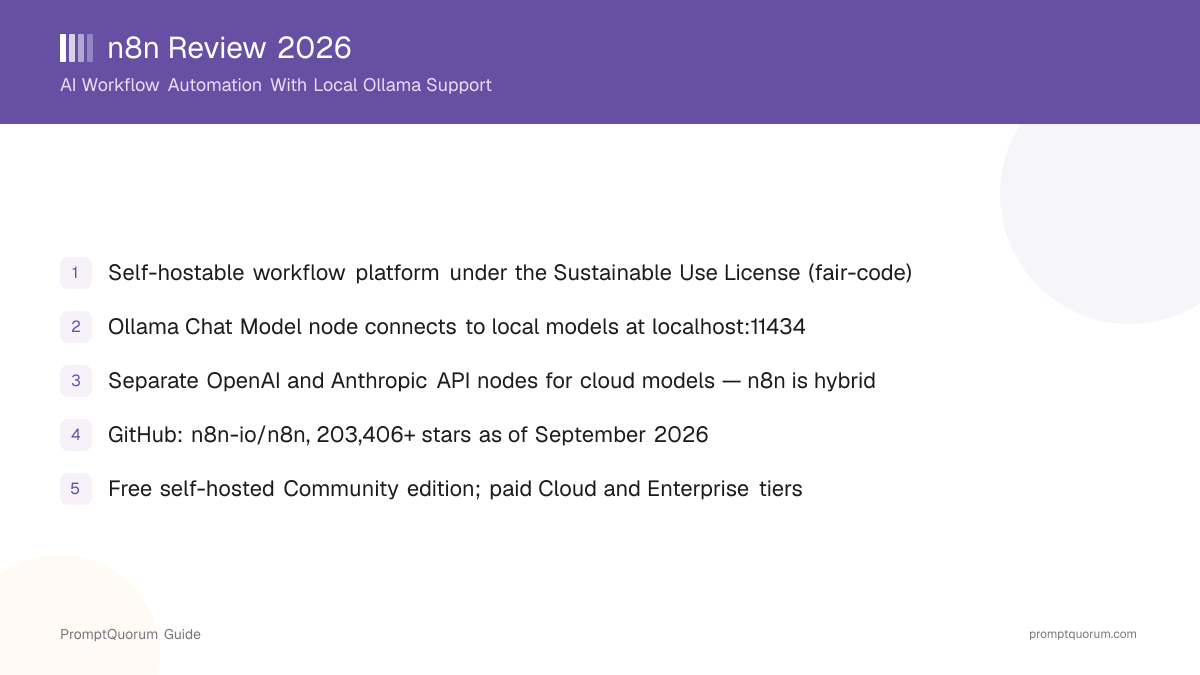
n8n's source code is licensed under the Sustainable Use License, a license n8n describes as "fair-code" — source-available and free for self-hosting and internal use, but not an OSI-approved open-source license. The distinction matters if you're evaluating n8n for a client project or a product built on top of it, not just for internal automation.
- You can view, self-host, modify, and use n8n for internal business purposes, including commercially, at no cost under the Sustainable Use License
- The license restricts using n8n's own source code to offer a competing, hosted multi-tenant version of n8n itself without a separate commercial agreement
- "Fair-code" is n8n's own term for this license category, not a term with a formal, independent legal definition the way "open source" has through the Open Source Initiative
- n8n also ships an Enterprise edition with additional features gated behind a paid license key on top of the same self-hosted deployment
How Do You Install and Self-Host n8n?
n8n is a self-hosted framework/platform, not a single downloadable app — there is no per-OS installer to click through. It runs from a Docker image, an npm package, or you can skip self-hosting entirely and use the managed n8n Cloud service.
- 1Quickest local trial: run
npx n8nif you have Node.js installed — this starts a local n8n instance you can open in your browser without a separate install step. - 2Docker (the most common self-hosted deployment): pull and run the official image, mounting a volume so your workflow data persists across container restarts — see the current exact command on n8n's official documentation site since image tags and flags change between releases.
- 3npm global install:
npm install n8n -g, then runn8n start— useful for a persistent server-style deployment without Docker. - 4Bundled with local AI out of the box: n8n publishes a Self-hosted AI Starter Kit — a Docker Compose setup that launches n8n together with Ollama and the Qdrant vector database, so a local-LLM workflow environment is running with one command.
- 5Managed alternative: sign up for n8n Cloud instead of self-hosting if you would rather not operate the server, database, and updates yourself.
- 6Read the official self-hosting documentation for current requirements, environment variables, and upgrade steps before deploying to production.
Do I need to pay to self-host n8n?
No. Self-hosting the Community edition under the Sustainable Use License is free, including for commercial internal use. Paid tiers add managed Cloud hosting or Enterprise features on top of the same underlying platform.
Can I run n8n without Docker?
Yes. n8n installs as a regular npm package (npm install n8n -g) and runs with the n8n start command, or you can run it directly with npx n8n without a global install, though Docker is the deployment n8n's own documentation emphasizes for production use.
Running n8n With Local Models via Ollama
n8n connects to locally hosted models through its Ollama Chat Model node, which by default points at http://localhost:11434 — the standard port Ollama listens on. This is the concrete mechanism that makes n8n usable as a local-AI tool, not just a cloud-API automation platform.
- Install and run Ollama on the same machine as n8n (or a machine n8n can reach over the network), and pull at least one model, for example
ollama pull llama3.2 - In n8n's node panel, add an Ollama Chat Model node (or the equivalent Ollama sub-node) and create an Ollama credential pointing at your Ollama instance's base URL —
http://localhost:11434if both run on the same host, or a reachable IP/hostname if Ollama runs elsewhere - Select which locally pulled model to use (for example a Llama or Qwen model already downloaded into Ollama) and configure sampling parameters like temperature, Top K, and Top P on the node itself
- Wire the Ollama Chat Model node into a Basic LLM Chain node for simple prompt-and-response use, or into an AI Agent node when the workflow needs the model to call other tools (other n8n nodes) rather than just answer once
- Swap the local Ollama node for an OpenAI API or Anthropic API node in the same workflow position whenever a task needs a model those providers offer that isn't practical to run locally — the rest of the workflow doesn't need to change
- If you want local models and a vector database running together out of the box, use the official Self-hosted AI Starter Kit, which provisions n8n, Ollama, and Qdrant in one Docker Compose file
📌Note: Running a model fully through Ollama means the prompt and response for that node stay on the machine running Ollama; a workflow only becomes fully local end-to-end if every AI node in it uses Ollama (or another local model source) instead of a cloud API node.
How Much Does n8n Cost?
Self-hosting n8n's Community edition is free under the Sustainable Use License. n8n also sells a managed Cloud service billed per month of workflow executions, plus a custom-priced Enterprise tier.
- Self-hosted Community edition: free, no license fee, under the Sustainable Use License
- n8n Cloud Starter: billed monthly (annual billing discount available) with a capped number of monthly workflow executions
- n8n Cloud Pro: a higher monthly execution cap than Starter, same per-execution billing model
- n8n Cloud Business: a further-increased execution cap, aimed at teams running more automation volume
- Enterprise: custom pricing — contact n8n's sales team for a quote; adds governance, SSO, and paid-license-gated self-hosted features
- n8n bills Cloud tiers by "workflow executions" (one run of an entire workflow, regardless of how many nodes or steps it contains) rather than by individual API calls or steps
Tier | Hosting | Billing Basis |
|---|---|---|
| Community | Self-hosted | Free |
| Cloud Starter | n8n-managed | Monthly, capped executions |
| Cloud Pro | n8n-managed | Monthly, higher execution cap |
| Cloud Business | n8n-managed | Monthly, largest execution cap |
| Enterprise | Self-hosted or managed | Custom (contact sales) |
Check n8n's official pricing page for current exact prices and execution caps before budgeting — published SaaS tiers and limits change without much notice, and this table intentionally omits specific figures that can drift out of date.
Who Should Use n8n?
n8n fits teams that need to automate multi-step processes across several apps and want the option to plug in a locally hosted AI model for at least some of those steps. It is a weaker fit for someone who just wants a single chat app.
Use n8n if
- You need to connect several apps and APIs into an automated pipeline (a form submission that triggers a database write, an AI summary, and a Slack message, for example) without writing a standalone backend service
- You want the option to route some or all AI steps in a workflow to a locally hosted model through Ollama, instead of sending every request to a cloud API
- You are comfortable self-hosting (Docker or npm), or are willing to pay for the managed n8n Cloud service instead
- You are building an AI agent that needs to call multiple tools (other n8n nodes) in sequence, not just answer a single prompt
Avoid n8n if
- You want a single desktop chat app for talking to an AI model — n8n is a workflow-automation platform, not a chat client; see reviews like Jan or GPT4All for that use case instead
- You need every part of n8n itself to be OSI-approved open source — the Sustainable Use License is source-available, not open source, and that distinction may matter for procurement or compliance review
- You want zero self-hosting responsibility and zero per-execution billing — n8n Cloud still bills by workflow executions once you exceed a plan's cap
- Your automation needs are simple enough that a single script or a lighter tool covers them without the overhead of standing up a workflow platform
When Should You NOT Use n8n?
Skip n8n if your goal is a single chat interface, or if you plan to resell n8n itself as a hosted product without a commercial agreement. A few concrete situations where a different tool or a different license arrangement fits better.
- A single-purpose chatbot with no multi-step automation — a dedicated chat app or a direct API call has less overhead than standing up a workflow platform
- A product plan that involves hosting n8n for other customers as a multi-tenant SaaS offering — the Sustainable Use License restricts that without a separate agreement with n8n
- A team that requires every dependency to carry an OSI-approved open-source license for procurement reasons — n8n's fair-code license is source-available, not OSI-approved
- A workload that needs a code-first, framework-level agent library rather than a visual node canvas — LangChain or CrewAI fit that pattern more directly
- Use n8n instead when the actual job is orchestrating several apps, APIs, and optionally local or cloud AI models into a repeatable, visual pipeline
n8n vs. Other Workflow and Agent Tools
n8n sits in a segment with other visual workflow builders and code-first agent frameworks. The right choice depends on whether you want a visual canvas or written code, and how important local-model support and licensing are to your project.
Tool | Interface | License | Local Models |
|---|---|---|---|
| n8n | Visual node canvas | Sustainable Use (fair-code) | Ollama node, hybrid |
| Flowise | Visual node canvas | Apache 2.0 | Ollama support, hybrid |
| Dify | Visual + RAG builder | Modified Apache 2.0 | Ollama support, hybrid |
| LangChain | Python / JS code | MIT | Ollama integration, hybrid |
| CrewAI | Python code | MIT | Ollama/local-model support, hybrid |
See the named sections below and each linked review for the details behind this summary — column values are simplified for comparison and may omit edge cases covered in the full reviews.
Competitors and Alternatives to n8n
n8n's closest peers are other visual workflow/orchestration tools and code-first agent frameworks that also support locally hosted models through Ollama or similar. These are the most relevant alternatives already reviewed on PromptQuorum, in the same workflow/agent-orchestration segment.
- Flowise — another visual, drag-and-drop workflow builder for LLM chains and agents, Apache 2.0 licensed, with Ollama support; closer in interface style to n8n than the code-first options below
- Dify — a visual workflow builder bundled with a RAG pipeline and agent framework in one platform, under a modified Apache 2.0 license with its own SaaS-resale restriction, similar in spirit to n8n's fair-code terms
- LangChain — a code-first (Python/JavaScript) framework for chains, RAG, and agents, MIT licensed, for teams that want to write orchestration logic directly rather than build it visually
- CrewAI — a code-first, role-based multi-agent framework, MIT licensed, for teams building agent "crews" that divide a task among specialized agents rather than a single linear workflow
Common Mistakes When Evaluating n8n
These mistakes come from conflating n8n's license with open source, or assuming every AI node in a workflow runs locally by default.
Mistake 1: Calling n8n "open source" without qualification
n8n's source code is publicly visible on GitHub and free to self-host, but the Sustainable Use License is not an OSI-approved open-source license — it restricts reselling n8n itself as a hosted service. n8n's own term for this category is "fair-code," a distinct label from open source.
Mistake 2: Assuming n8n workflows are local just because Ollama support exists
Adding an Ollama Chat Model node makes that specific node's AI calls local. A workflow that also includes an OpenAI or Anthropic API node for other steps is still sending some data to a cloud provider — check every AI node in a workflow individually, not just whether Ollama support exists somewhere in the product.
Mistake 3: Treating self-hosting as free with no ongoing responsibility
The Community edition itself has no license fee, but self-hosting still means running and maintaining the server, database, and updates yourself — the trade-off n8n Cloud's paid tiers exist to remove.
Frequently Asked Questions
Is n8n open source?
n8n's source code is publicly available on GitHub under its own Sustainable Use License, which n8n calls "fair-code." It is not an OSI-approved open-source license because it restricts operating n8n as a competing multi-tenant hosted service without a separate agreement, even though self-hosting and internal use are free.
Can n8n run with local AI models like Ollama?
Yes. n8n includes a dedicated Ollama Chat Model node that connects to a self-hosted Ollama instance, by default at http://localhost:11434. That node can be wired into a Basic LLM Chain or an AI Agent node so the workflow uses a locally hosted model instead of a cloud API for that step.
Does n8n only work with local models, or can it use cloud AI too?
n8n is hybrid. Alongside the Ollama Chat Model node, it ships separate nodes for the OpenAI API and Anthropic API (and other cloud providers), so a single workflow can mix locally hosted and cloud-hosted models, or use only one or the other.
Is n8n free to use?
Self-hosting the Community edition is free under the Sustainable Use License, including for commercial internal use. n8n also sells a managed Cloud service billed by monthly workflow executions, plus a custom-priced Enterprise tier with additional governance features.
How do I install n8n?
The quickest way to try it is npx n8n with Node.js installed. For a persistent self-hosted deployment, install it globally with npm install n8n -g and run n8n start, or run the official Docker image — see n8n's hosting documentation for the current exact command and requirements.
How many GitHub stars does n8n have?
The n8n-io/n8n repository had passed 203,406 GitHub stars as of September 2026, per GitHub's public API.
What is the Self-hosted AI Starter Kit?
It's an official Docker Compose setup n8n publishes on GitHub that launches n8n together with Ollama (for local models) and the Qdrant vector database in one command, aimed at teams that want a working local-AI workflow environment without configuring each piece separately.
Do large companies actually use n8n?
n8n's own site names organizations including Microsoft, Meta, NVIDIA, Dell, and Mercedes-Benz among those that have used it. This is a claim n8n publishes about itself; PromptQuorum has not independently verified it beyond n8n's own publication of the claim.
Can I sell a hosted version of n8n to my own customers?
Not without a separate commercial agreement with n8n. The Sustainable Use License permits self-hosting and internal use for free, but restricts using n8n's own source code to operate a competing, multi-tenant hosted version of n8n itself — contact n8n's sales team if that's the intended use case.
What is the difference between n8n and Flowise or Dify?
All three are visual workflow builders with local-model (Ollama) support. Flowise is Apache 2.0 licensed and focused specifically on LLM chains and agents; Dify bundles a RAG pipeline and agent framework alongside its workflow builder under a modified Apache 2.0 license; n8n is a more general-purpose automation platform (not LLM-specific) under its own Sustainable Use License, with a much larger library of non-AI app integrations.