Overview
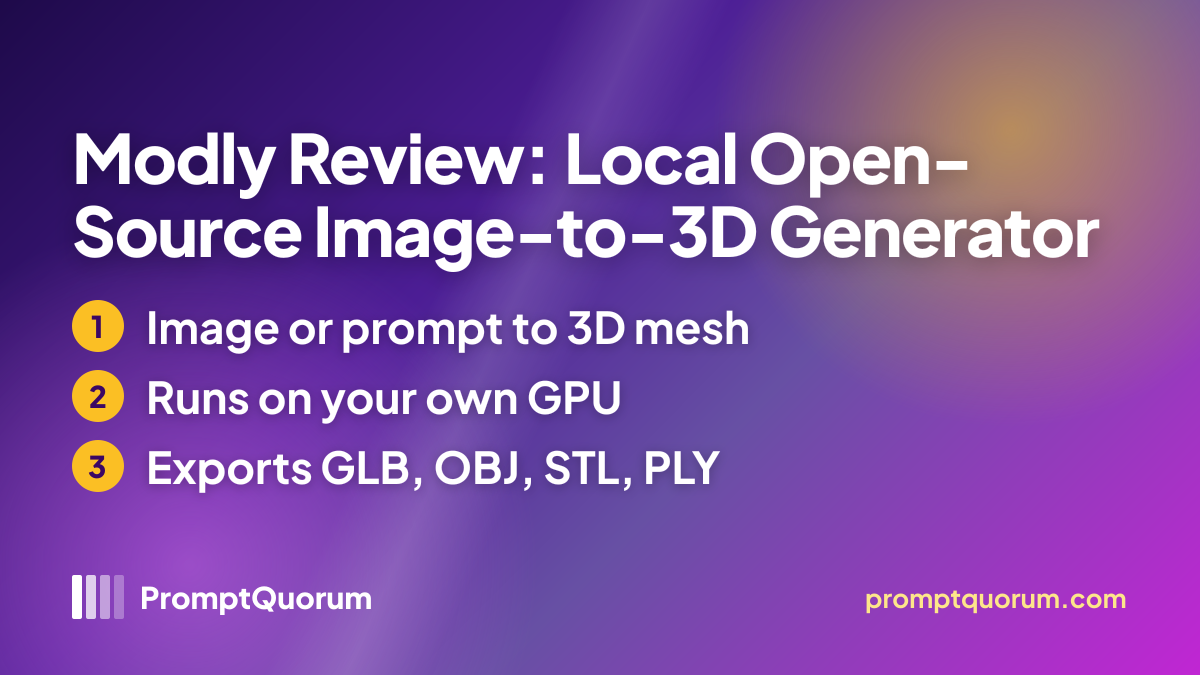
Modly is a desktop application for image-to-3D and prompt-to-3D generation that runs the AI models on your own computer.
The app is made by Lightning Pixel, the GitHub account that owns the repository, and the website footer reads "Modly by Lightning Pixel". The latest release is version 0.5.0, published on 18 November 2026, and the repository was last pushed to on 19 November 2026. Development is therefore ongoing and no stale-project warning applies.
Modly itself is the shell around a Python backend; the AI models are added as extensions, each a GitHub repository with a manifest file. The README lists official extensions for Hunyuan3D 2 Mini (plus Turbo and Fast variants), TripoSG and a Trellis2 GGUF build. The extension catalog on the website also lists community extensions, some of which are not 3D tools, such as speech and music generators.
You import an image or type a prompt (which input works depends on the extension), choose a model, and Modly generates a mesh that you can preview, edit and export. These are maker statements; PromptQuorum has not run the app and has not measured how good the meshes are.
How to Get It
You install Modly with a normal installer from the official website or the GitHub releases page; the app is free and needs no account.
The v0.5.0 release lists a Windows installer (.exe), a macOS Apple Silicon disk image (.dmg) and a Linux AppImage, and the website also names a Linux .deb. The website headline says "Windows & Linux", while its download section and the README also cover macOS, which the README limits to Apple Silicon. After installing, you add a model: on the Models page you paste an extension's GitHub URL and then download the weights, which are fetched separately.
Platform | How to get it |
|---|---|
| Windows | Installer (.exe) |
| macOS | Apple Silicon only (.dmg) |
| Linux | AppImage or .deb |
| Website | Official site, docs and extension catalog |
| Documentation | Install, models, FAQ and changelog |
| GitHub | Source code and release downloads |
The website has no privacy policy page. The installer needs no terminal; running from source is a separate developer path.
Features
Modly combines model-based 3D generation with a small set of editing and export tools. The points below come from the website, the README and the v0.5.0 release notes; they are maker statements.
- Image-to-3D and prompt-to-3D generation, depending on the installed extension.
- Export to GLB, OBJ, STL and PLY for Blender, Unity, Unreal Engine or a 3D-printing slicer.
- Automatic background removal for input images; the release notes say it runs on the CPU.
- Collections and a workspace that keep every generated model, plus a Library page and run history.
- In-app mesh tools: smoothing, decimation, a mesh edit panel and sculpt brushes (Grab, Smooth, Inflate, Flatten), per the release notes.
- A real-world scale and print preparation page, and presets for printing, game and web use, per the release notes.
- An agent side panel with streamed replies and Ollama support mentioned in the release notes; the roadmap describes plain-English mesh editing as work in progress.
Privacy and Data Flow
Modly says generation runs on your GPU and nothing is uploaded, but the model weights have to be downloaded first.
The website and docs say your images never touch a server and that generation works fully offline once an extension and its weights are downloaded. The README shows that extension weights are fetched from Hugging Face, so the download step needs a network connection. Extensions are GitHub repositories that run code on your machine, so install only extensions you trust.
The release notes mention a setting (MODLY_ORIGINS) that keeps web pages off the local API. The website has no privacy policy, so there is no written statement on telemetry or crash reports; PromptQuorum has not inspected network traffic.
Who Should Use It
Modly fits people who want AI-generated 3D assets without a cloud service.
- 3D printing hobbyists who want to turn a photo into an STL they can open in a slicer.
- Game developers and 3D artists who want a starting mesh for Blender, Unity or Unreal Engine and will clean it up themselves.
- Tinkerers who want to try several open-source 3D models, or write their own extension, in one app.
Limits and What We Could Not Verify
Modly has stated hardware limits, and several details remain unverified.
- Stated limit: the docs FAQ says an NVIDIA GPU is required. The website's structured data lists 6 GB of VRAM as the minimum, and the FAQ says VRAM needs depend on the model, with quantized GGUF variants running on more modest hardware.
- Unverified: the README also describes AMD GPU support through ROCm on Linux and Windows and a macOS build for Apple Silicon, which the FAQ's NVIDIA statement does not mention. PromptQuorum has not checked which GPUs work with which models.
- Not a fit: anyone without a capable GPU, or anyone who needs a hosted service with no local setup.
- Unverified: mesh quality, speed and reliability. PromptQuorum has not generated meshes with Modly, and the demo and screenshots on the website are the maker's own.
- Unverified: model licences. Modly's docs state no licence for Hunyuan3D 2, TripoSG or Trellis.2, and GitHub detects no licence for the official extension repositories; read each model's own terms before commercial use.
- Unverified: the organisation behind the app. The website has no imprint, privacy policy or terms page, and the repository names only the GitHub account Lightning Pixel.
- Version: Modly is below 1.0 (version 0.5.0), and the roadmap items on the website are plans, not shipped features.
- Not checked: independent reviews and user reports.
Modly vs Alternatives
No other 3D-generation app has a PromptQuorum review yet, so the closest reviewed tools are local image generators. By their own descriptions they produce images rather than 3D meshes, and PromptQuorum has not compared them with Modly hands-on.
Modly
- Output:
- Image or prompt to 3D mesh
Also mentioned in Modly (1)
Also mentioned in:
- Local Image, Video & Vision Tools Compared (2026): Generation, Vision and OCRUpdated November 20, 2026
ComfyUI
- Output:
- Local image and video generation, node-based UI
Articles about ComfyUI (10)
- ComfyUI Review: Free Node-Based UI for Stable Diffusion & FluxUpdated November 3, 2026
- AnimateDiff Guide 2026: Animate Any Stable Diffusion ModelUpdated November 22, 2026
- Local AI Images Are Free. Cloud AI Images Are Instant. Your GPU Decides.Updated November 20, 2026
- Invideo vs Local AI Video: One Costs $0 Plus Your Weekend — the Other Costs $17Updated November 20, 2026
- Local Coding Assistants, Agents & Workflow Tools Compared (2026): IDE Plugins, Agent Frameworks and Autonomous AgentsUpdated November 20, 2026
- Local Image, Video & Vision Tools Compared (2026): Generation, Vision and OCRUpdated November 20, 2026
- Phantasm Review: Self-Hosted AI Chat App for iPhoneUpdated November 13, 2026
- AUTOMATIC1111 Review: Stable Diffusion WebUI ExplainedUpdated November 2, 2026
- LM Mini Review: iPhone Chat App for On-Device and Home-Server AIUpdated October 24, 2026
- Locally Uncensored Review: Local Chat, Image, and Video in One AppUpdated October 24, 2026
+18 more not shown
InvokeAI
- Output:
- Local image generation, web UI
Draw Things
- Output:
- Local image generation on macOS and iOS
Articles about Draw Things (3)
- Draw Things Review: Local-First Image AI with Optional CloudUpdated October 9, 2026
- Local Image, Video & Vision Tools Compared (2026): Generation, Vision and OCRUpdated November 20, 2026
- Local AI on iPhone in 2026: What Is Possible, What Is Not, and the iPhone Apps We CoverUpdated November 13, 2026
Also mentioned in:
- Genva Review: Free On-Device AI Image Generator for iPhoneUpdated October 24, 2026
FAQ
Is Modly free?
Yes, per the maker: the docs say it is 100% free and open source under the MIT license, with no credits or subscriptions. The license file adds that forks must credit the original project. GitHub Sponsors is optional.
Which 3D models does Modly run?
Through extensions. The README lists official ones for Hunyuan3D 2 Mini (plus Turbo and Fast variants), TripoSG and a Trellis2 GGUF build, and you can install an extension from any GitHub URL, so what runs depends on what you install.
Which file formats can I export?
GLB (recommended), OBJ, STL and PLY, per the docs. STL files can be loaded into slicers such as Cura or PrusaSlicer.
Can I use generated meshes commercially?
Modly's docs do not address this. The answer depends on the licence of the model extension you used, so read it before selling or publishing assets. This is not legal advice.
What if a generation runs out of memory?
The docs suggest a smaller or quantized (GGUF) variant, closing other GPU-heavy apps and checking the extension's README for its VRAM requirements.
Verdict
Modly is worth a look if you want to generate 3D meshes from images or prompts on your own GPU and, as the maker states, keep your inputs off the cloud.
On paper it covers a lot: a free MIT-licensed installer app for three operating systems, several open-source 3D models through extensions, four export formats and built-in mesh tools. Development is active, with release 0.5.0 on 18 November 2026 and a push on 19 November 2026.
The trade-offs are a capable GPU, a model download before first use, unstated model licences and a project that is still below version 1.0. PromptQuorum has not tested the app, so try it with a small image and check the licence of your chosen model before you rely on the results.
Sources
- Modly website — maker's description, features, download section, checked 20 November 2026.
- Documentation FAQ — price, offline use, GPU statement, export formats, checked 20 November 2026.
- Workflow — inputs, collections, privacy statement, checked 20 November 2026.
- Models and variants — official model families and quantized variants, checked 20 November 2026.
- Extension catalog — official and community extensions, checked 20 November 2026.
- Roadmap — planned work, checked 20 November 2026.
- Modly GitHub repository — README, LICENSE and last push, checked 20 November 2026.
- Release v0.5.0 — latest version, date, installer files and release notes, checked 20 November 2026.
- Hunyuan3D 2 Mini extension — example official extension repository, checked 20 November 2026.