What Is Phantasm?
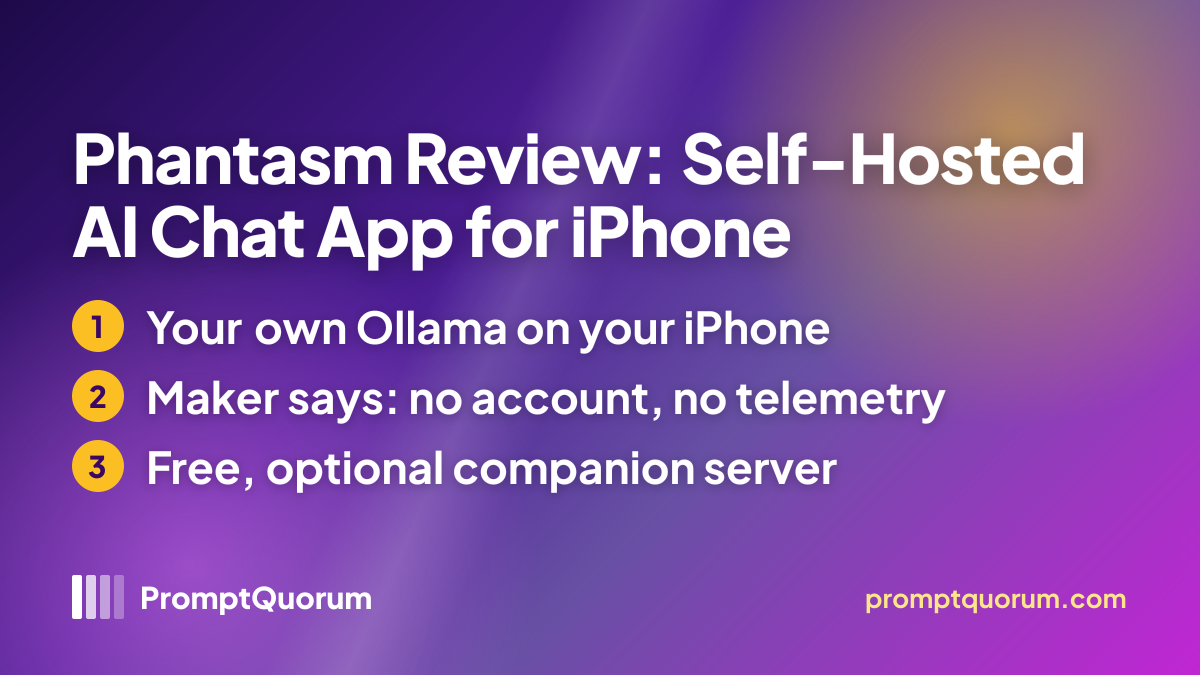
Phantasm is an iOS chat client for AI models that you host yourself, not an app that contains a model. The App Store lists it as "Phantasm" from the seller Benjamin Carman, it first appeared on 8 July 2026, and the website calls it a "fast, self-hostable AI chat app for iOS that talks to a backend you control".
The project has two parts: the SwiftUI app, which takes a server URL and a token, and an optional Rust server called the orchestrator that runs next to Ollama and ComfyUI and adds web search, image generation and a tool loop. Pointed at a bare Ollama instance, the app falls back to plain chat, according to the README.
Get It
Phantasm is a free App Store download for iPhone; the sources name no Android, Windows or web version.
Option | How to get it |
|---|---|
| iPhone | Phantasm on the App Store, free download |
| Website | getphantasm.com |
| Privacy policy | getphantasm.com/privacy.html |
| Backend server | Orchestrator on GitHub, optional, starts with docker compose |
| Source code | github.com/benthecarman/phantasm, no licence file |
Version reviewed: 1.2, released on 25 July 2026 per the App Store; the app is 19.1 MB. The app has no built-in model, so you also need a server to chat with. The listing shows the price as free and names no in-app purchases.
Requirements
The App Store lists iOS 18.0 as the minimum, and the app cannot chat without a server that you provide.
Operating system
- What the sources say:
- iOS 18.0 or later on iPhone
Backend
- What the sources say:
- An OpenAI-compatible server you provide, such as Ollama, vLLM or llama.cpp, reachable from the phone
Connection
- What the sources say:
- A server URL and a token; the token is kept in the iOS Keychain
Orchestrator (optional)
- What the sources say:
- Docker Compose; adds Brave web search, ComfyUI image generation and a tool loop
Account
- What the sources say:
- None; the developer says there are no accounts
The sources name no minimum iPhone model or memory; the hardware you need depends on the models your own server runs. Reaching the server from outside your home network is your own job: the README says you use a server URL that is already reachable from your device.
How to Get Started
The steps follow the developer's own description of the app; PromptQuorum has not run them.
- 1Run a backend
Why it matters: Start Ollama or another OpenAI-compatible server on a machine you own; optionally add the orchestrator with docker compose for web search and image generation. - 2Install the app
Why it matters: Get Phantasm from the App Store; no account is needed. - 3Enter the URL and token
Why it matters: Add the server address and token in Settings; the app finds the available models and capabilities on its own. - 4Chat
Why it matters: Pick a model, attach photos or files, and switch web access and image generation on or off for each chat.
Features Confirmed by the Sources
Every item below comes from the App Store description, the website or the repository; none has been independently tested.
- Flexible backends. Any OpenAI-compatible endpoint, with several saved profiles for home network, VPN or tunnel setups and capability detection at runtime.
- Chat display. Streaming answers with markdown, syntax-highlighted code with a copy button, charts, inline math and the model's reasoning when a thinking model is selected; version 1.2 adds token and speed estimates.
- Media. Photo and file attachments for vision models, inline generated images, and audio and video generation with compatible servers since version 1.2.
- Voice and system integration. On-device dictation, read-aloud replies, Siri and Shortcuts, and long generations that pick up again after the app was in the background.
- Tools. Per-chat switches for web access and image generation, plus optional location, calendar and Apple Health tools that are off by default and shared only with your own backend.
Data Flow and Privacy
The privacy policy, last updated on 2 July 2026, says Phantasm has no accounts, no analytics, no telemetry and no servers of the developer in the middle. Messages go only to the backend URL you enter, conversations are stored on the phone, and speech transcription runs on the device. The App Store privacy label reads "Data Not Collected".
Where your data travels depends on your backend. The website says conversations never leave your network, but the app also supports VPN and tunnel profiles, so a remote setup sends traffic over whatever route you build. The optional device tools share location, calendar or Health data with your backend only when you switch them on for a chat. The website is served through Cloudflare, which processes standard request data, and the policy says it sets no cookies.
📌Note: These are the developer's declarations, not audit results, and PromptQuorum has not inspected the app's network traffic. When the orchestrator's web search is on, the server queries Brave Search according to the README, so those queries leave your network.
Who Should Use It
- Ollama, vLLM or llama.cpp owners who want a native iPhone front end for models already running at home.
- Privacy-minded users who want an app with no account and no analytics, as the developer describes it.
- Home-lab tinkerers who are comfortable running Docker Compose for web search and image generation.
What We Could Not Verify
- Performance. Speed, battery use and behaviour in very long chats are untested.
- Orchestrator. Web search, ComfyUI image generation and the tool loop were not run; the README calls the project an MVP build.
- Licence. The site calls the app and server open source, but the repository showed no licence file on 13 November 2026, so the terms for reuse are not stated.
- Other devices. The listing shows Mac and Apple Vision requirements yet says the app is designed for iPhone; iPad and Mac support is not described.
- Latest build. The repository holds a version 1.3 build bump from 16 August 2026 that the App Store listing did not show on 13 November 2026.
Competitors and Alternatives
LM Mini
- Platforms:
- iPhone, iPad, Mac listing
- Price / license:
- Free + in-app / closed source
- Key difference:
- Also offers remote access and optional cloud APIs
Articles about LM Mini (1)
- LM Mini Review: iPhone Chat App for On-Device and Home-Server AIUpdated October 24, 2026
Also mentioned in:
- Local AI on iPhone in 2026: What Is Possible, What Is Not, and the iPhone Apps We CoverUpdated November 13, 2026
Enchanted
- Platforms:
- iPhone, Mac
- Price / license:
- Free / Apache 2.0
- Key difference:
- Ollama client that needs a separate Ollama server
Articles about Enchanted (5)
- Enchanted Review: Native macOS/iOS Ollama ClientUpdated September 5, 2026
- Local AI on iPhone in 2026: What Is Possible, What Is Not, and the iPhone Apps We CoverUpdated November 13, 2026
- Best Local LLM Frontends & Chat UIs in 2026: Open WebUI, Enchanted UI, and MoreUpdated October 31, 2026
- Local Chat Apps & Assistants Compared (2026): Desktop, Mobile, Self-Hosted, Assistants and RoleplayUpdated September 20, 2026
- BoltAI Review: Native Mac AI App, Ollama ReadyUpdated September 6, 2026
Also mentioned in:
- Mac Mini M6 as Local AI Server: Always-On LLM, Whisper, RAG, Voice AssistantUpdated November 9, 2026
- GPT4All Review: Free Offline AI Chat App by Nomic AIUpdated October 24, 2026
- OpenClient Review: Free Apple Chat App for Ollama and LiteLLMUpdated October 24, 2026
- LocalMind Review: Free Chat App for On-Device and Self-Hosted ModelsUpdated October 17, 2026
- Tina Review: iPhone Client for Ollama, llama.cpp and ComfyUIUpdated October 4, 2026
+8 more not shown
Reins
- Platforms:
- iPhone, iPad, Mac listing
- Price / license:
- Free + Pro / closed source (v2)
- Key difference:
- Connects to your server and can also run MLX models on the device
Articles about Reins (3)
- Reins Review: iPhone Chat App for Ollama and LM StudioUpdated October 30, 2026
- Best Local AI Apps for iPhone in 2026 (Run LLMs Without WiFi)Updated November 13, 2026
- Local AI on iPhone in 2026: What Is Possible, What Is Not, and the iPhone Apps We CoverUpdated November 13, 2026
Confirm each app's current price, license and platforms on its own listing before choosing.
Frequently Asked Questions
Does Phantasm work without a server?
No. The App Store listing says it requires an OpenAI-compatible server that you provide, for example Ollama on your own machine; the privacy policy says only speech transcription runs on the phone.
Can I use Phantasm away from home?
The app takes any reachable URL and the listing mentions VPN and tunnel profiles, but the sources describe no built-in remote-access service, and the README lists a managed relay as deferred.
Which models does Phantasm support?
Any model your backend serves, because the app bundles none. Vision input, reasoning display and image, audio or video generation depend on what your backend offers.
Can I use Phantasm with Siri?
The listing says you can ask Phantasm from Siri and Shortcuts; how deep that integration goes is not described.
Verdict
Phantasm is a young project with recent commits that gives an iPhone a free, account-free way to reach a home Ollama, vLLM or llama.cpp server, and its privacy policy declares no data collection. Against that, it is only a client, it needs a server you run, its repository showed no licence file on 13 November 2026 although the site calls it open source, and its newest repository build was not on the App Store when checked. It suits people who already host models and want a native front end; anyone who needs audited privacy claims should treat the policy as a declaration, not proof.
Sources
- Phantasm on the App Store — description, version history, requirements and privacy label, checked 13 November 2026.
- Phantasm website — feature list and setup steps, checked 13 November 2026.
- Phantasm privacy policy — data flow, storage and on-device transcription, last updated 2 July 2026.
- Phantasm support page — setup and contact information, checked 13 November 2026.
- Phantasm on GitHub — README, commits, tags and file listing, checked 13 November 2026.