What Aori Is
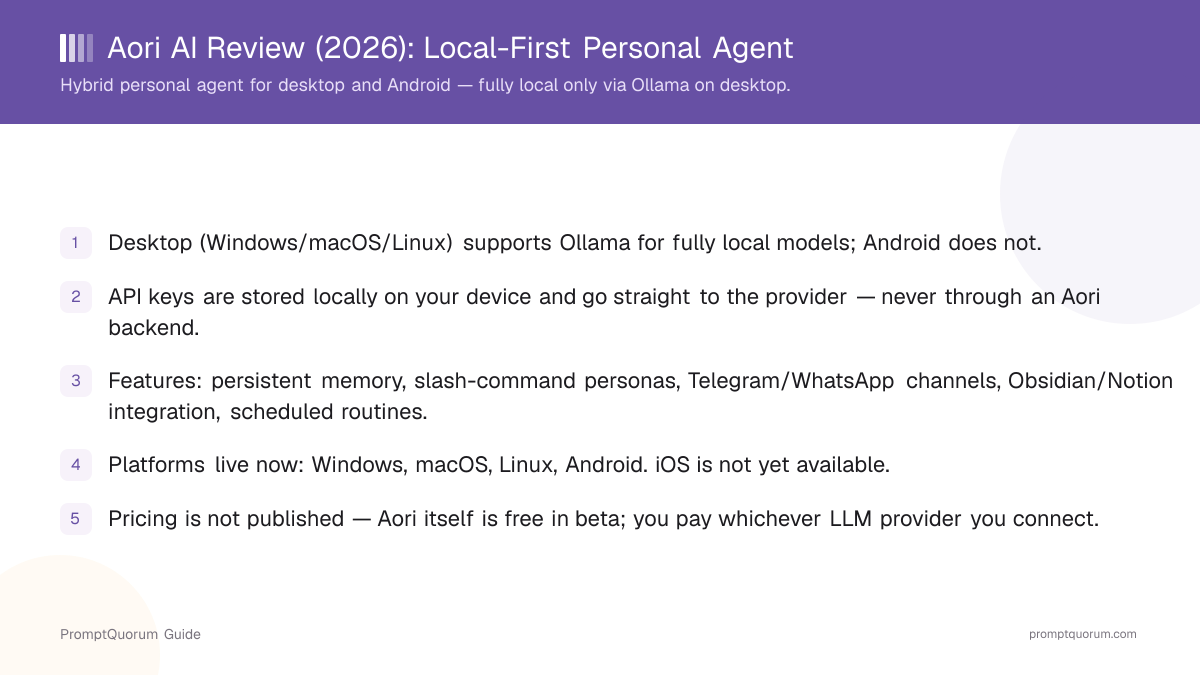
Aori is a personal AI agent app that runs on your desktop or phone instead of through a hosted chat website. It is available at aori-ai.app and is currently in public beta on Windows, macOS, Linux, and Android.
The core design choice is local-first: the app itself runs on your device, and Aori does not operate a backend server that stores your conversations. You connect your own API key from a supported LLM provider — OpenAI, Anthropic Claude, Google Gemini, Groq, DeepSeek, or OpenRouter — and Aori stores that key locally, sending requests directly from your device to the provider you chose.
On desktop, Aori adds a second path: Ollama support, which lets you run open-source models entirely on your own hardware with no cloud provider involved at all. This path is desktop-only — the Android app has no local-model option and always depends on a cloud provider.
Features
Aori's feature set centers on making one agent feel consistent across time, topics, and channels — not on giving you a bigger model to talk to. The five features below are the ones that differentiate it from a plain chat interface in front of an LLM API.
- Persistent memory — Aori learns from your conversations and any knowledge files you provide, carrying that context into future sessions instead of starting from zero each time you open it.
- Personas via slash commands — switch between assistant personas mid-conversation with commands like
/leoor/planner, each tuned for a different role or task. - Multi-channel chat — talk to Aori inside the app, or through Telegram or WhatsApp, with each channel keeping its own isolated conversation history.
- Knowledge integration — point Aori at local folders, an Obsidian vault, or a Notion workspace so it can reference your existing notes and documents when answering.
- Proactive routines — describe a recurring task in plain English, such as a morning briefing, and Aori runs it on that schedule without you having to prompt it each time.
Platforms and Pricing
Windows, macOS, Linux (desktop)
- What to expect:
- Full feature set. Supports cloud providers (OpenAI, Anthropic, Gemini, Groq, DeepSeek, OpenRouter) and, uniquely, Ollama for fully local models.
- Important note:
- This is the only environment where Aori can run with zero cloud dependency, provided you select Ollama and a model your hardware can run.
Android
- What to expect:
- Same persona, memory, channel, and routine features as desktop, connected to a cloud LLM provider using your own API key.
- Important note:
- No Ollama or local-model support on Android — every chat depends on an internet connection to your chosen provider.
iOS
- What to expect:
- Not available yet.
- Important note:
- Aori has stated iOS is "coming later" with no published release date at the time of writing.
Pricing
- What to expect:
- Not published. The app is usable in its current public beta without a subscription fee to Aori itself.
- Important note:
- Your real cost is set by the LLM provider whose API key you use — Groq offers a free tier; OpenAI, Anthropic, Gemini, DeepSeek, and OpenRouter bill per your own account with that provider.
Local vs. Cloud: What "Local-First" Actually Means
"Local-first" describes where Aori stores your data, not where your prompts are processed. In every configuration, your API keys and conversation history live on your device rather than on an Aori-run server. But whether the model itself runs on your device depends entirely on which backend you pick.
This distinction matters because the two claims — "your data stays on your device" and "your AI runs on your device" — are not the same thing, and Aori only delivers both at once in one specific configuration.
How to Read Aori's Local vs. Cloud Setup
Use a local LLM if:
- •You are on desktop (Windows, macOS, or Linux)
- •You select Ollama as the model backend
- •The model you choose is one your hardware can run at acceptable speed
Use a cloud model if:
- •You are on Android, where Ollama is not supported at all
- •You select OpenAI, Anthropic Claude, Google Gemini, Groq, DeepSeek, or OpenRouter as the backend
- •You want access to the largest, most capable frontier models
Quick decision:
- →Desktop + Ollama = prompts and inference stay entirely on your machine
- →Any other combination (desktop or Android + a cloud provider) = prompts leave your device and go to that provider's API
- →Aori itself never runs a backend that stores your data either way — the local-vs-cloud line is about the model backend, not about Aori's own servers
Who Should Use Aori
- Users who want one agent across desktop and Android. Persistent memory, personas, and routines follow you between platforms as long as you use the same provider account.
- Users comfortable bringing their own API key and paying providers directly. Aori is the interface; you manage billing with OpenAI, Anthropic, Google, Groq, DeepSeek, or OpenRouter separately.
- Users who want scheduled routines in plain English, such as a recurring morning briefing, without setting up separate automation software.
- Desktop users who want the option of fully local, offline inference via Ollama, without giving up the option to switch to a cloud provider for harder tasks.
- Telegram or WhatsApp users who want the same agent and memory available in those apps, each with its own isolated conversation history.
- Users with an Obsidian vault or Notion workspace they want an agent to reference directly, instead of copy-pasting notes into a chat window.
Who Should Not Use Aori
- iPhone or iPad users. Aori has no iOS app yet; the company describes iOS support as "coming later" with no published date.
- Users who want a fully offline app with no cloud option at all. Aori's local path exists only on desktop with Ollama selected — most of its useful features assume a connected cloud provider, so treat it as a hybrid tool, not a privacy-by-default offline app.
- Users who do not want to manage separate provider billing. Aori has no bundled subscription that covers model usage; you open and fund your own account with whichever provider you pick.
- Users who need a published, predictable price before committing. Aori has not published pricing for the app itself, and provider costs vary by which model and provider you choose.
- Android users who specifically want local, offline models. Ollama support is desktop-only; Android always depends on a cloud provider.
Frequently Asked Questions
Is Aori a fully offline, local AI app?
No, not by default. Aori is hybrid: it stores your API keys and conversations locally rather than on an Aori-run server, but the model that generates responses runs in the cloud unless you specifically select Ollama as the backend on desktop. Only that one configuration — desktop plus Ollama — is fully local and offline.
What platforms does Aori support?
Desktop apps for Windows, macOS, and Linux, plus a mobile app for Android. An iOS app is not yet available; Aori has described it as "coming later" without a published release date.
Does Aori store my data on its own servers?
No. Aori does not operate a backend that stores your conversations. Your API keys are stored locally on your device, and requests go directly from your device to whichever LLM provider you connect — not through an Aori-run server.
Which LLM providers does Aori support?
OpenAI, Anthropic Claude, Google Gemini, Groq, DeepSeek, and OpenRouter, all connected using your own API key ("bring your own key"). On desktop, Aori also supports Ollama for models that run entirely on your own hardware.
How much does Aori cost?
Aori has not published pricing; the app is usable in its current public beta without a fee to Aori itself. Your actual cost comes from the LLM provider you connect — Groq offers a free tier, while OpenAI, Anthropic, Gemini, DeepSeek, and OpenRouter bill you directly through your own account with that provider.
Can I run Aori fully offline on Android?
No. Ollama and local-model support in Aori is desktop-only. On Android, every conversation depends on an internet connection to whichever cloud LLM provider you have configured.
What are Aori's personas?
Personas are different assistant configurations you can switch between mid-conversation using slash commands, such as /leo or /planner. Each persona is tuned for a different role or task while sharing the same underlying memory.
Can Aori connect to Telegram and WhatsApp?
Yes. Aori supports multi-channel chat across the in-app interface, Telegram, and WhatsApp, with each channel keeping its own isolated conversation history rather than sharing one thread across all three.
Does Aori integrate with Obsidian or Notion?
Yes. Aori can reference local folders, an Obsidian vault, or a Notion workspace as knowledge sources, so it can answer using your existing notes and documents instead of only what you type in chat.
What are Aori's proactive routines?
Routines are recurring tasks you describe in plain English, such as a morning briefing, that Aori then runs automatically on that schedule without you needing to send a new prompt each time.
Verdict
Aori is a well-scoped personal-agent app if you evaluate it as hybrid, not as a privacy-by-default local AI tool. The combination of persistent memory, slash-command personas, multi-channel chat (Telegram and WhatsApp with isolated histories), Obsidian/Notion knowledge integration, and plain-English proactive routines is a coherent feature set aimed at making one agent feel consistent across contexts. Storing API keys and conversations locally, with no Aori-run backend, is a real and verifiable privacy property regardless of which model backend you choose. But the fully local, offline claim applies to exactly one configuration: desktop with Ollama selected. Every other path — cloud providers on desktop, or any use on Android — sends your prompts to a third-party API over the internet. Users who understand and accept that trade-off, and who are comfortable bringing and paying for their own LLM API key, get a genuinely useful cross-platform agent. Users looking for a fully offline app by default, or an iOS app, should look elsewhere for now.
Sources
- Aori official site — platform availability, feature list, and current public beta status.
- Ollama — the local-model runtime Aori uses on desktop for fully offline inference.