Which Engines Actually Need a GPU?
XTTS v2, Chatterbox, and Bark all run on CPU, but a GPU is what makes them practical for real-time or batch use — Kokoro is the exception, since its 82 million parameters make it fast on CPU alone. The three heavier engines share a common shape: they are cloning- or generation-quality-first models where the architecture trades compute for expressiveness, so CUDA acceleration removes the bottleneck rather than adding a marginal speedup.
Use a GPU-oriented engine (XTTS v2, Chatterbox, or Bark) if your use case is voice cloning, expressive non-speech audio, or any workload where generation speed matters — a batch narration job, an interactive voice application, or a pipeline generating many clips. Avoid spending GPU VRAM on TTS if your only need is straightforward narration of plain text with no cloning: Kokoro or Piper cover that case on CPU alone, freeing your VRAM for an LLM or other workload running alongside it.
- XTTS v2 runs on CPU but is documented as meaningfully slower there — its sub-200ms streaming latency is a GPU-accelerated figure, not a CPU one.
- Chatterbox ships a CPU-capable Nano variant (110M parameters) that Resemble AI's own documentation describes as running faster than real time on 8 CPU cores, but the larger cloning-focused variants benefit from CUDA for real-time conversational use.
- Bark explicitly states in its own documentation that inference on CPU or older GPUs can be significantly slower than the roughly real-time speed it reaches on enterprise-class GPUs.
- Kokoro is the outlier: at 82 million parameters, it runs at real-time or faster speed on CPU alone, per its Hugging Face model card, and only needs a GPU if you want extra headroom for high-volume batch generation.
XTTS v2: Best Voice-Cloning Quality
XTTS v2, released by Coqui and run through the Coqui TTS toolkit, is the best local voice-cloning option for GPU owners who need the highest quality achievable from a short reference clip. It clones a voice from as little as 6 seconds of reference audio and speaks it back across 17 languages, including cross-lingual cloning — clone a voice from English audio, speak the result in Spanish or Japanese.
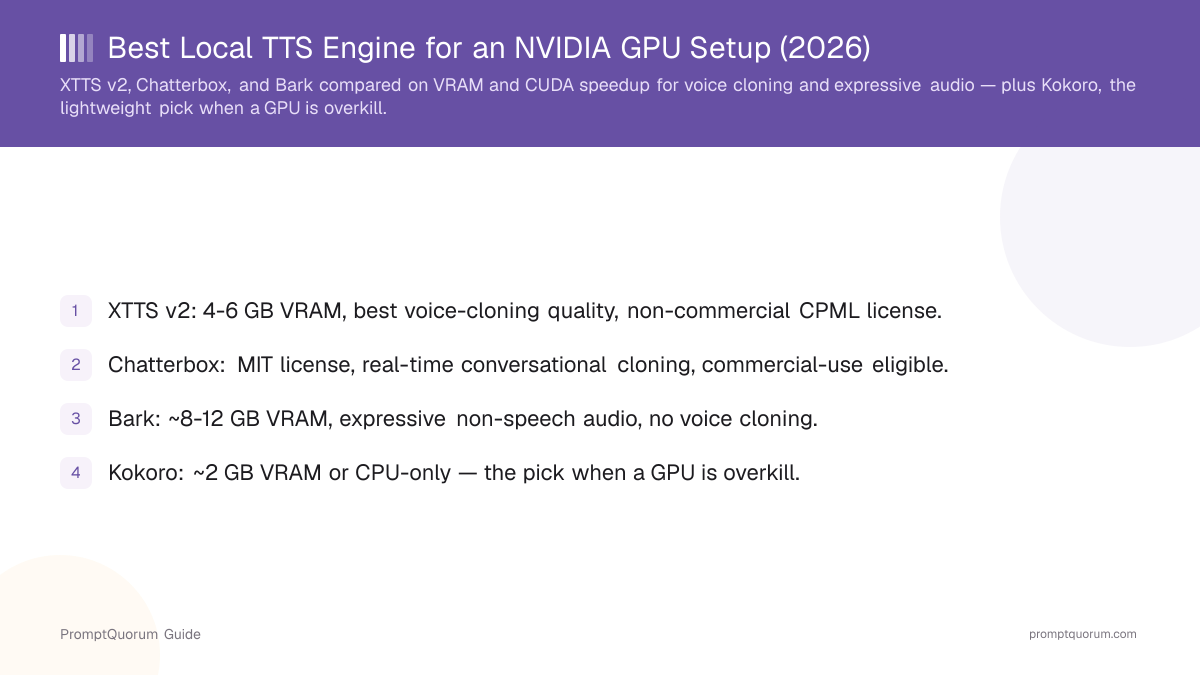
On VRAM, XTTS v2's model weights are roughly 2 GB, but 4 GB is the practical minimum to run it and 4-6 GB is recommended for real-time inference, per PromptQuorum's dedicated XTTS v2 review. The license is the deciding factor for most readers: the Coqui Public Model License (CPML) is explicitly non-commercial, and because Coqui AI, the company, shut down its paid services in December 2023, there is currently no confirmed active pathway to a commercial license.
- Use XTTS v2 if: your project is personal, academic, or a non-commercial prototype and you want the best cloning quality available locally.
- Avoid XTTS v2 if: you need a commercial license — its CPML terms are non-commercial with no confirmed active licensing path since Coqui AI's 2023 shutdown.
- VRAM: ~2 GB model weights, 4 GB minimum, 4-6 GB recommended for real-time inference.
- Best for: highest-fidelity local voice cloning, 17-language cross-lingual support, non-commercial or research use.
Chatterbox: Best Real-Time Cloning
Chatterbox, released by Resemble AI on GitHub, is the best pick for GPU owners who want real-time conversational voice cloning under a fully permissive, commercial-friendly license. It is licensed under the MIT License, which — unlike XTTS v2's non-commercial CPML — permits commercial use without a separate agreement.
Chatterbox ships in multiple sizes: a Nano variant (110 million parameters) that Resemble AI's own documentation says runs faster than real time on 8 CPU cores, a Turbo variant (350 million parameters) built for low latency, and a Multilingual variant (roughly 500 million parameters, on a backbone that credits Llama 3 in its architecture) supporting 20+ languages. Zero-shot voice cloning works from a reference audio clip — Resemble AI's own example uses a 10-second clip, though the README does not state an official minimum duration the way XTTS v2's does.
Resemble AI's public README does not publish an exact VRAM figure, so treat any specific GB number you see elsewhere as unverified until you test it on your own card. What is documented: the Nano variant runs acceptably on CPU alone, while the larger Turbo and Multilingual variants are built for GPU-accelerated, low-latency generation — CUDA and Apple Silicon (MPS) are both supported.
- Use Chatterbox if: you need commercial-use-eligible voice cloning with real-time or near-real-time latency, such as an interactive voice application.
- Avoid Chatterbox if: you need a documented, guaranteed minimum VRAM figure before buying hardware — Resemble AI has not published one.
- VRAM: not officially published; the smaller Nano variant is CPU-capable, while Turbo and Multilingual variants target GPU acceleration for real-time speed.
- Best for: commercial products needing zero-shot conversational voice cloning under a permissive license.
- Every Chatterbox output carries Resemble AI's own Perth watermarking, described in its documentation as an imperceptible neural watermark that survives MP3 compression — a built-in provenance signal, not a substitute for consent (see the Voice Cloning and Consent section below).
Bark: Best Expressive, Non-Speech Audio
Bark, released by Suno on GitHub, is the right pick if you want more than speech — laughter, sighs, gasps, and simple music generated from text prompts alone — and it is the engine in this comparison that benefits most from a GPU, since its generative, token-by-token architecture is the slowest of the four without CUDA acceleration. It does not support custom voice cloning; per Suno's own documentation, it "does not currently support custom voice cloning."
On VRAM, PromptQuorum's dedicated Bark review documents the full model needing about 12 GB, with a small-model environment flag (SUNO_USE_SMALL_MODELS) reducing that to about 8 GB — meaningfully more than XTTS v2's 4-6 GB. It is licensed under the MIT License, made fully commercial-use-eligible on May 1, 2023, but its maintenance status is a real open question: the public GitHub repository shows no commits since April 5, 2024.
- Use Bark if: you need non-speech audio (laughter, sighs, ambient sound) alongside speech and have 8-12 GB of VRAM to spare.
- Avoid Bark if: you need reliable, deterministic output for a production pipeline, or you need voice cloning — Bark does not support it.
- VRAM: ~12 GB for the full model, ~8 GB with the small-model flag — the heaviest of the four engines compared here.
- Best for: expressive audio generation, sound effects layered with speech, prototyping and research use.
Kokoro: When a GPU Is Overkill
Kokoro is included here as the counterpoint: owning an NVIDIA GPU does not mean every TTS workload needs one, and Kokoro is proof. At 82 million parameters, it is dramatically smaller than XTTS v2, Chatterbox, or Bark, and its own Hugging Face model card documents real-time or faster synthesis on CPU alone, with GPU use adding headroom rather than being a requirement.
Kokoro is licensed under Apache 2.0, which — like Chatterbox's MIT license — permits commercial use without restriction. It does not support voice cloning, so it is not a substitute for XTTS v2 or Chatterbox if cloning is the requirement, but for straightforward narration, read-aloud text, or a voice layer in an app where cloning is not needed, it is a lighter and simpler choice.
- Use Kokoro if: your workload is plain narration or read-aloud text, you want to keep your GPU's VRAM free for an LLM or other workload, or you need CPU-only deployment.
- Avoid Kokoro if: you need voice cloning — it does not support it, use XTTS v2 or Chatterbox instead.
- VRAM: roughly 2 GB when run on GPU; runs at real-time speed on CPU alone, per its own model card.
- Best for: simple narration and read-aloud use cases where the heavier cloning engines would be genuinely overkill.
GPU-Fitness Comparison Table
This table scores the four engines specifically on GPU-fitness criteria — VRAM requirement, how much each one benefits from CUDA acceleration, voice-cloning capability, and license — not on raw audio quality.
📍 In One Sentence
XTTS v2 is better for the highest-quality voice cloning; Chatterbox is better for commercial, real-time conversational cloning; Bark is better for expressive non-speech audio; Kokoro is better when no cloning is needed and a GPU would be wasted on the task.
Engine | VRAM (GPU) | GPU speed benefit | Voice cloning | License |
|---|---|---|---|---|
| XTTS v2 | 4-6 GB recommended | Large — CPU is impractical | Yes, 6s clip / 17 langs | CPML (non-commercial) |
| Chatterbox | Not officially published | Large for real-time use | Yes, zero-shot | MIT |
| Bark | ~8-12 GB (small/full) | Largest of the four | No | MIT |
| Kokoro | ~2 GB, GPU optional | Small — fast on CPU too | No | Apache-2.0 |
How Much VRAM Do You Actually Need?
A GPU with 6 GB of VRAM or more comfortably covers every engine in this comparison except Bark's full model, which needs about 12 GB (or about 8 GB with its small-model flag). Match your card to the engine you actually need rather than buying for the heaviest option by default.
For general guidance on choosing a GPU by VRAM tier for local AI workloads (not TTS-specific), see PromptQuorum's GPU buying guide for local LLMs — the same VRAM-first purchasing logic applies to TTS, and if you already run a local LLM alongside TTS, the two workloads compete for the same VRAM pool.
- Entry-level GPU (6-8 GB VRAM): covers XTTS v2 comfortably, covers Bark only with the small-model flag, covers Kokoro and Chatterbox's smaller variants easily.
- Mid-range GPU (12+ GB VRAM): covers all four engines, including Bark's full model, with headroom left for other workloads.
- Running TTS alongside a local LLM: budget VRAM for both — a 7B LLM at Q4 quantization needs roughly 4-5 GB on its own, so pair it with XTTS v2 or Kokoro rather than Bark's full model unless your card has 16 GB or more.
- If unsure, start with Kokoro or XTTS v2 — both fit comfortably in 6 GB of VRAM, leaving room to add a heavier engine later if your use case grows into one.
Voice Cloning and Consent
Cloning a real person's voice without their knowledge or explicit consent is a distinct problem from licensing, and it applies regardless of which engine, license, or commercial status you are operating under. XTTS v2 and Chatterbox are both capable, general-purpose voice-cloning tools; neither one verifies that the reference audio you provide belongs to someone who has agreed to be cloned.
Cloning a voice without consent can raise consent, right-of-publicity, and in some jurisdictions fraud or impersonation concerns, independent of whether your project is commercial or personal, and independent of the model's license terms. This is a factual note, not legal advice — consult a lawyer if you are building a product that clones real people's voices, and always obtain clear, documented consent from anyone whose voice you clone.
- Always get explicit, documented consent before cloning a real person's voice, for personal or commercial use alike.
- Chatterbox's built-in Perth watermarking helps trace generated audio back to the tool, but it is not a substitute for consent and does not itself verify authorization.
- Neither XTTS v2 nor Chatterbox performs consent verification — that responsibility sits entirely with whoever operates the tool.
Frequently Asked Questions
Do I need an NVIDIA GPU to run local TTS engines?
No. Kokoro runs at real-time speed on CPU alone, and XTTS v2, Chatterbox, and Bark all run on CPU too — just meaningfully slower. A GPU is what makes those three practical for real-time or batch use, not a hard requirement to run them at all.
Which local TTS engine has the best voice cloning?
XTTS v2, released by Coqui, is the highest-quality voice-cloning option covered here — it clones a voice from as little as 6 seconds of reference audio across 17 languages. Its license, the Coqui Public Model License (CPML), is non-commercial. Chatterbox, released by Resemble AI under the MIT license, is the best choice if you need commercial-use-eligible cloning with real-time conversational latency.
How much VRAM does XTTS v2 need?
XTTS v2's model weights are roughly 2 GB; 4 GB is the practical minimum to run it, and 4-6 GB is recommended for real-time inference, per PromptQuorum's dedicated XTTS v2 review.
How much VRAM does Bark need?
Bark's full model needs about 12 GB of VRAM; setting the SUNO_USE_SMALL_MODELS environment flag reduces that to about 8 GB. It is the heaviest of the four engines compared in this guide.
Can I use Chatterbox commercially?
Yes. Chatterbox, released by Resemble AI, is licensed under the MIT License, which permits commercial use without a separate agreement — unlike XTTS v2's non-commercial CPML license.
Is a GPU overkill for local TTS?
It depends on your use case. If you only need plain narration or read-aloud text with no voice cloning, Kokoro (82M parameters, Apache-2.0) runs at real-time speed on CPU alone, and buying or dedicating a GPU to that task is unnecessary. If you need voice cloning or expressive non-speech audio, a GPU meaningfully improves XTTS v2, Chatterbox, and Bark.
What is the difference between XTTS v2 and Chatterbox?
XTTS v2 generally produces higher-fidelity clones and supports 17 languages with cross-lingual cloning, but its CPML license is non-commercial. Chatterbox is a smaller model (roughly 0.5 billion parameters on its Multilingual variant) built for real-time conversational latency, and its MIT license permits commercial use.
Does Bark support voice cloning?
No. Per Suno's own documentation, Bark "does not currently support custom voice cloning." It can generate expressive audio — laughter, sighs, simple music — with selectable speaker presets, but it cannot clone an arbitrary person's voice from a reference recording the way XTTS v2 or Chatterbox can.
Can I run TTS and a local LLM on the same GPU?
Yes, if you budget VRAM for both. A 7B LLM at Q4 quantization needs roughly 4-5 GB on its own, so pairing it with XTTS v2 (4-6 GB) or Kokoro (~2 GB) fits comfortably on a 12 GB card; pairing an LLM with Bark's full model (~12 GB) generally needs 16 GB or more of total VRAM.
Do I need consent to clone someone's voice, even for a personal project?
Yes. Cloning a real person's voice without their explicit, documented consent raises consent and right-of-publicity concerns regardless of whether the project is personal or commercial, and regardless of which engine's license you are using. This is a factual note, not legal advice.
Verdict
For readers who already have an NVIDIA GPU and want to use it for text-to-speech, the choice comes down to what the audio needs to do. XTTS v2 is the pick for the highest achievable voice-cloning quality in a non-commercial or research context, given its non-commercial CPML license. Chatterbox is the pick when the same cloning capability needs to ship in a commercial product, thanks to its MIT license and real-time-oriented smaller model sizes. Bark is the pick specifically when the project needs expressive, non-speech audio — laughter, sighs, simple music — and can spend 8-12 GB of VRAM to get it, with the caveat that its maintenance status is uncertain. Kokoro remains the right choice whenever cloning is not the requirement: it runs comfortably on CPU alone, so reserving GPU VRAM for it is rarely worth doing. If unsure, start with Kokoro for simple narration and move up to XTTS v2 or Chatterbox only once a real cloning requirement appears — that keeps your GPU's VRAM available for whatever else you are running alongside it, including a local LLM. For the licensing details behind every engine mentioned here, see PromptQuorum's local TTS and voice-cloning licensing guide.
Sources
- XTTS v2 on Hugging Face — model card: cloning requirements, languages, and license reference.
- Resemble AI: Chatterbox — official model overview, license, and parameter counts.
- resemble-ai/chatterbox on GitHub — README: installation, MIT license, watermarking, and CPU/GPU support.
- suno-ai/bark on GitHub — README: license, VRAM/small-model flag, and maintenance/commit history.
- Kokoro-82M on Hugging Face — model card: parameter count, Apache-2.0 license, and CPU/GPU performance.
- XTTS v2 Review — PromptQuorum's dedicated review with full usage commands and licensing detail.
- Bark TTS Review — PromptQuorum's dedicated review with VRAM figures and maintenance status.
- Local TTS & Voice Cloning Licenses — full licensing and VRAM comparison across local TTS engines.