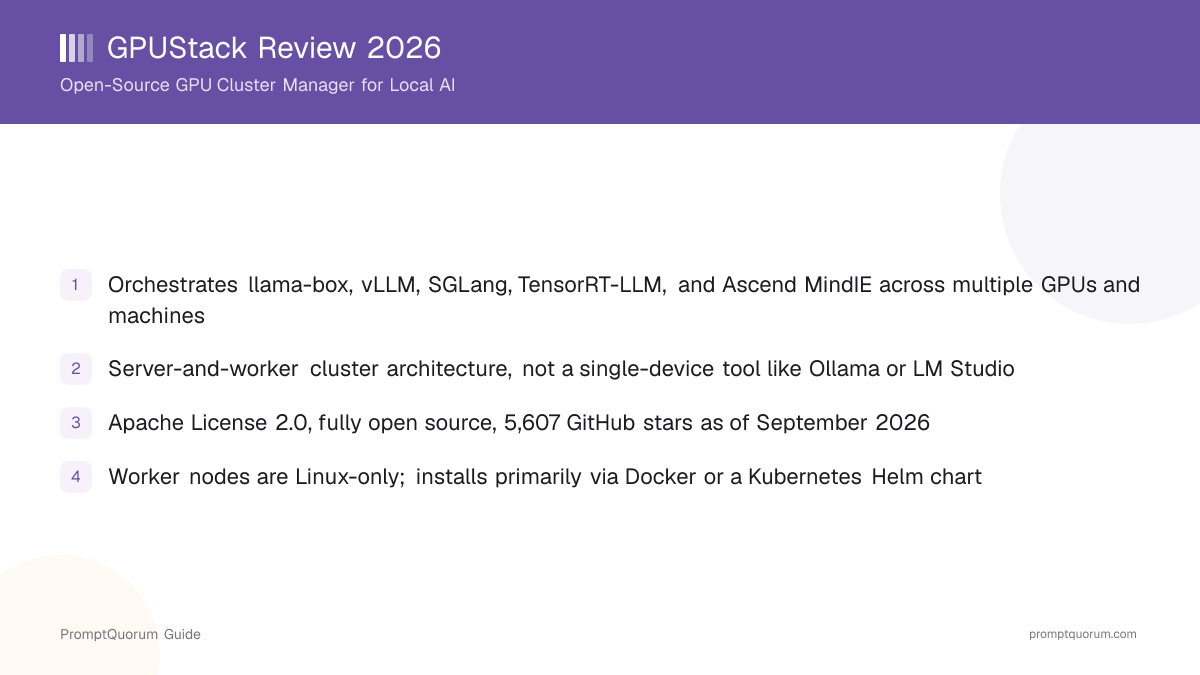
What Is GPUStack?
GPUStack is an open-source GPU cluster manager for AI model serving and GPU instance provisioning. Its GitHub repository describes it as automatically configuring and orchestrating inference engines across heterogeneous GPU hardware, aimed at teams that need to pool multiple GPUs — potentially spread across several physical machines — into one manageable inference cluster, rather than running a model on a single device.
- Core function: orchestrate LLM inference (and image generation, via llama-box's stable-diffusion.cpp support) across a cluster of GPUs and machines, not a single device
- Architecture: a central GPUStack server coordinates one or more worker nodes, each contributing GPU capacity to a shared pool
- Backends orchestrated: llama-box (GPUStack's own inference-server implementation, built on llama.cpp and stable-diffusion.cpp), vLLM, SGLang, TensorRT-LLM, and Ascend MindIE for Huawei Ascend NPU hardware, plus support for adding custom inference engines
- Hardware support: heterogeneous accelerators including NVIDIA and AMD GPUs, Huawei Ascend NPUs, and Hygon DCUs, per official docs
- On-demand GPU instances: GPUStack can provision SSH-accessible GPU instances, letting a user work directly on a machine in the cluster rather than only through an API
- Canonical repository: github.com/gpustack/gpustack; project site: gpustack.ai
GPUStack Milestones
GPUStack was released as an open-source cluster manager for pooling GPU capacity across on-prem hardware, aimed at teams that need to serve models across more compute than a single machine provides.
- 1Initial release — open-source GPU cluster manager
Why it matters: GPUStack launched positioned specifically for orchestrating GPU capacity across a cluster, filling a gap between single-machine runtimes like Ollama and full enterprise inference-serving stacks. - 2Ongoing — multi-backend orchestration (llama-box, vLLM, SGLang, TensorRT-LLM)
Why it matters: Supporting several inference engines rather than one lets GPUStack route a workload to whichever backend best fits the model and hardware, instead of locking users into a single engine. - 3Ongoing — Ascend MindIE and Hygon DCU support added
Why it matters: Extending backend and hardware support to Huawei Ascend NPUs and Hygon DCUs, not just NVIDIA and AMD GPUs, broadens which on-prem hardware a cluster can actually use. - 4Ongoing — Docker and Helm established as the primary install paths; legacy curl script deprecated at v0.7
Why it matters: Consolidating around Docker and a Helm chart for Kubernetes, rather than a shell-script installer, reflects GPUStack's positioning as infrastructure software administered by a team, not a one-off developer install. - 5Ongoing — 5,607 GitHub stars as of September 5, 2026
Why it matters: Star count is a rough usage signal, not a benchmark of quality, but it indicates real adoption for a cluster-management category most local-AI users never touch.
What Can You Do With GPUStack?
GPUStack's feature set centers on making multi-GPU, multi-machine inference manageable from one place, per its official documentation.
- Multi-backend inference orchestration — automatically configures and runs llama-box, vLLM, SGLang, TensorRT-LLM, or Ascend MindIE depending on the model and hardware, plus support for adding custom inference engines
- Cluster scheduling across heterogeneous hardware — pools NVIDIA and AMD GPUs, Huawei Ascend NPUs, and Hygon DCUs into one schedulable resource pool, per official docs
- On-demand SSH-accessible GPU instances — provisions instances a user can SSH directly into, not just an inference API endpoint
- OpenAI-compatible API — confirmed via official docs; existing OpenAI-client code can point at a GPUStack-managed endpoint with minimal changes
- llama-box built-in engine — GPUStack's own implementation based on llama.cpp and stable-diffusion.cpp, supporting CPU inference, an OpenAI Function-calling API, OpenAI Embeddings API compatibility, and speculative decoding
- Web management UI and CLI — the server exposes a web interface (default port 80) alongside CLI and API access, per the official quickstart docs
- Kubernetes-native deployment via Helm — for teams that already run Kubernetes, GPUStack ships an official Helm chart rather than requiring a bespoke deployment
- Air-gapped install path — documented for environments without internet access, relevant to on-prem or regulated deployments
Usage Examples: Three Ways to Use GPUStack
These are workflows built from GPUStack's documented Docker install, quickstart, and API — not hypothetical use cases.
Stand up a single-node cluster with Docker
Run sudo docker run -d --name gpustack --restart unless-stopped -p 80:80 --volume gpustack-data:/var/lib/gpustack gpustack/gpustack on a Linux, macOS, or Windows (Docker Desktop) machine to start the GPUStack server, then open the web UI on port 80 to add models and workers.
Add a worker node to scale beyond one machine
Join a second Linux machine to the cluster as a worker node to add its GPU capacity to the shared pool — this is the step that distinguishes GPUStack from a single-machine runtime. macOS cannot run a worker, and Windows needs WSL2 rather than Docker Desktop for the worker role, per the official documentation.
Call a cluster-served model through the OpenAI-compatible API
Point existing OpenAI-client code at the GPUStack server's API endpoint instead of api.openai.com once a model is deployed across the cluster — the request/response shape is designed to match, so most client libraries need only a base-URL change.
Install and Get Started
GPUStack is a self-hosted server-and-cluster tool, not a consumer download-button app, so it installs via Docker, a Helm chart, or (legacy) a shell script — not a signed installer from a marketing page.
- 1Docker (current recommended method, per official docs): run
sudo docker run -d --name gpustack --restart unless-stopped -p 80:80 --volume gpustack-data:/var/lib/gpustack gpustack/gpustackon the machine that will act as the GPUStack server; the server itself works on Linux, macOS, or Windows via Docker Desktop. - 2Kubernetes: deploy the official Helm chart if your team already runs Kubernetes, per the installation docs.
- 3Air-gapped environments: follow the documented air-gapped install path if the target machine has no internet access.
- 4A desktop installer for macOS and Windows is also referenced in GPUStack's release history for setting up a server without Docker — confirm the current download link on gpustack.ai directly, since it is not part of the primary docs navigation as of this review's publish date.
- 5Legacy/Linux-oriented alternative:
curl -sfL https://get.gpustack.ai | sh -s -— this install script still works but is deprecated as of GPUStack v0.7 in favor of the Docker and Helm paths above; treat it as a fallback, not the default choice for a new install. - 6To scale beyond one machine, join additional Linux machines to the cluster as worker nodes. Worker nodes are Linux-only — macOS is not supported for the worker role, and Windows requires WSL2 rather than Docker Desktop.
GPUStack Pricing and Licensing
GPUStack itself is free and licensed under the Apache License 2.0, confirmed via the project's own repository — no separate paid or "enterprise" tier of GPUStack is documented on the project's public site or official docs as of this review. Every feature covered in this review, including multi-backend orchestration and cluster scheduling, is part of the same open-source project.
GPUStack vs. Single-Machine Runtimes
GPUStack gets compared to tools like Ollama and LM Studio because all three run open models locally — but GPUStack solves a different problem: scaling inference across multiple GPUs and machines, not running a model on one device. Neither Ollama nor LM Studio is a true cluster-orchestration peer to GPUStack; they are, honestly, the closest single-machine alternatives for readers who do not need cluster orchestration.
Primary purpose
- GPUStack:
- GPU cluster manager — orchestrates inference across multiple GPUs and machines
- Ollama / LM Studio:
- Single-machine local model runtime and/or desktop chat app
Architecture
- GPUStack:
- Central server plus one or more worker nodes contributing GPU capacity
- Ollama / LM Studio:
- One process on one device; no built-in multi-machine clustering
Backends
- GPUStack:
- Orchestrates llama-box, vLLM, SGLang, TensorRT-LLM, Ascend MindIE, or custom engines
- Ollama / LM Studio:
- Built-in llama.cpp-based engine (Ollama); llama.cpp / MLX (LM Studio)
On-demand GPU instances
- GPUStack:
- Yes — provisions SSH-accessible instances within the cluster
- Ollama / LM Studio:
- No equivalent feature
License
- GPUStack:
- Apache-2.0
- Ollama / LM Studio:
- MIT (Ollama); free proprietary (LM Studio)
Typical user
- GPUStack:
- A team with multiple GPUs or machines to pool for serving
- Ollama / LM Studio:
- An individual running models on one laptop or workstation
If you have one GPU and no plan to add more, GPUStack's cluster machinery is overhead you do not need — Ollama or LM Studio will get a model running faster on a single machine. See the full Ollama review and LM Studio review for details.
Who Should Use GPUStack?
Whether GPUStack is worth adopting depends almost entirely on one question: do you have more than one GPU or machine to pool, or a plan to add more soon?
Use GPUStack if
- You have multiple GPUs — whether in one machine or spread across several on-prem machines — and want to pool them into one manageable inference cluster
- You need to orchestrate more than one inference backend (llama-box, vLLM, SGLang, TensorRT-LLM) from a single management layer instead of running each separately
- You are deploying on heterogeneous hardware, including Huawei Ascend NPUs or Hygon DCUs alongside NVIDIA or AMD GPUs
- You already run Kubernetes and want a Helm-chart-based deployment for GPU-cluster inference
- You want on-demand SSH-accessible GPU instances for your team, not just an inference API
Wait, or look elsewhere, if
- You have a single GPU on a single laptop or desktop and no plan to add more — Ollama or LM Studio will get you running with far less setup
- You want a polished desktop chat app for personal use rather than a self-hosted server-and-cluster tool — GPUStack has no consumer-facing chat interface of its own
- You want the absolute simplest install — GPUStack's Docker/Helm/worker-node setup carries more moving parts than a single-binary tool
- You are running only on macOS or need Windows machines to act as workers — worker nodes are Linux-only per the official docs, so plan your cluster hardware accordingly
GPUStack vs. Other Local AI Tools
GPUStack sits in the runtimes-and-managers segment of the Local LLM Software Directory, but its multi-GPU, multi-machine cluster-orchestration design sets it apart from most tools in that category, which run on a single device. No other FeatureAppPost review on this site covers a true multi-GPU-cluster peer to GPUStack as of this review's publish date — the closest comparisons below are single-machine runtimes, which honestly solve a different problem: running a model on one device, not scaling across many.
- Ollama — a general-purpose local model runtime for a single machine, fully MIT-licensed, with a broad model library. The closest single-machine alternative if you do not need cluster orchestration across multiple GPUs or machines. See the full Ollama review.
- LM Studio — a GUI-first desktop app for local inference on one device, aimed at end users rather than cluster administrators. A closer fit than GPUStack if you want a polished chat app on a single laptop. See the full LM Studio review.
- Docker Model Runner — a CLI-and-API feature bundled with Docker Desktop/Engine for running models on a single machine; another single-device option to weigh against GPUStack's cluster-orchestration approach if your workload does not need multiple GPUs pooled together. See the full Docker Model Runner review.
Common Mistakes When Evaluating GPUStack
Most confusion about GPUStack comes from treating it as a single-machine tool, or assuming it competes directly with the inference engines it actually orchestrates.
Mistake 1: Treating GPUStack as a single-machine chat app
GPUStack is a cluster manager for orchestrating inference across multiple GPUs and machines, not a desktop chat application. If you only want to chat with a local model on one device, Ollama or LM Studio is a more direct fit.
Mistake 2: Assuming worker nodes run on any OS
Worker nodes — the machines that contribute GPU capacity to a GPUStack cluster — are Linux-only per the official documentation. macOS cannot run a worker, and Windows needs WSL2 rather than Docker Desktop for the worker role; only the central server component runs directly on macOS or Windows via Docker Desktop.
Mistake 3: Using the deprecated curl install script by default
The curl -sfL https://get.gpustack.ai | sh -s - script still exists but is deprecated as of GPUStack v0.7 and does not appear in the current docs navigation. Docker or the Helm chart are the current recommended installation paths — check the official installation docs before defaulting to the script.
Mistake 4: Assuming GPUStack competes directly with vLLM, SGLang, or TensorRT-LLM
GPUStack orchestrates these inference engines as backends rather than replacing them — it is a management and scheduling layer above them, not an alternative inference engine of the same kind. See this site's comparison of enterprise inference servers for more on how vLLM, TGI, and NVIDIA NIM relate to each other.
Frequently Asked Questions
What is GPUStack?
GPUStack (github.com/gpustack/gpustack) is an open-source GPU cluster manager for AI model serving — it automatically configures and orchestrates inference engines across heterogeneous, on-prem hardware and can provision SSH-accessible GPU instances on demand.
Is GPUStack the same thing as Ollama or LM Studio?
No. Ollama and LM Studio run models on a single machine. GPUStack is a cluster manager whose purpose is pooling and scheduling inference across multiple GPUs and multiple machines through a server-and-worker architecture. Ollama and LM Studio are the closest single-machine alternatives for readers who do not need cluster orchestration.
Is GPUStack open source?
Yes. GPUStack is licensed under the Apache License 2.0, confirmed via the project's own repository. No separate paid or enterprise tier of GPUStack is documented on the project's public site as of this review.
Is GPUStack free?
Yes, GPUStack itself is free under Apache-2.0. Running a cluster still carries real infrastructure costs (GPUs, machines, networking) unrelated to GPUStack's own license.
How do I install GPUStack?
The current recommended method is Docker: sudo docker run -d --name gpustack --restart unless-stopped -p 80:80 --volume gpustack-data:/var/lib/gpustack gpustack/gpustack. A Helm chart is available for Kubernetes, and an air-gapped path is documented for offline environments. A legacy curl script (curl -sfL https://get.gpustack.ai | sh -s -) still works but is deprecated as of v0.7.
What platforms does GPUStack support?
The GPUStack server runs via Docker on Linux, macOS, or Windows (Docker Desktop). Worker nodes — the machines that contribute GPU capacity — are Linux-only; macOS cannot run a worker, and Windows needs WSL2 rather than Docker Desktop for that role, per official docs.
What inference engines does GPUStack orchestrate?
llama-box (GPUStack's own llama.cpp/stable-diffusion.cpp-based implementation), vLLM, SGLang, TensorRT-LLM, and Ascend MindIE for Huawei Ascend NPU hardware, plus support for adding custom inference engines.
Does GPUStack expose an OpenAI-compatible API?
Yes, per official documentation, so applications already built against the OpenAI API shape can point at a GPUStack-managed endpoint with minimal changes.
How many GitHub stars does GPUStack have?
GPUStack's repository (github.com/gpustack/gpustack) showed 5,607 stars as of September 5, 2026, per this site's own directory verification. Check the repository directly for a current count, since it changes over time.