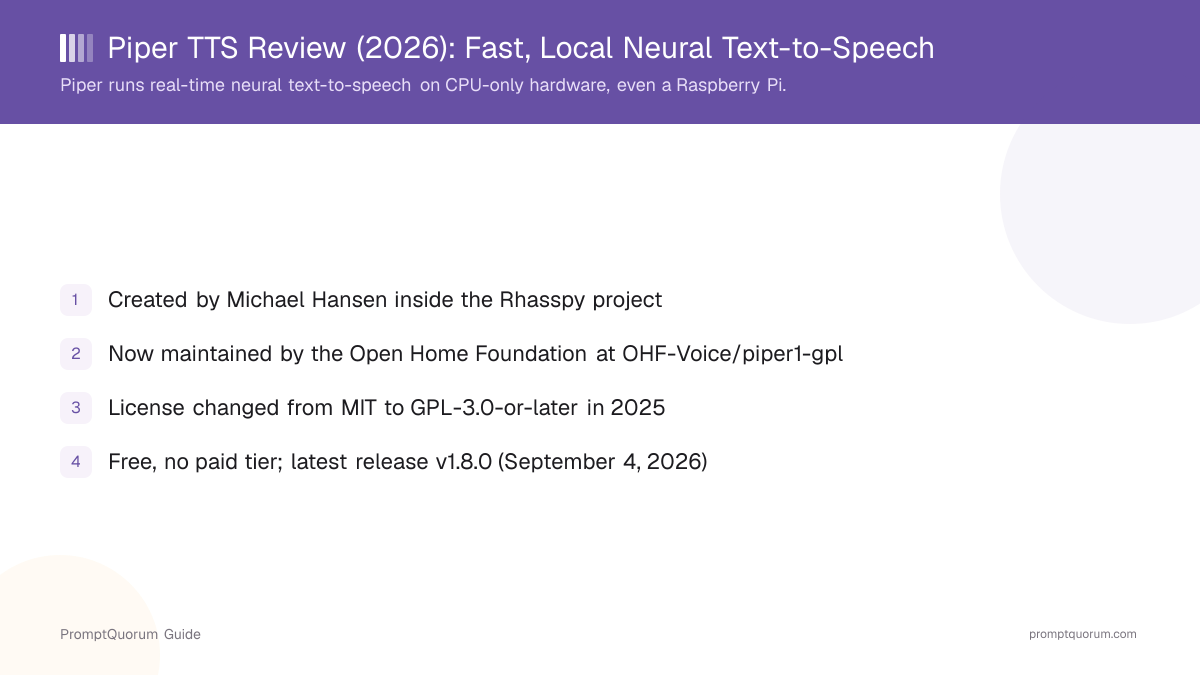
History: From Rhasspy to the Open Home Foundation
Piper began inside Rhasspy, an open-source toolkit for building fully offline voice assistants, where Michael Hansen built it as a fast, local text-to-speech engine to pair with Rhasspy's local speech recognition — avoiding a round trip to a cloud TTS API for every spoken response. Piper uses a neural, VITS-style text-to-waveform architecture: it converts text to phonemes (using espeak-ng), then synthesizes a waveform directly from those phonemes with a model exported to ONNX Runtime for fast inference, including on CPU-only hardware.
The original repository, rhasspy/piper, grew to become one of the most widely used local TTS engines in the open-source home-automation and accessibility space, accumulating over 11,000 GitHub stars under its MIT license. It became the default local text-to-speech engine in Home Assistant's voice pipeline.
In 2025, active development moved to a new repository. OHF-Voice/piper1-gpl was created on March 28, 2025, under the Open Home Foundation — the nonprofit organization that also stewards Home Assistant. The original rhasspy/piper repository was subsequently archived (made read-only) on October 6, 2025; it remains available under its original MIT license, but receives no further updates.
The new repository carries a different license: GPL-3.0-or-later, rather than the original MIT license. The project does not state its reasoning in the README or changelog, but piper1-gpl embeds espeak-ng for phonemization, and espeak-ng is itself licensed under GPL-3.0 — a plausible explanation for the relicensing, though PromptQuorum could not confirm this as the stated reason from an official source. As of publication, the project's own README states the Open Home Foundation is looking for additional maintainers for Piper.
Who created Piper?
Piper was created by Michael Hansen within the Rhasspy open-source voice-assistant project. Development later moved to a new repository, OHF-Voice/piper1-gpl, maintained by the Open Home Foundation.
What Piper Actually Does
Piper converts written text into spoken audio using a neural text-to-speech pipeline: text is converted to phonemes via espeak-ng, then a trained voice model synthesizes a waveform from those phonemes, running on ONNX Runtime for speed.
- Command-line synthesis. Run
python3 -m piperwith a downloaded voice model to synthesize a WAV file or stream audio directly to your speakers. - Python API. Load a voice with
PiperVoice.load()and call.synthesize_wav()or the streaming.synthesize()generator from your own Python application. - HTTP web server mode. Piper can run as a persistent web server so voice models stay loaded in memory, avoiding the reload cost of the CLI on every call — recommended for repeated or production use.
- C/C++ API (libpiper). A native C++ library and CLI, ported from the legacy Piper repository, for embedding Piper in non-Python applications.
- Raw phoneme injection. Wrapping text in `[[ ... ]]
lets you pass IPA phonemes (fromespeak-ng --ipa=3`) directly, useful for correcting mispronounced names or technical terms. - Optional GPU acceleration. Passing
--cuda(CLI) oruse_cuda=True(Python) enables CUDA acceleration via theonnxruntime-gpupackage, though Piper is designed to run acceptably fast on CPU alone. - Community-trained multilingual voices. Dozens of languages and regional variants are available as separately downloaded voice models, distributed via Hugging Face; voice quality varies by voice since they are trained by different community contributors.
Install and Run Piper: Step by Step
This walkthrough installs Piper via pip and runs a first synthesis, using the syntax documented in the project's own CLI and Python API docs.
- 1Install Piper.
Why it matters: Run `pip install piper-tts` in a Python environment (Python 3.9+ recommended). This installs the `piper` package and its ONNX Runtime dependency; no GPU or CUDA setup is required for CPU-only use. - 2List and download a voice.
Why it matters: Run `python3 -m piper.download_voices` with no arguments to list available voices, then `python3 -m piper.download_voices en_US-lessac-medium` to download a specific one to the current directory. - 3Synthesize speech from the command line.
Why it matters: Run `python3 -m piper -m en_US-lessac-medium -f test.wav -- 'This is a test.'` to write a WAV file. If you have `ffplay` installed, drop the `-f` flag to hear the audio immediately instead of saving it. - 4(Optional) Use the Python API instead of the CLI.
Why it matters: For repeated use inside an application, `from piper import PiperVoice; voice = PiperVoice.load("en_US-lessac-medium.onnx")` then `voice.synthesize_wav(text, wav_file)` avoids the CLI's per-call startup cost. - 5(Optional) Enable GPU acceleration.
Why it matters: Install the `onnxruntime-gpu` package, then pass `--cuda` on the CLI or `use_cuda=True` to `PiperVoice.load()` in Python. This is optional — Piper is designed to run in real time on CPU alone. - 6(Optional) Run the web server for repeated use.
Why it matters: For a production or repeated-use setup, run Piper's HTTP web server mode so the voice model stays loaded in memory instead of reloading on every CLI invocation. - 7(Optional) Fix a mispronounced word with raw phonemes.
Why it matters: Get the IPA phonemes for a word with `espeak-ng -v en-us --ipa=3 -q <word>`, then wrap them in `[[ ... ]]` inside your input text to override Piper's automatic pronunciation for that word.
Real Usage Examples
Beyond the basic install walkthrough above, these are common real-world usage patterns from the project's own documentation.
- Raw phoneme injection for correcting pronunciation: wrap text like `The [[ bˈætmæn ]] not [[ bɹˈuːs wˈeɪn ]]
using IPA phonemes obtained fromespeak-ng -v en-us --ipa=3 -q <word>`. - libpiper C/C++ API exposes
piper_create()(orpiper_create_with_options()for finer control) for embedding Piper directly in a native application without a Python runtime.
# Command line: write a WAV file
python3 -m piper -m en_US-lessac-medium -f test.wav -- "This is a test."

# Command line: play audio immediately (requires ffplay)
python3 -m piper -m en_US-lessac-medium -- "This will play on your speakers."

# Python API
import wave
from piper import PiperVoice

voice = PiperVoice.load("en_US-lessac-medium.onnx")
with wave.open("test.wav", "wb") as wav_file:
    voice.synthesize_wav("Welcome to the world of speech synthesis!", wav_file)

# Python API: adjust synthesis (speed, volume, expressiveness)
from piper import SynthesisConfig

syn_config = SynthesisConfig(
    volume=0.5,        # half as loud
    length_scale=2.0,  # twice as slow
    noise_scale=1.0,   # more audio variation
    noise_w_scale=1.0, # more speaking variation
)
voice.synthesize_wav("Custom synthesis settings.", wav_file, syn_config=syn_config)

# Python API: GPU acceleration (requires onnxruntime-gpu)
voice = PiperVoice.load("en_US-lessac-medium.onnx", use_cuda=True)

# Python API: streaming synthesis
for chunk in voice.synthesize("Streamed audio, chunk by chunk."):
    play_audio(chunk.audio_int16_bytes, chunk.sample_rate)
License and Cost
The actively maintained Piper repository, OHF-Voice/piper1-gpl, is licensed under GPL-3.0-or-later, confirmed via the piper-tts package's published metadata on PyPI. This is a change from the original rhasspy/piper repository, which was MIT-licensed before it was archived on October 6, 2025 and remains available under that MIT license, unmaintained.
GPL-3.0 is a copyleft license, which is meaningfully different from MIT for commercial use. You can use Piper for free, including commercially, to generate speech. But GPL-3.0 requires that if you distribute a modified version of Piper's own source code — for example, a fork bundled or statically linked into your product — you must release that modified source under the same GPL-3.0 terms. Using Piper as an unmodified external tool (calling its CLI, its Python package, or its web server as a separate process) generally does not place your own application's other source code under GPL, but the exact boundary depends on how tightly your code is linked with Piper's. This paragraph explains the license's general shape; it is not legal advice — check with a lawyer for your specific deployment before shipping a commercial product built on Piper.
There is no paid tier, subscription, or license fee for Piper itself. The only costs are the hardware you run it on and your own development time. Voice models are downloaded separately from a shared Hugging Face repository; check the license noted for each individual voice before redistributing it, since voices are contributed by different community members and are not guaranteed to share the same license as the Piper codebase.
What license does Piper use?
The actively maintained Piper repository (OHF-Voice/piper1-gpl) is licensed under GPL-3.0-or-later. The original, now-archived rhasspy/piper repository was licensed under MIT. This is a real difference for commercial use — GPL-3.0 requires releasing modifications to Piper's own source code under the same license if you distribute them, while MIT did not.
What Piper Is Not Good For
Piper is a fast, general-purpose local text-to-speech engine, not a voice-cloning or expressive-speech tool. It is the wrong tool for the following situations:
- Expressive, emotional, or few-second voice cloning. Piper synthesizes speech from pre-trained voice models, not from a short reference audio clip of a specific person. If you need to clone a voice from a few seconds of sample audio, or want more emotionally expressive delivery, XTTS v2 is built for that instead — see PromptQuorum's local TTS licensing guide for its (non-commercial) license terms.
- Multi-speaker cloning from a short sample. Similarly, Piper has no built-in mechanism to generate a new voice on the fly from an audio sample of a specific speaker; each voice is a separately trained and distributed model.
- GPL-3.0 copyleft obligations in a closed-source product. If your use case involves modifying and redistributing Piper's own source code inside a closed-source binary, the GPL-3.0-or-later license of the current repository is a real constraint that the original MIT-licensed repository did not have. Review the License and Cost section above and consult a lawyer before that kind of deployment.
- Guaranteed consistent voice quality across all languages. Because voices are trained and contributed by different community members, quality varies noticeably by language and by specific voice — check samples for your target language before committing to Piper for a production application.
- Long-term maintenance certainty. As of publication, the project's own README states the Open Home Foundation is looking for additional maintainers for Piper, which is worth factoring into a decision to build critical infrastructure on top of it.
Alternatives to Piper
Coqui TTS
- Best fit:
- Flexible multi-backend toolkit (VITS, Tacotron2, XTTS) with broad language support
- License:
- MPL-2.0
Articles about Coqui TTS (6)
- Coqui TTS Review: The Community-Maintained Voice-Cloning ToolkitUpdated September 5, 2026
- Local Voice & Speech Tools Compared (2026): Text-to-Speech, Speech-to-Text and Voice AgentsUpdated September 20, 2026
- Best Local TTS Engine for Raspberry Pi (2026)Updated September 11, 2026
- Bark TTS Review: Suno's MIT-Licensed Model for Laughter, Sighs, and SpeechUpdated September 6, 2026
- XTTS v2 Review: Multilingual Voice Cloning from 6 Seconds of AudioUpdated September 5, 2026
- Local TTS & Voice Cloning Licenses 2026: Which Engines Allow Commercial Use (Piper, XTTS v2, F5-TTS, Coqui)Updated July 15, 2026
Also mentioned in:
- Willow Inference Server Review: Self-Hosted Whisper ASR and TTSUpdated September 19, 2026
- Best Local TTS Engine for Mac (2026): What Actually Uses Apple SiliconUpdated September 11, 2026
- Best Local TTS Engine for an NVIDIA GPU Setup (2026)Updated September 11, 2026
- Best TTS for Ollama (2026): Adding Voice Output to a Local LLM SetupUpdated September 11, 2026
+3 more not shown
XTTS v2
- Best fit:
- Voice cloning from a few seconds of reference audio, across 17 languages
- License:
- CPML (non-commercial)
Articles about XTTS v2 (10)
- XTTS v2 Review: Multilingual Voice Cloning from 6 Seconds of AudioUpdated September 5, 2026
- Best Local TTS Engine for Mac (2026): What Actually Uses Apple SiliconUpdated September 11, 2026
- Best Local TTS Engine for an NVIDIA GPU Setup (2026)Updated September 11, 2026
- Best Local TTS Engine for Raspberry Pi (2026)Updated September 11, 2026
- Best TTS for Ollama (2026): Adding Voice Output to a Local LLM SetupUpdated September 11, 2026
- Piper vs Chatterbox TTS (2026): Fast Local Speech or Voice Cloning?Updated September 11, 2026
- Piper vs Kokoro TTS (2026): Which Local Voice Engine Should You Use?Updated September 11, 2026
- Bark TTS Review: Suno's MIT-Licensed Model for Laughter, Sighs, and SpeechUpdated September 6, 2026
- StyleTTS 2 Review: Columbia's MIT-Licensed Research Model for Natural SpeechUpdated September 6, 2026
- Coqui TTS Review: The Community-Maintained Voice-Cloning ToolkitUpdated September 5, 2026
+5 more not shown
StyleTTS 2
- Best fit:
- Highest natural-sounding English narration quality (no voice cloning)
- License:
- MIT
Articles about StyleTTS 2 (5)
- StyleTTS 2 Review: Columbia's MIT-Licensed Research Model for Natural SpeechUpdated September 6, 2026
- Local Voice & Speech Tools Compared (2026): Text-to-Speech, Speech-to-Text and Voice AgentsUpdated September 20, 2026
- Kokoro vs ElevenLabs: Local TTS vs Cloud Voice AI (2026)Updated September 11, 2026
- Piper vs Kokoro TTS (2026): Which Local Voice Engine Should You Use?Updated September 11, 2026
- Local TTS & Voice Cloning Licenses 2026: Which Engines Allow Commercial Use (Piper, XTTS v2, F5-TTS, Coqui)Updated July 15, 2026
Also mentioned in:
- MLC Chat Review: The Mobile App Built on MLC LLM, Assessed HonestlyUpdated September 7, 2026
Bark
- Best fit:
- Expressive, non-speech audio — laughter, sighs, ambient sound
- License:
- MIT
Articles about Bark (7)
- Bark TTS Review: Suno's MIT-Licensed Model for Laughter, Sighs, and SpeechUpdated September 6, 2026
- Local Voice & Speech Tools Compared (2026): Text-to-Speech, Speech-to-Text and Voice AgentsUpdated September 20, 2026
- Best Local TTS Engine for Mac (2026): What Actually Uses Apple SiliconUpdated September 11, 2026
- Best Local TTS Engine for an NVIDIA GPU Setup (2026)Updated September 11, 2026
- Best TTS for Ollama (2026): Adding Voice Output to a Local LLM SetupUpdated September 11, 2026
- StyleTTS 2 Review: Columbia's MIT-Licensed Research Model for Natural SpeechUpdated September 6, 2026
- Local TTS & Voice Cloning Licenses 2026: Which Engines Allow Commercial Use (Piper, XTTS v2, F5-TTS, Coqui)Updated July 15, 2026
Also mentioned in:
- Willow Inference Server Review: Self-Hosted Whisper ASR and TTSUpdated September 19, 2026
- Piper vs Kokoro TTS (2026): Which Local Voice Engine Should You Use?Updated September 11, 2026
- MLC Chat Review: The Mobile App Built on MLC LLM, Assessed HonestlyUpdated September 7, 2026
+2 more not shown
ElevenLabs
- Best fit:
- Managed cloud API for teams that prefer not to self-host, with commercial voice cloning
- License:
- Proprietary (paid cloud API)
Frequently Asked Questions
What is Piper?
Piper is a free, local neural text-to-speech engine created within the Rhasspy voice-assistant project by Michael Hansen, now maintained by the Open Home Foundation, that converts text to spoken audio fast enough to run in real time on CPU-only hardware.
Is Piper free?
Yes. Piper has no paid tier, subscription, or license fee. It is currently licensed under GPL-3.0-or-later, which is free to use but places conditions on distributing modified versions of Piper's own source code — see the License and Cost section for details.
Do I need a GPU to run Piper?
No. Piper is designed to run in real time on CPU-only hardware, including a Raspberry Pi. Optional CUDA GPU acceleration is available via the onnxruntime-gpu package for higher throughput.
What is the difference between rhasspy/piper and OHF-Voice/piper1-gpl?
rhasspy/piper is the original repository, created within the Rhasspy project and licensed under MIT; it was archived (made read-only) on October 6, 2025. OHF-Voice/piper1-gpl is the actively maintained successor repository, created March 28, 2025 under the Open Home Foundation, and licensed under GPL-3.0-or-later instead of MIT.
Can Piper clone a specific person's voice?
Not from a short audio sample. Piper synthesizes speech using pre-trained voice models you download and select; it does not clone a new voice on the fly from a few seconds of reference audio. For that, see XTTS v2, which is built specifically for few-second voice cloning.
Is Piper used in Home Assistant?
Yes. Piper is the default local text-to-speech engine in Home Assistant's voice assistant pipeline, maintained by the Open Home Foundation, the same nonprofit organization that stewards Home Assistant.
Who maintains Piper today?
Piper is maintained under the Open Home Foundation at the OHF-Voice/piper1-gpl repository, after development moved there from the original Rhasspy-hosted repository in 2025. The project's own README states the Open Home Foundation is currently looking for additional maintainers.
What is the latest Piper release?
The latest stable release is v1.8.0, published September 4, 2026, per the project's GitHub releases page.
Verdict
Piper remains one of the fastest ways to get real local text-to-speech running on modest hardware — its CPU-only, real-time performance is what made it the default voice for Home Assistant, and that has not changed under its new maintainers. What has changed, and what every reader evaluating it in 2026 needs to know, is the license: the actively maintained repository moved from MIT to GPL-3.0-or-later when development shifted to the Open Home Foundation in 2025, a real difference for anyone planning to embed and redistribute modified Piper source code in a closed-source product. It remains free to use, well documented, and actively released (v1.8.0 as of September 2026), though its own maintainers are openly seeking more help. For fast, offline, general-purpose speech synthesis on CPU-class hardware, Piper is a well-verified, no-cost choice — for expressive few-second voice cloning, pair this review with PromptQuorum's coverage of XTTS v2 or compare against the managed cloud alternative in the ElevenLabs vs. local TTS comparison.
Sources
- OHF-Voice/piper1-gpl on GitHub — the actively maintained repository: README, docs, license, and release history.
- piper-tts on PyPI — published package metadata, including the current GPL-3.0-or-later license.
- rhasspy/piper on GitHub — the original, now-archived repository (MIT license).
- piper1-gpl releases — version history, including v1.8.0 (September 4, 2026).
- Open Home Foundation — the nonprofit organization maintaining Piper and Home Assistant.