What Is TecAdRiseBot?
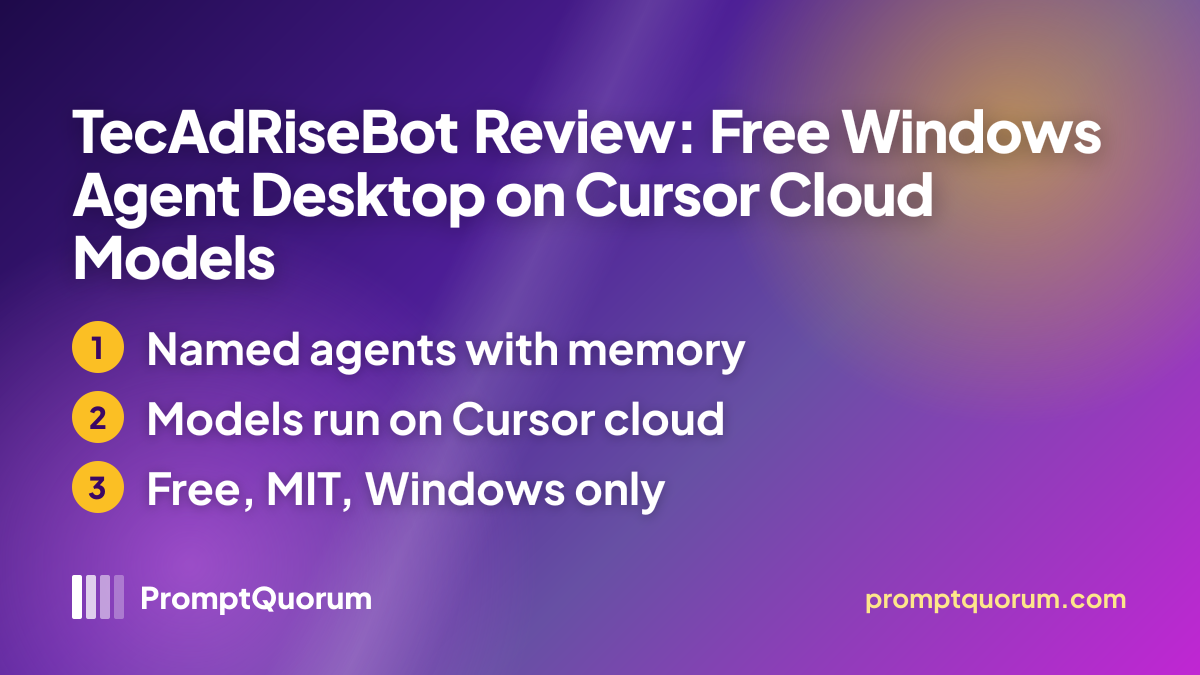
TecAdRiseBot is a desktop control room for AI agents: every agent is a named profile with its own model choice, a sticky instruction block called a Soul, MCP servers, a workspace folder and a schedule. The stack is Electron, React, TypeScript and the Cursor SDK, and the repository describes it as a free open-source alternative to Grok Bot. Its site adds that it is independent software and not an official Grok or xAI product.
The maker is TecAdRise, whose site describes it as specialized in AI-driven automation systems for small businesses and states that it is registered in Poland. The site names no founder, and the repository lists "TecAdRise" as author.
Get It
TecAdRiseBot has to be built from source: there is no installer, no packaged release and no store listing, so a terminal and a Node.js toolchain are required. GitHub Releases holds only a demo-video tag with an MP4 file.
Item | Where to get it |
|---|---|
| Source and setup | GitHub repository (MIT; README has the setup steps) |
| Website | tecadrise.ai product page |
| Privacy policy | tecadrise.ai/terms (company-wide terms; does not mention the app) |
| Demo video | Demo video (MP4) (attached to the GitHub release page) |
| Needs | Windows 10/11, Node.js 22.13+, npm 10+, a Cursor API key (created in the Cursor Dashboard) |
Version reviewed: 0.1.0, read from package.json in the repository on 28 October 2026. Playwright MCP additionally needs Node and npx on the PATH.
Pricing
The app is free and MIT-licensed; the cost is the Cursor API usage behind it, which Cursor bills to the account that owns the key. Per the Cursor SDK documentation, SDK runs follow the same pricing, request pools and Privacy Mode rules as Cursor's own products.
Item | Cost |
|---|---|
| TecAdRiseBot app | Free (MIT) |
| Cursor API usage | Billed by Cursor to your key |
| In-app usage table | Local token log, not an invoice |
Cursor's current plan prices were not checked for this review; read your own Cursor usage dashboard before running scheduled agents, because routines can send many requests unattended.
How to Get Started
The steps follow the repository README; PromptQuorum has not run them.
- 1Install the toolchain
Why it matters: The README asks for Node.js 22.13 or newer and npm 10 or newer on Windows 10 or 11. - 2Clone the repository and start it
Why it matters: The quick start is git clone, npm install and npm run dev; the app starts in development mode through Vite and Electron, not from an installer. - 3Paste a Cursor API key
Why it matters: Open the account row, then General, and save a key created in the Cursor Dashboard; the README says it is stored with Electron safeStorage and not in the chat database. - 4Pick a default model and create an agent
Why it matters: Models come from your Cursor catalog; each agent can use its own model, with a usual or fast mode and an effort setting. - 5Send a message or add a routine
Why it matters: Routines fire only while the desktop app is running, so a closed laptop means no scheduled runs.
Features Confirmed by the Sources
Every item below comes from the README or the product page.
- Multi-agent sidebar. Named agents with colors, search, drag reordering and streaming chat with a Stop button.
- Soul and system prompt. A shared SYSTEM.md for every agent plus a per-agent Soul with sticky rules.
- Inter-agent messages. Agents can message each other, and both sides of the exchange are stored.
- Memory. A wiki-style vault (index.md, notes folder, log.md) with a memory-management skill; a later commit adds a private memory.md per agent workspace.
- MCP and skills. Global and per-agent MCP JSON, a shared skills folder of SKILL.md files, and Playwright and AgentMail servers bundled on first launch.
- Scheduler. Loop, interval, daily, weekly, once and cron routines, with pause, resume and run-now.
- Self-editing agents. Agents can read a snapshot of their own configuration and PATCH it.
- Local usage table. Tokens per agent, kept on the PC.
What Runs Locally and What Goes to Cursor
The Cursor SDK documentation states that all inference goes through Cursor's hosted models in both its local and cloud modes, so the "runs locally" wording on the TecAdRiseBot site describes the app and its files, not the model. Prompts, context and tool results are therefore sent to Cursor on every turn, under the terms of the Cursor account that owns the key. This review did not check Cursor's retention rules.
What stays on the PC, per the README: agent configuration, the memory vault, per-agent workspaces, the chat database and the token table. The API key is held in Electron safeStorage. The control API listens on 127.0.0.1 port 8787 with no authentication, and the README warns not to expose that port outside the PC.
The only policy the site links is a company-wide "Terms of Service & Privacy Policy" at tecadrise.ai/terms, last updated "January 2025" by its own header. It is written for the company's website and automation services and never mentions TecAdRiseBot, so it does not describe the app's data flow. The product page uses a cookie banner with a reject option.
📌Note: The code is open, so anyone can inspect what the app sends, but PromptQuorum has not audited the code or the network traffic. Do not point agents at confidential files unless Cursor's terms are acceptable for that material.
From the Maker
TecAdRise, the company behind TecAdRiseBot, sent PromptQuorum the two statements below on 28 October 2026, together with the product, GitHub and demo-video links. They are the maker's own words, not PromptQuorum's independent assessment, and PromptQuorum did not verify the maker's comparison with other tools. The contact, who signs as Chris, then reviewed this page and wrote that it looks accurate and fair on the product framing and can stay live as is.
Why we built it. "We built TecAdRise Bot because we needed a local multi-agent desktop shell on Windows that we could own end to end: separate agents with their own models, instructions, workspaces, scheduled routines, and tools, without locking the workflow into a hosted chat UI. Existing options were either cloud-only, single-agent, or closed. TecAdRise Bot is a free open-source Grok Bot-style Electron app driven by the Cursor TypeScript SDK, so agents run on the machine with skills, MCP/tools, inter-bot messages, and a localhost control plane. We use it ourselves for outbound, research, and ops, and published it so others can run the same pattern."
On local LLMs and Cursor. "Today the chat shell talks to models through the Cursor SDK (and Cursor's model routing). We are not yet wired to a fully offline local LLM stack for agent coding work. Connecting local / open-weight models when quality is strong enough for multi-agent coding and tool use is on the roadmap; the product already runs as a local Windows desktop app with local workspaces, skills, and tools. When that local-model path lands, we will be a better fit for a pure local-LLM page; until then the honest framing is local desktop multi-agent shell + Cursor SDK, not fully offline inference."
— Chris, TecAdRise, maker of TecAdRiseBot
Competitors and Alternatives
TecAdRiseBot sits among the autonomous-agent tools in the directory; the closest comparisons are other agent apps that keep memory and run tools on your own computer.
Hermes Agent
- Best known for:
- MIT-licensed command-line personal agent with persistent memory that can point at local model backends such as Ollama
Articles about Hermes Agent (4)
- Hermes Agent Review: Self-Hosted AI AgentUpdated September 3, 2026
- Local Coding Assistants, Agents & Workflow Tools Compared (2026): IDE Plugins, Agent Frameworks and Autonomous AgentsUpdated September 21, 2026
- DreamServer Review: One-Command Local AI Server StackUpdated September 19, 2026
- Atomic Bot Review: A Packaged OpenClaw Agent App, Free Locally or Paid in the CloudUpdated September 12, 2026
Also mentioned in:
- Tolaria Review: Open-Source Markdown Notes with Git and AI AgentsUpdated October 24, 2026
- oMLX Review: Apple Silicon Inference Server With SSD CachingUpdated October 23, 2026
- Strata Review: A 125B-Parameter Open Model on a Gaming PCUpdated October 23, 2026
Agent Zero
- Best known for:
- MIT-licensed autonomous agent with coding ability, run from a web interface on Mac, Windows or Linux
Articles about Agent Zero (2)
- Agent Zero Review: Features, Install, AlternativesUpdated September 11, 2026
- Local Coding Assistants, Agents & Workflow Tools Compared (2026): IDE Plugins, Agent Frameworks and Autonomous AgentsUpdated September 21, 2026
Also mentioned in:
- Coil Review: A Mac Agent Harness That Shows Which Model AnsweredUpdated October 24, 2026
- Kruvo Review: A Desktop AI Coworker That Asks Before It ActsUpdated October 24, 2026
- IntentKit Review: Self-Hosted Agent Cluster With Built-In APIsUpdated September 19, 2026
- Local Deep Research Review: Self-Hosted, Cited AI Research AgentUpdated September 19, 2026
- PhoneClaw Review: The On-Device iPhone AI AgentUpdated September 12, 2026
Atomic Bot
- Best known for:
- Installer-based desktop and mobile app packaging the OpenClaw agent stack, with a local or paid cloud mode
Articles about Atomic Bot (1)
- Atomic Bot Review: A Packaged OpenClaw Agent App, Free Locally or Paid in the CloudUpdated September 12, 2026
Also mentioned in:
- Local Chat Apps & Assistants Compared (2026): Desktop, Mobile, Self-Hosted, Assistants and RoleplayUpdated September 20, 2026
- NVIDIA Project G-Assist Review: On-Device RTX AI Assistant, Requirements, and SetupUpdated September 12, 2026
- Atomic Chat Review: Local AI, Agents, and APIUpdated September 5, 2026
Multica
- Best known for:
- Self-hosted workspace for assigning and reviewing work done by coding agents such as Claude Code and Cursor
This list reflects tools in the same directory segment, not a PromptQuorum ranking. The main difference to the first two is the model source: they can use local backends, while TecAdRiseBot uses Cursor's hosted catalog only. See the Local LLM Software Directory for the full catalog.
Who Should Use It
- Developers who already pay for Cursor and want several scheduled agents with memory on a Windows PC.
- Tinkerers who like open code. Prompts, MCP and memory are plain files and the license is MIT.
- Readers comparing agent harnesses who accept a very young project and a build-from-source install.
What We Could Not Verify
- Hands-on quality. PromptQuorum did not run the app, so stability, agent behavior and the scheduler were not tested.
- Data handling at Cursor. Retention and training terms for SDK traffic were not checked; the app's own policy page does not cover them.
- Offline or local-model use. The maker says that today models are reached through the Cursor SDK and that local or open-weight models are on its roadmap with no date given; anyone needing a local model should look at the alternatives above.
- Maker background. The maker contact signs only as Chris, with no surname or role, so the people behind the project remain largely unknown; support and roadmap commitments are unverified beyond the statements in From the Maker, the maker's note that it will send a correction if pricing, the local-LLM roadmap or links change, and the site's note that Mac support may come later.
- Track record. There is no tagged release and no public user feedback yet.
- Not for beginners. A terminal, Node.js and a paid-usage API key are required.
Frequently Asked Questions
Can TecAdRiseBot use Ollama or another local model?
The maker says local and open-weight models are on its roadmap but not connected yet; today the model is picked from the Cursor catalog.
Does it keep working when the laptop is closed?
No. Per the maker, routines fire only while the desktop app is running; the project has no hosted always-on machine.
Is it related to Cursor or xAI?
The maker states it is independent and not an official Grok, xAI or Cursor product. It does depend on a Cursor account and the public Cursor SDK.
Is the control API safe to leave on?
It binds to 127.0.0.1 only and has no authentication, so any program on the same PC can call it. The README says never to expose the port.
Will there be a Mac or Linux version?
The site says Mac support may come later and gives no date; Linux is not mentioned. Treat both as unannounced.
Verdict
TecAdRiseBot is an MIT-licensed Windows harness for running several scheduled, memory-keeping AI agents, with readable source and a documented local control API. Against that, it is six weeks old, has no installer or release, depends entirely on Cursor's hosted models and has no app-specific privacy policy. It suits developers who already use Cursor and want an inspectable multi-agent desktop; readers who need a model on their own hardware should start with Hermes Agent or Agent Zero.
Sources
- TecAdRiseBot product page — features, requirements, platforms and independence statement, checked 28 October 2026.
- TecAdRiseBot vs Grok Bot — the maker's own comparison, including "Mac later" and routines running only while the app is open; PromptQuorum did not verify its claims about Grok Bot.
- TecAdRiseBot on GitHub — README, package.json (version 0.1.0), MIT license, creation date and commit history, read via the GitHub API on 28 October 2026.
- Cursor TypeScript SDK documentation — runtimes, hosted-model inference, billing and API keys.
- TecAdRise terms and privacy page — company-wide policy, header dated "January 2025".
- Statements and page review from the maker (Chris, TecAdRise) sent to PromptQuorum on 28 October 2026 — the "Why we built it" and "On local LLMs and Cursor" quotes, the product, GitHub and demo-video links, and the maker's approval of this page; not independently verified.