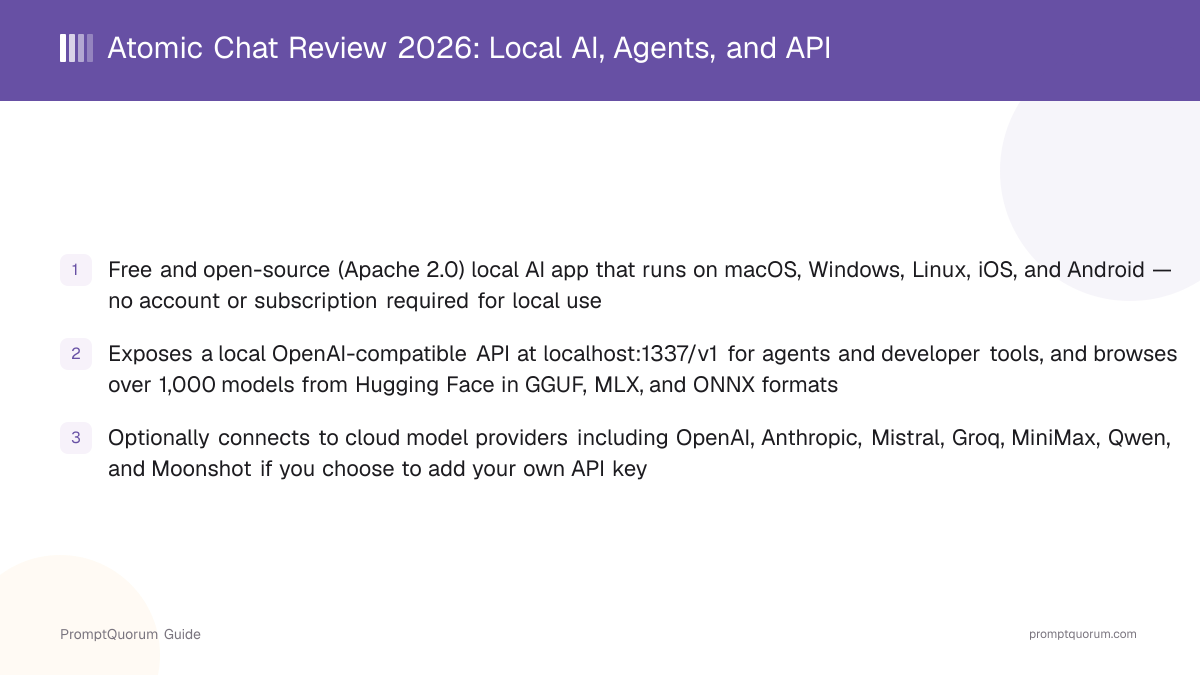
Is Atomic Chat Free?
Yes — Atomic Chat has no subscription tier, no paywall, and no rate limits on local usage. The app is free to download and use on every platform it supports, and it does not require creating an account before you can chat with a local model. Connecting an optional cloud provider instead uses that provider's own pricing, since Atomic Chat does not resell cloud API access itself.
- No subscription or in-app purchase for local chat functionality
- No rate limits on local usage, since inference runs on your own hardware rather than a metered cloud API
- No account, email, or sign-up flow required to start using the app locally
- Available through the Apple App Store, Google Play, and direct desktop downloads for macOS, Windows, and Linux
- Optional cloud providers (OpenAI, Anthropic, Mistral, Groq, MiniMax, Qwen, Moonshot) are billed by that provider directly if you choose to add your own API key
What Is Atomic Chat?
Atomic Chat is a free, open-source local AI app and inference engine published at atomic.chat, positioned by its GitHub repository as a "local AI app and inference engine for agents" rather than a plain chat window. The core question worth answering before comparing it to LM Studio, Jan, or GPT4All is what it combines that those apps usually keep separate: local model execution across five platforms, mobile support, agent integrations, a local OpenAI-compatible API for developers, and optional cloud models in one application. It is part of the wider Atomic ecosystem, which also includes Atomic Wallet (cryptocurrency), Atomic Mail, Atomic VPN, Atomic Bot (a one-click AI agent runner), and Sigma Browser — a family of privacy-oriented products from the same vendor.
- Local AI chat and agent workflows that run directly on your device, not a remote server, with no cloud provider required
- Built-in model browser that connects to Hugging Face and lists over 1,000 downloadable models
- Cross-platform: the same app ships on desktop (macOS, Windows, Linux) and mobile (iOS, Android)
- A local OpenAI-compatible API (localhost:1337/v1) that lets external agents, IDEs, and CLI tools connect to models running in Atomic Chat
- Optional cloud model providers (OpenAI, Anthropic, Mistral, Groq, MiniMax, Qwen, and Moonshot) that can be added alongside local models
- Chat and project organization with persistent memory, so context can carry across sessions
- A vendor-built inference optimization called TurboQuant, based on a fork of llama.cpp
What Can Atomic Chat Do?
Atomic Chat bundles several categories of functionality beyond a plain text box, aimed at covering local chat, agents, and developer integrations in one app rather than specializing in only one of them.
Local AI chat and model discovery
Atomic Chat browses over 1,000 models directly from Hugging Face inside the app, covering model families including Llama, Qwen, DeepSeek, Kimi, Mistral, Gemma, and MiniMax. This removes the step of manually finding a Hugging Face repository, checking the format, and downloading it through a separate tool.
Local agents and MCP
Atomic Chat supports agents that carry out multi-step workflows rather than a single question-and-answer exchange, and it documents support for the Model Context Protocol (MCP), which lets a local model connect to external tools and data sources through a standard interface.
Projects with persistent memory
Conversations and projects can be organized, and the app supports persistent memory — context that carries forward rather than resetting with every new chat window. This matters for anyone using local AI for ongoing work rather than one-off questions.
A local OpenAI-compatible API
Atomic Chat exposes an OpenAI-compatible API server at localhost:1337/v1 that other applications, agents, IDEs, and command-line tools can connect to as if it were an OpenAI endpoint. This is covered in more detail in the section below.
Optional cloud models
Alongside local models, Atomic Chat documents built-in support for cloud providers including OpenAI, Anthropic, Mistral, Groq, MiniMax, Qwen, and Moonshot, plus a "Run in cloud" option on its site. Using a cloud provider is optional and requires your own API key for that provider — this is covered in the next section.
TurboQuant inference optimization
Atomic Chat includes TurboQuant, an inference path built on a fork of llama.cpp, aimed at reducing memory use and increasing speed. See the dedicated section below for what is a vendor performance claim versus what the GitHub repository documents about the implementation.
Does Atomic Chat Support Cloud AI Models?
Yes, optionally. Atomic Chat can run models entirely locally with no cloud provider required, and it also supports connecting cloud models if you choose to add one — the two are not mutually exclusive.
- Local inference does not require a cloud provider: you can use Atomic Chat entirely offline once a model is downloaded
- Atomic Chat's GitHub repository documents built-in support for cloud providers including OpenAI, Anthropic, Mistral, Groq, MiniMax, Qwen, and Moonshot
- The official site also lists a "Run in cloud" option, linking to a third-party cloud inference provider, for running larger models without local hardware
- Connecting a cloud provider requires your own API key for that provider and is billed by the provider directly, not by Atomic Chat
- Local and cloud models can be used side by side inside the same app, rather than requiring two separate applications
Atomic Chat as a Local AI API for Developers and Agents
Atomic Chat exposes an OpenAI-compatible API server at localhost:1337/v1, bound to your own machine by default. This lets other software talk to a model running inside Atomic Chat the same way it would talk to OpenAI's API, without sending anything to OpenAI.
- OpenAI-compatible endpoint at localhost:1337/v1, usable as a drop-in replacement for the OpenAI SDK in code that already expects that API shape
- External applications, coding agents, and command-line tools can point at this endpoint instead of a cloud API
- Atomic Chat's GitHub repository documents one-click launch integrations for Claude Code, Codex CLI, Cline, OpenCode, Goose, OpenHands, Copilot CLI, Kilo Code, Zed, and its own Atomic Agent
- No separate local inference server (for example, a standalone llama.cpp server process) is necessarily required, since Atomic Chat itself hosts the endpoint
- Local models and optional cloud models can be used through the same API, so switching between them does not require reconfiguring every connected tool
What Is TurboQuant?
TurboQuant is Atomic Chat's name for an inference optimization built on its own fork of llama.cpp, aimed at reducing memory use and increasing generation speed. The vendor's performance claims and the GitHub repository's technical description are not identical, and a review should separate the two rather than repeating either uncritically.
- Atomic Chat's official site claims TurboQuant computes attention up to 8x faster than standard 32-bit models on H100 GPUs, and compresses the KV cache by at least 6x with no stated degradation in output quality
- Atomic Chat's GitHub repository describes TurboQuant as a llama.cpp fork with KV-cache optimizations (referred to as turbo3/turbo4) that the project documents as achieving up to approximately 4.3x smaller KV-cache footprint, running on CPU and GPU (CUDA and Vulkan) across Windows, Linux, and macOS
- The 8x/6x figures on the official site are framed around H100 GPU comparisons — server-class hardware most consumer users of Atomic Chat will not have — while the GitHub repository's ~4.3x figure describes the KV-cache implementation itself, not an end-to-end speed claim on consumer hardware
Which Platforms, Model Formats, and Hardware Does Atomic Chat Support?
Atomic Chat supports five platforms and three model formats, which is a wider combined spread than most single-purpose local AI apps offer.
- GGUF — the format used by llama.cpp-based runtimes; the most widely distributed local-model format on Hugging Face
- MLX — Apple's machine learning framework format, optimized for Apple Silicon
- ONNX — a cross-platform format used across many inference runtimes beyond the LLM space
Hardware requirements
Atomic Chat does not publish app-specific minimum RAM or VRAM figures beyond the operating-system and chip requirements listed in the table above. In practice, the model you choose — not the app itself — is almost always the limiting factor: a small quantized model can run on a few gigabytes of RAM, while a large model needs tens of gigabytes of RAM or a dedicated GPU with enough VRAM to hold it. Before downloading a model, check its listed size on Hugging Face against your device's available memory rather than assuming any model will run acceptably on any device that meets the platform requirements above.
Platform | Requirement | Distribution |
|---|---|---|
| macOS | Apple Silicon M1+, macOS 13+ | Apple App Store / direct download |
| Windows | x64 | Direct download |
| Linux | x86_64 | Direct download |
| iOS | iPhone/iPad | Apple App Store |
| Android | Phone/tablet | Google Play |
Supporting all three formats in one app means you are not locked into downloading only GGUF quantizations (common on Windows/Linux-focused apps) or only MLX builds (common on Mac-only apps) — Atomic Chat can load whichever format a given model on Hugging Face ships in.
What Does Local Inference in Atomic Chat Actually Mean for Privacy?
Atomic Chat's own stated privacy claim is that 0 bytes of your data ever leaves your device when using local inference, with no telemetry and no analytics. Local inference does not require a cloud provider, but it is worth being precise about what "local" does and does not cover, especially since Atomic Chat also supports optional cloud models.
- No telemetry: the app does not phone home usage statistics by default, per the vendor's claim
- No analytics: no tracking of how you use the app is sent externally, per the vendor's claim
- Local inference does not require a third-party AI provider: you are not forced to route requests through OpenAI, Anthropic, Google, or any other cloud model provider to use the app
- Offline-capable: once a model is downloaded, chat can continue without an internet connection — as long as you have not connected an optional cloud provider
- Network activity is not zero in every scenario: downloading the app, downloading models, browsing the Hugging Face catalog, and any optional cloud provider you connect all use the network
📌Note: Local inference means the prompt and generated response do not need to be sent to a remote AI inference provider for the model to respond. It does not mean the application has no network functionality at all, and it does not automatically extend to a cloud provider you choose to connect on top of it.
How Do You Get Started With Atomic Chat?
Getting a first model running takes a handful of steps, and none of them require an account or payment.
- 1Go to atomic.chat, or search for "Atomic Chat" on the Apple App Store or Google Play, and download the version for your platform (macOS, Windows, Linux, iOS, or Android).
- 2Install and open the app — no account or sign-up screen should block you from proceeding for local use.
- 3Open the built-in model browser, which lists models pulled from Hugging Face by name and model family (Llama, Qwen, DeepSeek, Kimi, Mistral, Gemma, MiniMax, and others).
- 4Pick a model sized for your device. Smaller models download and load faster and use less RAM; larger models generally produce higher-quality responses but need more memory and disk space.
- 5Download the model in whichever format Atomic Chat selects for it (GGUF, MLX, or ONNX depending on your platform and the model's available builds).
- 6Once the download finishes, open a new chat and start typing — the conversation runs locally on your device from this point on. Add a cloud provider API key later, from settings, only if you specifically want one.
Do I need to know which model format to pick?
No — Atomic Chat's model browser handles format selection for the model and platform you're on; you generally just pick a model by name and size, not by format.
Can I use Atomic Chat without an internet connection?
Yes, once a model is downloaded, chat can continue offline since local inference happens on your own device rather than a remote server. An internet connection is only needed again if you connect an optional cloud provider.
Who Should Use Atomic Chat?
Atomic Chat fits readers who want a no-cost, no-account way to try local AI on whichever device they already own, plus readers who specifically want a local API for agents and developer tools — spanning both desktop and mobile, and both non-technical and technical use cases.
Use Atomic Chat if
- You want to try local AI chat without creating an account, entering a card, or reading a subscription page
- You use more than one type of device — for example a Mac at your desk and an Android phone — and want the same app concept on both
- You want a local OpenAI-compatible API to connect coding agents, IDEs, or CLI tools to a model running on your own machine
- You want the option to occasionally add a cloud model provider without switching to a different application
- You want the option to browse and try many different models (Llama, Qwen, DeepSeek, Kimi, Mistral, Gemma, MiniMax) from one built-in browser instead of hunting through Hugging Face manually
- You value that the app is open-source and can, in principle, be inspected rather than trusted as a closed binary
Avoid Atomic Chat if
- You want a minimal, single-purpose local runtime and would rather not have cloud-provider settings, agent features, or an API server present in the app at all
- You need vendor-published, independently verified benchmark numbers before choosing an app — this review, and the vendor's own materials as of publication, do not provide third-party-audited performance data for TurboQuant or general inference speed
- You specifically need enterprise support contracts, SLAs, or compliance certifications for a regulated industry — verify those requirements directly with the vendor before adopting it for that use case
- Your hardware cannot comfortably run modern local models regardless of which app you use — check a model's size against your device's memory before assuming any local AI app will feel fast
Atomic Chat vs. Alternatives
Atomic Chat's closest comparisons are other free, local-first chat apps. The table below focuses on the features that most separate them: whether cloud models are supported alongside local ones, whether agents/MCP are supported, and whether a local API is exposed for other tools to connect to.
App | Platforms | Cloud models | Agents / MCP | Local API | Cost |
|---|---|---|---|---|---|
| Atomic Chat | Mac/Win/Linux/iOS/Android | Optional (7 providers) | Yes | OpenAI-compatible | Free |
| LM Studio | Mac/Win/Linux | No, local only | Yes (MCP) | OpenAI-compatible | Free |
| Jan AI | Mac/Win/Linux | Optional | Yes | Yes | Free |
| GPT4All | Mac/Win/Linux | No, local only | Not documented | Yes | Free |
| AnythingLLM | Mac/Win/Linux | Optional | Yes | Yes | Free |
The main structural difference is breadth rather than one single standout feature: Atomic Chat is one of the few apps in this table that ships a mobile app (iOS and Android) alongside desktop, and it combines local inference, agents, a local API, and optional cloud models in one application rather than specializing in only local-only or cloud-first usage. This article has not independently benchmarked response speed or output quality across these apps and does not claim one is technically superior — the comparison above covers documented platform, feature, and access-model facts only, not measured performance.
Atomic Chat Verdict
Atomic Chat is one of the more broadly featured local AI applications in this category in 2026 because it combines several things that are usually kept separate: local model inference, mobile support, agent integrations, a local OpenAI-compatible API, and optional cloud models. Its strongest advantage is breadth rather than any single benchmarked feature, and it has not published independent performance data that would let this review say it outperforms LM Studio, Jan, or GPT4All on speed or accuracy.
Best for
- People who want local AI on both desktop and mobile from one app
- Users who want agents and MCP tool connections built in, not added separately
- Developers who want a local OpenAI-compatible endpoint for agents, IDEs, or CLI tools
- Privacy-conscious users who want local-first inference with the option to add a cloud provider later, without switching apps
- People who want easy model discovery across 1,000+ Hugging Face models without a separate browsing tool
Less suitable for
- Users who want a minimal, single-purpose local runtime without cloud settings, agents, or an API server built in
- Users who need independent, third-party benchmark data before choosing an inference engine, since Atomic Chat's TurboQuant and general speed claims are vendor-published, not independently verified here
- Users with hardware that cannot comfortably run modern local models, since model size — not the app — is usually the limiting factor
What Does This Review Not Cover?
This review summarizes Atomic Chat's publicly documented features, its GitHub repository, and the vendor's own claims. It is not a hands-on benchmark report, and being direct about that gap matters more than sounding comprehensive.
- No independently measured tokens-per-second, latency, or TurboQuant speed/memory figures — none are included as independently verified because none were measured for this article
- No independent security audit of the "0 bytes leave your device" claim for local inference — it is repeated here as the vendor's stated position, not as a verified finding
- No side-by-side output-quality comparison against LM Studio, Jan AI, GPT4All, or AnythingLLM — differences in response quality depend heavily on which specific model you load, not just which app you use
- No independent testing of the documented API integrations (Claude Code, Codex CLI, Cline, OpenCode, Goose, OpenHands, Copilot CLI, Kilo Code, Zed) — this review reports what Atomic Chat's repository documents, not results from connecting each tool
- No coverage of enterprise support terms, SLAs, or compliance certifications — contact the vendor directly if those matter for your use case
Common Mistakes When Trying Atomic Chat
Most friction with Atomic Chat, like most local AI apps, comes from picking a model that does not fit the device or misreading what "local" covers, rather than a problem with the app itself.
Mistake 1: Downloading the largest available model first
A larger model generally produces better responses, but it also needs more RAM and disk space and loads more slowly. Start with a smaller model to confirm the app and your hardware work well together, then move up in size if you have the memory to spare.
Mistake 2: Assuming every Hugging Face model performs the same way in Atomic Chat
Model architecture, quantization level, and which backend (GGUF, MLX, or ONNX) a given build uses all affect speed and quality, independent of which app loads the model. Two models of similar size can behave very differently.
Mistake 3: Confusing local models and cloud models
Atomic Chat supports both, but they are not the same thing. Local models run entirely on your device with no data leaving it; a connected cloud provider (OpenAI, Anthropic, Mistral, Groq, MiniMax, Qwen, or Moonshot) sends your conversation to that provider under its own terms. Check which one you have selected before assuming a conversation stayed local.
Mistake 4: Assuming "local" means the app never accesses the internet
The zero-data-leaves-device claim applies specifically to local inference. The app itself still needs network access to download, update, browse the Hugging Face model catalog, and reach any cloud provider you choose to connect — "local inference" and "zero network activity" are not the same guarantee.
Mistake 5: Expecting a large model to run quickly on weak or mismatched hardware
A phone and a desktop workstation do not have the same available RAM, storage, or processing power. The same model that runs comfortably on a Mac may need a smaller quantization to run well on a phone — pick model size relative to the specific device you are using, not a single "recommended model" across all five platforms.
Frequently Asked Questions
Is Atomic Chat free?
Yes. Atomic Chat has no subscription, no paywall, and no rate limits on local usage. It is free to download and use on macOS, Windows, Linux, iOS, and Android. Connecting an optional cloud provider is billed by that provider directly.
Do I need to create an account to use Atomic Chat?
No. The app does not require an account, email, or sign-up to start chatting with a locally downloaded model.
Does Atomic Chat require a cloud AI provider?
No. Local inference in Atomic Chat runs entirely on your device and does not require a cloud provider. Cloud providers (OpenAI, Anthropic, Mistral, Groq, MiniMax, Qwen, and Moonshot) are supported as an optional addition if you choose to connect one with your own API key.
Does Atomic Chat have an API for developers?
Yes. Atomic Chat exposes an OpenAI-compatible API server at localhost:1337/v1 that other applications, coding agents, IDEs, and CLI tools can connect to as a local alternative to a cloud API. Its GitHub repository documents one-click integrations for tools including Claude Code, Codex CLI, Cline, OpenCode, Goose, OpenHands, Copilot CLI, Kilo Code, and Zed.
What platforms does Atomic Chat support?
macOS (Apple Silicon M1 or later, macOS 13+), Windows (x64), Linux (x86_64), iOS, and Android — available via the Apple App Store, Google Play, and direct desktop downloads.
What model formats does Atomic Chat support?
GGUF, MLX, and ONNX. Supporting all three means the app can load models built for llama.cpp-based runtimes (GGUF), Apple Silicon-optimized builds (MLX), and the cross-platform ONNX format.
Which AI models can I run in Atomic Chat?
Atomic Chat can browse and download over 1,000 models directly from Hugging Face inside the app, including model families such as Llama, Qwen, DeepSeek, Kimi, Mistral, Gemma, and MiniMax.
Does Atomic Chat send my data anywhere?
For local inference, the vendor states that 0 bytes of your data ever leaves your device, with no telemetry and no analytics. This is the vendor's own stated claim, not an independently audited finding. If you connect an optional cloud provider, your conversation is sent to that provider under its own terms, separate from the local-inference claim.
Can Atomic Chat run without an internet connection?
Yes, once you have downloaded a model, local inference does not require an internet connection to generate responses. The app still needs network access to download itself, download models, and reach any cloud provider you choose to connect.
Is Atomic Chat open-source?
Yes, Atomic Chat is licensed under Apache 2.0 and its source is published on GitHub. It began as a fork of Jan by Menlo Research before developing its own inference engine, agent, and API direction.
What is TurboQuant in Atomic Chat?
TurboQuant is Atomic Chat's inference optimization built on a fork of llama.cpp. The official site claims up to 8x faster attention and 6x lower memory usage compared to standard 32-bit models on H100 GPUs, while the GitHub repository documents an implementation-specific KV-cache reduction of roughly 4.3x. Both are vendor-published figures, not independently verified benchmarks on consumer hardware.
Is Atomic Chat a fork of Jan?
Yes. Atomic Chat's GitHub repository states that it began as a fork of Jan by Menlo Research, an established open-source local-AI application, before developing its own TurboQuant inference engine, agent integrations, and local API.
Is Atomic Chat related to Atomic Wallet?
Yes. Atomic Chat is part of the broader Atomic ecosystem from the same vendor, which also includes Atomic Wallet (cryptocurrency), Atomic Mail, Atomic VPN, Atomic Bot, and Sigma Browser.