Sponsored
Quick Verdict
One pick per buyer profile, checked August 26, 2026 against each project's own documentation and GitHub activity — not a hands-on lab comparison.
- Best overall: AnythingLLM. Best choice for most businesses that want private document Q&A without building a RAG system from scratch.
- Best for complex documents: RAGFlow. Best when document structure, table extraction, and retrieval quality matter more than simplicity.
- Best for strict offline deployments: PrivateGPT. Best when keeping documents inside a tightly controlled, air-gapped environment is the priority.
- Best if you already run Ollama: Open WebUI. Best when you don't want to install a second full application just for document chat.
- Best for AI application workflows: Dify. Best when RAG is only one component of a larger AI application or agent workflow.
- Best developer framework: LlamaIndex. Best when you want to build and control your own custom RAG pipeline.
RAG Tool Scorecard
PromptQuorum's assessment, based on each project's own documentation, GitHub activity, and vendor-published specifications — not a hands-on lab benchmark. Scores reflect fit for private business document Q&A specifically.
Tool | No-code | Multi-user | Document handling | Best for |
|---|---|---|---|---|
| AnythingLLM | Yes | Yes (workspaces) | 9/10 | Most business teams |
| RAGFlow | Yes | Yes | 9.5/10 | Tables, scans, complex layouts |
| PrivateGPT | Basic UI | No | 7/10 | Strict offline/air-gapped use |
| Open WebUI | Yes | Yes | 8/10 | Existing Ollama users |
| Dify | Yes (visual builder) | Yes | 8/10 | AI application workflows |
| LlamaIndex | No (Python SDK) | Custom | 9.5/10 | Custom developer pipelines |
These scores are PromptQuorum's editorial assessment derived from published documentation and GitHub project activity (see "How We Evaluate" below) — they are not the result of PromptQuorum running these tools against a benchmark corpus itself.
Key Takeaways
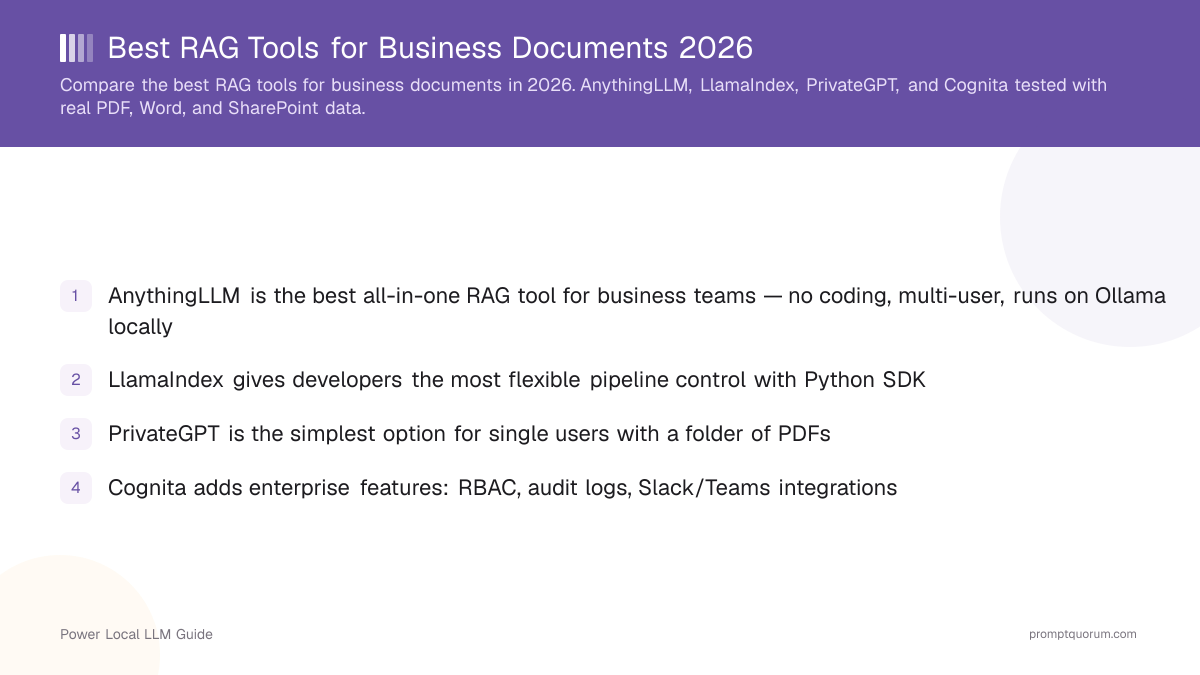
- AnythingLLM is the best all-in-one RAG tool for business teams — no coding, multi-user, runs on Ollama locally
- RAGFlow is the strongest pick for document-heavy work — tables, scanned pages, footnotes, and citation-heavy retrieval
- PrivateGPT is the simplest option for strict offline/air-gapped single-user deployments
- Open WebUI extends RAG onto infrastructure you may already run if you use Ollama
- Dify is a different buyer profile entirely — it builds AI applications and agent workflows, not just document chat
- LlamaIndex gives developers full pipeline control; pair it with a vector database like Chroma, Qdrant, or Weaviate
- All of these run fully offline — but "local" does not automatically mean "private," see the privacy section below
Disclosure
This page contains product and software links, not affiliate links. PromptQuorum has no current affiliate relationship with AnythingLLM, RAGFlow, PrivateGPT, Open WebUI, Dify, LlamaIndex, Chroma, Qdrant, or Weaviate, and earns no commission from clicks or purchases through this page. Recommendations are based on each project's own documentation, GitHub repository activity, and published feature comparisons, checked August 26, 2026 — not hands-on testing by PromptQuorum against a benchmark document set.
RAG Tools at a Glance
These nine tools are not all the same type of product — sorting them into three categories makes the buying decision much clearer.
- Category A — Ready-to-use RAG applications: AnythingLLM, RAGFlow, PrivateGPT, Open WebUI. Install, point at your documents, start asking questions.
- Category B — AI application builders: Dify (and similar visual workflow tools). RAG is one node in a larger application or agent workflow, not the whole product.
- Category C — Developer frameworks & infrastructure: LlamaIndex (framework), Chroma, Qdrant, Weaviate (vector databases). You assemble these into your own custom pipeline.
Tool | Category | No-code UI | Multi-user | Local LLM | License |
|---|---|---|---|---|---|
| AnythingLLM | A — Application | Yes | Yes (workspaces) | Ollama, LM Studio | MIT |
| RAGFlow | A — Application | Yes | Yes | Ollama and others | Apache 2.0 |
| PrivateGPT | A — Application | Basic UI | No | Ollama, llama.cpp | Apache 2.0 |
| Open WebUI | A — Application | Yes | Yes | Ollama-native | BSD-3 |
| Dify | B — App builder | Yes (visual) | Yes | Ollama and others | Apache 2.0 (partial) |
| LlamaIndex | C — Framework | No (Python SDK) | Custom | Ollama, llama.cpp | MIT |
| Chroma | C — Vector DB | No (API) | Yes (server mode) | N/A | Apache 2.0 |
| Qdrant | C — Vector DB | No (API) | Yes | N/A | Apache 2.0 |
| Weaviate | C — Vector DB | No (API) | Yes | N/A | BSD-3 |
Which RAG Tool Should Your Business Buy?
Match your actual profile to a specific tool — this is the fastest way through this guide.
- I just want to chat with company PDFs → AnythingLLM
- I need complex document processing (tables, scans, contracts) → RAGFlow
- I need a strict, air-gapped offline deployment → PrivateGPT
- I already run Ollama/Open WebUI → Open WebUI, before installing a second application
- I want to build an AI application, not just a chat tool → Dify
- I'm a developer building my own RAG product → LlamaIndex
- I need a vector database for a custom stack → Chroma (simplest), Qdrant (production-scale), or Weaviate (feature-rich)
- 1–5 users → AnythingLLM. 5–50 users → AnythingLLM or Open WebUI. Complex document-heavy workflows → RAGFlow.
AnythingLLM — Best for No-Code Business Teams
AnythingLLM provides a full-stack RAG platform with a browser-based UI that non-technical users can operate. You create workspaces (one per department, project, or client), drop in documents, and start chatting. Each workspace maintains its own vector index, so the Legal team's NDA library doesn't bleed into Engineering's architecture docs.
AnythingLLM connects to Ollama, LM Studio, or any OpenAI-compatible API. For local deployment, a mid-size local model in the 14B–30B range (see the model note under "Our Recommended Stack" below) handles most business document Q&A within a 32–64 GB RAM budget. The paid Enterprise edition adds SSO, audit logs, and custom embedding models — the base product is free and self-hostable.
Installation: Docker one-liner or desktop app download from anythingllm.com. No command-line configuration required.
RAGFlow — Best for Complex Business Documents
Simple text RAG is easy. Business documents aren't always simple text — a contract can contain tables, footnotes, headers, scanned pages, and cross-references, and that's exactly where RAGFlow is built to help. RAGFlow is an open-source RAG engine centered on deep document understanding — a layout-aware parser extracts tables, figures, and structure rather than treating a PDF as flat text, and it ships a visual web interface, GraphRAG-style knowledge graphs, and agentic reasoning modes.
- Best for: contracts, financial reports, technical specs with tables, scanned/OCR'd documents, citation-heavy retrieval workflows.
- Recent development has added dataset-level knowledge compilation (wiki/graph/timeline-style structuring), a layout-aware OCR parser for tables and figures, multilingual stemming support, and configurable "thinking modes" for agentic retrieval depth — check ragflow.io's own changelog for the current feature set before deploying, since this project ships frequently.
- RAGFlow should be evaluated against AnythingLLM directly, not against a vector database — they compete for the same "ready to use RAG application" buying decision.
PrivateGPT — Simplest Single-User Local Setup
PrivateGPT targets individual users and tightly controlled environments that want a simple "upload PDFs and chat" experience with nothing leaving the machine. The open-source version handles the complete stack: document ingestion, local embedding, vector storage, and inference, all self-contained.
Setup is oriented around cloning the repository and running a local install/start sequence rather than a hosted service. The web UI accepts PDF and DOCX uploads and includes source citations, so you can verify which document passage generated each answer.
- Best for: sensitive documents, offline/air-gapped environments, legal or internal research work, organizations that specifically don't want any cloud inference path.
- Weakness: no multi-user support and a more basic UI than AnythingLLM or RAGFlow — less approachable for a mainstream business team, more appropriate for a single controlled deployment.
Open WebUI — Best If You Already Run Ollama
This is a key commercial distinction: if you already run Ollama + Open WebUI, you may not need to install an entirely separate RAG application. Open WebUI has grown from a chat frontend into a broader local-AI platform with knowledge bases, tools, and team features — you upload files into a Knowledge Base, choose between vector-search retrieval or full-context injection for smaller collections, and it supports hybrid search and re-ranking to improve retrieval accuracy, plus citation tracking back to source documents.
- Best for: teams that already run Ollama for local chat and want document Q&A added to existing infrastructure rather than a second full application.
- A deeper comparison of AnythingLLM vs PrivateGPT vs Open WebUI already exists on PromptQuorum — see the related reading below rather than duplicating that analysis here.
Dify — Best RAG Platform for Building AI Applications
Dify isn't simply another document-chat app — it's a visual workflow platform for building AI applications, where RAG (via a Knowledge Retrieval node) is one component alongside agents, prompt engineering, and model routing. A typical Dify RAG workflow looks like: business document → RAG retrieval → LLM → business rules → approval workflow → email/CRM/API. That is a different buyer from someone who simply wants to chat with 500 PDFs.
- Best for: teams building an actual application around document retrieval — approval workflows, customer support agents grounded in internal docs, or multi-step automations — not just a Q&A interface.
- Self-hosting is free and open-source; Dify also offers a hosted cloud plan for teams that don't want to run their own infrastructure.
- If your actual need is "chat with my PDFs," Dify is more platform than you need — pick AnythingLLM or RAGFlow instead and revisit Dify if the requirement grows into a multi-step workflow.
LlamaIndex — Best RAG Framework for Developers
LlamaIndex is a widely used Python framework for building production RAG systems. Unlike AnythingLLM or RAGFlow, it has no built-in UI — instead it provides composable abstractions: data loaders, index types (vector store, knowledge graph, summary), query engines, and agent workflows. This is the "I want to build my own RAG application" buyer profile, not "I want to upload 500 PDFs."
For Ollama integration, install the relevant llama-index-llms-ollama and embeddings packages. LlamaIndex supports Chroma, Qdrant, Weaviate, and 20+ other vector stores as backends, and handles chunking strategies, metadata filtering, and hybrid search.
```python from llama_index.core import VectorStoreIndex, SimpleDirectoryReader from llama_index.llms.ollama import Ollama
llm = Ollama(model="qwen3:14b", request_timeout=120) docs = SimpleDirectoryReader("/path/to/docs").load_data() index = VectorStoreIndex.from_documents(docs) query_engine = index.as_query_engine(llm=llm) response = query_engine.query("What are the payment terms in the MSA?") ```
Vector Databases: The Infrastructure Layer
You normally don't "buy" a vector database as a business user — it's a component inside a RAG architecture, used by developers building a custom stack with LlamaIndex or a similar framework, not a product businesses install directly.
- Chroma — best for simple, developer-oriented local RAG. Stores embeddings in SQLite for embedded use, or runs as a standalone server for multi-client access; supports metadata filtering. Free and open-source; a managed Chroma Cloud option also exists for teams that want hosted infrastructure.
- Qdrant — best for larger production deployments needing performance at scale, with a documented Rust-based engine and both self-hosted and managed options.
- Weaviate — best for feature-rich vector infrastructure, including built-in hybrid search and modular integrations.
- If you're a business buyer, not a developer: you almost certainly want a Category A application (AnythingLLM, RAGFlow) or a Category B builder (Dify), not a standalone vector database.
What Does a Business RAG System Actually Contain?
Understanding the pipeline explains why different products exist for different parts of it, rather than one tool trying to do everything.
- 1. Business documents — PDF, DOCX, XLSX, scanned pages, internal wikis.
- 2. Document parser — extracts text, tables, and structure from the raw files (this is where RAGFlow specifically differentiates itself).
- 3. Chunking — splits parsed content into retrievable passages.
- 4. Embedding model — converts chunks into vectors (see the multilingual section below for non-English corpora).
- 5. Vector store — Chroma, Qdrant, or Weaviate, indexing the embeddings for retrieval.
- 6. Retrieval + reranking — finds and ranks the most relevant chunks for a given query.
- 7. Local LLM — generates the answer from the retrieved context.
- 8. Answer + citation — the response, with a pointer back to the source document and passage.
- A ready-to-use tool like AnythingLLM or RAGFlow bundles steps 2-8 behind one interface; a developer framework like LlamaIndex exposes each step for you to configure individually.
Hardware Requirements for Local Business RAG
Local RAG adds memory overhead on top of the base LLM requirements — the vector database and embedding model both consume RAM alongside the LLM itself. Document count alone is a poor measure of workload: a 500-page scanned contract corpus can be harder to process than thousands of simple text documents, so treat the table below as a planning guideline, not a hard technical limit.
- Need an inexpensive RAG server? See the best mini PCs for local LLMs.
- Need GPU acceleration for larger models or more concurrent users? See the GPU buying guide for local LLMs.
- Need a complete workstation build? See the local AI workstation build guide.
- Prefer a quiet Mac-based server? See the best Mac for local AI.
Business size | Documents | RAM | GPU | Suggested setup |
|---|---|---|---|---|
| Solo | <5,000 | 16–32 GB | Optional | Mini PC |
| Small team | 5K–25K | 32–64 GB | 8–16 GB VRAM | Mini PC / entry workstation |
| Department | 25K–100K | 64–128 GB | 16–24 GB VRAM | Workstation |
| Enterprise | 100K+ | 128 GB+ | 24 GB+ VRAM | Dedicated server / multi-GPU |
What Can Business RAG Actually Do?
A business RAG system should not merely answer — it should show where the answer came from, so treat citation support as a requirement, not a nice-to-have.
- Contracts: "What are the termination clauses in our customer agreements?"
- Finance: "Which suppliers increased prices this year?"
- HR: "What does the employee handbook say about parental leave?"
- Engineering: "Which specification applies to this component?"
- Operations: "Which supplier contracts expire in the next 90 days?"
- Research: "Summarize all documents mentioning competitor X."
- Compliance: "Show me every document containing this requirement."
When RAG Goes Wrong
The best RAG product isn't necessarily the one with the best LLM — it's the one that reliably retrieves the right evidence. RAG can fail for reasons that have nothing to do with the language model:
- Documents weren't parsed correctly, or tables/structure were lost in extraction
- OCR was poor on scanned pages
- Chunks were too large (diluted relevance) or too small (lost context)
- The embedding model was weak for the document's language or domain
- Retrieval returned the wrong passages, or reranking was absent entirely
- Document-level permissions were misconfigured, exposing the wrong content to the wrong user
- The LLM misunderstood or over-generalized from the retrieved context
Is Local RAG Actually Private?
Not automatically. A local deployment can still leak data through paths that have nothing to do with where the LLM itself runs.
- A local deployment can still expose data through: cloud APIs called by a plugin or integration, telemetry the tool ships by default, external embedding or OCR services, web search tool-calling, remote backups, or improperly configured network access.
- For a sensitive business deployment, check: data stays local, embeddings stay local, LLM inference stays local, no unnecessary external APIs are called, access controls exist per workspace/collection, audit logs are available, storage is encrypted, and a backup/deletion policy exists.
- For the full checklist, see Local LLM Security & Privacy Checklist.
RAG for Multilingual Business Documents
If your corpus mixes languages, don't default to an English-optimized embedding model — retrieval quality drops noticeably on non-English content with the wrong embedding choice.
- See Best Local Embedding Models for RAG for a full current comparison rather than treating this table as exhaustive.
Corpus | Starting point |
|---|---|
| English only | nomic-embed-text |
| English + German/French | A multilingual embedding model |
| European multilingual | multilingual-e5-large |
| Chinese/Japanese | Test multilingual embeddings before committing |
| Mixed global corpus | Benchmark 2-3 embedding models before deployment |
Local vs Cloud RAG: Cost Comparison
A rough planning range, not a quote — actual cost depends heavily on document volume, user count, and whether you already own suitable hardware.
- Rough planning bands: solo/small business ≈ $300-700 in hardware for free/open-source software; a departmental deployment ≈ $700-2,000; a larger deployment ≈ $2,000-10,000+ depending on GPU, storage, RAM, user count, and redundancy needs.
- Run your own numbers with the local AI cost calculator instead of relying on these bands alone.
Local RAG | Cloud RAG |
|---|---|
| Higher initial cost (hardware) | Lower initial cost |
| Low ongoing cost after purchase | Variable monthly API cost |
| Data control: you own it | Data control: provider-dependent |
| You maintain the stack | Provider manages the stack |
| Works with low/no internet dependence | Requires reliable internet |
| Scaling is hardware-dependent | Scaling is generally easier |
Our Recommended Local Business RAG Stack
This is a configuration target, not a specific product bundle — use it as a starting point and adjust to your document volume and user count.
- This is PromptQuorum's current starting recommendation for business RAG, not a permanent "best model" claim — local model performance and recommendations change too quickly to state that as a fixed fact. As of this refresh, a mixture-of-experts model in the Qwen3 family (e.g. a 30B-class MoE variant) is a commonly cited sweet spot for RAG workloads because of its long context window and efficient active-parameter count, but check current benchmarks before committing.
- Why this stack: private document processing, local inference, no mandatory per-token API bill, document citations, expandable storage, and a business knowledge base that stays under your control.
Component | Recommendation |
|---|---|
| Software | AnythingLLM |
| LLM | A mid-size local model (14B–30B class) via Ollama |
| Embeddings | nomic-embed-text (English) or a multilingual model (see above) |
| Runtime | Ollama |
| Hardware | 32–64 GB RAM mini PC or workstation |
| Storage | 2 TB NVMe |
How We Evaluate These RAG Tools
This page has not been built from PromptQuorum running these tools against a benchmark document corpus. It is built from each project's own documentation, GitHub repository activity, and published feature/vendor comparisons, clearly separated below so you know what's confirmed versus assessed.
- Project-confirmed: licensing, supported document types, supported local-LLM runtimes, and headline features — sourced from each tool's own documentation and repository.
- Independent observations (third-party reviews and comparisons, not PromptQuorum): general reputation for document-structure handling, community size/activity, and real-world deployment patterns — cross-referenced from independent write-ups and each project's changelog.
- PromptQuorum assessment: the scorecard, category groupings, buy/skip framing, and decision-tree recommendations — PromptQuorum's editorial judgment applied to the confirmed specs and independent findings above, not a new hands-on benchmark.
- We evaluate business RAG tools on: no-code accessibility, multi-user/workspace support, document-type and structure handling, local-LLM compatibility, license terms, and fit for a specific buyer profile rather than a single "best" ranking.
Frequently Asked Questions
What is the best RAG tool for business documents?
For most business teams: AnythingLLM — free, local, no-code, multi-user. For document-heavy work with tables and scanned pages: RAGFlow. For strict offline deployments: PrivateGPT. See the Quick Verdict and decision tree above for the full breakdown by buyer profile.
Can RAG tools work with SharePoint documents?
AnythingLLM supports SharePoint as a data source; LlamaIndex has a SharePoint data loader you can wire into a custom pipeline. PrivateGPT and a bare vector database like Chroma require manual document export before ingestion.
What embedding model should I use for business documents?
nomic-embed-text (via Ollama) is a solid default for English business documents. For multilingual corpora, use a multilingual embedding model such as multilingual-e5-large — see the multilingual section above for a fuller breakdown by language mix.
How many documents can these tools handle?
This depends heavily on the vector database backend, not just the frontend tool — AnythingLLM and RAGFlow both scale well with Chroma, Qdrant, or Weaviate as backends. PrivateGPT's default setup is best suited to smaller collections. LlamaIndex-based custom pipelines can scale to very large corpora depending on the vector database chosen.
Do RAG tools work with Excel spreadsheets?
AnythingLLM ingests XLSX files directly. LlamaIndex has an Excel data loader for custom pipelines. PrivateGPT handles PDF/DOCX/TXT natively — Excel typically needs conversion first.
What LLM should I use for business RAG?
A mid-size local model in the 14B–30B class via Ollama is the current practical sweet spot for business RAG — strong instruction following and enough context for multi-document retrieval. For 8 GB VRAM, use a smaller 7-8B class model instead. Treat any specific "best model" claim as time-sensitive and check current benchmarks before committing.
RAGFlow or AnythingLLM — which should I choose?
Both are ready-to-use Category A applications. Choose AnythingLLM if you want the fastest path to a working system with minimal setup. Choose RAGFlow if your documents have real structure — tables, scanned pages, footnotes — where extraction quality matters more than getting started quickly.
Is Dify the same kind of tool as AnythingLLM?
No. AnythingLLM is a document-chat application; Dify is a visual AI-application-building platform where RAG is one component alongside agents and workflow logic. If you just want to chat with PDFs, Dify is more platform than you need.
Do I need a vector database like Chroma, Qdrant, or Weaviate?
Only if you're building a custom pipeline with a framework like LlamaIndex, or running RAGFlow/AnythingLLM with a specific backend you want to control directly. Most business buyers using a Category A ready-to-use application never interact with the vector database directly — it's bundled in.
Is local RAG automatically private and GDPR-compliant?
No — local inference is a necessary condition, not a sufficient one. Check for cloud-calling plugins, telemetry, external embedding/OCR calls, and proper access controls before treating a deployment as private. See the "Is Local RAG Actually Private?" section above for the full checklist.
How much does a local business RAG setup cost?
The software (AnythingLLM, RAGFlow, PrivateGPT, Open WebUI, Dify, LlamaIndex) is free and open-source. Hardware ranges roughly from $300-700 for a solo/small deployment to $2,000-10,000+ for a larger multi-user setup — see the cost comparison section above and the linked cost calculator for a number based on your own numbers.