How the test went
Download, first start and the first model
The installer is a 270 MB DMG from the website. The tester: 'Really nice startup. Looks fake [wording unclear in the notes]. Nothing to be done more. Just click open.'
The home screen 'All AI Tools' shows Text to image, Image to image, AI Canvas, Illusion Generator, Inpainting and Upscaler (list scrolled; more may sit below).
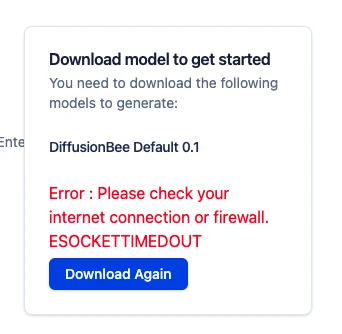
First use asks for a model: 'Download model to get started. You need to download the following models to generate: DiffusionBee Default 0.1'. The progress bar shows a percentage only: no size and no time estimate. The notes say 2 percent after less than a minute; the screenshot shows 3 percent.
The dialog should say how big the model is and how long the download takes.
While a model downloads, other areas of the app can be opened and used (notes).
The first download failed with 'Please check your internet connection or firewall. ESOCKETTIMEDOUT' and the single option 'Download Again'.
The tester thinks his slow connection at the test location caused the timeout. Not verified. He reports the download was at 65 percent and had to start over; whether it resumed from zero was not checked.
'Come on, this is so unprofessional.' After the download: 'Hurray, after download it works.'
The Models page
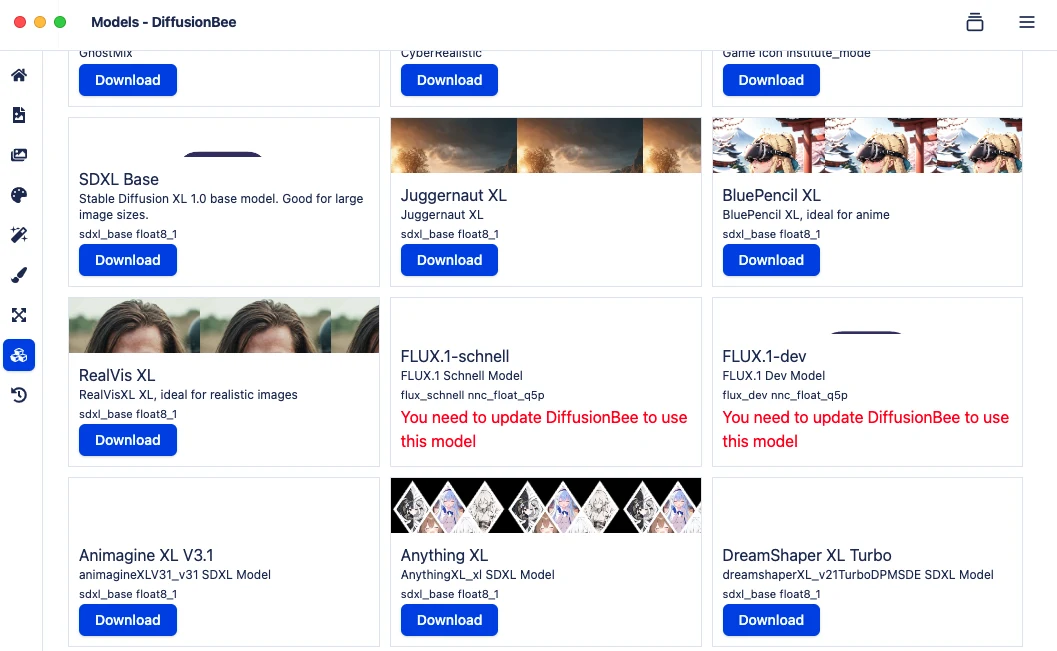
The Models page is a grid of cards, each with a name, a one-line description and a tag such as 'sdxl_base float8_1'. It lists SDXL Base, Juggernaut XL, BluePencil XL, RealVis XL, Animagine XL V3.1, Anything XL, DreamShaper XL Turbo and more. No download size is shown on any card.
FLUX.1-schnell and FLUX.1-dev show red text: 'You need to update DiffusionBee to use this model.' The tester had downloaded the app about two minutes before.
The PromptQuorum directory lists the last upstream update of DiffusionBee as 30 October 2024 (more than a year before this test), and the vendor page footer reads '© 2024'. The project's README lists SD 1.x, SD 2.x, SD XL, Inpainting, ControlNet and LoRA and does not mention FLUX. Read on 16 October 2026; the release list on GitHub could not be read.
An 'Import From Computer' button sits on the Models page. The tester infers that models he already has can be imported (not tested).
He asks why the page shows no model sizes so he can see what runs on his computer, and why there is no short explanation of what each model is for. 'And as no instruction, it is just like the random downloads again.'
A card for Samaritan 3d Cartoon showed a download bar at 1 percent with no size (notes and a small screenshot).
First pictures: a circle and a brand visual
Prompt 'circle with green dot in the middle': a white disc with a green centre on a green background. Settings: Default_SDB_0.1, 512 x 512, 1 image, seed -1, 25 steps. Every picture carries an 'Actions' button.
Next, 'a real challenge': a long, structured prompt for a PromptQuorum brand visual and logo. Settings: Default_SDB_0.1, 1024 x 1024, 3 images, 25 steps. The screen shows a spinner, 'Add to Queue' and 'Stop all'.
The three results are black and white boxes and cards with garbled lettering. No readable 'PromptQuorum.com' and no usable logo.
The tester writes 'I assume the prompt failed because that was not requested'. The meaning is unclear in the notes.
He likes choosing the number of pictures and size. What he misses is a speed indication, an end time and 'some entertainment while it's working'.
A real place: Heidelberg
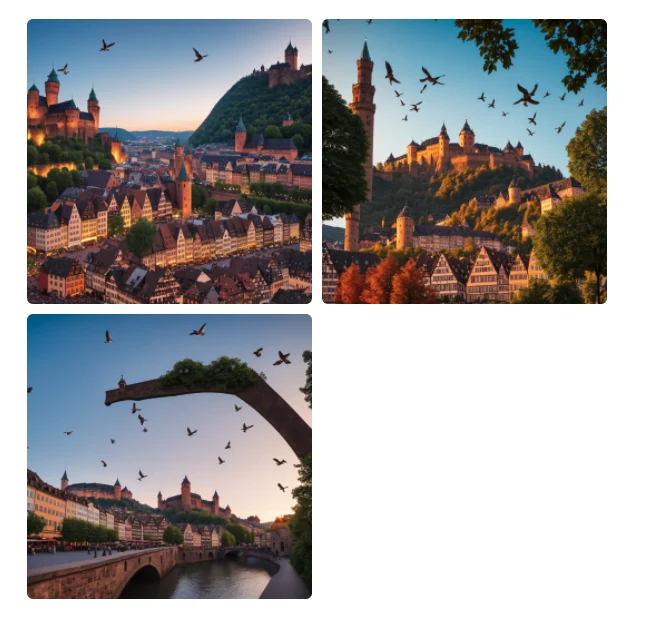
The prompt, written years ago for a frontier model: a photorealistic picture from the Heumarkt in Heidelberg looking up to the castle, with birds and a sunrise behind the castle. Model and settings not recorded.
The three results show a castle on a wooded hill above old half-timbered houses, with birds. None shows the Heumarkt view or the Heidelberg castle as such.
The tester expected an image model to know a real place and its angle. He says himself: 'too much expected from this tool'.
'I could have written, do a castle up the hill with a sunset and birds behind. That's the difference between frontier models with access to the internet and pure LLMs that are just generating pictures.'
The difference is access to the internet or to place knowledge. Not tested in this report.
The tester also tried pictures 'other systems might refuse'. The notes say the app 'did not say stop on anything'. The prompts were not recorded and no screenshot exists.
Inpainting: logo and passer-by
Opening Inpainting asks for yet another model: 'ControlNet Inpaint', shown at 3 percent, no size.
Test 1: a photo of a pasta box. Prompt 'remove barillia logo' (brand misspelled), with a mask over the logo. The first try 'failed' per the notes.
After a second try the logo text is no longer readable, but pink patches remain and the spaghetti strands are smeared.
'Technically, removing worked, just not putting the spaghettis back together.'
Test 2: a street photo with a passer-by. In the result the person is gone. The tester: 'Nearly there. If you don't expect something and I don't look for it, you don't see it.'
The brand name in the prompt was misspelled ('barillia'). The mask, not the prompt, did the work, so the effect is probably small (assumption).
AI Canvas and image to image: sky and pop art
AI Canvas with the street photo and the prompt 'Make the sky dark blue, real summer day' at Input Strength 30. The result was not captured.
'Blue sky didn't work out, or I don't understand the mechanism.'
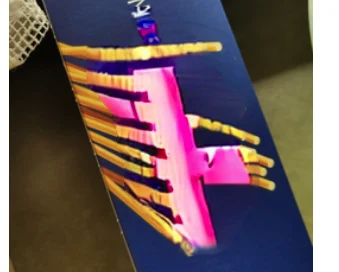
Image to image with 'make this into a pop art cartoon picture' on Samaritan_3d_Cartoon_v1_s2 at Input Strength 80.02. The result is a softer, muted copy of the photo, not pop art. Tester: 'Pop art also didn't work out. Not sure why.'
This screenshot sits at the end of the notes, after the speed remark, and is read here as the pop-art try. Not confirmed.
A higher Input Strength keeps more of the original picture. Data points: 21.07 and 21.46 changed the picture a lot, 90.13 returned it almost unchanged, 80.02 gave a near copy. Four settings only; the app's own explanation was not recorded.
Clown, elephant, volcano: models, guidance and a negative prompt
The tester checked memory use with Samaritan 3D Cartoon. Prompt 'draw a clown dancing on an elephant', 512 x 512, 1 image: a dancing cartoon clown with a tan elephant-like shape fused behind him.
Memory need on this model: about 5 GB 'of my VRAM'. Method not recorded. Apple Silicon has one shared memory pool.
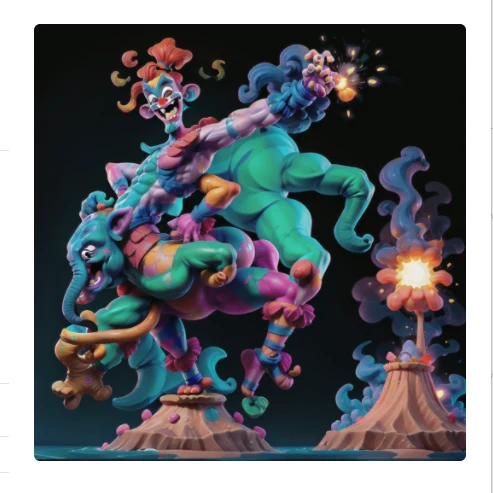
Longer prompt (clown on top of an elephant, beach, blue ocean, exploding volcano) with the negative prompt 'No blue sky!!' at 1024 x 1024: a blue muscular creature with fiery sparks. No clown, elephant, beach or volcano can be made out. Tester: 'a nice result, but not really what I outlined'.
With the guidance scale at maximum (which, per the app's instruction, 'means it should really do what I ask'): a clown, an elephant-like animal and an erupting volcano appear. No beach or blue ocean can be made out; the ground is dark.
'I would say close, close, close or maybe perfect.'
Same prompt on JuggernautXL_v7_f8 (a further download): a clown with balloons on an elephant, a big volcano plume, a beach with umbrellas and blue water. The sky is blue, so the negative prompt 'No blue sky!!' was not followed. Tester: 'Looks great, except the negative prompt was skipped.'
He wishes the window said what a model is, instead of having to look it up elsewhere. A Google answer pasted into the notes describes Juggernaut XL as an SDXL fine-tune for photorealism (see Background).
A photorealistic couple, and speed
Prompt: 'photorealist a couple in love on the beach, watching the sunset over the ocean, birds in the sky, some boats on the water, some palm trees seen'. JuggernautXL_v7_f8, 1216 x 1216, 6 images requested. Two results were captured.
Both show sunset, palms and birds. The first has one sailboat and a camera on the sand; the second has several boats but three people on two benches where the prompt asked for a couple.
The second result (Figure 19) is shown here.
'Looks a bit like AI, but well done, well done.' He likes that you choose how many pictures and what size, and the app 'just runs and runs' while you do something else, then you pick the best.
About one minute per picture at the highest resolution; a file of about two megabytes per picture. Neither was timed or shown in a screenshot. 'Not very fast, but it's okay.'
More tests and the closing view (notes found in the Msty document)
The Word file for the Msty test also holds notes and screenshots on DiffusionBee. They are used here as a second source. Their date and order relative to the tests above are not recorded; a file-info screenshot dated 14 October 2026, 17:58 suggests the same day.
'Generate similar images' produced four similar beach-couple scenes from one picture. Tester: a nice function; he calls it 'really impressive'.
A PNG saved to Downloads on 14 October 2026 at 17:58 measures 38,733,330 bytes (38.7 MB). Which picture it is, is not recorded.
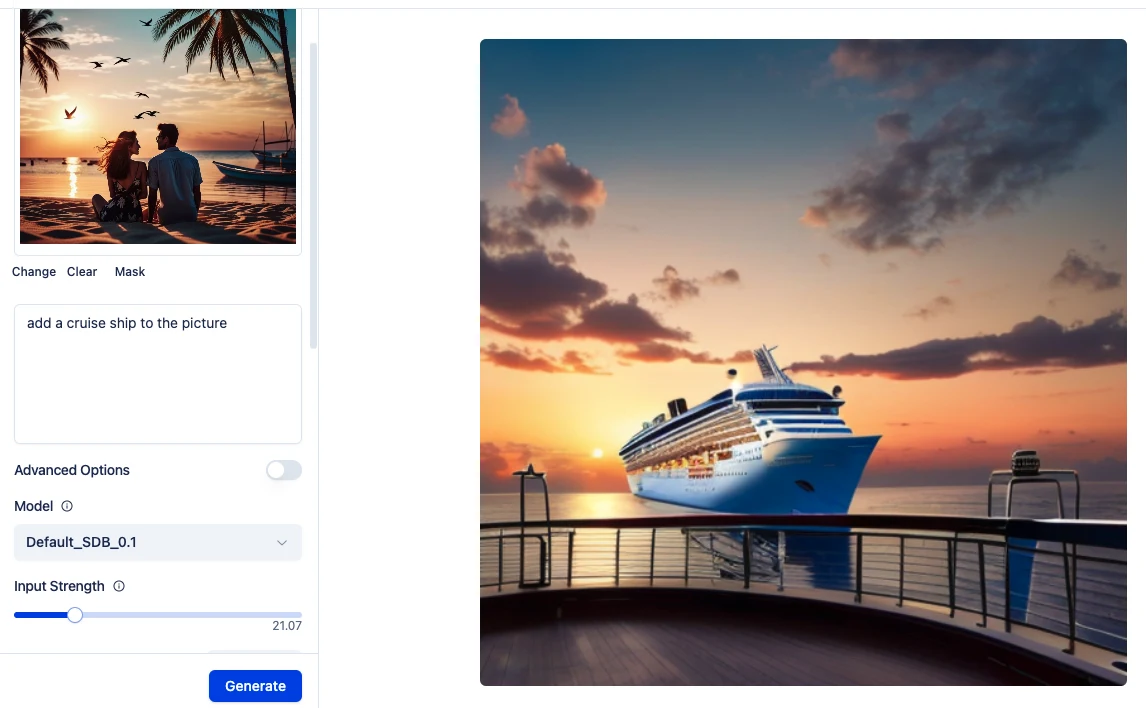
Image to image on the beach couple picture, prompt 'add a cruise ship to the picture', Input Strength 21.07: a cruise ship appears at sunset seen from a deck railing. The couple and palms are gone.
Second try (long prompt, Input Strength 21.46): a sunset sea view from a deck with a palm and chairs; no ship on the horizon.
Third try (Input Strength 90.13): output almost identical to the input; no ship.
Per the notes, setting the Input Strength to 100 'crashes' the app. No screenshot; version not recorded.
Eiffel Tower prompt (JuggernautXL_v7_f8, 2 images, seed 770465): two nearly identical towers seen from below. The tester says the tower is fine but direction and proportions are off, and the French-garden trees are 'spot on' while the rest around the tower is missed.
New York night skyline with 'add 3 helicopters flying' (epicrealismXL_v8, 75 steps): more than three helicopters are visible. Tester: it 'cannot count till three and created a second Manhattan Island'.
A food photo with the prompt 'make this german dinner into a cartoon style, many colors, really funny': per the notes, the app 'gave me the same picture back several times'. The result was not captured.
The Seed field has helper text that the tester quotes as 'Starting point for iteration. Any number will do. [App?] will pick one if left blank.' He is 'not sure what the value is'. The word before 'will pick one' is unclear in the notes.
With the Claude app, Word, WhatsApp, Chrome and other apps open, he puts memory use at about 20 GB of 24 GB. His reading: 'even on a 24 gigabyte Mac... it's at the limit again'. The real lesson of his testing is VRAM.
'Function-wise and interface-wise, this is so far the best local LLM app tool that I tried... Not sure I need to learn two or three of these functions, which I do not understand what they do.' 'The first picture app that really works.'
Missing: fine-tuning a picture step by step ('this a little bit, this a little bit'). 'Currently it's not working.' He may be mishandling it. 'In a year from now, this will be perfect.' Final line: 'Smooth interface, works with smaller models, really mostly self-explanatory. Great functions that you can hand over one picture to another tool.'
The tester's forecast that local models will stand beside cloud models within a year or two is not tested here.