What Is Kilo Code?
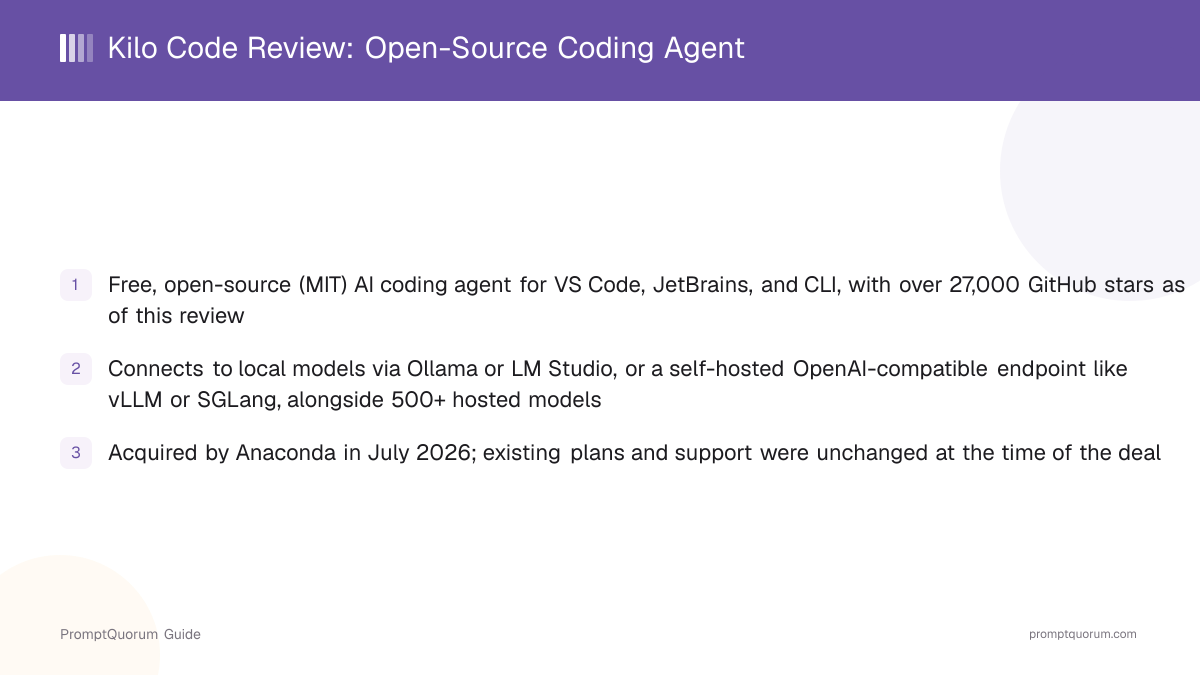
Kilo Code is an open-source AI coding agent that reads your codebase, proposes or makes edits, and can run commands on your behalf, delivered as a VS Code extension, a JetBrains plugin, and a standalone CLI. Its own GitHub repository description calls it "the open source coding agent for building with AI in VS Code, JetBrains, or the CLI." Rather than working with only one AI provider, Kilo Code is explicitly model-agnostic: it can call more than 500 hosted models through your own API keys, and it can also connect to models running entirely on your own hardware.
- Product type: an AI coding agent distributed as an IDE extension, IDE plugin, and CLI — not a single downloadable installer app
- Interfaces: VS Code extension, JetBrains plugin (IntelliJ IDEA, PyCharm, WebStorm), a command-line tool, and a web/cloud option per Kilo Code's own site
- Model access: bring-your-own-key access to 500+ hosted models, plus direct connections to local runtimes (Ollama, LM Studio) and self-hosted OpenAI-compatible endpoints (vLLM, SGLang)
- License: MIT, confirmed via the repository's LICENSE file
- Canonical repository: github.com/Kilo-Org/kilocode, maintained under the Kilo-Org GitHub organization
- Ownership: acquired by Anaconda in July 2026 — see the dedicated section below
The Anaconda Acquisition
Anaconda, the company behind the widely used Anaconda Python distribution, acquired Kilo Code in July 2026. Anaconda's own press release frames the deal around giving enterprises governance over agentic coding at scale, and states that Kilo Code was used by more than 3 million developers across VS Code, JetBrains, the web, and the CLI at the time of the acquisition, routing close to 10 trillion tokens per month through its platform.
- Acquirer: Anaconda, maker of the Anaconda Python/data-science distribution
- Announced: July 15, 2026, per Anaconda's own press release
- Stated rationale: giving enterprises governance and control over agentic AI coding tools, building on Anaconda's earlier acquisition of Outerbounds for AI orchestration
- Deal terms: the purchase price was not disclosed in Anaconda's announcement or in press coverage found for this review
- Impact on existing users: Anaconda's announcement states Kilo Code remained available with no changes to existing products, plans, or support at the time of the deal, with product-integration details to follow
What Can You Do With Kilo Code?
Kilo Code's feature set centers on agentic code editing across whichever interface you prefer, backed by a model layer that can point at hosted providers or your own hardware. Here is what each part does, per Kilo Code's own site and GitHub README.
- Agentic code editing — Kilo Code can read your codebase, propose or directly apply file edits, and run terminal commands as part of completing a task, similar in category to Cline or Aider
- Model-agnostic access — bring your own API key for 500+ hosted models (per Kilo Code's own site), with no markup added on top of what the provider itself charges
- Local model support — connect directly to Ollama or LM Studio running on your own machine, or to a self-hosted OpenAI-compatible endpoint such as vLLM or SGLang for team-shared inference, per kilo.ai/local-models
- Three interfaces, one agent — the same underlying agent is available as a VS Code extension, a JetBrains plugin, and a CLI, so a team is not locked into a single editor
- Cloud option — Kilo Code also lists a web/cloud usage option on its own site, for running the agent outside a local IDE session
- Open-source core — the agent's source code is MIT-licensed and public on GitHub, which is what a self-hosted local-model workflow depends on for auditability
Local Model Support: Ollama, LM Studio, and Self-Hosted Endpoints
Kilo Code's local-model support is documented on its own kilo.ai/local-models page, and covers two consumer-facing runtimes plus a general OpenAI-compatible connection for self-hosted infrastructure. This is the feature that puts Kilo Code on this site: unlike a coding assistant that only calls a vendor's cloud API, Kilo Code can be pointed entirely at hardware you control.
Backend | What it is | Best suited for |
|---|---|---|
| Ollama | Lightweight local runtime with CLI model management and a background service | Scriptable development and terminal-first workflows |
| LM Studio | Desktop app with a model browser, download manager, and local server controls | Visual model discovery and desktop-based local inference |
| OpenAI-compatible endpoint | Any self-hosted server speaking the OpenAI API format, including vLLM or SGLang | Team-shared inference on infrastructure you control |
Kilo Code's own documentation notes that keeping model inference on a local or self-hosted endpoint keeps those requests off the network, but that other integrations you enable inside the agent (for example, web search or hosted-model fallback) may still use network connectivity — check your own configuration if a fully air-gapped setup matters for your use case. As with any local-model tool, actual output quality depends on which model you load, not on Kilo Code itself.
Platform, Pricing, and Licensing
Platform
- What Kilo Code states:
- A VS Code extension, a JetBrains plugin (IntelliJ IDEA, PyCharm, WebStorm), and a CLI — editor-agnostic, plus a web/cloud option.
Cost
- What Kilo Code states:
- Free to start, no credit card required. Bring-your-own-key for hosted models with zero markup on provider pricing; local models via Ollama/LM Studio have no Kilo Code fee. Kilo Pass, Teams, and Enterprise are paid plans for additional usage, seats, or governance features.
Licensing
- What Kilo Code states:
- MIT license, confirmed via the GitHub repository's LICENSE file — a permissive license with no copyleft obligations.
Ownership
- What Kilo Code states:
- Acquired by Anaconda in July 2026; existing plans and support were unchanged at the time of the deal, per Anaconda's own announcement.
Verify current pricing tiers directly on kilo.ai before deciding, since paid-plan details can change between reviews — this table reflects what Kilo Code's own site stated at the time of this review.
Install Kilo Code
Kilo Code installs free from the VS Code Marketplace, the JetBrains Marketplace, or via a CLI package manager — there is no single downloadable installer app, since it ships as an editor extension/plugin and a command-line tool.
Interface | Install command / link |
|---|---|
| VS Code | VS Code Marketplace: kilocode.Kilo-Code |
| JetBrains (IntelliJ IDEA, PyCharm, WebStorm) | JetBrains Marketplace: Kilo Code |
| CLI (npm) | npm install -g @kilocode/cli |
| CLI (curl) | curl -fsSL https://kilo.ai/cli/install | bash |
| CLI (Homebrew, macOS/Linux) | brew install Kilo-Org/tap/kilo |
| Source code | github.com/Kilo-Org/kilocode (MIT license) |
Kilo Code's README also documents pnpm, bun, and AUR install paths for the CLI — check the repository directly for the current full list and exact version pinning. To use a local model, install Ollama or LM Studio separately first, then point Kilo Code at it per kilo.ai/local-models.
Who Should Use Kilo Code?
Kilo Code fits developers who want one agent that works the same way across VS Code, JetBrains, and the terminal, with the option to run it against local models instead of only cloud APIs.
Use Kilo Code if you
- Want an AI coding agent that works identically across VS Code, JetBrains, and the command line, rather than three separate tools
- Want the option to run against a fully local model via Ollama or LM Studio, without giving up agentic editing features
- Want bring-your-own-key access to a wide range of hosted models without a markup on top of provider pricing
- Value that the agent's core is open-source (MIT) and auditable on GitHub
- Are comfortable with an actively evolving product now under new ownership (Anaconda) following a 2026 acquisition
Look elsewhere if you
- Want a single, all-in-one desktop app rather than an IDE extension/plugin/CLI combination
- Need long-term roadmap certainty before a company's post-acquisition product direction has settled
- Prefer a tool with a long, stable multi-year track record over a comparatively newer entrant
- Want a terminal-only tool with no IDE surface at all — a narrower CLI-first tool like Aider may fit better
What Kilo Code Is Not Good For
Kilo Code is not a good fit if you want a single downloadable app with no editor dependency, or if you need certainty about product direction immediately after an acquisition.
- Not a standalone downloadable app — it requires VS Code, a JetBrains IDE, or a terminal/Node or Homebrew environment to install into
- Not guaranteed to keep every current feature or pricing term unchanged long-term — Anaconda's announcement covers the state at acquisition time, not a permanent commitment
- Not a fixed-cost tool for hosted models — since most model access is bring-your-own-key, your costs scale with your chosen provider's own pricing and usage
- Local-model output quality is bounded by the model you load into Ollama or LM Studio and by your own hardware, not by anything Kilo Code adds on top
Common Mistakes When Evaluating Kilo Code
Most confusion about Kilo Code comes from treating it as a single downloadable app, or repeating unverified marketing figures as independently confirmed facts.
Mistake 1: Expecting a single installer download
Kilo Code is an IDE extension, an IDE plugin, and a CLI — there is no single "Kilo Code.exe" or ".dmg" to download. Install it into VS Code, a JetBrains IDE, or via a CLI package manager instead.
Mistake 2: Citing "5M+ users" or "10T+ tokens/month" as independently verified
Those figures come from Kilo Code's own marketing site. Anaconda's own acquisition announcement uses a more conservative figure of over 3 million developers — cite that, or attribute the larger figures explicitly to kilo.ai, rather than presenting either as independently audited.
Mistake 3: Assuming local-model support means zero setup
Running Kilo Code against a local model requires installing Ollama or LM Studio separately first and configuring Kilo Code to point at it — it is not automatic out of the box.
Mistake 4: Assuming the Anaconda acquisition changed pricing or features immediately
Per Anaconda's own announcement, existing products, plans, and support were unchanged at the time of the deal. Verify current terms directly on kilo.ai rather than assuming either continuity or change without checking.
Competitors and Alternatives
Kilo Code is most often compared to Cline, Continue.dev, Aider, and Tabby — its main differentiator is combining an IDE extension, a JetBrains plugin, and a CLI under one model-agnostic agent with direct local-model support.
Tool | Best known for | Link |
|---|---|---|
| Cline | Open-source, autonomous agent extension for VS Code and JetBrains | Cline review |
| Continue.dev | Open-source autocomplete/chat extension, discontinued (acquired by Cursor, June 2026) | Continue.dev review |
| Aider | Free, open-source, terminal-native, git-centric AI pair programmer | Aider review |
| Tabby | Self-hosted, open-source AI coding assistant you run on your own infrastructure | Tabby review |
This list reflects tools commonly compared to Kilo Code in the same coding-assistant/IDE-plugin category, not an independent PromptQuorum ranking — verify each tool's current pricing and feature set before choosing.
Frequently Asked Questions
What is Kilo Code?
Kilo Code (kilo.ai) is a free, open-source (MIT-licensed) AI coding agent available as a VS Code extension, a JetBrains plugin, and a CLI. Anaconda acquired it in July 2026.
Is Kilo Code free?
Yes, the core tool is free and open-source under the MIT license. It is bring-your-own-key for hosted models, so you pay your chosen model provider directly; Kilo Pass, Teams, and Enterprise are separate paid plans for additional usage or governance features.
Does Kilo Code support local models?
Yes. Kilo Code connects directly to Ollama and LM Studio, and to any self-hosted OpenAI-compatible endpoint such as vLLM or SGLang, per kilo.ai/local-models.
How do I install Kilo Code?
Install the extension from the VS Code Marketplace or the plugin from the JetBrains Marketplace, or install the CLI with npm install -g @kilocode/cli, curl -fsSL https://kilo.ai/cli/install | bash, or brew install Kilo-Org/tap/kilo.
Who owns Kilo Code now?
Anaconda, the company behind the Anaconda Python distribution, acquired Kilo Code in July 2026. Existing plans and support were unchanged at the time of the deal.
What license does Kilo Code use?
MIT, confirmed via the GitHub repository's LICENSE file — a permissive open-source license with no copyleft obligations.
How many models does Kilo Code support?
Kilo Code's own site states access to more than 500 hosted models via bring-your-own-key, plus local models through Ollama, LM Studio, and self-hosted OpenAI-compatible endpoints.
How many users does Kilo Code have?
Kilo Code's own site states "5M+ Kilo Coders." Anaconda's acquisition announcement uses a more conservative, independently reported figure of over 3 million developers at the time of the July 2026 deal.
Does Kilo Code work inside an IDE?
Yes — it is available as a VS Code extension and a JetBrains plugin (IntelliJ IDEA, PyCharm, WebStorm), as well as a standalone CLI for terminal-first workflows.
Has PromptQuorum independently tested Kilo Code's marketing claims?
This review is based on Kilo Code's own site and GitHub repository, plus Anaconda's public acquisition announcement, rather than hands-on benchmarking by PromptQuorum. Figures attributed to Kilo Code's own site are marked as such rather than presented as independently verified.