Overview
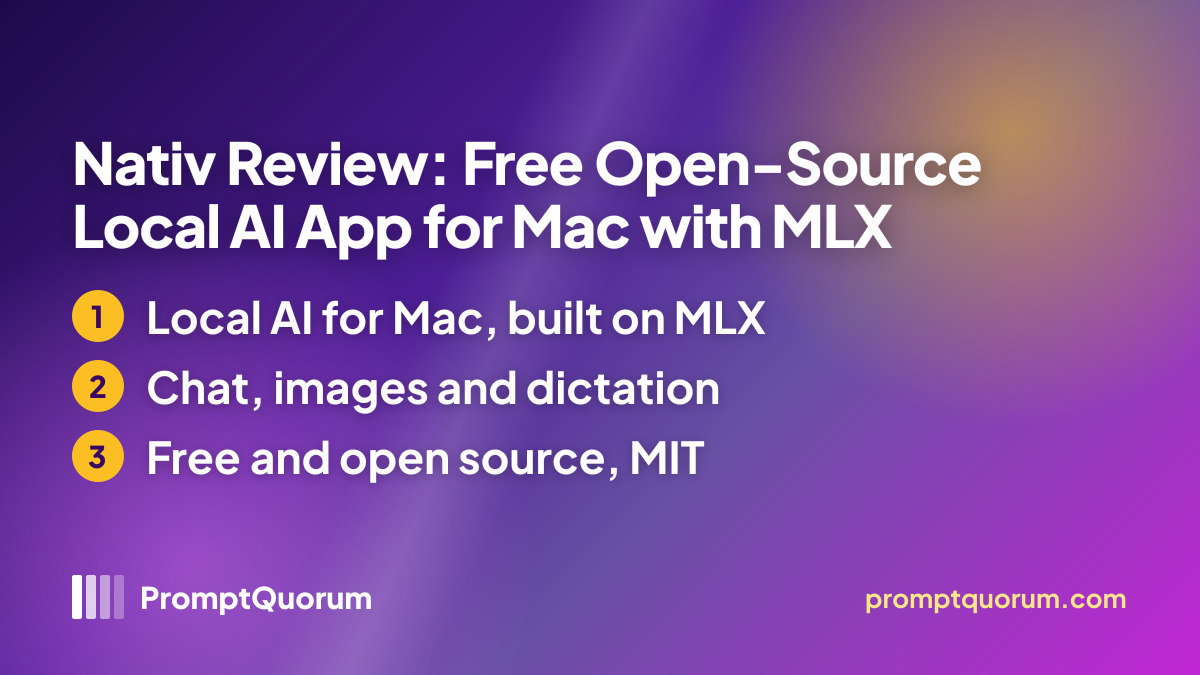
Nativ is a SwiftUI Mac app that wraps a bundled mlx-vlm server and the MLX runtime, so open models run on Apple Silicon without a separate server to set up.
The project is MIT-licensed and developed in the open at github.com/Neywa-Labs/nativ by Neywa Labs, a company the terms of use name as Neywa Labs sp. z o.o. in Kraków, Poland. The maker describes itself as the team behind the open-source libraries mlx-vlm and mlx-audio. The repository was created in July 2026. The latest release, v0.4.6, appeared on 16 November 2026 and the last commit was on 17 November 2026, so development is active and no stale-project warning applies.
According to the README, the app combines a chat window, a model library, an Images tab, an audio extension for dictation and meeting notes, a developer page with the local API, analytics, a system monitor and menu-bar controls. It also lets you open documents, code and web pages in a work pane beside the chat.
These descriptions are maker statements. PromptQuorum has not run the app and has not checked speed, answer quality, image quality or dictation accuracy.
How to Get It
You install Nativ like any Mac app: download the DMG and drag it to Applications, or use Homebrew.
The GitHub release v0.4.6 ships a single Nativ-0.4.6.dmg. The README also gives a Homebrew command, and the Homebrew cask list shows version 0.4.6. After installation the app updates itself through Sparkle, according to the README.
Route | How to get it |
|---|---|
| DMG | Download, drag Nativ to Applications |
| Website | Download for macOS button |
| Homebrew | brew install --cask nativ |
| Source | make xcode-generate, make xcode-run (Xcode needed) |
On first launch the README lists optional steps: pick or download a model, set a server API key, and grant microphone, accessibility and screen-recording permissions now or later. PromptQuorum did not run the installer or scan the download.
Requirements
Nativ needs a Mac with Apple Silicon (M1 or later), macOS 26 or newer and enough unified memory for the model you choose.
The list comes from the README and the FAQ, which says MLX does not run on Intel Macs. No app-level memory floor is published, and the model library shows fit warnings for your Mac, according to the README. PromptQuorum did not measure memory use or speed.
Item | Stated figure |
|---|---|
| Chip | Apple Silicon (M1 or later) |
| Operating system | macOS 26 or newer |
| Memory | Enough unified memory for the model |
| Internet | Only for model downloads and updates |
| Hugging Face token | Optional, for gated models |
| Building from source | Xcode, xcodegen, Python 3 |
The README says model downloads and first-time build dependencies still need network access. Optional permissions (microphone, accessibility, screen recording) switch on dictation, meeting capture and screenshots, and the FAQ says you can skip any of them.
Features
Nativ's core is a local chat app and model manager, with images, audio, a local API and agent integrations around it. All items below are maker claims from the README and FAQ.
- Chat and vision: streaming conversations, image attachments, reasoning output, response metrics and persistent chat history, with several independent windows sharing one server.
- Images: a dedicated tab that generates and edits images with compatible MLX image models.
- Model library: browse and download compatible Hugging Face models with memory-fit warnings, move the cache to an external APFS drive, and preload language, image, speech and embedding models together.
- Local API: OpenAI-compatible chat, responses, image, audio, embeddings and model endpoints plus Anthropic Messages endpoints on 127.0.0.1:8080 by default, with an optional API key for management routes.
- Coding-tool integrations: set-up for Codex, Claude Code, Pi, Hermes, OpenCode, Aider, Goose, Crush, Qwen Code and OpenClaw, and for VS Code, Cursor, Zed, JetBrains, Cline and Continue.
- Audio extension: dictation in any app, transcript history, meeting notes with a transcript and summary, and export to PDF, DOCX or TXT; raw dictation audio is deleted after five minutes.
- MCP servers with per-tool consent, scheduled prompts with task kits, an artifacts library with semantic search, a system monitor and advanced inference controls such as KV-cache quantization and speculative decoding.
Privacy and Data Flow
According to the maker, your chats, prompts, files and outputs stay on your Mac; the app goes online to download models and check for updates, and diagnostic data is opt-in.
According to the privacy policy (last updated 16 November 2026), Neywa Labs does not collect, access or store your content, does not use it to train or evaluate models, and does not sell personal information. Diagnostic data such as crash reports, app and macOS version, chip and memory size, performance figures and feature-usage events may be collected only with the consent the app requests on first launch, and you can withdraw it in Settings. The policy says it never includes the content of your sessions or which specific models you use.
The FAQ adds that models are downloaded straight from Hugging Face and that update checks reach Neywa Labs or its update provider, which may see request details such as an IP address and app version. The website uses PostHog analytics with a cookie banner.
The policy also contains a payment-processor placeholder in square brackets and sections on registration, licence keys and purchases, although the maker describes the app as free and account-free. The terms add that paid plans such as Nativ Pro might come later. Read both documents again before relying on them, and note that the code is MIT-licensed and public, so the data flow can in principle be inspected; PromptQuorum has not done so.
Who Should Use It
Nativ fits Apple Silicon owners who want a free, open-source local AI app without an account.
- Mac users who want chat, image generation and dictation in one app that runs models on their own machine.
- Developers who want Claude Code, Codex, Aider or an editor to use a local model through OpenAI- or Anthropic-compatible endpoints.
- People who want to browse and download MLX models from Hugging Face with memory-fit warnings.
- Readers who prefer a project whose app code and licence are public.
What We Could Not Verify
Nativ is a poor fit in some situations, and several details remain unverified.
- Not a fit: Windows, Linux or Intel Mac users. The app runs only on Apple Silicon with macOS 26 or newer.
- Not a fit: people who need a long track record. The repository was created in July 2026 and the version is still 0.4.x.
- Unverified: speed, memory use, answer quality, image quality and dictation accuracy. PromptQuorum has not run the app.
- Unverified: that nothing leaves the Mac beyond model downloads and update checks. The claim is the maker's, and PromptQuorum did not audit the code or inspect network traffic.
- Unverified: how the privacy policy's account, licence and purchase sections and the "[PAYMENT PROCESSOR NAME]" placeholder fit a free app, and what "Nativ Pro" would include.
- Unverified: the maker's statement that it is the team behind mlx-vlm and mlx-audio, the number of models that run in the app, and user numbers. No independent reviews were found.
- Unverified: whether the DMG is notarized and what minimum memory a given model needs on your Mac.
Nativ vs Alternatives
Nativ competes with other local desktop apps and Mac inference tools; PromptQuorum has not compared it with them hands-on. The tools below are in the directory and are described from the reviews on this site.
Nativ
- Noted in sources:
- MIT; Mac only; free; bundled MLX server
Articles about Nativ (3)
- Local Chat Apps & Assistants Compared (2026): Desktop, Mobile, Self-Hosted, Assistants and RoleplayUpdated November 20, 2026
- Local Image, Video & Vision Tools Compared (2026): Generation, Vision and OCRUpdated November 20, 2026
- Local Inference Engines, Runtimes & Gateways Compared (2026): Run and Serve ModelsUpdated November 20, 2026
Also mentioned in:
- Invideo vs Local AI Video: One Costs $0 Plus Your Weekend — the Other Costs $17Updated November 20, 2026
- Local Voice & Speech Tools Compared (2026): Text-to-Speech, Speech-to-Text and Voice AgentsUpdated November 20, 2026
- Local Multimodal AI Pipeline 2026: Combine Voice, Vision, and Text Models OfflineUpdated November 20, 2026
- AutoDL Pricing 2026: A100 80 GB vs Alibaba Cloud & Tencent GPUUpdated November 19, 2026
- Best Arabic Local LLMs: Jais, Falcon & Running Arabic AI On-Premise (2026)Updated November 19, 2026
- Best Local LLMs for Writing Emails and Business Documents in 2026Updated November 19, 2026
+66 more not shown
LM Studio
- Noted in sources:
- Proprietary, free; Mac/Windows/Linux; model browser
Articles about LM Studio (10)
- LM Studio Review: The GUI-First Local AI Desktop AppUpdated November 14, 2026
- Page Assist Review 2026: Browser Sidebar for Local AI ModelsUpdated November 20, 2026
- GenOffice Review: Open-Source AI Office Suite for Word, Excel and PowerPoint FilesUpdated November 20, 2026
- Ollama MCP Setup 2026: Connect Local Models to Files, Databases and APIsUpdated November 20, 2026
- Local Chat Apps & Assistants Compared (2026): Desktop, Mobile, Self-Hosted, Assistants and RoleplayUpdated November 20, 2026
- Local Inference Engines, Runtimes & Gateways Compared (2026): Run and Serve ModelsUpdated November 20, 2026
- Nanobrowser Review: Free Open-Source AI Browser Agent for Chrome and EdgeUpdated November 20, 2026
- Chatbox Review: Free, Open-Source AI Chat Client for Desktop, Web and MobileUpdated November 19, 2026
- Liquid Apollo Review: On-Device LFM2 Chat, Plus Optional CloudUpdated November 19, 2026
- llmfit Review: Find Which Local LLMs Fit Your HardwareUpdated November 19, 2026
+185 more not shown
Jan
- Noted in sources:
- Apache 2.0; Mac/Windows/Linux; free; offline chat
Articles about Jan (10)
- Jan Review: The Open-Source, Offline ChatGPT AlternativeUpdated September 6, 2026
- Local Chat Apps & Assistants Compared (2026): Desktop, Mobile, Self-Hosted, Assistants and RoleplayUpdated November 20, 2026
- Local Inference Engines, Runtimes & Gateways Compared (2026): Run and Serve ModelsUpdated November 20, 2026
- SoloMD Review: Free Markdown Notes App with AI Chat for Local Models and MCPUpdated November 18, 2026
- Local LLM Security and Privacy Checklist: 12 Steps to a Safe SetupUpdated November 15, 2026
- LM Studio Review: The GUI-First Local AI Desktop AppUpdated November 14, 2026
- Best Local LLM Apps for Mac in 2026: LM Studio, Ollama, Jan and 5 MoreUpdated November 13, 2026
- Atomic Chat Review: Local AI, Agents, and APIUpdated November 11, 2026
- Local LLM App Alternatives in 2026: Options to LM Studio, Ollama, Open WebUI and PocketPal AIUpdated November 10, 2026
- Best Local AI Apps for Low-End PCs in 2026 (8GB RAM, No GPU)Updated November 6, 2026
+43 more not shown
oMLX
- Noted in sources:
- Apache-2.0; Mac; MLX inference server and CLI
Articles about oMLX (6)
- oMLX Review: Apple Silicon Inference Server With SSD CachingUpdated October 23, 2026
- Local Inference Engines, Runtimes & Gateways Compared (2026): Run and Serve ModelsUpdated November 20, 2026
- Best Local LLM Apps for Mac in 2026: LM Studio, Ollama, Jan and 5 MoreUpdated November 13, 2026
- Local LLM App Alternatives in 2026: Options to LM Studio, Ollama, Open WebUI and PocketPal AIUpdated November 10, 2026
- Apple Silicon for Local LLM 2026: M5 Pro vs M5 Max vs Mac Studio ComparedUpdated November 6, 2026
- LM Mini Review: iPhone Chat App for On-Device and Home-Server AIUpdated October 24, 2026
Also mentioned in:
- claude-code-local Review: Run Claude Code on a Local ModelUpdated September 19, 2026
- mlx-serve Review: Native Zig Inference Server for Apple SiliconUpdated September 19, 2026
- mlxcel Review: Rust-Native MLX Inference RuntimeUpdated September 19, 2026
- Rapid-MLX Review: Native MLX Inference Server for Apple SiliconUpdated September 19, 2026
+1 more not shown
Osaurus
- Noted in sources:
- MIT; Mac; free; native Swift app
Articles about Osaurus (3)
- Osaurus Review: Free On-Device AI App for MacUpdated September 4, 2026
- Local Chat Apps & Assistants Compared (2026): Desktop, Mobile, Self-Hosted, Assistants and RoleplayUpdated November 20, 2026
- Local Inference Engines, Runtimes & Gateways Compared (2026): Run and Serve ModelsUpdated November 20, 2026
FAQ
Is Nativ free?
Yes, per the maker. The code is MIT-licensed, and the FAQ says there is no account and no subscription. The terms say that if paid plans such as Nativ Pro are offered, their price, billing and cancellation terms will be shown before you buy.
Which Macs does Nativ run on?
Macs with Apple Silicon (M1 or later) running macOS 26 or newer. The FAQ explains that Nativ uses the MLX framework, which does not run on Intel Macs, so Intel Macs, Windows and Linux are not supported. PromptQuorum has not tested it on any Mac.
Can I use Nativ with Claude Code or Codex?
Yes, per the maker. Nativ serves the loaded model through OpenAI- and Anthropic-compatible endpoints, and its Integrations page sets up Claude Code, Codex, Pi, Hermes, OpenCode, Aider, Goose, Crush, Qwen Code and OpenClaw, plus editors such as VS Code, Cursor, Zed and JetBrains. PromptQuorum has not tested the set-up.
How do I install Nativ?
Download the DMG from the website or the GitHub releases page and drag Nativ to Applications, or run brew install --cask nativ. The app then updates itself through Sparkle. PromptQuorum did not run the installation.
Does Nativ send my chats anywhere?
Not by default, per the maker: chats, prompts, files and answers stay on your Mac. The app goes online to download models from Hugging Face and to check for updates, and diagnostic data is sent only if you consent at first launch. When PromptQuorum checked on 18 November 2026, the privacy policy also contained a bracketed placeholder, so read it before relying on it.
What can Nativ do besides chat?
According to the maker, it has an Images tab that generates and edits images with compatible MLX image models, an audio extension for dictation in any app and meeting notes with a transcript and summary, and support for speech models. PromptQuorum has not tested any of them.
Where do Nativ models come from?
From Hugging Face, through the in-app model library, which shows memory-fit warnings for your Mac, according to the README. A Hugging Face token is optional and only needed for gated models. The terms say each model has its own licence and you are responsible for following it.
Does Nativ work offline?
According to the maker, chatting, dictating and generating images work without an internet connection once a model is downloaded. Model downloads, first-time build dependencies and update checks still need the network. PromptQuorum has not tested offline use.
What does the Nativ local API offer?
According to the README, OpenAI-compatible chat, responses, image, audio, embeddings and model endpoints plus Anthropic Messages endpoints, served on 127.0.0.1:8080 by default, with an optional API key for management routes. PromptQuorum has not tested the API.
Does Nativ support MCP servers?
Yes, per the maker: you can connect MCP servers and expose their tools to chat, with per-tool consent. The README also lists scheduled prompts with task kits. PromptQuorum has not tested the MCP support.
Who makes Nativ, and how mature is it?
The terms of use name the provider as Neywa Labs sp. z o.o. in Kraków, Poland, under Polish law. The repository is young and the version is still 0.4.x, so expect change. Check the releases page for the latest version before you rely on it.
How does Nativ handle dictation audio and permissions?
According to the README, raw dictation audio is deleted after five minutes, and transcripts can be exported to PDF, DOCX or TXT. Microphone, accessibility and screen-recording permissions are optional, and the FAQ says you can skip any of them. PromptQuorum has not checked this.
Verdict
Nativ is worth a look if you own an Apple Silicon Mac and want a free, open-source local AI app that bundles chat, images, dictation and a local API for coding agents.
On paper it covers a lot: a bundled MLX server, a Hugging Face model library with fit warnings, OpenAI- and Anthropic-compatible endpoints, set-up for ten coding agents and six editors, an audio extension and MCP support, with v0.4.6 released on 16 November 2026 and a commit on 17 November 2026.
The trade-offs are real. It runs only on Apple Silicon with macOS 26 or newer, it is a young project with a 0.4 version number, and when PromptQuorum checked on 18 November 2026 the privacy policy contained a bracketed placeholder and sections on accounts and purchases. PromptQuorum has not tested the app, so start with a small model, read the current privacy policy and check that dictation, image generation and the API work for your use before relying on it.
Sources
- Nativ website — features, requirements and downloads, checked 18 November 2026.
- FAQ — requirements, privacy and integrations, last updated 5 November 2026, checked 18 November 2026.
- Privacy policy — data handling, last updated 16 November 2026, checked 18 November 2026.
- Terms of use — provider, licence and paid-plan wording, checked 18 November 2026.
- GitHub repository — licence, creation date and last commit, checked 18 November 2026.
- README — features, install, requirements and local API, checked 18 November 2026.
- Release v0.4.6 — latest release, its date and the DMG, checked 18 November 2026.
- Homebrew cask — cask version, checked 18 November 2026.