Overview
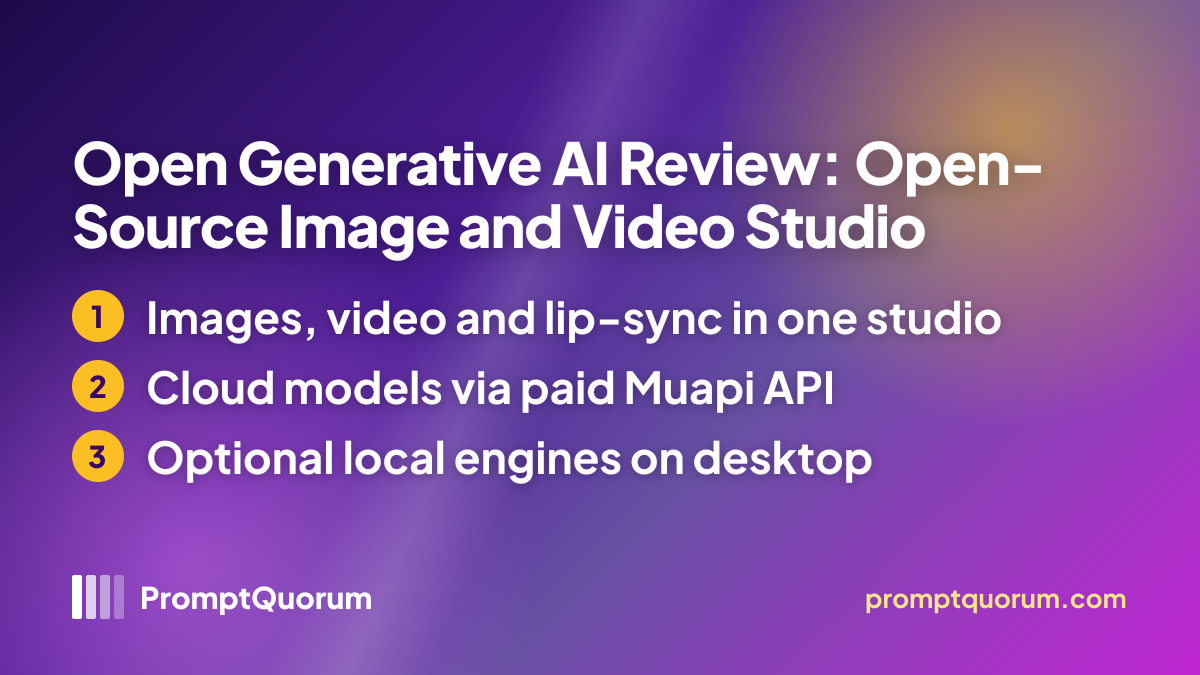
Open Generative AI is a studio-style interface for generating images and video with many models from one place.
The GitHub repository belongs to Anil Matcha, whose profile describes building open-source generative AI tools powered by Muapi. The README says the app is "Powered by Muapi.ai" and that the hosted version at muapi.ai/open-generative-ai uses the same studio code. Muapi is operated by Vadoo Internet Services Private Limited, according to its About page. No primary page states how the repository owner and that company are related.
Version 2.0.0, published on 23 May 2026, is the latest GitHub release. The repository received a code commit on 16 November 2026 and a README edit on 18 November 2026, so development is ongoing and no stale-project warning applies.
Per the README, the app has separate studios for images, video, audio, AI clipping, lip sync, cinema-style camera controls, marketing variations, node-based workflows and agents. The maker's model counts differ between README sections (from 200+ to 400+) and the GitHub description says 800+, so PromptQuorum does not state a model count.
These descriptions are maker statements. PromptQuorum has not run the app.
How to Get It
You install Open Generative AI with a normal installer from the GitHub releases page, or open the hosted web version.
Version 2.0.0 lists a .dmg for Apple Silicon, a .dmg for Intel, a Windows .exe installer, an AppImage and a .deb. On macOS the README tells you to remove the quarantine flag with a Terminal command, or to use Open Anyway in System Settings. On Windows, SmartScreen may warn about the unsigned installer.
Platform | How to get it |
|---|---|
| macOS | .dmg (Apple Silicon or Intel); not notarized |
| Windows | .exe installer; not code-signed |
| Linux | AppImage or .deb (Ubuntu x64) |
| Web | Hosted studio in the browser; cloud models only |
| Website | Official product page on the Muapi site |
| Source and Docker | Terminal: clone with submodules, npm run setup, or docker compose |
Building from source needs Node.js and a terminal; most users should use the installer. Local engines are available only in the desktop app, not in the hosted web version.
Models and Hardware
What your computer needs depends on whether a model runs in the cloud or locally. Cloud models run on Muapi's side, so the app itself has no stated hardware floor.
The README describes two local engines. The bundled sd.cpp engine runs image models and uses Metal on Apple Silicon or CUDA, Vulkan or ROCm on Linux and Windows. Wan2GP is a separate project you install yourself, and it handles video models and large image models.
Option | Stated in the README |
|---|---|
| Cloud models | Muapi API key; models run remotely |
| sd.cpp (bundled) | Image models; CPU, Metal, CUDA, Vulkan, ROCm |
| sd.cpp, Z-Image | 16 GB RAM recommended; hangs 8 GB Macs |
| Wan2GP (own install) | Video and large image models; CUDA or ROCm GPU |
| Wan 2.1 1.3B (video) | 480p, about 8 GB VRAM |
| Remote Wan2GP | Mac app can use a GPU box over MCP |
The model downloads are several gigabytes each. These figures are the maker's; PromptQuorum has not measured speed or quality.
Features
The core is a set of studios that share one model catalog and one settings panel. All items below are maker claims from the README.
- Image Studio: text-to-image and image-to-image, with up to 14 reference images for compatible edit models.
- Video Studio: text-to-video and image-to-video, with controls for aspect ratio, resolution and duration that adapt to each model.
- Lip Sync Studio: a portrait image plus audio, or a video plus audio, to make a talking clip.
- Audio Studio, AI Clipping, Cinema Studio camera controls and a Marketing Studio for creative variations.
- Workflow Studio: a node-based editor to chain image, video and audio models, with templates and a playground.
- Agent Studio and Design Agent Studio for conversational and canvas-based generation.
- Generation history and upload history stored in the browser.
- Local models in the desktop app through Settings, then Local Models.
Data Flow and Content Rules
With cloud models, your prompts and reference images go to Muapi's service, even though the app itself is self-hosted.
The README says the self-hosted app keeps your data on your machine, and also that API keys live in browser localStorage and are sent only to Muapi. Its API section says file uploads go to Muapi and come back as hosted URLs passed to image-conditioned models. Read together, local engines keep data on your computer, while cloud models do not.
Muapi's privacy policy (last updated June 9, 2026) lists account information, uploaded photos and anonymised usage logs kept up to 12 months. It names AI model providers such as Replicate and fal.ai, Amazon Web Services and CloudFront storage, and Google and Apple sign-in as third parties. It does not state a country.
The README and the repository description say the app has no content filters, no prompt rejections and no guardrails. Muapi's terms (last updated July 2, 2025) say the service must not be used to produce nudity, pornographic or sexually explicit content, malware, weapons or misinformation content. PromptQuorum could not establish which rule applies to a given request, or whether the local engines differ.
You remain responsible for what you generate and publish. The Muapi terms are governed by the laws of India with disputes in the courts of Bangalore, Karnataka.
Who Should Use It
Open Generative AI fits people who want one interface over many hosted models and accept per-generation billing.
- Creators who want image, video and lip-sync tools in one installable app.
- Developers who want an MIT-licensed studio codebase they can modify and self-host.
- Mac users who want to try small local image models, with the option to send video work to a separate GPU machine.
What We Could Not Verify
Open Generative AI is a poor fit for strictly offline work, and several details remain unverified.
- Not a fit: anyone who needs everything to run offline or needs data to stay on the device for every model.
- Not a fit: users who need a code-signed installer, or who cannot run the first-launch workaround.
- Not a fit: low-memory machines for the heavier local models.
- Unverified: Muapi credit packages, free-credit amounts and what "free" means on the hosted page. The pricing page lists per-generation rates only.
- Unverified: output quality, generation speed and the accuracy of the maker's model counts. PromptQuorum ran no tests.
- Unverified: how the "no content filters" statement fits Muapi's content rules, and whether the local engines apply any filter.
- Unverified: the relationship between the repository owner and the company behind Muapi. The HQ flag on the directory tile reflects the operator of the official website and hosted service.
- Unverified: which model providers are reached for a given model, and under what terms.
Open Generative AI vs Alternatives
The alternatives below run image generation locally, while Open Generative AI mainly calls a paid cloud API. The facts in the table come from the PromptQuorum directory; PromptQuorum has not compared them hands-on.
Open Generative AI
- License and where it runs:
- MIT; cloud API by default, optional local engines
Articles about Open Generative AI (1)
- Local Image, Video & Vision Tools Compared (2026): Generation, Vision and OCRUpdated November 20, 2026
ComfyUI
- License and where it runs:
- GPL 3.0; local; node-based UI
Articles about ComfyUI (10)
- ComfyUI Review: Free Node-Based UI for Stable Diffusion & FluxUpdated November 3, 2026
- Invideo vs Local AI Video: One Costs a GPU Plus Your Weekend — the Other a Cloud SubscriptionUpdated November 28, 2026
- AnimateDiff Guide 2026: Animate Any Stable Diffusion ModelUpdated November 22, 2026
- Local AI Images Are Free. Cloud AI Images Are Instant. Your GPU Decides.Updated November 20, 2026
- Local Coding Assistants, Agents & Workflow Tools Compared (2026): IDE Plugins, Agent Frameworks and Autonomous AgentsUpdated November 20, 2026
- Local Image, Video & Vision Tools Compared (2026): Generation, Vision and OCRUpdated November 20, 2026
- Phantasm Review: Self-Hosted AI Chat App for iPhoneUpdated November 13, 2026
- AUTOMATIC1111 Review: Stable Diffusion WebUI ExplainedUpdated November 2, 2026
- LM Mini Review: iPhone Chat App for On-Device and Home-Server AIUpdated October 24, 2026
- Locally Uncensored Review: Local Chat, Image, and Video in One AppUpdated October 24, 2026
+18 more not shown
InvokeAI
- License and where it runs:
- Apache 2.0; local; web UI
Fooocus
- License and where it runs:
- GPL 3.0; local; web UI
Articles about Fooocus (7)
- Fooocus Review: The Simplest Local Stable Diffusion UIUpdated September 6, 2026
- Local Image, Video & Vision Tools Compared (2026): Generation, Vision and OCRUpdated November 20, 2026
- ComfyUI Review: Free Node-Based UI for Stable Diffusion & FluxUpdated November 3, 2026
- AUTOMATIC1111 Review: Stable Diffusion WebUI ExplainedUpdated November 2, 2026
- SwarmUI Review: The Multi-GPU Stable Diffusion Web UIUpdated October 9, 2026
- ControlNet Review: Structural Control for Stable DiffusionUpdated September 6, 2026
- Stable Diffusion Review: Free Local Text-to-Image ModelsUpdated September 5, 2026
Also mentioned in:
- Stable Diffusion WebUI Forge Review: Faster, Lower-VRAM AUTOMATIC1111 ForkUpdated November 14, 2026
- Draw Things Review: Local-First Image AI with Optional CloudUpdated October 9, 2026
- InvokeAI Review: Professional-Grade Stable Diffusion StudioUpdated September 6, 2026
Stable Diffusion WebUI Forge
- License and where it runs:
- AGPL-3.0; local; web UI
Articles about Stable Diffusion WebUI Forge (2)
- Stable Diffusion WebUI Forge Review: Faster, Lower-VRAM AUTOMATIC1111 ForkUpdated November 14, 2026
- Local Image, Video & Vision Tools Compared (2026): Generation, Vision and OCRUpdated November 20, 2026
Also mentioned in:
- AUTOMATIC1111 Review: Stable Diffusion WebUI ExplainedUpdated November 2, 2026
FAQ
Is Open Generative AI really free?
The software is free under the MIT license. Muapi's pricing page lists per-generation prices and calls itself "Pay Per Generation", so cloud generation costs money, while the local sd.cpp engine needs no API key per the README.
Do I need an account or an API key?
For cloud models, yes: the README asks for a Muapi access key on first use. It says you can skip the key if you only use local models.
Can I run it offline?
Partly. The desktop app can run local image models with the bundled sd.cpp engine after you download them. Video models need a separate Wan2GP install on a CUDA or ROCm GPU machine, and the hosted web version always uses cloud APIs.
Is the Docker version a different product?
No. The README lists a Docker Compose path that builds the web studio from the same repository, with submodules cloned first. It serves the app on port 3001 by default.
Verdict
Open Generative AI is worth a look if you want one open-source studio over many hosted image and video models and are comfortable paying Muapi per generation.
It offers a normal installer for three desktop systems, an MIT license, a broad set of studios, a node-based workflow editor and optional local engines. Development is active, with a code commit on 16 November 2026 and version 2.0.0 released on 23 May 2026.
The trade-offs are real. Most models depend on a paid third-party API, so the app is not local-first. The installers are not signed, the content-rule picture is unclear, and local video needs your own Wan2GP setup. PromptQuorum has not tested the app. Start with a small paid top-up or a small local model, and read both the README and Muapi's terms before generating anything you plan to publish.
Sources
- Open Generative AI GitHub repository — description, MIT license, last commit and project files, checked 18 November 2026.
- Open Generative AI README — downloads, local engines, studios, API flow, quick start and Docker path, checked 18 November 2026.
- Release v2.0.0 — version, date and installer files, checked 18 November 2026.
- Open Generative AI on Muapi — official product page and hosted studio, checked 18 November 2026.
- Muapi About — operator name and Bangalore location, checked 18 November 2026.
- Muapi Privacy Policy — data collected, third parties and retention, checked 18 November 2026.
- Muapi Terms of Service — content rules, governing law and billing, checked 18 November 2026.
- Muapi Pricing — per-generation pricing model, checked 18 November 2026.