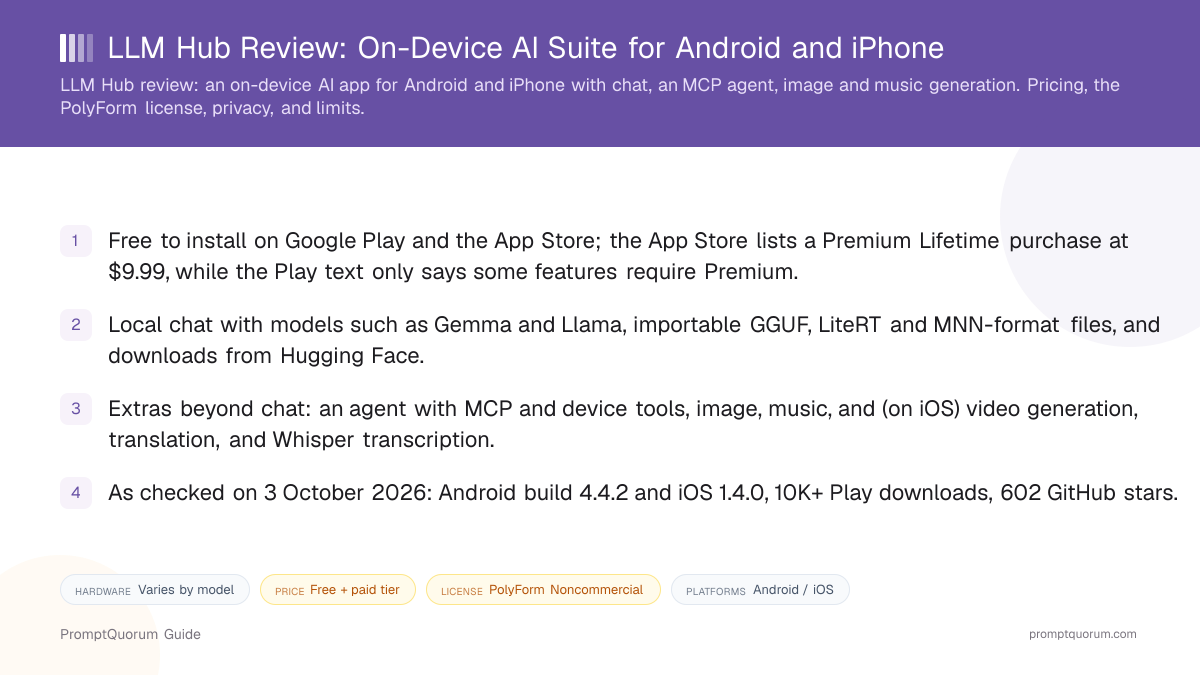
Key Takeaways
- Developer: listed as "timmy boy" on Google Play and Yuan Qian on the App Store, with the GitHub account timmyy123 and the same contact email in the LICENSE and the Play listing; an Australian address is shown on Google Play.
- Price: free to install; the App Store lists "LLM Hub Premium Lifetime" at $9.99, and Google Play states that some features require Premium.
- License: LICENSE file headed PolyForm Noncommercial License 1.0.0, restricting commercial use including app-store distribution by others; the project nevertheless calls itself open source.
- Scope: chat with RAG memory and optional web search, an agent with MCP and Termux (Android), image, music and video generation, upscaling, translation, Whisper transcription, scam detection, and voice chat.
- Store and repository signals as checked on 3 October 2026: Android 4.4.2, iOS 1.4.0, 10K+ Play downloads with a 3.0 rating from 335 reviews, 602 GitHub stars.
📍 In One Sentence
LLM Hub is a free-to-install Android and iPhone app that runs local language models and adds an MCP-capable agent, image and music generation, translation, and transcription, under a source-available noncommercial PolyForm license with a paid Premium tier.
💬 In Plain Terms
It is one app that tries to do many on-device AI jobs — chat, an assistant that can use tools, making images and music, translating, and turning speech into text — and you can read its source code, but the license does not let others use it commercially.
📌Note: This review is based on the Google Play and App Store listings and the public GitHub repository (README, LICENSE, build files), checked on 3 October 2026. PromptQuorum has not tested or benchmarked the app.
What Is LLM Hub?
LLM Hub is a mobile app that packages a local chat model together with a collection of other on-device AI tools. According to its README, the suite covers chat, an AI agent, persona design (creAItor), a Vibe Coder, writing aid, image generation, music generation, image upscaling, video generation on iOS, translation, transcription, a scam detector, and hands-free voice chat.
Different runtimes power it on each platform: the README lists MediaPipe, LiteRT, and Qualcomm's GenieX SDK for GGUF on Android, and the RunAnywhere SDK with llama.cpp on iOS. The developer states it is optimized for CPU, GPU, and NPU acceleration, so speed and which features work depend on the phone and chipset, as the Play description also notes.
Get It
LLM Hub is distributed through both mobile stores and as source code; the links below are the ones the README lists.
Platform | Where to get it |
|---|---|
| Android | Google Play |
| iPhone / iPad | App Store (iOS and iPadOS 17.5 or later) |
| Mac / Vision | Same App Store listing (Mac with Apple M1+, visionOS 1.2+) |
| Source code | GitHub (PolyForm Noncommercial) |
| Website | llm-hub.app |
| Privacy policy | LLM Hub privacy policy |
Versions as verified on 3 October 2026: Android 4.4.2 / iOS 1.4.0 (Android from the repository's build file, since the Play text read shows no version; iOS from the App Store). The README says native Windows and macOS apps are planned, not released.
How to Get Started
The README's quick start has three steps; PromptQuorum has not run them.
- 1Install the app
Why it matters: Download LLM Hub from Google Play or the App Store, or build it from source following the README; no account is required according to the Play listing. - 2Download or import a model
Why it matters: Open Settings, then Download Models, and download a model or import one; the README lists .task, .litertlm, qnn, .mnn, and .gguf files and direct Hugging Face downloads. - 3Pick a model and start
Why it matters: Select the model and start chatting, or open one of the other tools such as the image generator, translator, or transcriber.
Models and Formats
Chat models
- Named in the sources:
- Gemma and Llama (Play); Gemma 4 on iPhone (README demo)
- Notes:
- Other families can be imported or downloaded
Import formats
- Named in the sources:
- .task, .litertlm, qnn, .mnn, .gguf
- Notes:
- Per the README; GGUF runs through GenieX on Android
Images
- Named in the sources:
- Stable Diffusion 1.5; RealESRGAN and UltraSharp upscalers
- Notes:
- Upscaling up to 4x, with NPU acceleration noted
Audio
- Named in the sources:
- Whisper (transcription); Kokoro TTS on Android
- Notes:
- Music: SoundGen on Android, Magenta Realtime 2 on iOS
Video
- Named in the sources:
- Stable Video Diffusion
- Notes:
- Listed for iOS only in the README
The README, not an in-app catalog, is the source for this table, and model availability changes with each app version. Hardware requirements per model were not stated.
Features Confirmed by the Sources
Every item below comes from the Play description or the README; none has been independently tested.
- Chat. Multi-turn conversations with RAG memory, image input, optional web search, and local text-to-speech replies.
- AI Agent and MCP. An on-device agent with function calling, maps, and device tools; connects compatible MCP servers, with every tool call needing approval.
- Termux commands (Android). The agent drafts shell commands for Termux that you can inspect and edit before they run, and feeds errors back to the model to propose fixes.
- Create. Offline image generation, local music and sound-effect generation, image upscaling, creAItor personas, and a Vibe Coder that previews generated HTML and JavaScript.
- Language and voice. Translation across 50+ languages including image text (OCR) and audio, a writing aid, Whisper transcription, VibeVoice voice chat, and a scam detector for suspicious messages.
Android vs. iPhone Differences
Runtime
- Android:
- MediaPipe, LiteRT, GenieX (GGUF)
- iPhone:
- RunAnywhere SDK, llama.cpp
Music
- Android:
- SoundGen (LiteRT)
- iPhone:
- Magenta Realtime 2 (MLX)
Video
- Android:
- Not listed
- iPhone:
- Stable Video Diffusion
Termux commands
- Android:
- Yes
- iPhone:
- Not applicable
Versions differ too: Android 4.4.2 and iOS 1.4.0 as of 3 October 2026, and features may not arrive on both platforms at the same time.
Pricing and License
The app is free to install, with in-app purchases. The App Store lists "LLM Hub Premium Lifetime" at $9.99 (Australian storefront, checked 3 October 2026); the Google Play listing shows in-app purchases and says some features require Premium, without naming a price or what is locked. The README's developer-setup note describes a flag to skip ads and unlock premium locally, which suggests the free Android build may show ads; the Play text read does not state this.
On the license: the README and Play description call the project open source, but the repository's LICENSE file is headed PolyForm Noncommercial License 1.0.0, and its terms define commercial purposes to include distributing the software on an app store, charging for it, and monetizing it through ads or in-app purchases. GitHub reports the license as "Other". In plain terms this is source-available code you can read, modify, and use noncommercially, not a permissive open-source license; this is not legal advice, so read the LICENSE file before reusing any code.
- App Store: free; Premium Lifetime $9.99 in-app purchase.
- Google Play: free; in-app purchases; Premium features unspecified.
- Source code: PolyForm Noncommercial 1.0.0 per the LICENSE file; the developer's own store releases are the commercial distribution.
Privacy and Online Features
Both stores carry no-data-collection declarations: the Play Data safety section says "No data collected" and "No data shared with third parties", and the App Store privacy label says the developer does not collect any data. The README adds "zero data collection" and "no accounts, no tracking".
Those claims apply to local inference. The Play description states that internet access is required to download models and for optional online features such as web search and remote MCP servers, so a chat using those features sends requests off the device. These are the developer's declarations, not audit results.
📌Note: The source code is public, so claims can be checked by building the app, but PromptQuorum has not audited the code or the network traffic. Anyone handling confidential data should verify behavior with web search and remote MCP servers switched off and on.
Trade-Offs: Benefits vs. Limitations
All-in-one toolset
- What it means in real use:
- Chat, agent, images, music, translation, and transcription live in one app.
- Limitation / caveat:
- Breadth means more to maintain; no hands-on quality assessment exists in the sources.
MCP-capable agent
- What it means in real use:
- The agent can use device tools and connected MCP servers, with per-call approval.
- Limitation / caveat:
- Remote MCP servers and web search go online.
Many import formats
- What it means in real use:
- GGUF, LiteRT, and MNN files can be imported, plus Hugging Face downloads.
- Limitation / caveat:
- Which formats work on which phone depends on the runtime and chipset.
Source code is readable
- What it means in real use:
- You can read and build the code, and the app is free to install.
- Limitation / caveat:
- The PolyForm Noncommercial license is not an open-source license, and Premium is paid.
Both platforms
- What it means in real use:
- Android and iPhone versions exist, plus iPad and Apple-silicon Macs.
- Limitation / caveat:
- Features differ by platform, and the Play rating was 3.0 from 335 reviews on 3 October 2026.
Who Should Use It
- People who want one on-device app for many AI jobs. Chat, translation, transcription, and image or music generation are in a single install.
- Android users who want an agent that drafts Termux commands. The edit-before-run flow is described in the README.
- Tinkerers who want readable source. The code is public, provided the noncommercial license terms suit the intended use.
What We Could Not Verify
- Hands-on performance. PromptQuorum did not run the app, so speed, battery use, output quality, and stability are not assessed.
- Hardware requirements. No minimum RAM, Android version, or chipset list was found in the sources read.
- What Premium unlocks. The App Store gives a price; neither store text read lists the locked features, and the Play price was not shown.
- Whether the free build shows ads. Only an indirect mention in the README's setup notes.
- Product website. The site at llm-hub.app loads only with JavaScript, so its content could not be read; facts here come from the stores and the repository.
- Similarly named repositories. Search results show other GitHub repositories with near-identical names; this review covers only timmyy123/LLM-Hub, the one the app's README and the license-holder email point to.
Competitors and Alternatives
PocketPal AI
- Platforms:
- iOS, Android
- Price / license:
- Free / MIT
- Key difference:
- Open-source on-device chat client with its own model library
Articles about PocketPal AI (10)
- PocketPal AI Review: Free, Open-Source On-Device ChatUpdated September 5, 2026
- PAIOS Review: Offline Gemini Nano Chat for AndroidUpdated October 5, 2026
- Oscilla Review: Free On-Device AI Chat for iPhoneUpdated October 4, 2026
- Local Chat Apps & Assistants Compared (2026): Desktop, Mobile, Self-Hosted, Assistants and RoleplayUpdated September 20, 2026
- OlliteRT Review: Turn an Android Phone Into a Local LLM ServerUpdated September 19, 2026
- AI on Device Review: A $4.99 Apple Intelligence-Only AppUpdated September 12, 2026
- Google AI Edge Gallery Review: Gemma 4 On-Device Chat for iPhoneUpdated September 12, 2026
- Noema Review: Multi-Format Local AI for iPhone, iPad, and MacUpdated September 12, 2026
- AnythingLLM Mobile Review: On-Device Chat + RAGUpdated September 6, 2026
- Chapper Review: AI & LM Studio Client for iPhone, iPad, and MacUpdated September 6, 2026
+20 more not shown
Google AI Edge Gallery
- Platforms:
- iOS, Android
- Price / license:
- Free / Apache 2.0
- Key difference:
- Open-source on-device app from Google's AI Edge team
Articles about Google AI Edge Gallery (2)
- Google AI Edge Gallery Review: Gemma 4 On-Device Chat for iPhoneUpdated September 12, 2026
- Local Chat Apps & Assistants Compared (2026): Desktop, Mobile, Self-Hosted, Assistants and RoleplayUpdated September 20, 2026
Also mentioned in:
- Private Mind Review: Open-Source Offline AI Chat for iPhone and AndroidUpdated October 3, 2026
- Loci AI Review (2026): Offline AI for iPhone, Android, iPad, Mac and WindowsUpdated August 22, 2026
Private Mind
- Platforms:
- iOS, Android
- Price / license:
- Free / MIT
- Key difference:
- Open-source offline chat with on-device document Q&A
Articles about Private Mind (1)
- Private Mind Review: Open-Source Offline AI Chat for iPhone and AndroidUpdated October 3, 2026
Also mentioned in:
- Local AI: Offline Chat & Image Review: Free Android App with Stable Diffusion and Prompt ToolkitsUpdated October 9, 2026
- TokForge Review: Offline Android AI Chat with Roleplay and Image GenerationUpdated October 9, 2026
- MLXHub Review: On-Device MLX Chat and LAN Server for iPhone and iPadUpdated October 5, 2026
Layla
- Platforms:
- Android, iOS
- Price / license:
- Paid / closed source
- Key difference:
- Companion and roleplay focus with an optional cloud mode
Articles about Layla (4)
- Layla Review: On-Device AI Companion App for Android and iOSUpdated September 6, 2026
- PAIOS Review: Offline Gemini Nano Chat for AndroidUpdated October 5, 2026
- Build a Local Voice Assistant on Your Phone: Whisper + Local LLM (No Cloud) — 2026Updated August 29, 2026
- Best Local LLM Apps for Android in 2026: 6 Apps Compared on Real PhonesUpdated August 24, 2026
Also mentioned in:
- Local Chat Apps & Assistants Compared (2026): Desktop, Mobile, Self-Hosted, Assistants and RoleplayUpdated September 20, 2026
- ToolNeuron Review: Open-Source Encrypted Android AI AppUpdated September 12, 2026
- Run a Local LLM on Your Tablet: iPad Pro M5, Galaxy Tab S10, OnePlus Pad 2 (2026)Updated July 14, 2026
Competitor details change often; confirm each app's current price, license, and platforms on its own listing.
Frequently Asked Questions
Is LLM Hub free?
It is free to install on both stores, with in-app purchases. The App Store lists a Premium Lifetime purchase at $9.99; Google Play says some features require Premium without naming a price.
Is LLM Hub open source?
Not in the usual sense. The project calls itself open source, but the LICENSE file is headed PolyForm Noncommercial License 1.0.0, which restricts commercial use. The code is readable, so it is better described as source-available.
Who makes LLM Hub?
An individual developer: Google Play lists "timmy boy" (developer name Yuan Qian, with an Australian address), the App Store lists Yuan Qian, and the code is on the GitHub account timmyy123, with the same contact email in the license and the Play listing.
Does it work offline?
Local inference runs on the device once models are downloaded. Downloading models, web search, and remote MCP servers need the internet, per the Play description.
Which platforms does it support?
Android through Google Play, and iPhone, iPad, Apple-silicon Macs, and Apple Vision through the App Store. Some features differ: video generation is listed for iOS, and Termux commands for Android.
What is the MCP support?
The agent can connect compatible Model Context Protocol servers to use external tools, and each tool call must be approved before it runs, per the Play description and the README.
Which models can I use?
Gemma and Llama are named on Google Play. You can download models from Hugging Face or import .task, .litertlm, qnn, .mnn, and .gguf files, according to the README.
What data does it collect?
Both stores carry declarations of no data collected. These are the developer's own statements, and online features such as web search and remote MCP servers send requests off the device.
How does it compare with PocketPal AI?
PocketPal AI is a free MIT-licensed on-device chat client, while LLM Hub is a wider suite with an agent, media generation, and a paid Premium tier under a noncommercial source-available license.
Verdict
LLM Hub is the broadest app in this group of mobile local-AI apps on paper: chat, an MCP-capable agent, image and music generation, translation, and transcription on both Android and iPhone, from a developer who publishes the source. Against that, the license is source-available and noncommercial rather than open source, Premium is paid with its scope not spelled out in the store text, the Play rating was 3.0 from 335 reviews on 3 October 2026, no hardware requirements are published, and nothing here has been tested hands-on. It suits readers who want one on-device app for many tasks and accept those terms; readers who want a permissively licensed chat client can compare PocketPal AI or Private Mind.
Sources
- LLM Hub on Google Play — description, developer details, Data safety section, download count, rating, and last-updated date, checked 3 October 2026.
- LLM Hub on the App Store — price, Premium Lifetime purchase, version, platform requirements, and privacy label, checked 3 October 2026.
- LLM-Hub on GitHub — README, LICENSE file, and the Android and iOS build files for version numbers.
- LLM Hub privacy policy — the developer's privacy policy, linked from the product website.