What Is Goose?
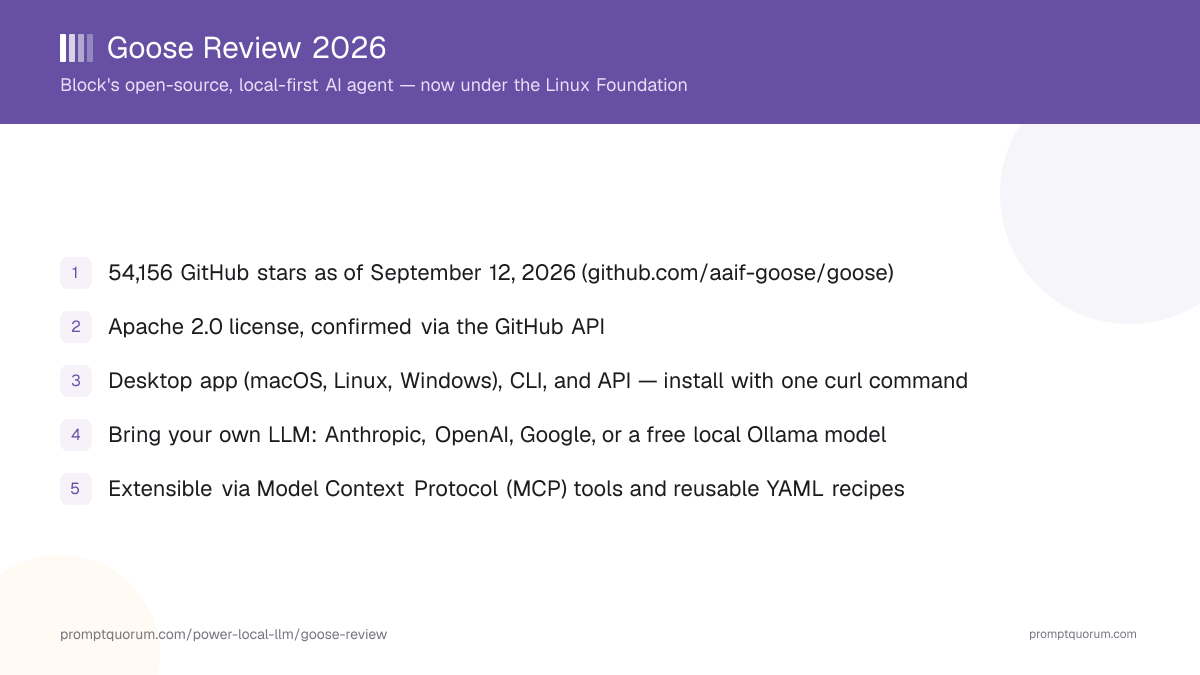
Goose is an open-source, local-first AI agent — a desktop app, command-line tool, and API — that reads and edits files, runs shell commands, and calls external tools to complete coding, automation, and workflow tasks. Its GitHub repository describes it as "an open source, extensible AI agent that goes beyond code suggestions - install, execute, edit, and test with any LLM." Unlike a chat assistant that only suggests code, goose is designed to act: it can run in a loop, executing commands and checking results, until a task is finished.
- Core function: an agent harness that combines an LLM you choose, a set of built-in and extensible tools, and Model Context Protocol (MCP) integrations to carry out multi-step coding and automation tasks
- Interfaces: a native desktop app (macOS, Linux, Windows), a terminal CLI, and a programmatic API — all built on the same underlying agent engine
- Local-first design: goose itself runs on your own machine; the LLM it calls can also be local (via Ollama) or a cloud API of your choice
- Developer: originally built by Block, the company behind Square, Cash App, Afterpay, and Tidal; now governed by the Agentic AI Foundation (AAIF) at the Linux Foundation
- Canonical repository: github.com/aaif-goose/goose, Apache 2.0-licensed per the GitHub API
From Block to the Linux Foundation: A Short History
Goose's ownership structure changed twice within about 14 months of its public launch — first as an internal Block project made public, then as a donation to neutral open-source governance. The timeline below is built from Block's and the Linux Foundation's own announcements.
- 1January 28, 2025 — Public launch
Why it matters: Block publicly released goose as an open-source, local-first AI agent, after building and using it internally. - 2December 9, 2025 — Agentic AI Foundation announced
Why it matters: The [Linux Foundation announced the AAIF](https://www.linuxfoundation.org/press/linux-foundation-announces-the-formation-of-the-agentic-ai-foundation) with goose (from Block) as a founding project, alongside Anthropic's Model Context Protocol (MCP) and OpenAI's AGENTS.md — moving governance of a widely used agent project out of a single company's hands. - 3April 7, 2026 — Repository and docs move to the AAIF
Why it matters: Goose's canonical GitHub repository relocated from `block/goose` to [github.com/aaif-goose/goose](https://github.com/aaif-goose/goose), and its documentation moved to [goose-docs.ai](https://goose-docs.ai); the old URLs redirect, but this is the point where the AAIF, not Block alone, formally controls the project's governance.
What Can You Do With Goose?
Goose's feature set centers on acting on a task rather than only describing how to do it, per goose-docs.ai and the GitHub README.
- Agentic task execution — goose reads and edits files, runs shell commands, and checks its own results in a loop until a coding or automation task is complete, rather than only returning a suggested diff
- Bring-your-own-LLM — connect goose to your choice of LLM provider (Anthropic, OpenAI, Google, Ollama, OpenRouter, Azure, Amazon Bedrock, and dozens more listed in the official provider docs) using your own API key, or point it at a local Ollama model for no cost
- Model Context Protocol (MCP) extensions — goose connects to external tools, databases, and services (GitHub, Google Drive, browsers, custom internal tools) through MCP, the open standard Anthropic also contributed to the AAIF; goose maintains a directory of documented extensions at goose-docs.ai/extensions
- Recipes — reusable, shareable YAML task definitions that let a team package a repeatable workflow (a code migration, a test run, a release checklist) so it can be re-run by anyone with goose installed
- Three interfaces on one engine — the desktop app, CLI, and API all run the same underlying agent, so a workflow built in one interface is not locked to it
- Self-hosted and auditable — because the code is Apache 2.0-licensed and now Linux-Foundation-governed, teams can audit, fork, and self-host goose without depending on a single vendor's continued goodwill
Usage Examples: Three Ways to Use Goose
These are concrete workflows built from goose's documented desktop, CLI, and extension features above — not hypothetical use cases.
Run an agentic coding session from the CLI
Install the CLI, run goose session from inside a project directory, and describe a task in plain language (for example, "add input validation to the signup form and write a test for it"). Goose reads the relevant files, makes the edits, runs the test suite, and reports back — asking for confirmation on higher-risk actions depending on your configured permissions.
Connect goose to a fully local model via Ollama
With Ollama installed and a model pulled locally, configure goose to use Ollama as its provider in the desktop app's or CLI's provider settings. Goose then runs entirely against your local model, with no API key and no data leaving your machine — at the cost of whatever that local model's capability ceiling is compared to a frontier cloud model.
Add an MCP extension for a specific tool
Browse goose-docs.ai/extensions for an MCP server matching a tool you use (GitHub, a database, a browser), install it through the desktop app's Extensions panel or the CLI, and goose gains the ability to call that tool directly as part of a task — for example, opening a pull request once a code change passes tests.
Install Goose: Desktop App and CLI
Goose is available as a desktop app for macOS, Linux, and Windows, plus a CLI installable on all three platforms. Commands and links below are from the official installation docs — always verify against that page directly, since install scripts and release URLs can change between versions.
macOS — Desktop
- Install Method:
- Apple Silicon or Intel build
macOS / Linux — CLI
- Install Method:
curl -fsSL https://github.com/aaif-goose/goose/releases/download/stable/download_cli.sh \| bash, orbrew install block-goose-cli
Linux — Desktop
- Install Method:
- DEB, RPM, and Flatpak packages on the latest release page
Windows — Desktop
- Install Method:
- Goose-win32-x64.zip
Windows — CLI
- Install Method:
- PowerShell: download and run
download_cli.ps1from the GitHub repo, or use Git Bash/MSYS2 with the macOS/Linux curl command
Goose has no fixed hardware minimum for the desktop app or CLI itself — the practical requirement is whichever LLM you connect it to. A local Ollama model needs enough RAM/VRAM to run that model; a cloud provider needs only network access and an API key. See the official installation docs for anything not covered here, including WSL as a Windows alternative.
Goose Pricing: Free Software, Bring Your Own Key
Goose itself has no license fee. Its GitHub repository is Apache 2.0-licensed, confirmed via the GitHub API, with no feature gated behind payment from the project itself. What you pay depends entirely on which LLM you connect goose to.
Goose software (desktop, CLI, API)
- Cost:
- Free
- Notes:
- Apache 2.0-licensed, no goose-side fee for any interface or feature
Local model via Ollama
- Cost:
- Free
- Notes:
- No API key needed; cost is only your own hardware and electricity
Cloud provider (Anthropic, OpenAI, Google, and others)
- Cost:
- Per-provider API pricing
- Notes:
- Billed directly by the provider you choose, at that provider's own rates — not set or marked up by goose
Because goose is bring-your-own-key, there is no single "goose price" beyond the free software itself — check your chosen provider's own pricing page before running a large or repeated task, especially with a frontier cloud model.
Goose vs. OpenHands
Goose and OpenHands are both free, open-source, self-hostable agent platforms that go beyond chat-only code suggestions, and both get compared as the natural starting point for teams that want an autonomous coding agent they fully control. The clearest differences are governance model and primary sandboxing approach.
Governance
- Goose:
- Linux Foundation (Agentic AI Foundation), donated by Block
- OpenHands:
- All Hands AI, a venture-backed startup
License
- Goose:
- Apache 2.0
- OpenHands:
- MIT
Interfaces
- Goose:
- Desktop app (macOS, Linux, Windows), CLI, API
- OpenHands:
- Web GUI, terminal UI, CLI
Sandboxing
- Goose:
- Runs directly against your machine or environment by default, with configurable permission prompts
- OpenHands:
- Runs agents inside a sandboxed Docker container by default
LLM model
- Goose:
- Bring your own key across dozens of providers, or a local Ollama model
- OpenHands:
- Bring your own key, or Claude Code, Codex, and Gemini CLI as agent backends
Extensibility
- Goose:
- Model Context Protocol (MCP) extensions, plus reusable YAML "recipes"
- OpenHands:
- Custom agent configuration and microagents
If you want an agent governed by a neutral, vendor-independent open-source foundation with a lighter default sandbox, goose's model fits. If you want an agent that isolates every run inside a Docker container by default, evaluate OpenHands directly — see the full OpenHands review for details. Both are free for self-hosted use; verify current features on each project's own site before deciding.
Who Should Use Goose?
Whether goose fits depends on whether you want an agent you fully control, self-host, and can point at any LLM you choose.
Use goose if
- You want a free, open-source AI agent governed by a neutral foundation (the AAIF at the Linux Foundation) rather than a single vendor
- You want to choose your own LLM provider — including a fully local, no-cost Ollama model — instead of being locked to one built-in model
- You want a desktop app, CLI, and API on the same underlying agent engine, so a workflow is not locked to one interface
- You want to extend the agent with Model Context Protocol (MCP) tools and reusable YAML "recipes" for repeatable team workflows
- You are comfortable configuring permissions and reviewing agent actions rather than relying on a mandatory sandbox
Wait, or look elsewhere, if
- You want every agent run isolated inside a sandboxed container by default with no configuration — OpenHands sandboxes by default; goose's default is closer to your own machine, so review its permission settings before running untrusted tasks
- You want a single built-in model with nothing to configure — goose's bring-your-own-key model means you must pick and connect a provider before you can use it at all
- You need official vendor support with an SLA rather than community and foundation support channels — goose's support is GitHub Issues and community channels, typical of an open-source foundation project rather than a commercial vendor
- You want an IDE-embedded coding assistant rather than a standalone agent — an editor extension like Cline may fit your workflow better
Competitors and Alternatives
Goose is most often compared to OpenHands, Cline, Aider, and Open Interpreter — other open-source tools that turn an LLM into an agent capable of acting on a codebase rather than only chatting about it.
OpenHands
- Best known for:
- Sandboxed, Docker-isolated autonomous coding agent platform
- Link:
- OpenHands review
Articles about OpenHands (2)
- OpenHands Review: The Open-Source Answer to DevinUpdated September 5, 2026
- Atomic Chat Review: Local AI, Agents, and APIUpdated September 5, 2026
Also mentioned in:
- little-coder Review: A Coding Agent CLI Built for Small Local ModelsUpdated September 19, 2026
- Atomic Agent Review: Local AI Agent CLI, Free & MIT-LicensedUpdated September 12, 2026
- OpenCode Review: The Open-Source Terminal Coding AgentUpdated September 12, 2026
Cline
- Best known for:
- Open-source, autonomous agent extension for VS Code and JetBrains
- Link:
- Cline review
Articles about Cline (10)
- Cline Review: The Open-Source Agent That Grew From Claude DevUpdated September 5, 2026
- DeepSeek V4 vs Qwen3.8 for Local Coding 2026Updated October 20, 2026
- Best IDE Plugins for Local LLMs in 2026 (VS Code, JetBrains & LM Studio)Updated October 17, 2026
- Best Agentic AI Coding Assistant 2026: Cursor vs Windsurf vs GitHub Copilot vs ClineUpdated October 17, 2026
- Local Coding Assistants, Agents & Workflow Tools Compared (2026): IDE Plugins, Agent Frameworks and Autonomous AgentsUpdated September 21, 2026
- Kilo Code Review: The Open-Source Coding Agent Now Owned by AnacondaUpdated September 12, 2026
- Atomic Chat Review: Local AI, Agents, and APIUpdated September 5, 2026
- PearAI Review: The Free VS Code Fork With a Rocky StartUpdated September 5, 2026
- Bodega One Code Review: A Local-First BYOLLM Coding IDEUpdated September 3, 2026
- Best Local Models for Tool Calling in 2026: Benchmarks & ComparisonUpdated September 1, 2026
+34 more not shown
Aider
- Best known for:
- Terminal-native, git-centric AI pair programmer
- Link:
- Aider review
Articles about Aider (9)
- Aider Review: AI Pair Programming From Your TerminalUpdated September 5, 2026
- Best IDE Plugins for Local LLMs in 2026 (VS Code, JetBrains & LM Studio)Updated October 17, 2026
- GitHub Copilot CLI Review: Cloud-Backed by Default, Local via BYOKUpdated September 12, 2026
- Kilo Code Review: The Open-Source Coding Agent Now Owned by AnacondaUpdated September 12, 2026
- Bodega One Code Review: A Local-First BYOLLM Coding IDEUpdated September 3, 2026
- Best Local Models for Tool Calling in 2026: Benchmarks & ComparisonUpdated September 1, 2026
- LM Studio & Ollama OpenAI-Compatible API Documentation: Python, Node.js, Aider, Cline & Roo Code (2026)Updated August 28, 2026
- Continue.dev vs Cline vs Aider: Best Local Coding Agent in 2026Updated August 27, 2026
- Local Coding LLM Without Internet: Fully Offline Dev Setup (2026)Updated August 27, 2026
+26 more not shown
Open Interpreter
- Best known for:
- Lets an LLM run code locally to complete general (not just coding) tasks
Articles about Open Interpreter (3)
- Open Interpreter Review: Same Name, Rust Core, New LicenseUpdated September 3, 2026
- Nanobot Review: A Self-Hosted AI Agent FrameworkUpdated October 30, 2026
- Local Coding Assistants, Agents & Workflow Tools Compared (2026): IDE Plugins, Agent Frameworks and Autonomous AgentsUpdated September 21, 2026
Also mentioned in:
- Kruvo Review: A Desktop AI Coworker That Asks Before It ActsUpdated October 24, 2026
- Multica Review: A Workspace for AI Coding AgentsUpdated September 14, 2026
- Atomic Agent Review: Local AI Agent CLI, Free & MIT-LicensedUpdated September 12, 2026
- PhoneClaw Review: The On-Device iPhone AI AgentUpdated September 12, 2026
This list reflects tools commonly compared to goose, not an independent PromptQuorum ranking — see the Local LLM Software Directory for the full catalog, including goose's own directory entry, and verify each tool's current pricing and feature set before choosing.
Common Mistakes When Evaluating Goose
Most confusion about goose comes from conflating it with a hosted, single-model chat product, or missing the December 2025/April 2026 governance change.
Mistake 1: Assuming goose includes a built-in model or API key
Goose is bring-your-own-LLM: it has no built-in model of its own. You must connect it to a provider (Anthropic, OpenAI, Google, Ollama, and dozens more) with your own API key, or a local Ollama model, before it can do anything.
Mistake 2: Linking to the old block/goose GitHub URL
Goose's repository moved to github.com/aaif-goose/goose on April 7, 2026, as part of the donation to the Agentic AI Foundation. The old block/goose URL redirects, but bookmarks, scripts, and documentation should be updated to the new canonical location.
Mistake 3: Treating Block as goose's current sole governing entity
Block built and launched goose, but as of April 7, 2026, project governance sits with the Agentic AI Foundation (AAIF) at the Linux Foundation — a neutral body Block co-founded alongside Anthropic (MCP) and OpenAI (AGENTS.md), not a Block-only project.
Mistake 4: Assuming a mandatory sandbox
Unlike some competitors (OpenHands, for example) that isolate every agent run inside a Docker container by default, goose runs closer to your own machine unless you configure otherwise. Review its permission and confirmation settings before pointing it at a task with real file or shell access.
Mistake 5: Assuming stale star counts or license details
This review verified 55,000+ GitHub stars and an Apache 2.0 license directly via the GitHub API on September 12, 2026 — re-check that endpoint yourself for a current figure rather than relying on any cached number, including this one.
Frequently Asked Questions
What is goose?
Goose (goose-docs.ai, source at github.com/aaif-goose/goose) is a free, open-source, local-first AI agent — a desktop app, CLI, and API — for coding, automation, and workflow tasks, originally built by Block and now governed by the Agentic AI Foundation at the Linux Foundation.
Is the goose AI agent the same as other projects called goose?
No. This page covers goose, the open-source AI agent built by Block and now governed by the Agentic AI Foundation at the Linux Foundation (github.com/aaif-goose/goose). The name is shared with unrelated projects, such as pressly/goose, a Go database-migration tool, so check the repository owner before installing.
Is goose free?
The goose software itself is free and Apache 2.0-licensed, with no feature gated behind payment. Cost depends on which LLM you connect it to: a local Ollama model is free to run, while a cloud provider (Anthropic, OpenAI, Google, and others) bills per that provider's own API pricing.
Is goose open source? What license does it use?
Yes. Goose's GitHub repository is licensed under Apache 2.0, confirmed via the GitHub API (license.spdx_id: "Apache-2.0") on September 12, 2026.
Who owns or governs goose now?
Block built and publicly launched goose on January 28, 2025. In December 2025, Block donated it as a founding project of the Agentic AI Foundation (AAIF) at the Linux Foundation, alongside Anthropic's Model Context Protocol (MCP) and OpenAI's AGENTS.md. The repository and governance formally moved to the AAIF on April 7, 2026.
What platforms does goose support?
Goose's desktop app is available for macOS (Apple Silicon and Intel), Linux (DEB, RPM, Flatpak), and Windows; its CLI installs on all three, including via Homebrew or a PowerShell script on Windows, per the official installation docs.
Does goose require a specific LLM?
No. Goose is bring-your-own-LLM: connect it to Anthropic, OpenAI, Google, OpenRouter, Azure, Amazon Bedrock, and dozens of other providers listed in its provider docs, or point it at a fully local model through Ollama.
What is the Model Context Protocol (MCP), and how does goose use it?
MCP is an open standard (contributed to the AAIF by Anthropic) for connecting an AI agent to external tools and data sources. Goose uses MCP for its extension system, letting it connect to services like GitHub, databases, and browsers through a documented directory of extensions at goose-docs.ai/extensions.
How many GitHub stars does goose have?
Goose's repository (github.com/aaif-goose/goose) showed 55,000+ stars, verified directly via the GitHub API. Check the repository directly for a current count, since it changes daily.
What are goose "recipes"?
Recipes are reusable, shareable YAML task definitions that let a team package a repeatable goose workflow — such as a code migration or a test run — so it can be re-run consistently by anyone with goose installed.
How does goose compare to OpenHands?
Both are free, open-source, self-hostable agent platforms. The main differences are governance (goose: Linux Foundation via the AAIF; OpenHands: All Hands AI, a startup) and default sandboxing (OpenHands isolates runs in Docker by default; goose runs closer to your own machine unless configured otherwise). See the full comparison above.