Key Takeaways
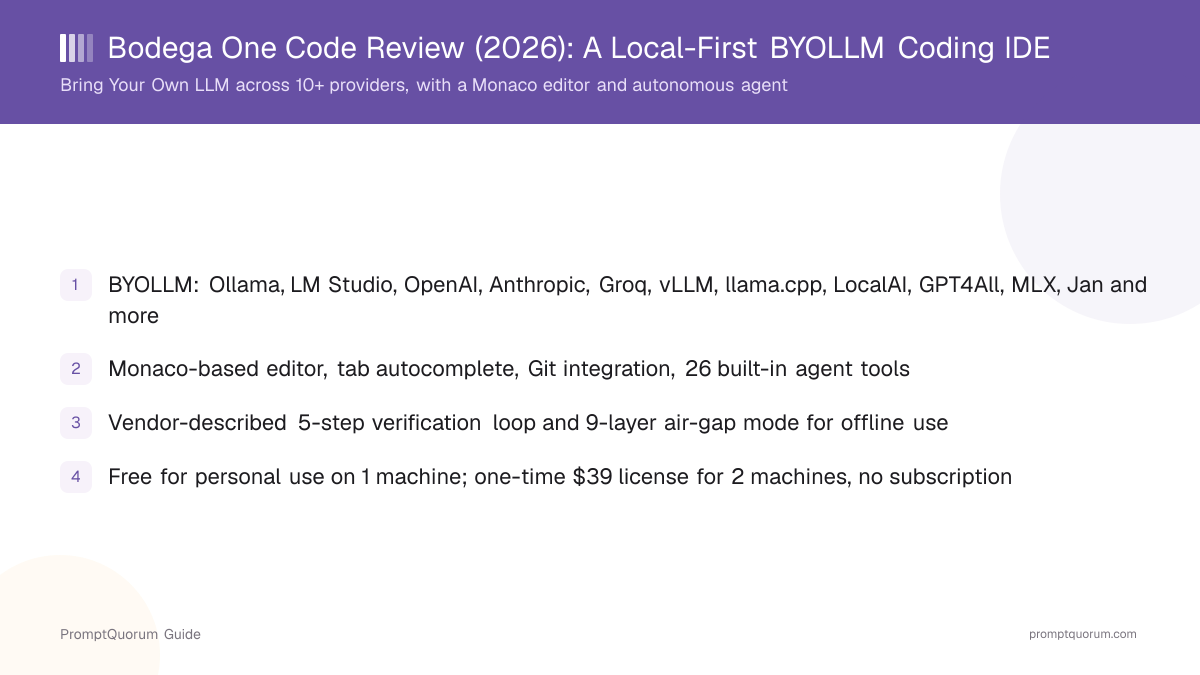
- Combines a code editor, AI chat, and an autonomous coding agent in one local application; positioned around "Bring Your Own LLM" (BYOLLM).
- 10+ provider presets: Ollama, LM Studio, OpenAI, Anthropic, Groq, Together AI, OpenRouter, vLLM, llama.cpp, LocalAI, KoboldCpp, GPT4All, MLX, and Jan.
- Providers can reportedly be switched without restarting the application.
- Monaco-based editor (the same open-source editor component that powers VS Code), tab autocomplete, Git integration, and 26 built-in tools covering file operations, shell commands, and web search.
- Vendor-described 5-step verification loop runs after every agent change: syntax checks, type checks, and tests, before the change is marked complete.
- Air-gap mode uses 9 network-enforcement layers to block outbound connections, according to Bodega One Code, for use cases that require fully offline operation.
- Free for personal use on one machine; a one-time $39 Pro/commercial license adds a second machine, with no subscription. Currently in open beta, free for everyone including commercial use.
- Proprietary licensing overall — a Business Source License applies to some components after distribution, and the Quality Enforcement Layer plus agentic orchestration remain proprietary.
📍 In One Sentence
Bodega One Code is a local-first AI coding IDE that lets developers bring their own LLM — through 10+ provider presets spanning local runtimes like Ollama and llama.cpp and cloud APIs like OpenAI and Anthropic — to power an in-editor chat and autonomous coding agent, with an optional air-gap mode for fully offline use.
💬 In Plain Terms
It is a code editor, an AI chat panel, and an AI agent that can edit files and run commands, bundled into one desktop app, where you choose which AI model — running on your machine or in the cloud — does the work.
📌Note: This review describes what Bodega One Code publishes about itself on bodegaone.ai and its GitHub releases repository (github.com/BodegaoneAI/bodegaone-releases). PromptQuorum has not independently benchmarked the verification loop, the air-gap mode, or provider-switching latency, and no affiliate or commercial relationship exists between PromptQuorum and Bodega One Code.
What Is Bodega One Code?
Bodega One Code is a desktop coding IDE that bundles an editor, an AI chat interface, and an autonomous coding agent, designed around the idea that the developer — not the vendor — chooses which LLM does the work. Bodega One Code calls this approach "Bring Your Own LLM" (BYOLLM): the application itself is the interface and the tooling layer, while the model that answers chat questions or drives the coding agent can be a fully local model or a hosted cloud API, selected by the user.
This is a different default from IDEs that ship tied to one model family. Because Bodega One Code separates the interface from the model provider, a developer can start on a cloud model like OpenAI or Anthropic for maximum capability, then move the same workflow to a local runtime such as Ollama or llama.cpp when working offline or on sensitive code, without switching applications.
The product is distributed via bodegaone.ai (also reachable at www.bodegaone.ai), with release builds tracked on GitHub at github.com/BodegaoneAI/bodegaone-releases.
Which LLM Providers Does Bodega One Code Support?
Bodega One Code ships with more than a dozen built-in provider presets, covering both local inference runtimes and cloud APIs. Selecting a preset points the editor, chat, and agent at that provider; Bodega One Code states the active provider can be changed without restarting the application.
Ollama
- Category:
- Local runtime
- What it is:
- Popular local model server; a common default for running open-weight models on a personal machine.
Articles about Ollama (10)
- Ekorbia Review 2026: Free Open-Source Local AI Desktop AppUpdated September 7, 2026
- GPT4All Review 2026: Free Offline AI Chat App by Nomic AIUpdated September 7, 2026
- Idefics Review (2026): HuggingFace's Open Vision-Language Models, Honestly AssessedUpdated September 7, 2026
- MLC Chat Review (2026): The Mobile App Built on MLC LLM, Assessed HonestlyUpdated September 7, 2026
- Best Local LLMs in 2026: Qwen3.8-27B, Gemma 4, and Phi-4-mini RankedUpdated September 6, 2026
- aichat Review: One Rust CLI, 20+ AI ProvidersUpdated September 6, 2026
- BoltAI Review 2026: Native Mac AI App, Ollama ReadyUpdated September 6, 2026
- Chapper Review (2026): AI & LM Studio Client for iPhone, iPad, and MacUpdated September 6, 2026
- Jan Review 2026: The Open-Source, Offline ChatGPT AlternativeUpdated September 6, 2026
- KoboldCpp Review 2026: One File, No Install, Built for RoleplayUpdated September 6, 2026
+205 more not shown
LM Studio
- Category:
- Local runtime
- What it is:
- Desktop app for downloading and serving local models through an OpenAI-compatible local API.
Articles about LM Studio (10)
- MLC Chat Review (2026): The Mobile App Built on MLC LLM, Assessed HonestlyUpdated September 7, 2026
- BoltAI Review 2026: Native Mac AI App, Ollama ReadyUpdated September 6, 2026
- Chapper Review (2026): AI & LM Studio Client for iPhone, iPad, and MacUpdated September 6, 2026
- Maid Review (2026): Open-Source Local LLM Chat App for AndroidUpdated September 6, 2026
- PrivateGPT Review: It's Not a Chat App AnymoreUpdated September 6, 2026
- RikkaHub Review (2026): Multi-Provider AI Chat for AndroidUpdated September 6, 2026
- vLLM Explained: High-Throughput LLM Serving with PagedAttention (2026)Updated September 6, 2026
- SillyTavern in 2026: The Free Frontend for AI Character Roleplay and Long-Form ChatUpdated September 5, 2026
- text-generation-webui in 2026: How Oobabooga's Local LLM UI Became "TextGen"Updated September 5, 2026
- Atomic Chat Review 2026: Local AI, Agents, and APIUpdated September 5, 2026
+97 more not shown
llama.cpp
- Category:
- Local runtime
- What it is:
- The C/C++ inference engine that underlies many local-model tools; can be run directly as a server.
Articles about llama.cpp (10)
- Ekorbia Review 2026: Free Open-Source Local AI Desktop AppUpdated September 7, 2026
- GPT4All Review 2026: Free Offline AI Chat App by Nomic AIUpdated September 7, 2026
- Idefics Review (2026): HuggingFace's Open Vision-Language Models, Honestly AssessedUpdated September 7, 2026
- MLX-LM Explained 2026: Apple's Own LLM Toolkit for Apple SiliconUpdated September 7, 2026
- Chapper Review (2026): AI & LM Studio Client for iPhone, iPad, and MacUpdated September 6, 2026
- Jan Review 2026: The Open-Source, Offline ChatGPT AlternativeUpdated September 6, 2026
- KoboldCpp Review 2026: One File, No Install, Built for RoleplayUpdated September 6, 2026
- Layla Review (2026): On-Device AI Companion App for Android and iOSUpdated September 6, 2026
- llamafile Explained 2026: One File, Six Operating SystemsUpdated September 6, 2026
- LLM Farm Review (2026): Open-Source GGUF App, Off the App StoreUpdated September 6, 2026
+109 more not shown
vLLM
- Category:
- Local runtime
- What it is:
- High-throughput inference server typically used for self-hosted or workstation/server-grade local deployments.
Articles about vLLM (10)
- Jan Review 2026: The Open-Source, Offline ChatGPT AlternativeUpdated September 6, 2026
- LocalAI Explained: The Self-Hosted OpenAI API Alternative (2026)Updated September 6, 2026
- PrivateGPT Review: It's Not a Chat App AnymoreUpdated September 6, 2026
- SGLang Explained: RadixAttention and Structured LLM Serving (2026)Updated September 6, 2026
- TensorRT-LLM Explained: NVIDIA's GPU-Optimized Inference Engine (2026)Updated September 6, 2026
- vLLM Explained: High-Throughput LLM Serving with PagedAttention (2026)Updated September 6, 2026
- Open WebUI in 2026: The Self-Hosted ChatGPT Interface for Ollama and Any AI ModelUpdated September 5, 2026
- llama.cpp Explained: The Engine Powering Ollama (2026)Updated September 5, 2026
- Best Local LLM Solutions for Enterprise Customer Support & Call Centers (2026)Updated September 3, 2026
- Bodega One Code Review (2026): A Local-First BYOLLM Coding IDEUpdated September 3, 2026
+58 more not shown
LocalAI
- Category:
- Local runtime
- What it is:
- Self-hosted, OpenAI-API-compatible inference server for running open models locally.
Articles about LocalAI (3)
- Jan Review 2026: The Open-Source, Offline ChatGPT AlternativeUpdated September 6, 2026
- LocalAI Explained: The Self-Hosted OpenAI API Alternative (2026)Updated September 6, 2026
- Bodega One Code Review (2026): A Local-First BYOLLM Coding IDEUpdated September 3, 2026
Also mentioned in:
- AI Note-Taking Plugins for Obsidian and Logseq, ComparedUpdated September 5, 2026
- LibreChat Review 2026: Self-Hosted ChatGPT Alternative for Local LLMsUpdated September 3, 2026
- AnythingLLM vs PrivateGPT vs Open WebUI: Best Local RAG in 2026Updated August 27, 2026
KoboldCpp
- Category:
- Local runtime
- What it is:
- A llama.cpp-based local inference server originally popular in the local-roleplay and creative-writing community.
Articles about KoboldCpp (6)
- KoboldCpp Review 2026: One File, No Install, Built for RoleplayUpdated September 6, 2026
- llamafile Explained 2026: One File, Six Operating SystemsUpdated September 6, 2026
- SillyTavern in 2026: The Free Frontend for AI Character Roleplay and Long-Form ChatUpdated September 5, 2026
- text-generation-webui in 2026: How Oobabooga's Local LLM UI Became "TextGen"Updated September 5, 2026
- Bodega One Code Review (2026): A Local-First BYOLLM Coding IDEUpdated September 3, 2026
- Backyard AI Review (2026): Local AI Character Chat and RoleplayUpdated September 2, 2026
Also mentioned in:
- AI & Open-Source Software Licenses Explained: MIT vs Apache vs GPL vs AGPL vs ProprietaryUpdated September 3, 2026
- LibreChat Review 2026: Self-Hosted ChatGPT Alternative for Local LLMsUpdated September 3, 2026
- Best Local LLMs for Creative Writing 2026: Fiction, Dialogue & WorldbuildingUpdated July 16, 2026
GPT4All
- Category:
- Local runtime
- What it is:
- Desktop app and local inference engine for running open-weight models without a cloud connection.
Articles about GPT4All (10)
- GPT4All Review 2026: Free Offline AI Chat App by Nomic AIUpdated September 7, 2026
- Jan Review 2026: The Open-Source, Offline ChatGPT AlternativeUpdated September 6, 2026
- Atomic Chat Review 2026: Local AI, Agents, and APIUpdated September 5, 2026
- Enchanted Review 2026: Native macOS/iOS Ollama ClientUpdated September 5, 2026
- Msty Review 2026: Local + Cloud Chat in One Desktop AppUpdated September 5, 2026
- Bodega One Code Review (2026): A Local-First BYOLLM Coding IDEUpdated September 3, 2026
- Easiest Local AI App for Windows, Mac, and Linux (2026)Updated September 1, 2026
- Local LLM Security and Privacy Checklist: 12 Steps to a Safe SetupUpdated August 31, 2026
- Ollama vs LM Studio vs Jan AI vs GPT4All: Which Local LLM Installer in 2026? (Comparison + Install Guide)Updated August 30, 2026
- Best Local AI Apps for Low-End PCs in 2026 (8GB RAM, No GPU)Updated August 27, 2026
+7 more not shown
MLX
- Category:
- Local runtime
- What it is:
- Apple's array-computation framework used to run local models efficiently on Apple Silicon.
Jan
- Category:
- Local runtime
- What it is:
- Open-source, ChatGPT-style desktop app for running local models via a bundled or external inference engine.
Articles about Jan (10)
- Ekorbia Review 2026: Free Open-Source Local AI Desktop AppUpdated September 7, 2026
- GPT4All Review 2026: Free Offline AI Chat App by Nomic AIUpdated September 7, 2026
- Jan Review 2026: The Open-Source, Offline ChatGPT AlternativeUpdated September 6, 2026
- Maid Review (2026): Open-Source Local LLM Chat App for AndroidUpdated September 6, 2026
- Atomic Chat Review 2026: Local AI, Agents, and APIUpdated September 5, 2026
- Enchanted Review 2026: Native macOS/iOS Ollama ClientUpdated September 5, 2026
- Msty Review 2026: Local + Cloud Chat in One Desktop AppUpdated September 5, 2026
- Bodega One Code Review (2026): A Local-First BYOLLM Coding IDEUpdated September 3, 2026
- Easiest Local AI App for Windows, Mac, and Linux (2026)Updated September 1, 2026
- Best Local LLM Frontends in 2026: Open WebUI, Enchanted UI, and MoreUpdated August 31, 2026
+22 more not shown
OpenAI
- Category:
- Cloud API
- What it is:
- Hosted API access to OpenAI's GPT model family; requires an OpenAI API key and internet access.
Anthropic
- Category:
- Cloud API
- What it is:
- Hosted API access to Anthropic's Claude model family; requires an Anthropic API key and internet access.
Groq
- Category:
- Cloud API
- What it is:
- Hosted inference API known for low-latency serving of open-weight models on custom LPU hardware.
Together AI
- Category:
- Cloud API
- What it is:
- Hosted inference API offering a catalog of open-weight models on shared cloud infrastructure.
OpenRouter
- Category:
- Cloud API
- What it is:
- Hosted API router that proxies requests to many underlying model providers through one endpoint and key.
Provider presets and defaults can change between Bodega One Code releases. Check the release notes at github.com/BodegaoneAI/bodegaone-releases and the current provider list on bodegaone.ai before assuming a specific preset is still available in the version you install.
What Does the Editor and Tooling Include?
The core editor in Bodega One Code is built on Monaco, the same open-source editor component that powers Visual Studio Code, so syntax highlighting, multi-file editing, and keyboard-driven navigation should feel familiar to anyone coming from VS Code or a VS Code fork.
- Tab autocomplete — inline, model-driven code completion triggered as you type, similar in concept to the completion features in Copilot-style tools.
- Git integration — source-control operations are available inside the IDE rather than requiring a separate terminal or Git client.
- 26 built-in tools — the agent has access to a fixed toolset covering file operations (read, write, search across a project), shell command execution, and web search, which it can call as part of completing a coding task.
- Chat plus agent, same application — the chat interface for asking questions and the autonomous agent for making multi-step changes both run inside the same app and can use the same configured LLM provider.
What Is the 5-Step Verification Loop?
Bodega One Code describes a 5-step verification loop that every agent-made change runs through before being marked complete, covering syntax checks, type checks, and tests. This is the vendor's own description of the Quality Enforcement Layer; PromptQuorum has not independently measured its accuracy, false-positive rate, or effect on task completion time.
The practical implication, according to the vendor's description, is that the agent is expected to catch broken syntax, type errors, and failing tests itself, rather than leaving that verification entirely to the developer after the fact. Whether that holds up depends on the project's language, test coverage, and configuration — none of which this review has tested directly.
The Quality Enforcement Layer and the agentic orchestration around it are proprietary components of Bodega One Code, not part of any open-source release, even though a Business Source License applies to some other parts of the codebase after distribution.
How Does Air-Gap Mode Work?
Bodega One Code offers an air-gap mode that, according to the vendor, applies 9 separate network-enforcement layers to block all outbound connections, for developers who need the IDE to run fully offline. This is intended for scenarios where code, prompts, or project data must never leave the local machine — for example working with a fully local model provider (Ollama, llama.cpp, LocalAI) with no cloud fallback enabled.
PromptQuorum has not independently verified how the 9 layers are implemented or tested their effectiveness at blocking every outbound path. Developers with a genuine air-gap requirement (regulated data, classified environments, contractual no-egress terms) should verify network behavior themselves — for example with an external firewall or network monitor — rather than relying on the feature's name alone.
What Does Bodega One Code Cost, and What Is the License?
Bodega One Code is currently in open beta, and the vendor states the app is free for everyone during the beta period, including for commercial use. The pricing below is what the vendor states applies after the beta period ends.
Personal
- Price:
- Free
- Machines:
- 1 machine
- Notes:
- Personal, non-commercial use per the vendor's stated terms.
Pro / commercial
- Price:
- $39 one-time
- Machines:
- 2 machines
- Notes:
- One-time payment, no subscription, per the vendor's stated pricing.
Open beta (current)
- Price:
- Free
- Machines:
- Unrestricted during beta
- Notes:
- Free for everyone, including commercial use, while the open beta is active.
Licensing is proprietary overall. A Business Source License applies to some components of the codebase after distribution, and the Quality Enforcement Layer plus the agentic orchestration layer remain proprietary regardless of license tier. Confirm the current pricing, beta status, and license terms directly on bodegaone.ai before purchasing, since beta terms and pricing can change.
Trade-Offs: Benefits vs. Limitations
Provider choice (BYOLLM)
- What it means in practice:
- You are not locked into one model vendor — switch between local and cloud providers as a project or budget requires.
- Limitation / caveat:
- Output quality still depends entirely on the chosen model; a small local model will not match a frontier cloud model's reasoning.
One application for editor, chat, and agent
- What it means in practice:
- No context-switching between a separate editor and a separate AI chat tool.
- Limitation / caveat:
- It is a standalone application, not a VS Code extension — moving from an existing VS Code setup means adopting a new app rather than adding a plugin.
Local-first, with an air-gap option
- What it means in practice:
- Can be configured to run entirely against local models with no outbound network traffic.
- Limitation / caveat:
- Air-gap effectiveness and the verification loop's accuracy are vendor claims that this review did not independently test.
No subscription pricing
- What it means in practice:
- A one-time $39 payment covers a second machine on the Pro/commercial tier; personal use on one machine is free.
- Limitation / caveat:
- Currently in open beta with free access for everyone — post-beta pricing and terms could change before general availability.
26 built-in agent tools
- What it means in practice:
- File operations, shell commands, and web search are available to the agent out of the box, without configuring separate MCP servers.
- Limitation / caveat:
- A fixed toolset is less extensible than an open plugin/MCP ecosystem where third parties add new tools.
Familiar editing surface
- What it means in practice:
- The Monaco-based editor and tab autocomplete should feel immediately familiar to VS Code users.
- Limitation / caveat:
- The Quality Enforcement Layer and agentic orchestration are proprietary — you cannot inspect or modify how the verification loop works internally.
Bodega One Code vs. Continue.dev, Cline, and Aider
Bodega One Code
- Link:
- bodegaone.ai
- Form factor:
- Standalone desktop IDE (editor + chat + agent in one app)
- Model choice:
- BYOLLM: 10+ presets, local and cloud
- Local-first design:
- Built around local providers, with an optional air-gap mode
- Key difference:
- One application replaces the editor, not just an AI layer added to an existing one; core agent components are proprietary.
Articles about Bodega One Code (3)
- Bodega One Code Review (2026): A Local-First BYOLLM Coding IDEUpdated September 3, 2026
- Best Agentic AI Coding Assistant 2026: Cursor vs Windsurf vs GitHub Copilot vs ClineUpdated September 3, 2026
- Best IDE Plugins for Local LLMs in 2026 (VS Code, JetBrains & LM Studio)Updated August 25, 2026
Continue.dev
- Link:
- docs.continue.dev
- Form factor:
- Open-source extension for VS Code and JetBrains IDEs
- Model choice:
- Configurable to local (Ollama, LM Studio) or cloud providers
- Local-first design:
- Depends entirely on the configured provider; no dedicated air-gap feature
- Key difference:
- Adds AI chat and autocomplete to an editor you already use, rather than replacing the editor.
Articles about Continue.dev (10)
- Continue.dev Review: Why the Open-Source Coding Assistant Shut DownUpdated September 5, 2026
- PearAI Review: The Free VS Code Fork With a Rocky StartUpdated September 5, 2026
- Bodega One Code Review (2026): A Local-First BYOLLM Coding IDEUpdated September 3, 2026
- Best Local Models for Tool Calling in 2026: Benchmarks & ComparisonUpdated September 1, 2026
- Best Local LLM Frontends in 2026: Open WebUI, Enchanted UI, and MoreUpdated August 31, 2026
- Best AI Coding Assistant for Local LLM 2026: Cursor vs Continue.dev vs Cody ComparedUpdated August 30, 2026
- Best Local LLMs for Coding 2026: Kimi K2.6 vs Qwen vs DevstralUpdated August 30, 2026
- Local LLMs With VS Code and Cursor: Setup and Best PracticesUpdated August 29, 2026
- Local AI Agents in 2026: What Actually Works (And What Still Fails)Updated August 29, 2026
- Best AI Coding Tools Compared 2026: Cursor vs Continue.devUpdated August 29, 2026
+27 more not shown
Cline
- Link:
- cline.bot
- Form factor:
- Open-source autonomous-agent extension for VS Code
- Model choice:
- Configurable to local or cloud providers via API-compatible endpoints
- Local-first design:
- Depends on the configured provider
- Key difference:
- Agent-focused extension with human-in-the-loop approval for file edits and commands, inside VS Code.
Articles about Cline (10)
- Atomic Chat Review 2026: Local AI, Agents, and APIUpdated September 5, 2026
- Cline Review: The Open-Source Agent That Grew From Claude DevUpdated September 5, 2026
- PearAI Review: The Free VS Code Fork With a Rocky StartUpdated September 5, 2026
- Bodega One Code Review (2026): A Local-First BYOLLM Coding IDEUpdated September 3, 2026
- Best Agentic AI Coding Assistant 2026: Cursor vs Windsurf vs GitHub Copilot vs ClineUpdated September 3, 2026
- Best Local Models for Tool Calling in 2026: Benchmarks & ComparisonUpdated September 1, 2026
- Local AI Agents in 2026: What Actually Works (And What Still Fails)Updated August 29, 2026
- LM Studio & Ollama OpenAI-Compatible API Documentation: Python, Node.js, Aider, Cline & Roo Code (2026)Updated August 28, 2026
- Best Local Coding Models in 2026: Qwen3-Coder vs DeepSeek vs CodestralUpdated August 27, 2026
- Continue.dev vs Cline vs Aider: Best Local Coding Agent in 2026Updated August 27, 2026
+19 more not shown
Aider
- Link:
- aider.chat
- Form factor:
- Open-source, terminal-based AI pair-programming tool
- Model choice:
- Configurable to local or cloud providers via API-compatible endpoints
- Local-first design:
- Depends on the configured provider; no GUI editor of its own
- Key difference:
- Command-line workflow built around Git commits, with no bundled editor UI.
Articles about Aider (7)
- Aider Review: AI Pair Programming From Your TerminalUpdated September 5, 2026
- Bodega One Code Review (2026): A Local-First BYOLLM Coding IDEUpdated September 3, 2026
- Best Local Models for Tool Calling in 2026: Benchmarks & ComparisonUpdated September 1, 2026
- LM Studio & Ollama OpenAI-Compatible API Documentation: Python, Node.js, Aider, Cline & Roo Code (2026)Updated August 28, 2026
- Continue.dev vs Cline vs Aider: Best Local Coding Agent in 2026Updated August 27, 2026
- Local Coding LLM Without Internet: Fully Offline Dev Setup (2026)Updated August 27, 2026
- Best IDE Plugins for Local LLMs in 2026 (VS Code, JetBrains & LM Studio)Updated August 25, 2026
Also mentioned in:
- Blackbox AI CLI Review: A Multi-Agent Terminal Tool, Fact-CheckedUpdated September 6, 2026
- Cline Review: The Open-Source Agent That Grew From Claude DevUpdated September 5, 2026
- Continue.dev Review: Why the Open-Source Coding Assistant Shut DownUpdated September 5, 2026
+11 more not shown
Who Should Use Bodega One Code
- Developers who want one app instead of an editor plus a separate AI layer. If maintaining a VS Code extension stack for AI features feels like friction, a single bundled IDE with editor, chat, and agent may be simpler to set up and maintain.
- Developers who want to switch between local and cloud models on the same project. BYOLLM support across 10+ presets means you can prototype against a cloud model and move to a local one (or the reverse) without changing tools.
- Teams evaluating local-first tooling for cost or privacy reasons. Running fully against a local provider like Ollama or llama.cpp keeps code and prompts off third-party servers, and the optional air-gap mode targets stricter no-egress requirements.
- Users who prefer a one-time payment over a subscription. The stated $39 one-time Pro/commercial license, rather than a recurring fee, may suit developers who want to avoid ongoing AI-tool subscriptions.
- Early adopters comfortable evaluating beta software. The current open-beta window gives free access, including commercial use, to test the IDE before committing to it long-term.
Who Should Not Use Bodega One Code
- Developers who want to stay inside VS Code itself. Bodega One Code is a separate application, not a VS Code extension — if you need AI features added to your existing VS Code setup, Continue.dev or Cline fit that model better.
- Teams that require fully open-source tooling end to end. The Quality Enforcement Layer and agentic orchestration are proprietary, and a Business Source License applies to some components after distribution — teams that need every layer to be open source (as with Aider, Continue.dev, or Cline) should evaluate the license terms first.
- Anyone who needs the verification loop or air-gap claims independently audited before relying on them. This review reports what Bodega One Code publishes about the 5-step verification loop and the 9-layer air-gap mode; neither has been benchmarked or security-tested by PromptQuorum. Regulated or high-security environments should run their own verification.
- Users who need a terminal-only workflow. Bodega One Code is a GUI application built around an editor; developers who prefer a command-line-first pair-programming tool should look at Aider instead.
- Anyone planning around today's free beta pricing as a long-term guarantee. Post-beta pricing and license terms are the vendor's stated intent, not a contractual guarantee — confirm current terms on bodegaone.ai before budgeting around them.
Frequently Asked Questions
What is Bodega One Code?
Bodega One Code is a desktop coding IDE that combines a code editor, an AI chat panel, and an autonomous coding agent in one local application. Its distinguishing feature is BYOLLM (Bring Your Own LLM): the developer chooses which model provider — local or cloud — powers the chat and the agent.
What does BYOLLM mean?
BYOLLM stands for "Bring Your Own LLM." Instead of the IDE shipping tied to one model vendor, Bodega One Code lets you connect it to a provider of your choice — a local runtime like Ollama or llama.cpp, or a cloud API like OpenAI or Anthropic — through built-in provider presets.
Which LLM providers does Bodega One Code support?
Bodega One Code ships with 10+ provider presets: Ollama, LM Studio, llama.cpp, vLLM, LocalAI, KoboldCpp, GPT4All, MLX, and Jan for local inference, plus OpenAI, Anthropic, Groq, Together AI, and OpenRouter for cloud APIs. Bodega One Code states you can switch between them without restarting the app.
Is Bodega One Code free?
Bodega One Code is currently in open beta and free for everyone, including commercial use, according to the vendor. After the beta, the vendor's stated terms are: free for personal use on one machine, and a one-time $39 payment for a Pro/commercial license covering two machines, with no subscription.
Is Bodega One Code open source?
Not entirely. A Business Source License applies to some components after distribution, but the Quality Enforcement Layer and the agentic orchestration layer are proprietary and stay that way. Developers who need a fully open-source local coding tool should look at alternatives like Continue.dev, Cline, or Aider.
What editor does Bodega One Code use?
Bodega One Code is built on Monaco, the same open-source editor component used by Visual Studio Code, and adds tab autocomplete, Git integration, and 26 built-in tools for file operations, shell commands, and web search available to the agent.
What is the 5-step verification loop?
It is a quality-check process Bodega One Code describes running after every agent-made change — covering syntax checks, type checks, and tests — before the change is marked complete. This is the vendor's own description of its Quality Enforcement Layer; PromptQuorum has not independently benchmarked its accuracy.
What is air-gap mode in Bodega One Code?
Air-gap mode is a setting Bodega One Code describes as applying 9 network-enforcement layers to block all outbound connections, intended for developers who need the IDE to run fully offline. PromptQuorum has not independently tested how completely the 9 layers block outbound traffic — verify this yourself for any environment with a genuine no-egress requirement.
How does Bodega One Code compare to Continue.dev, Cline, or Aider?
Continue.dev and Cline are open-source extensions that add AI chat, autocomplete, or an autonomous agent to an existing VS Code (or JetBrains) install. Aider is a terminal-based, open-source AI pair-programming tool with no bundled editor. Bodega One Code is a separate, standalone application that bundles the editor itself with chat and an agent, and its core Quality Enforcement Layer and agentic orchestration are proprietary rather than open source.
Can I use Bodega One Code fully offline?
Yes, if you configure it to use a local provider (Ollama, LM Studio, llama.cpp, vLLM, LocalAI, KoboldCpp, GPT4All, MLX, or Jan) and enable air-gap mode, which Bodega One Code states blocks outbound network connections through 9 enforcement layers. Using a cloud provider (OpenAI, Anthropic, Groq, Together AI, OpenRouter) requires an internet connection regardless of this setting.
Verdict
Bodega One Code's core idea — one local application that bundles an editor, AI chat, and an autonomous agent, with the model provider left entirely up to the developer — addresses a real gap between single-vendor AI IDEs and bare-bones extensions that require you to assemble your own provider configuration. The BYOLLM provider list is broad, covering the major local runtimes (Ollama, LM Studio, llama.cpp, vLLM, LocalAI, KoboldCpp, GPT4All, MLX, Jan) and the major cloud APIs (OpenAI, Anthropic, Groq, Together AI, OpenRouter) in one place, and the pricing model — free personal use plus a one-time $39 fee for a second machine, no subscription — is straightforward. The two features that most differentiate it, the 5-step verification loop and the 9-layer air-gap mode, are vendor-described rather than independently benchmarked here, so treat them as claims to verify against your own project and network requirements rather than guarantees. Developers who want a single bundled IDE and are comfortable with a proprietary Quality Enforcement Layer should try it during the current free open beta; developers who need a fully open-source stack, or who want to keep working inside VS Code itself, are better served by Continue.dev, Cline, or Aider.
Sources
- Bodega One Code official site — product overview, BYOLLM provider list, pricing and licensing terms.
- Bodega One Code (www) — mirrored product site.
- Bodega One Code releases on GitHub — release notes and build history.